Stage 04 · Run · Researched comparison
Best Git Large File Tools in 2026
Git LFS is the default pick for most teams. It replaces large files with small pointer files and stores the content on a separate server, and it works with GitHub, GitLab, and Bitbucket. If you host your own storage, choose an LFS server such as Rudolfs or Giftless. If you need to strip large blobs from existing history, use git-filter-repo. Each tool covers a different part of the job, so many teams run more than one.

By Shihab Mia
Published 22 Nov 2026 · 5 tools compared
We run no ads and no affiliate links at launch. The order of a list follows our published method. See how we score.
Prices are the starting prices vendors list publicly. Plans change, so confirm the current price on the vendor page before you buy.
Key takeaways
- Git LFS is free and open source, and the major hosting providers support it, though each sets its own storage and bandwidth quotas.
- Self-hosted LFS servers such as Rudolfs and Giftless give you control over storage, but you run and secure the server yourself.
- git-filter-repo rewrites history to remove large blobs; it is a cleanup tool, not a storage layer.
- BFG Repo-Cleaner is a faster, narrower option for deleting big files from history, and it does not replace Git LFS.
Who each pick is for
- Teams storing large assets alongside code in GitGit LFS
- Removing large files from existing repository historygit-filter-repo
- Quickly deleting big files and blobs from historyBFG Repo-Cleaner
- Self-hosting a Git LFS server with pluggable storageRudolfs
- Pluggable self-hosted Git LFS server for custom storageGiftless
Comparison
| Tool | Best for | Standout feature | Listed starting price | Free plan or trial |
|---|---|---|---|---|
| 1Git LFS | Teams storing large assets alongside code in Git | Works with major Git hosts | Free (open source) | Free plan |
| 2git-filter-repo | Removing large files from existing repository history | Fast history rewrite | Free (open source) | Free plan |
| 3BFG Repo-Cleaner | Quickly deleting big files and blobs from history | Simple commands for common cleanup tasks | Free (open source) | Free plan |
| 4Rudolfs | Self-hosting a Git LFS server with pluggable storage | Supports local disk and S3-style storage backends | Free (open source) | Free plan |
| 5Giftless | Pluggable self-hosted Git LFS server for custom storage | Multiple storage backends and auth options | Free (open source) | Free plan |
How we picked
We picked tools that cover the three parts of the job: storing large files with Git LFS, serving LFS content yourself, and removing large files from history. We checked each against vendor documentation and project repositories for platform support, licence, and known limits. We did not run benchmarks or collect user reviews. Prices and quotas change, so confirm current terms on the vendor site before you commit.
The tools, one by one
Git LFS
Best for teams storing large assets alongside code in Git
What it is and where it fits
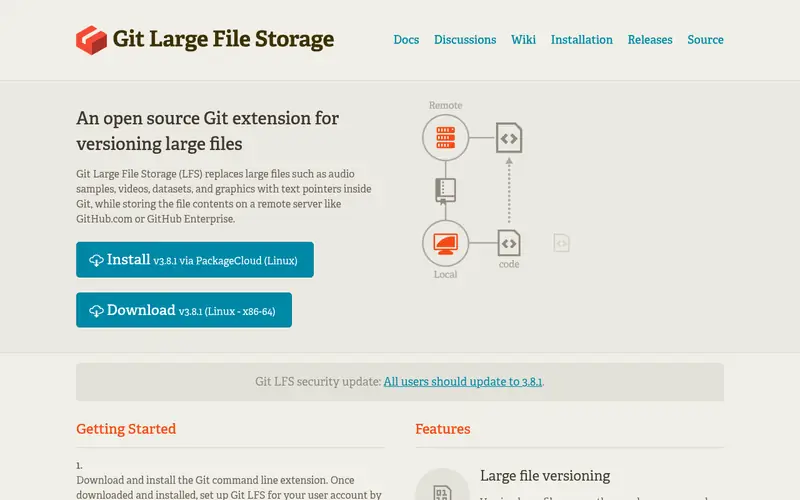
Git LFS is the reference implementation of the Large File Storage extension. You mark patterns such as `*.psd` or `*.zip` with `git lfs track`, and Git stores a short pointer file in the repository while the actual content goes to an LFS server. Clones and checkouts fetch the content on demand. It runs on Windows, macOS, and Linux and ships as a command-line client plus hooks.
The client is free and open source under the MIT license. The cost sits with the host: GitHub, GitLab, and Bitbucket each include some LFS storage and charge for more, with limits that differ by plan. Check your host's current quotas before you commit large assets. Teams that cannot accept host quotas should pair the client with a self-hosted LFS server.
Standout: Works with major Git hosts
Free (open source), as listed by the vendor (Git LFS website). Confirm the current plan price before you buy.
Free plan. Plans change, so confirm on the vendor's pricing page before you buy.
Benefits
- Works with major Git hosts
- tracks files by pattern with a small pointer in the repo
Drawbacks
- Hosting storage and bandwidth quotas vary
- requires the client installed on each machine
Skip it if this limit matters to you: hosting storage and bandwidth quotas vary.
Verdict. A sensible pick for teams storing large assets alongside code in Git.
Alternatives in this guide: git-filter-repo, BFG Repo-Cleaner, Rudolfs
git-filter-repo
Best for removing large files from existing repository history
What it is and where it fits
git-filter-repo is a single Python script that rewrites Git history. It is the recommended replacement for `git filter-branch` in the Git documentation. For large files, you pass `--path` to drop a file or directory across all commits, or use `--strip-blobs-bigger-than` to remove blobs over a size threshold. It runs anywhere Python 3 is available.
Because it rewrites history, every commit hash after the change is new. Everyone with a clone must re-clone or reset, and any open pull requests need attention. Run it on a fresh mirror clone and keep a backup. It does not store large files; it removes them, so pair it with Git LFS if you plan to keep those assets under version control.
Standout: Fast history rewrite
Free (open source), as listed by the vendor (git-filter-repo website). Confirm the current plan price before you buy.
Free plan. Plans change, so confirm on the vendor's pricing page before you buy.
Benefits
- Fast history rewrite
- handles path and blob filtering in one pass
Drawbacks
- Rewrites commit hashes
- requires a fresh clone and coordination with the team
Skip it if this limit matters to you: rewrites commit hashes.
Verdict. A sensible pick for removing large files from existing repository history.
Alternatives in this guide: Git LFS, BFG Repo-Cleaner, Rudolfs
BFG Repo-Cleaner
Best for quickly deleting big files and blobs from history
What it is and where it fits
BFG Repo-Cleaner is a Java tool built for one job: removing unwanted data from Git history. Its `--strip-blobs-bigger-than` option deletes blobs above a size you set, and it can also remove files by name. It is often faster than `git filter-branch` on large repositories and keeps the latest commit intact by default.
It requires Java and runs as a jar file. Like any history rewrite, it changes commit hashes, so coordinate with your team and force-push carefully. BFG is narrower than git-filter-repo and is best for straightforward deletions. It is not a storage system and does not replace Git LFS. Use it when you want a large file gone for good.
Standout: Simple commands for common cleanup tasks
Free (open source), as listed by the vendor (BFG Repo-Cleaner website). Confirm the current plan price before you buy.
Free plan. Plans change, so confirm on the vendor's pricing page before you buy.
Benefits
- Simple commands for common cleanup tasks
- faster than filter-branch on large repos
Drawbacks
- Narrower than git-filter-repo
- still rewrites history and needs a re-clone
Skip it if this limit matters to you: narrower than git-filter-repo.
Verdict. A sensible pick for quickly deleting big files and blobs from history.
Alternatives in this guide: Git LFS, git-filter-repo, Rudolfs
Rudolfs
Best for self-hosting a Git LFS server with pluggable storage
What it is and where it fits
Rudolfs is a lightweight Git LFS server written in Go. It implements the LFS batch API and stores content on local disk or in an S3-compatible bucket. You point the Git LFS client at it with a remote URL, and it handles upload and download of large files. It is a good fit for teams that want LFS without paying a host for storage.
You run it yourself, so backups, access control, and TLS are your responsibility. It is a smaller project than the commercial LFS offerings, and feature coverage may lag the full LFS spec. Teams without ops capacity should use a managed host instead. Teams with existing object storage often find it a clean fit.
Standout: Supports local disk and S3-style storage backends
Free (open source), as listed by the vendor (Rudolfs website). Confirm the current plan price before you buy.
Free plan. Plans change, so confirm on the vendor's pricing page before you buy.
Benefits
- Supports local disk and S3-style storage backends
- simple to deploy
Drawbacks
- You operate and secure the server
- smaller project with fewer integrations
Skip it if this limit matters to you: you operate and secure the server.
Verdict. A sensible pick for self-hosting a Git LFS server with pluggable storage.
Alternatives in this guide: Git LFS, git-filter-repo, BFG Repo-Cleaner
Giftless
Best for pluggable self-hosted Git LFS server for custom storage
What it is and where it fits
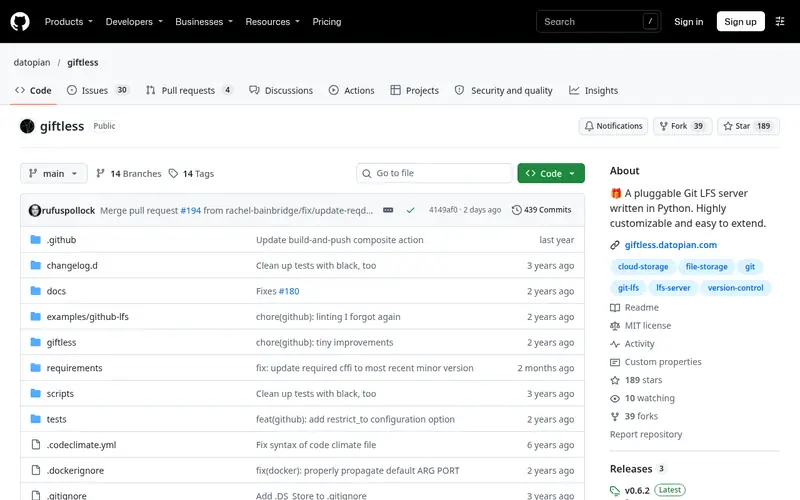
Giftless is a Python Git LFS server from Datopian. It supports several storage backends, including local disk and cloud object stores, and offers configurable authentication. It is built to be extended, so teams with specific storage or auth requirements can adapt it. It implements the LFS batch API that the standard client expects.
Deployment takes more setup than a single-binary server. You need Python, a WSGI server, and configuration for storage and auth. It suits platform teams that already run Python services and want LFS storage to match their infrastructure. Smaller teams may prefer a managed host or a simpler server to avoid the maintenance.
Standout: Multiple storage backends and auth options
Free (open source), as listed by the vendor (Giftless website). Confirm the current plan price before you buy.
Free plan. Plans change, so confirm on the vendor's pricing page before you buy.
Benefits
- Multiple storage backends and auth options
- designed for extension
Drawbacks
- More configuration than a minimal server
- requires Python and server administration
Skip it if this limit matters to you: more configuration than a minimal server.
Verdict. A sensible pick for pluggable self-hosted Git LFS server for custom storage.
Alternatives in this guide: Git LFS, git-filter-repo, BFG Repo-Cleaner
Who should use what
If your team hosts on GitHub, GitLab, or Bitbucket and the quotas fit, use Git LFS with your existing host. If you need control over storage or have outgrown host quotas, run Rudolfs or Giftless and point the LFS client at it. If a large file is already in history and you want it gone, use git-filter-repo, or BFG Repo-Cleaner for simple deletions. If you are starting fresh on a full platform, GitLab or GitHub gives you LFS without running a server.
Questions to settle before you buy
What to check before you buy
- Confirm the host's LFS storage and bandwidth quotas for your plan.
- Add `.gitattributes` patterns for large file types and commit them.
- Back up the repository before any history rewrite.
- Tell every collaborator to re-clone after a history rewrite.
- Check that CI and deploy jobs have the Git LFS client installed.
FAQ
Does Git LFS store files in the repository?
No. The repository holds a small pointer file. The actual content is stored on the LFS server, and clients fetch it on checkout. This keeps clone size down, but you depend on the server being available and within quota.
Can I remove large files that are already in history?
Yes. git-filter-repo and BFG Repo-Cleaner rewrite history to drop large blobs. Both change commit hashes, so everyone must re-clone. Back up first. If you want to keep the files, migrate them to Git LFS instead of deleting them.
Is Git LFS free?
The client is free and open source. Hosting is where cost appears: GitHub, GitLab, and Bitbucket include some LFS storage and charge or limit beyond it. Self-hosted servers such as Rudolfs and Giftless are free but you pay for the infrastructure.
Do I need a special server for Git LFS?
Only if you do not use a host that provides LFS. GitHub, GitLab, and Bitbucket run LFS servers for you. Otherwise you deploy one, such as Rudolfs or Giftless, and configure the client to use it.
What happens if I exceed my LFS quota?
It depends on the host. Some block further uploads, some bill overages, and some restrict clones. Check your provider's pricing page for the exact behavior on your plan before you store large assets.
Sources we checked
Method: how we score · editorial policy.
Change log. First published 22 Nov 2026.