Stage 03 · Host · Researched comparison
Best Online SQL Playgrounds in 2026
DB Fiddle is the first pick for most developers who want to test a query against several database engines in the browser without installing anything. It suits people comparing MySQL, PostgreSQL and SQLite behavior side by side. dbfiddle is a strong alternative with a wider engine list, and SQLite Online is the simplest option when you only need a quick SQLite session. None of these tools is meant for production data.

By Shihab Mia
Published 27 Nov 2026 · 7 tools compared
We run no ads and no affiliate links at launch. The order of a list follows our published method. See how we score.
Prices are the starting prices vendors list publicly. Plans change, so confirm the current price on the vendor page before you buy.
Key takeaways
- All seven options here are free to use; DB Fiddle, SQL Fiddle, dbfiddle, SQLite Online, OneCompiler, DuckDB Shell and PGlite run in the browser.
- DB Fiddle and dbfiddle let you switch between multiple SQL engines, while SQLite Online and DuckDB Shell focus on one engine each.
- PGlite runs Postgres compiled to WebAssembly in the browser tab, so queries stay local to that tab.
- Do not paste secrets, tokens or production data into any third-party web page, including these playgrounds.
Who each pick is for
- Comparing queries across MySQL, PostgreSQL and SQLiteDB Fiddle
- Quick schema-and-query examples to shareSQL Fiddle
- Testing across the widest range of enginesdbfiddle
- Fast SQLite sessions with import and exportSQLite Online
- Running SQL alongside other languages in one placeOneCompiler SQL
- Analytical SQL over files in the browserDuckDB Shell
- Running real Postgres locally in the browserPGlite
Comparison
| Tool | Best for | Standout feature | Listed starting price | Free plan or trial |
|---|---|---|---|---|
| 1DB Fiddle | Comparing queries across MySQL, PostgreSQL and SQLite | Multiple engines in one interface | Free | Free plan |
| 2SQL Fiddle | Quick schema-and-query examples to share | Long-running, well-known tool | Free | Free plan |
| 3dbfiddle | Testing across the widest range of engines | Broad engine coverage including several versions | Free | Free plan |
| 4SQLite Online | Fast SQLite sessions with import and export | Focused SQLite workflow | Free | Free plan |
| 5OneCompiler SQL | Running SQL alongside other languages in one place | SQL editors for several engines | Free | Free plan |
| 6DuckDB Shell | Analytical SQL over files in the browser | DuckDB runs in the browser via WebAssembly | Free (open source) | Free plan |
| 7PGlite | Running real Postgres locally in the browser | Full Postgres engine in the browser via WebAssembly | Free (open source) | Free plan |
How we picked
We picked tools that let a developer write and run SQL in a browser without installing a database server. Criteria were fit for the job, engine coverage, whether queries run locally or on vendor servers, price and licence, and the main limits of each free tier. Sources are vendor pages, project documentation and public repositories. Prices and free-tier limits change, so confirm details on the vendor site before relying on them.
The tools, one by one
DB Fiddle
Best for comparing queries across MySQL, PostgreSQL and SQLite
What it is and where it fits
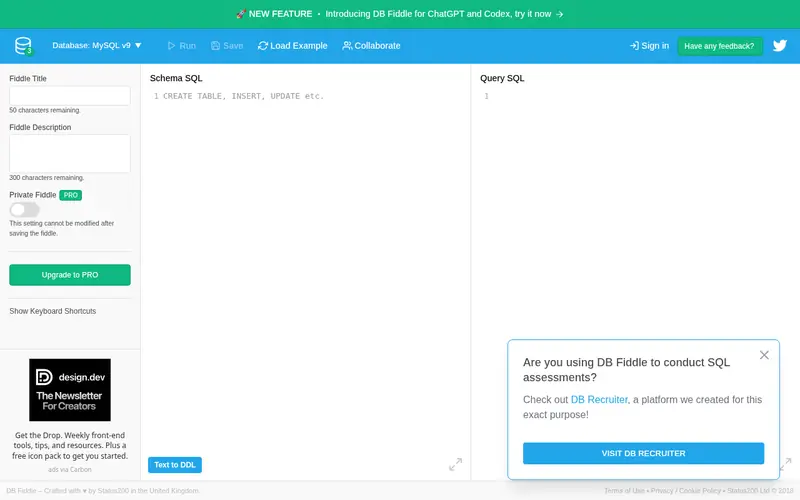
DB Fiddle is a browser tool for writing schema and queries and running them against a chosen engine. It supports MySQL, PostgreSQL and SQLite, which covers most day-to-day comparison work. You build a schema in one pane, write a query in another, and run it to see results. Each fiddle gets a URL you can share with a colleague.
The tool keeps no account requirement for basic use, and the free tier is the main way people use it. Because queries execute on DB Fiddle's servers, treat it as a public sandbox. Do not load real customer records or credentials. It is a good fit for reproducing a syntax question or checking how a join behaves across engines. Skip it if you need a private, offline session or engine versions pinned to your production stack.
Standout: Multiple engines in one interface
Free, as listed by the vendor (DB Fiddle website). Confirm the current plan price before you buy.
Free plan. Plans change, so confirm on the vendor's pricing page before you buy.
Benefits
- Multiple engines in one interface
- shareable fiddle links
Drawbacks
- Queries run on the vendor's servers
- no advanced tuning controls
Skip it if this limit matters to you: queries run on the vendor's servers.
Verdict. A sensible pick for comparing queries across MySQL, PostgreSQL and SQLite.
Alternatives in this guide: SQL Fiddle, dbfiddle, SQLite Online
SQL Fiddle
Best for quick schema-and-query examples to share
What it is and where it fits
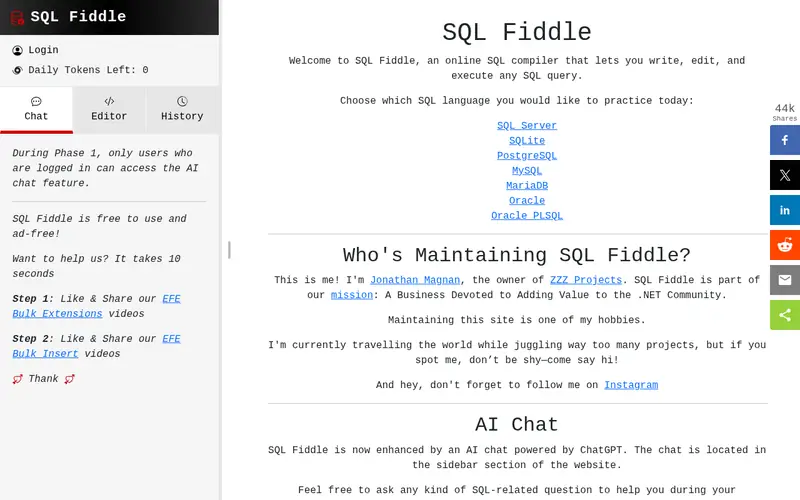
SQL Fiddle lets you paste a schema, build it, and run queries against it in the browser. It has been used for years as a way to attach a working example to a forum question or bug report. The layout is a schema panel on the left and a query panel on the right, with results below.
It supports a set of database engines, though the list is narrower than some competitors. The interface is plain and has not changed much, which some developers find fast and others find dated. Like other hosted playgrounds, it runs your SQL on its servers, so keep the data synthetic. It suits people who want a minimal example they can link to, not a full development environment.
Standout: Long-running, well-known tool
Free, as listed by the vendor (SQL Fiddle website). Confirm the current plan price before you buy.
Free plan. Plans change, so confirm on the vendor's pricing page before you buy.
Benefits
- Long-running, well-known tool
- simple two-pane layout
Drawbacks
- Engine list is narrower than dbfiddle
- interface feels dated
Skip it if this limit matters to you: engine list is narrower than dbfiddle.
Verdict. A sensible pick for quick schema-and-query examples to share.
Alternatives in this guide: DB Fiddle, dbfiddle, SQLite Online
dbfiddle
Best for testing across the widest range of engines
What it is and where it fits
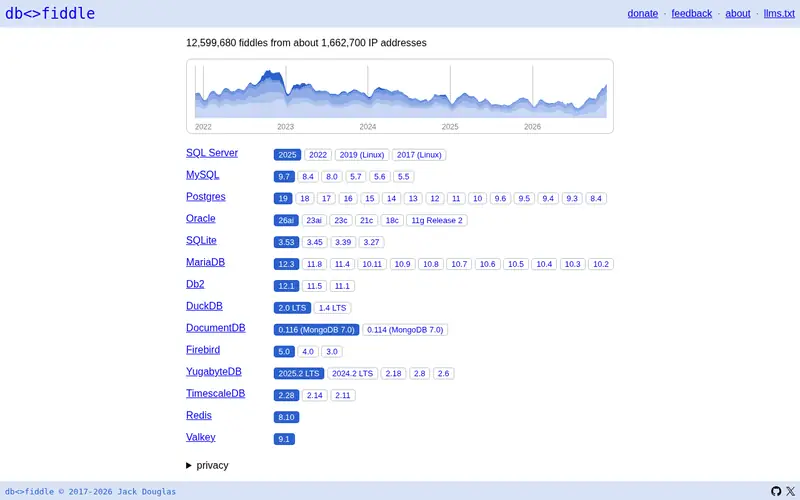
dbfiddle is a browser playground with one of the broadest engine lists among free tools. It covers MySQL, PostgreSQL, SQLite, SQL Server, Oracle, MariaDB and others, often with more than one version per engine. That makes it useful when you need to confirm behavior on a specific release.
You write DDL and DML in the editor, run it, and get a result grid. Fiddles can be saved and shared by URL. The interface packs a lot into one screen, which takes a moment to learn. Execution happens on dbfiddle's infrastructure, so the same privacy rule applies: use made-up data only. It is a good pick for cross-engine comparisons and for checking version-specific syntax. Developers who want a single-engine, offline tool should look at PGlite or DuckDB Shell instead.
Standout: Broad engine coverage including several versions
Free, as listed by the vendor (dbfiddle website). Confirm the current plan price before you buy.
Free plan. Plans change, so confirm on the vendor's pricing page before you buy.
Benefits
- Broad engine coverage including several versions
- saved fiddle links
Drawbacks
- Busy interface
- server-side execution means no private data
Skip it if this limit matters to you: busy interface.
Verdict. A sensible pick for testing across the widest range of engines.
Alternatives in this guide: DB Fiddle, SQL Fiddle, SQLite Online
SQLite Online
Best for fast SQLite sessions with import and export
What it is and where it fits
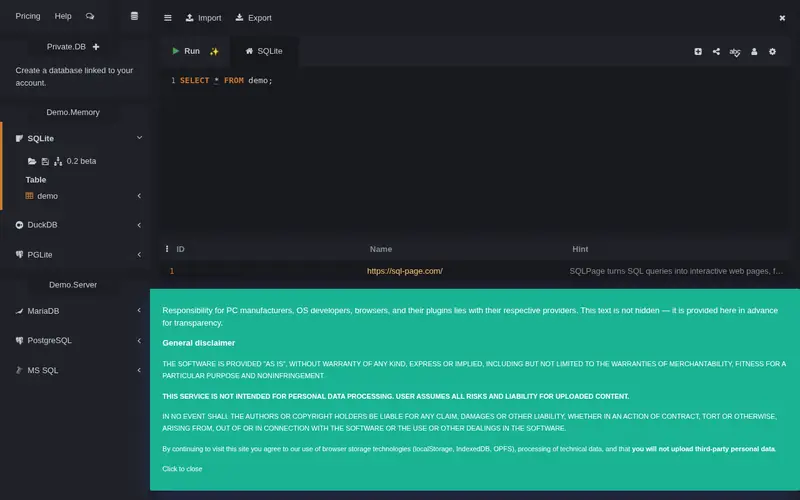
SQLite Online is a browser-based SQLite client. You can create tables, run queries, and import or export SQLite database files. Because SQLite is a file-based engine, the tool can work with a database you load from your own machine, which is handy for inspecting a schema without installing a client.
It focuses on SQLite alone, so it is not the place for cross-engine work. Data you keep in the browser is subject to browser storage limits, and clearing site data can remove it. Export anything you want to keep. For a quick look at a small SQLite file or a scratch query, it is one of the fastest options here. For Postgres or MySQL, use DB Fiddle or dbfiddle.
Standout: Focused SQLite workflow
Free, as listed by the vendor (SQLite Online website). Confirm the current plan price before you buy.
Free plan. Plans change, so confirm on the vendor's pricing page before you buy.
Benefits
- Focused SQLite workflow
- can open local database files
Drawbacks
- Single engine only
- browser storage limits apply
Skip it if this limit matters to you: single engine only.
Verdict. A sensible pick for fast SQLite sessions with import and export.
Alternatives in this guide: DB Fiddle, SQL Fiddle, dbfiddle
OneCompiler SQL
Best for running SQL alongside other languages in one place
What it is and where it fits
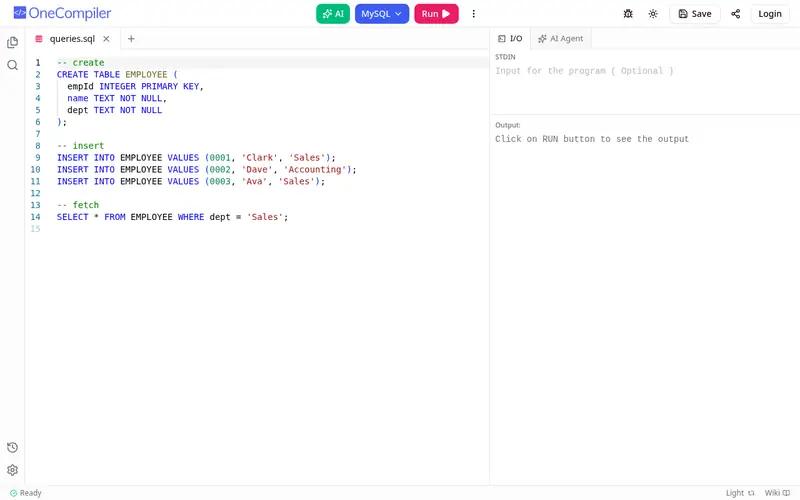
OneCompiler offers online editors for many languages, and its SQL editors cover engines such as MySQL. You pick the SQL editor, write a query, and run it in the browser. Because the same platform hosts editors for other languages, it can be convenient when a task mixes SQL with a bit of application code.
The focus is short snippets rather than long-lived database projects. Queries run on OneCompiler's servers, so keep data synthetic and never paste credentials. It is a reasonable choice if you already use OneCompiler for other languages and want SQL in the same tab. If your main need is deep engine coverage or shareable schema-plus-query fiddles, DB Fiddle and dbfiddle are more targeted.
Standout: SQL editors for several engines
Free, as listed by the vendor (OneCompiler SQL website). Confirm the current plan price before you buy.
Free plan. Plans change, so confirm on the vendor's pricing page before you buy.
Benefits
- SQL editors for several engines
- same account covers many languages
Drawbacks
- Geared toward snippets, not full database projects
- hosted execution
Skip it if this limit matters to you: geared toward snippets, not full database projects.
Verdict. A sensible pick for running SQL alongside other languages in one place.
Alternatives in this guide: DB Fiddle, SQL Fiddle, dbfiddle
DuckDB Shell
Best for analytical SQL over files in the browser
What it is and where it fits
DuckDB Shell is the official browser shell for DuckDB, an open-source analytical database. It runs DuckDB compiled to WebAssembly inside the browser tab, so your session stays local to that page. That makes it a better fit for sensitive scratch work than server-hosted playgrounds, though you should still avoid loading real production extracts.
DuckDB is built for analytical queries, so it handles aggregations and columnar-style work well. The shell uses DuckDB's SQL dialect, which is close to PostgreSQL in many places but not identical. It is not a tool for comparing MySQL against Postgres. Choose it when you want to try analytical SQL or query small local files in a browser session. The project is open source and free to use.
Standout: DuckDB runs in the browser via WebAssembly
Free (open source), as listed by the vendor (DuckDB Shell website). Confirm the current plan price before you buy.
Free plan. Plans change, so confirm on the vendor's pricing page before you buy.
Benefits
- DuckDB runs in the browser via WebAssembly
- strong for analytical queries
Drawbacks
- DuckDB dialect only
- not a multi-engine comparison tool
Skip it if this limit matters to you: duckDB dialect only.
Verdict. A sensible pick for analytical SQL over files in the browser.
Alternatives in this guide: DB Fiddle, SQL Fiddle, dbfiddle
PGlite
Best for running real Postgres locally in the browser
What it is and where it fits
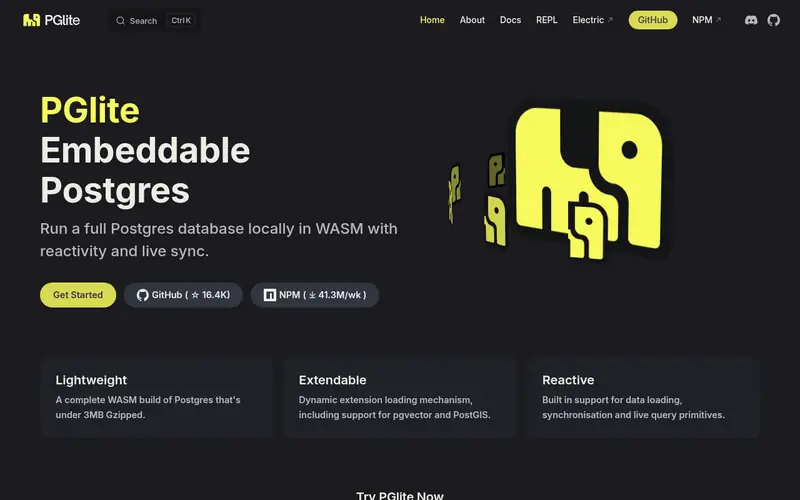
PGlite is an open-source project from ElectricSQL that packages PostgreSQL as a WebAssembly build you can run in the browser or in Node.js. The project site includes a REPL where you can create tables and run Postgres queries directly in the tab, with no server round trip.
Because it is real Postgres, the SQL you test is closer to what production Postgres will accept than a simplified emulator would be. Data lives in the browser session, so it is a better privacy story than hosted fiddles, but it is still a sandbox: do not load production dumps. PGlite is Postgres only, and its APIs are still evolving. It suits developers who want Postgres behavior offline or embedded in a web app.
Standout: Full Postgres engine in the browser via WebAssembly
Free (open source), as listed by the vendor (PGlite website). Confirm the current plan price before you buy.
Free plan. Plans change, so confirm on the vendor's pricing page before you buy.
Benefits
- Full Postgres engine in the browser via WebAssembly
- data stays in the tab
Drawbacks
- Postgres only
- early-stage project with evolving APIs
Skip it if this limit matters to you: postgres only.
Verdict. A sensible pick for running real Postgres locally in the browser.
Alternatives in this guide: DB Fiddle, SQL Fiddle, dbfiddle
Who should use what
If you need to compare one query across MySQL, PostgreSQL and SQLite, start with DB Fiddle and keep dbfiddle for wider engine and version coverage. If you only work in SQLite and want to open a local database file, SQLite Online is the quickest route. If you want Postgres behavior without a server and with data staying in the tab, use PGlite. For analytical SQL over small files, DuckDB Shell fits better than the multi-engine fiddles. If you already use OneCompiler for other languages, its SQL editors keep everything in one account.
Questions to settle before you buy
What to check before you buy
- Confirm the playground supports the exact engine and version you target in production.
- Check whether queries run on vendor servers or locally in your browser before pasting anything.
- Never paste secrets, tokens, customer records or production data into a third-party page.
- Test how you can export or save your schema and queries before you invest time in a session.
- Read the project licence and repository activity if you plan to depend on an open-source tool like PGlite or DuckDB.
FAQ
Are online SQL playgrounds safe for real data?
No. Most hosted playgrounds run your SQL on vendor servers, and you cannot control retention. Treat every one as public. Use synthetic schemas and made-up rows. Tools that run locally in the browser, such as DuckDB Shell and PGlite, reduce exposure, but they are still sandboxes and not a substitute for a secured database.
Which playground supports the most database engines?
dbfiddle has one of the broadest engine lists among free browser tools, often with several versions per engine. DB Fiddle covers the common trio of MySQL, PostgreSQL and SQLite. If you need to confirm behavior on a specific release of SQL Server, Oracle or MariaDB, check dbfiddle's current engine list first.
Can I save and share my queries?
DB Fiddle, SQL Fiddle and dbfiddle all generate shareable URLs for a fiddle. That makes them useful for attaching a working example to a bug report or forum post. Remember that a shared link exposes the schema and data in it, so keep the contents synthetic.
Do these tools work offline?
DuckDB Shell and PGlite run the database engine in the browser via WebAssembly, so a loaded session does not need a server round trip. Whether the page itself loads offline depends on caching. Hosted fiddles like DB Fiddle and dbfiddle need a network connection because queries run on their servers.
Is there a free option for Postgres specifically?
Yes. PGlite is an open-source Postgres build for the browser, and DB Fiddle and dbfiddle both offer Postgres among their engines on free tiers. PGlite keeps data in the tab, while the hosted fiddles run queries on vendor servers.
Sources we checked
Method: how we score · editorial policy.
Change log. First published 27 Nov 2026.