Stage 03 · Host · Researched comparison
Best Node.js Process Managers in 2026
PM2 is the first pick for most teams running a Node.js app on a single server or a small cluster. It handles clustering, restarts, logs and startup scripts with one command. If you already run Linux services, systemd is the lighter choice with no extra dependency. If you deploy containers, Docker and Kubernetes restart policies cover the same job at the platform level.

By Shihab Mia
Published 27 Nov 2026 · 6 tools compared
We run no ads and no affiliate links at launch. The order of a list follows our published method. See how we score.
Prices are the starting prices vendors list publicly. Plans change, so confirm the current price on the vendor page before you buy.
Key takeaways
- PM2 is free and open source, runs on Linux, macOS and Windows, and includes a built-in cluster mode.
- systemd ships with most Linux distributions, so it adds no runtime dependency to your stack.
- Docker and Kubernetes handle restarts through container policies, which suits teams already deploying containers.
- nodemon and Node's built-in --watch are development reload tools, not production supervisors.
Who each pick is for
- Single servers and small clusters running Node.js appsPM2
- Linux servers that already use systemd as the init systemsystemd
- Container deployments that need restart policiesDocker
- Multi-node clusters that need self-healing workloadsKubernetes
- Development reload when files changenodemon
- Built-in dev reload without extra dependenciesNode.js --watch mode
Comparison
| Tool | Best for | Standout feature | Listed starting price | Free plan or trial |
|---|---|---|---|---|
| 1PM2 | Single servers and small clusters running Node.js apps | Cluster mode and process list in one CLI | Free (open source) | Free plan |
| 2systemd | Linux servers that already use systemd as the init system | Present on most Linux distributions with no extra install | Free (open source) | Free plan |
| 3Docker | Container deployments that need restart policies | Restart policies handle crashes and reboots | See vendor pricing page | Free trial (Docker Desktop); Docker Engine is free (open source) |
| 4Kubernetes | Multi-node clusters that need self-healing workloads | Restart and reschedule pods automatically | Free (open source) | Free plan |
| 5nodemon | Development reload when files change | Watches files and restarts the app automatically | Free (open source) | Free plan |
| 6Node.js --watch mode | Built-in dev reload without extra dependencies | Ships with Node.js, no install needed | Free (open source) | Free plan |
How we picked
We picked tools that actually supervise or restart a Node.js process, or that serve the closely related development reload job, and we noted where each one fits. Criteria were fit for the job, supported platforms, licence and price, whether any data leaves the machine, and the main operational limits. Sources are vendor pages, official documentation and project repositories. Prices and plan terms change, so confirm them on the vendor site before you commit.
The tools, one by one
PM2
Best for single servers and small clusters running Node.js apps
What it is and where it fits
PM2 is a process manager written for Node.js. It starts your app, restarts it after a crash, and can run several instances in cluster mode behind a shared port. It also keeps logs, exposes a process list, and can generate a startup script so processes come back after a reboot. It runs on Linux, macOS and Windows.
PM2 is published under the MIT licence and is free to use. An optional hosted monitoring service, PM2 Plus, is sold separately. The core CLI does not require an account or send your app data anywhere; check the vendor page for details on the hosted product.
Choose PM2 when you run Node.js on a VM or bare metal and want clustering and log handling without writing service files. Skip it if your platform already supervises processes, such as systemd or a container orchestrator.
Standout: Cluster mode and process list in one CLI
Free (open source), as listed by the vendor (PM2 website). Confirm the current plan price before you buy.
Free plan. Plans change, so confirm on the vendor's pricing page before you buy.
Benefits
- Cluster mode and process list in one CLI
- log management and startup scripts built in
Drawbacks
- Extra daemon to run and monitor
- configuration can grow complex on large fleets
Skip it if this limit matters to you: extra daemon to run and monitor.
Verdict. A sensible pick for single servers and small clusters running Node.js apps.
Alternatives in this guide: systemd, Docker, Kubernetes
systemd
Best for linux servers that already use systemd as the init system
What it is and where it fits
systemd is the init system and service manager on most Linux distributions. You write a unit file that describes how to start your Node.js app, and systemd restarts it on failure, captures logs through the journal, and can apply resource limits and sandboxing. It is not Node.js-specific, but it supervises any process well.
systemd is free and open source under the LGPL. There is no account, no hosted component, and no data leaves the machine. The main limits are platform and scope: it runs on Linux only, and it does not offer cluster mode or a Node.js process list the way PM2 does.
Use systemd when you want one fewer dependency and your server already boots with it. Skip it if you need cross-platform support or a Node-aware cluster manager.
Standout: Present on most Linux distributions with no extra install
Free (open source), as listed by the vendor (systemd website). Confirm the current plan price before you buy.
Free plan. Plans change, so confirm on the vendor's pricing page before you buy.
Benefits
- Present on most Linux distributions with no extra install
- restart, logging and resource limits in one unit file
Drawbacks
- Linux only
- no Node.js-specific cluster mode
Skip it if this limit matters to you: linux only.
Verdict. A sensible pick for linux servers that already use systemd as the init system.
Alternatives in this guide: PM2, Docker, Kubernetes
Docker
Best for container deployments that need restart policies
What it is and where it fits
Docker runs your Node.js app in a container and applies a restart policy such as always, unless-stopped or on-failure. That policy restarts the process when it exits, and the Docker daemon brings containers back after a host reboot. This replaces a per-app process manager for many teams.
Docker Engine is open source and free. Docker Desktop is a commercial product with its own subscription terms, and pricing depends on company size and use; confirm on the vendor pricing page. The container model adds build steps and image maintenance compared with running PM2 directly on a host.
Choose Docker when you already package apps as images or want the same runtime across environments. Skip it if a single VM and a simple supervisor are enough.
Standout: Restart policies handle crashes and reboots
See vendor pricing page, as listed by the vendor (Docker website). Confirm the current plan price before you buy.
Free trial (Docker Desktop); Docker Engine is free (open source). Plans change, so confirm on the vendor's pricing page before you buy.
Benefits
- Restart policies handle crashes and reboots
- the same image runs on any host with Docker
Drawbacks
- Adds container tooling and image builds
- Docker Desktop licensing differs from Docker Engine
Skip it if this limit matters to you: adds container tooling and image builds.
Verdict. A sensible pick for container deployments that need restart policies.
Alternatives in this guide: PM2, systemd, Kubernetes
Kubernetes
Best for multi-node clusters that need self-healing workloads
What it is and where it fits
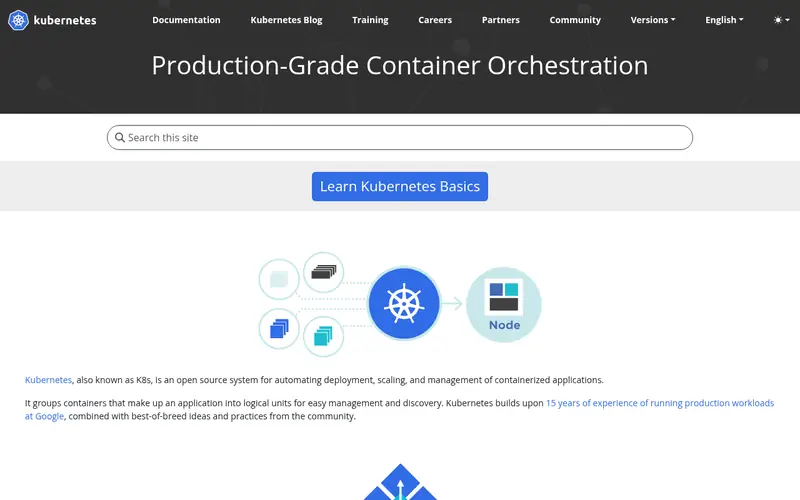
Kubernetes schedules your Node.js containers and restarts them when they fail. A Deployment keeps the desired number of pods running, liveness and readiness probes catch unhealthy processes, and rolling updates replace pods without downtime. The restart behavior comes from the platform, not from a per-app manager.
Kubernetes itself is free and open source under the Apache 2.0 licence. Managed offerings from cloud providers charge for control planes and worker nodes; check each vendor's pricing page. The real cost is operational: clusters need networking, storage, RBAC and upgrade work.
Use Kubernetes when you run many services across nodes and need self-healing and scaling. Skip it for a single small app, where PM2 or systemd is far less work.
Standout: Restart and reschedule pods automatically
Free (open source), as listed by the vendor (Kubernetes website). Confirm the current plan price before you buy.
Free plan. Plans change, so confirm on the vendor's pricing page before you buy.
Benefits
- Restart and reschedule pods automatically
- health probes and rolling updates built in
Drawbacks
- High operational overhead for small apps
- managed clusters cost money
Skip it if this limit matters to you: high operational overhead for small apps.
Verdict. A sensible pick for multi-node clusters that need self-healing workloads.
nodemon
Best for development reload when files change
What it is and where it fits
nodemon watches your project files and restarts the Node.js process when they change. It is a development tool. It does not manage production uptime, clustering or log rotation, and it is not meant to run as a service on a server.
nodemon is free and open source under the MIT licence. It runs on Linux, macOS and Windows and installs through npm. There is no hosted component and no account.
Use nodemon during local development if you want file watching with a config file and ignore rules. For production, pair it with PM2, systemd or a container platform instead.
Standout: Watches files and restarts the app automatically
Free (open source), as listed by the vendor (nodemon website). Confirm the current plan price before you buy.
Free plan. Plans change, so confirm on the vendor's pricing page before you buy.
Benefits
- Watches files and restarts the app automatically
- simple CLI and config file
Drawbacks
- Not a production supervisor
- no clustering or log rotation
Skip it if this limit matters to you: not a production supervisor.
Verdict. A sensible pick for development reload when files change.
Node.js --watch mode
Best for built-in dev reload without extra dependencies
What it is and where it fits
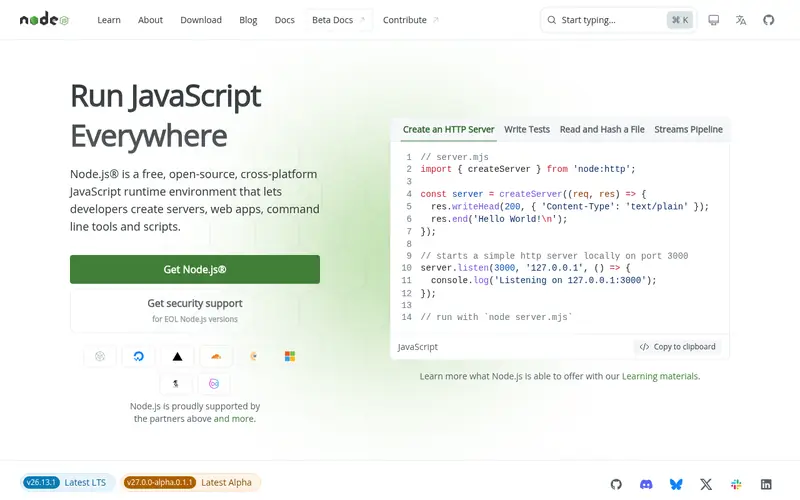
Node.js includes a --watch flag that restarts the process when watched files change. It is part of the runtime, so there is nothing to install. The flag is intended for development and is documented as such; it is not a production process manager.
Node.js is free and open source under the MIT licence. It runs on Linux, macOS and Windows. There is no account and no data collection tied to the flag.
Use --watch for small projects where a built-in tool is enough. Reach for nodemon when you need more control over which files trigger a restart, and use a real supervisor in production.
Standout: Ships with Node.js, no install needed
Free (open source), as listed by the vendor (Node.js --watch mode website). Confirm the current plan price before you buy.
Free plan. Plans change, so confirm on the vendor's pricing page before you buy.
Benefits
- Ships with Node.js, no install needed
- simple flag on the node command
Drawbacks
- Development only
- fewer watch options than nodemon
Skip it if this limit matters to you: development only.
Verdict. A sensible pick for built-in dev reload without extra dependencies.
Who should use what
A developer running one Node.js app on a Linux VM should start with PM2 for clustering and logs, or systemd if the server already uses it and you want no extra dependency. A team that deploys containers should use Docker restart policies, and a team running many services across nodes should use Kubernetes. For local development, use nodemon or Node's built-in --watch flag, and keep them out of production.
Questions to settle before you buy
What to check before you buy
- Confirm the tool restarts your app after a crash and after a host reboot.
- Check platform support: Linux only, or Linux, macOS and Windows.
- Review the licence and any paid tiers, especially for Docker Desktop and managed Kubernetes.
- Decide whether you need cluster mode, log rotation and health checks.
- Verify that no app data or secrets are sent to a hosted service unless you intend it.
FAQ
Is PM2 still the standard Node.js process manager?
PM2 remains the most widely used Node.js-specific process manager. It is free and open source, and it covers clustering, restarts and logs. Many teams now use systemd or container platforms instead, so the right choice depends on your deployment model rather than on PM2 being universal.
Can I use systemd instead of PM2?
Yes. systemd supervises any process on Linux, including Node.js, and handles restarts and logging. You lose PM2's cluster mode and Node-aware process list, but you gain one fewer dependency. It is a good fit if your server already boots with systemd.
Do I need a process manager if I use Docker?
Not a separate one. Docker restart policies restart containers after a crash, and the daemon brings them back after a reboot. You still need a way to build and update images. For multi-node setups, Kubernetes adds health probes and rescheduling.
Is nodemon a production process manager?
No. nodemon watches files and restarts the app during development. It does not provide clustering, log rotation or uptime guarantees for production. Use PM2, systemd or a container platform for production supervision.
How does Node.js --watch mode compare with nodemon?
Node's built-in --watch flag restarts the process when watched files change and needs no install, since it ships with the runtime. nodemon adds a config file and finer control over which files trigger a restart. Both are development tools, so use PM2, systemd or a container platform in production.
Sources we checked
Method: how we score · editorial policy.
Change log. First published 27 Nov 2026.