Stage 03 · Host · Researched comparison
Best .NET Background Job Libraries in 2026
Hangfire is the first pick for most teams that want fire-and-forget, delayed and recurring jobs with a dashboard and persistent storage. Quartz.NET suits teams that need a mature cron-style scheduler with fine control over triggers and calendars. For simple in-process scheduling with no database, Coravel is a lighter option. All three run on modern .NET and are free to start.

By Shihab Mia
Published 27 Nov 2026 · 6 tools compared
We run no ads and no affiliate links at launch. The order of a list follows our published method. See how we score.
Prices are the starting prices vendors list publicly. Plans change, so confirm the current price on the vendor page before you buy.
Key takeaways
- Hangfire is open source under LGPL and has a paid Pro line; Quartz.NET and Coravel are free open source.
- The built-in BackgroundService and IHostedService cover long-running loops but do not store job state or retries.
- MassTransit changed its licence for v9, so check the current terms before adopting it for scheduling.
- None of these libraries requires pasting data into a third-party web page; they run inside your own application.
Who each pick is for
- Persistent jobs with a dashboard and retriesHangfire
- Cron-style scheduling with triggers and calendarsQuartz.NET
- Simple in-process task and job schedulingCoravel
- Long-running loops with no extra dependencyBackgroundService and IHostedService
- Messaging with scheduled and delayed messagesMassTransit
- Messaging and scheduled work in .NET servicesWolverine
Comparison
| Tool | Best for | Standout feature | Listed starting price | Free plan or trial |
|---|---|---|---|---|
| 1Hangfire | Persistent jobs with a dashboard and retries | Fire-and-forget, delayed and recurring jobs | Free (open source) | Free plan |
| 2Quartz.NET | Cron-style scheduling with triggers and calendars | Mature scheduler with cron triggers, calendars and misfire handling | Free (open source) | Free plan |
| 3Coravel | Simple in-process task and job scheduling | Small API for scheduling and queuing inside one app | Free (open source) | Free plan |
| 4BackgroundService and IHostedService | Long-running loops with no extra dependency | Built into .NET, no third-party package | Free | Free plan |
| 5MassTransit | Messaging with scheduled and delayed messages | Scheduling and delayed delivery across message brokers | See vendor pricing page | No free plan |
| 6Wolverine | Messaging and scheduled work in .NET services | Handles messaging, scheduled messages and outbox patterns | Free (open source) | Free plan |
How we picked
We compared libraries on fit for background job work, supported .NET platforms, licence and pricing model, persistence and scaling options, and the main limits of each. We also noted whether a tool runs entirely inside your application, since none of these requires pasting production data into a third-party web page. Sources are vendor sites, official documentation and project repositories. Licences and prices change, so confirm current terms on the vendor site before you commit.
The tools, one by one
Hangfire
Best for persistent jobs with a dashboard and retries
What it is and where it fits
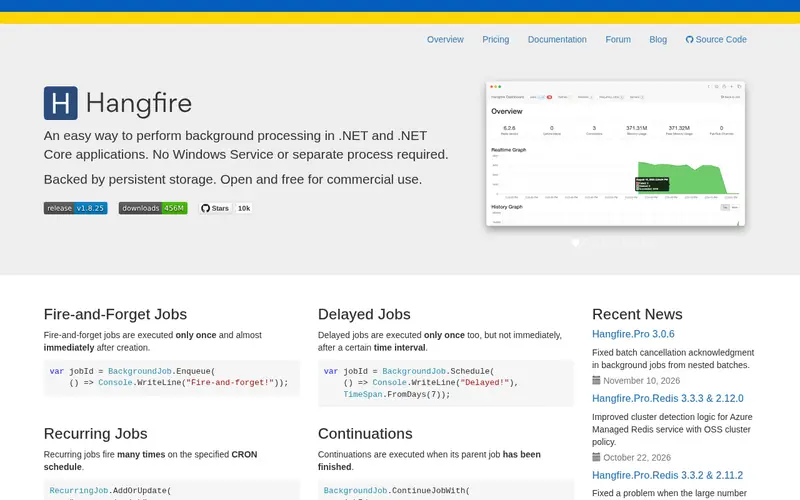
Hangfire stores job definitions and state in a database, so jobs survive restarts and can be retried. You enqueue work with a single call and the library handles serialization, retries and concurrency. A web dashboard shows queues, succeeded and failed jobs, and lets you requeue manually. It runs on .NET Framework and modern .NET.
The core library is open source under LGPL. Hangfire Pro and higher tiers add features such as batching and advanced retry policies; check the vendor pricing page for current terms. Storage choice matters: SQL Server and PostgreSQL backends are common, and Redis works for higher throughput. Skip it if you only need a timer inside one process and want no database dependency.
Standout: Fire-and-forget, delayed and recurring jobs
Free (open source), as listed by the vendor (Hangfire website). Confirm the current plan price before you buy.
Free plan. Plans change, so confirm on the vendor's pricing page before you buy.
Benefits
- Fire-and-forget, delayed and recurring jobs
- built-in dashboard for monitoring
- SQL Server, PostgreSQL, Redis and other storage options
Drawbacks
- Some features sit behind paid Pro
- LGPL terms need review for closed-source redistribution
Skip it if this limit matters to you: some features sit behind paid Pro.
Verdict. A sensible pick for persistent jobs with a dashboard and retries.
Alternatives in this guide: Quartz.NET, Coravel, BackgroundService and IHostedService
Quartz.NET
Best for cron-style scheduling with triggers and calendars
What it is and where it fits
Quartz.NET is a port of the Java Quartz scheduler. It focuses on when jobs run: cron expressions, simple intervals, calendars that skip holidays, and misfire policies for missed triggers. Jobs can be stored in memory or in a persistent job store such as a database, which lets a cluster of instances share scheduling.
It targets modern .NET and integrates with dependency injection and hosted services. The API is more verbose than Hangfire's, and there is no bundled dashboard, so monitoring usually means logs or your own tooling. It is a good fit when scheduling precision and calendar rules matter more than a job queue UI. The project is free and open source.
Standout: Mature scheduler with cron triggers, calendars and misfire handling
Free (open source), as listed by the vendor (Quartz.NET website). Confirm the current plan price before you buy.
Free plan. Plans change, so confirm on the vendor's pricing page before you buy.
Benefits
- Mature scheduler with cron triggers, calendars and misfire handling
- persistent job store options
- runs in-process
Drawbacks
- More configuration than simple libraries
- no built-in dashboard
Skip it if this limit matters to you: more configuration than simple libraries.
Verdict. A sensible pick for cron-style scheduling with triggers and calendars.
Alternatives in this guide: Hangfire, Coravel, BackgroundService and IHostedService
Coravel
Best for simple in-process task and job scheduling
What it is and where it fits
Coravel is a lightweight library for .NET that covers task scheduling, queuing, caching and mail sending. For background jobs, you register tasks with fluent syntax such as every minute or daily, and the scheduler runs them inside your application process. It needs no external storage, which keeps setup short.
Because it runs in-process, queued work is lost if the app restarts, and running multiple instances can duplicate scheduled tasks unless you guard against it. That makes it a fit for small services, scheduled cleanups and single-instance apps. It is free and open source. Skip it when you need durable queues, retries across restarts, or a monitoring dashboard.
Standout: Small API for scheduling and queuing inside one app
Free (open source), as listed by the vendor (Coravel website). Confirm the current plan price before you buy.
Free plan. Plans change, so confirm on the vendor's pricing page before you buy.
Benefits
- Small API for scheduling and queuing inside one app
- no database required
- integrates with ASP.NET Core dependency injection
Drawbacks
- In-process only, so jobs do not survive restarts
- fewer persistence and scaling features
Skip it if this limit matters to you: in-process only, so jobs do not survive restarts.
Verdict. A sensible pick for simple in-process task and job scheduling.
Alternatives in this guide: Hangfire, Quartz.NET, BackgroundService and IHostedService
BackgroundService and IHostedService
Best for long-running loops with no extra dependency
What it is and where it fits
BackgroundService and IHostedService are part of the .NET generic host. A BackgroundService runs a long-running task alongside your web app or worker service, and the host handles start and graceful shutdown through a cancellation token. This is the baseline for worker services and console-style processors.
It gives you no job storage, retry policy or scheduling UI. You implement delays, cron logic and failure handling yourself, or add a library on top. For a single recurring loop, a queue consumer, or a health check pinger, it is often enough and adds no dependency. Choose it when the work is simple and you want to keep the stack small; move to Hangfire or Quartz.NET when you need durability or complex schedules.
Standout: Built into .NET, no third-party package
Free, as listed by the vendor (BackgroundService and IHostedService website). Confirm the current plan price before you buy.
Free plan. Plans change, so confirm on the vendor's pricing page before you buy.
Benefits
- Built into .NET, no third-party package
- full control over the loop and cancellation
Drawbacks
- No persistence, retries or dashboard
- you write the scheduling and error handling yourself
Skip it if this limit matters to you: no persistence, retries or dashboard.
Verdict. A sensible pick for long-running loops with no extra dependency.
Alternatives in this guide: Hangfire, Quartz.NET, Coravel
MassTransit
Best for messaging with scheduled and delayed messages
What it is and where it fits
MassTransit is a distributed application framework for .NET built around message brokers such as RabbitMQ, Azure Service Bus and Amazon SQS. It includes scheduling and delayed message delivery, which lets you defer work or run recurring messages through the broker rather than a database job table.
It is not a drop-in replacement for a simple job scheduler. You get consumers, sagas, retries and observability, but you also take on a broker and more configuration. The licence terms changed for v9, so confirm the current model on the vendor pricing page before adopting it. It suits teams already using messaging that want scheduling in the same stack. Skip it for single-process cron jobs.
Standout: Scheduling and delayed delivery across message brokers
See vendor pricing page, as listed by the vendor (MassTransit website). Confirm the current plan price before you buy.
No free plan. Plans change, so confirm on the vendor's pricing page before you buy.
Benefits
- Scheduling and delayed delivery across message brokers
- mature abstractions over transports
- supports sagas and consumers
Drawbacks
- Licence changed for v9, so review terms
- heavier than a pure scheduler
Skip it if this limit matters to you: licence changed for v9, so review terms.
Verdict. A sensible pick for messaging with scheduled and delayed messages.
Alternatives in this guide: Hangfire, Quartz.NET, Coravel
Wolverine
Best for messaging and scheduled work in .NET services
What it is and where it fits
Wolverine is a .NET messaging and command-processing library from JasperFx. It supports scheduled and delayed messages, local queues and integration with brokers, plus an outbox pattern for reliable delivery. You can use it to defer work or run background handlers inside a service.
It overlaps with MassTransit in scope: both are messaging frameworks with scheduling features rather than pure cron schedulers. Wolverine is open source and targets modern .NET. It fits teams that want messaging, handlers and scheduled messages in one model. For a plain recurring job with a dashboard, Hangfire or Quartz.NET is a simpler starting point. Check the project repository for current licence and support details.
Standout: Handles messaging, scheduled messages and outbox patterns
Free (open source), as listed by the vendor (Wolverine website). Confirm the current plan price before you buy.
Free plan. Plans change, so confirm on the vendor's pricing page before you buy.
Benefits
- Handles messaging, scheduled messages and outbox patterns
- integrates with the .NET host
- open source
Drawbacks
- Smaller ecosystem than older schedulers
- best suited to teams already using its messaging model
Skip it if this limit matters to you: smaller ecosystem than older schedulers.
Verdict. A sensible pick for messaging and scheduled work in .NET services.
Alternatives in this guide: Hangfire, Quartz.NET, Coravel
Who should use what
If you need durable jobs with retries and a dashboard, start with Hangfire. If your priority is cron expressions, calendars and misfire rules, choose Quartz.NET. If you want a small in-process scheduler with no database, Coravel is enough. If you only need a long-running loop, the built-in BackgroundService keeps dependencies at zero. Teams already using a message broker should look at MassTransit or Wolverine for scheduled messages, but check the MassTransit v9 licence terms first.
Questions to settle before you buy
What to check before you buy
- Confirm the licence fits your distribution model, especially Hangfire's LGPL core and MassTransit v9 terms.
- Check which storage backends are supported and whether you already run that database.
- Decide whether jobs must survive restarts, or whether in-process scheduling is acceptable.
- Test how the library handles retries, failures and duplicate runs across multiple instances.
- Verify support for your target .NET version and hosting model, including containers and worker services.
FAQ
Do I need a database for background jobs in .NET?
Only if jobs must survive restarts or run across several instances. Hangfire and Quartz.NET can use a database for persistence. Coravel and BackgroundService keep state in memory, so queued work is lost on restart.
Is Hangfire free?
The core Hangfire library is open source under LGPL. Hangfire Pro and higher tiers are paid and add features such as batching. Check the vendor pricing page for current terms and what each tier includes.
What changed with the MassTransit licence?
MassTransit changed its licence model for v9. The current terms differ from earlier open-source releases, so review the vendor pricing page before adopting it, especially for commercial or redistributed software.
Can I use Quartz.NET and Hangfire together?
You can, but it usually adds complexity. Hangfire handles queues and retries, while Quartz.NET focuses on scheduling. Most teams pick one for background jobs and use the other only if a specific scheduling feature is missing.
Are these libraries safe for production data?
They run inside your own application and store data in your own database or broker. That avoids pasting secrets or production data into third-party web pages. Review each library's storage and logging behavior before you deploy.
Sources we checked
Method: how we score · editorial policy.
Change log. First published 27 Nov 2026.