Stage 01 · Write · Researched comparison
Best UUID Generator Tools for Developers in 2026
The uuid npm package is the first pick for most JavaScript and Node.js developers because it generates UUIDs in code and in the terminal with no third-party web page involved. For quick one-off values, the uuidtools.com browser generator is a simple alternative. For Python projects, the built-in uuid module covers the job with no install.

By Shihab Mia
Published 22 Nov 2026 · 6 tools compared
We run no ads and no affiliate links at launch. The order of a list follows our published method. See how we score.
Prices are the starting prices vendors list publicly. Plans change, so confirm the current price on the vendor page before you buy.
Key takeaways
- The uuid npm package is free, open source, and runs locally in Node.js and the browser.
- Python's uuid module ships with the standard library, so no install or account is needed.
- Browser generators are convenient but should not receive secrets, tokens, or production data.
- Command-line tools such as uuidgen and the uuid npm CLI suit scripts and repeatable workflows.
Who each pick is for
- JavaScript and Node.js developers generating UUIDs in codeuuid (npm package)
- Python developers who want UUIDs from the standard libraryPython uuid module
- Shell users who need a UUID from the terminaluuidgen (util-linux)
- Quick one-off UUIDs without installing anythingOnline UUID Generator (uuidtools.com)
- Rust developers generating UUIDs in applicationsRust uuid crate
- Go developers who need UUIDs in services and toolsGo google/uuid
Comparison
| Tool | Best for | Standout feature | Listed starting price | Free plan or trial |
|---|---|---|---|---|
| 1uuid (npm package) | JavaScript and Node.js developers generating UUIDs in code | Runs locally in Node.js and browsers | Free (open source) | Free plan |
| 2Python uuid module | Python developers who want UUIDs from the standard library | Ships with Python, so no install is needed | Free (open source) | Free plan |
| 3uuidgen (util-linux) | Shell users who need a UUID from the terminal | Usually preinstalled on Linux and macOS | Free (open source) | Free plan |
| 4Online UUID Generator (uuidtools.com) | Quick one-off UUIDs without installing anything | No install or account | Free | Free plan |
| 5Rust uuid crate | Rust developers generating UUIDs in applications | Supports multiple UUID versions | Free (open source) | Free plan |
| 6Go google/uuid | Go developers who need UUIDs in services and tools | Widely used Go library | Free (open source) | Free plan |
How we picked
We picked tools that genuinely generate UUIDs, then compared them on fit for common developer workflows, supported platforms and languages, licence and price, whether generation happens locally, and documented limits such as supported UUID versions. Sources are vendor pages, official documentation, and project repositories. Prices and features change, so confirm details on the vendor or project site before you rely on them.
The tools, one by one
uuid (npm package)
Best for javaScript and Node.js developers generating UUIDs in code
What it is and where it fits
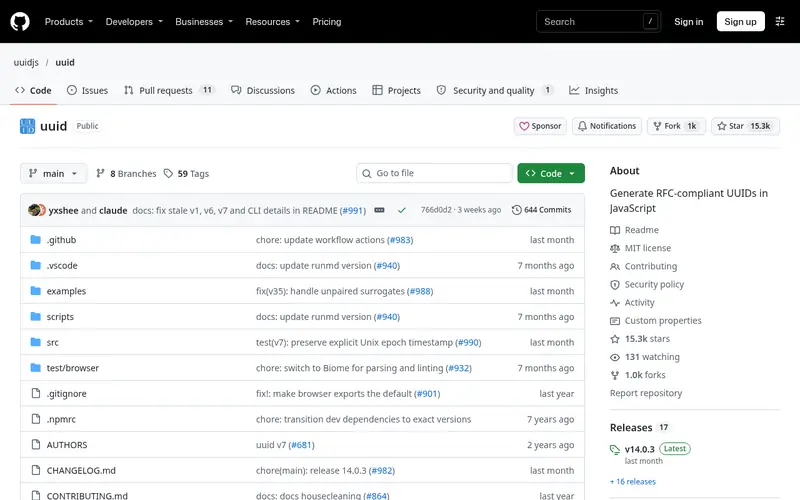
The uuid package is a small library for generating RFC-compliant UUIDs inside JavaScript and TypeScript projects. It supports v1, v3, v4, v5, and v7, so you can pick time-based, name-based, random, or sortable values. It runs in Node.js and in browsers, and the CLI lets you print UUIDs from a terminal without writing code.
Install it with npm and call the generator functions in your application. Because generation happens on your machine, no values leave your environment. The project is open source under the MIT license. Teams that do not use JavaScript should skip it and use a native tool or library for their language instead.
Standout: Runs locally in Node.js and browsers
Free (open source), as listed by the vendor (uuid (npm package) website). Confirm the current plan price before you buy.
Free plan. Plans change, so confirm on the vendor's pricing page before you buy.
Benefits
- Runs locally in Node.js and browsers
- supports UUID v1, v3, v4, v5, and v7
Drawbacks
- Requires a JavaScript toolchain
- no graphical interface
Skip it if this limit matters to you: requires a JavaScript toolchain.
Verdict. A sensible pick for javaScript and Node.js developers generating UUIDs in code.
Alternatives in this guide: Python uuid module, uuidgen (util-linux), Online UUID Generator (uuidtools.com)
Python uuid module
Best for python developers who want UUIDs from the standard library

What it is and where it fits
The uuid module is part of the Python standard library. Import it and call uuid4() for a random UUID, or the v1, v3, and v5 functions for time-based and name-based values. Newer Python releases add support for other versions, so check the documentation for your interpreter version.
Because it is built in, there is nothing to install and nothing to pay. Values are generated locally, which keeps identifiers out of third-party web pages. It suits scripts, web backends, and data pipelines written in Python. Developers working in other languages will need a different tool.
Standout: Ships with Python, so no install is needed
Free (open source), as listed by the vendor (Python uuid module website). Confirm the current plan price before you buy.
Free plan. Plans change, so confirm on the vendor's pricing page before you buy.
Benefits
- Ships with Python, so no install is needed
- supports v1, v3, v4, and v5
Drawbacks
- No v7 support in older versions
- no command-line wrapper by default
Skip it if this limit matters to you: no v7 support in older versions.
Verdict. A sensible pick for python developers who want UUIDs from the standard library.
Alternatives in this guide: uuid (npm package), uuidgen (util-linux), Online UUID Generator (uuidtools.com)
uuidgen (util-linux)
Best for shell users who need a UUID from the terminal
What it is and where it fits
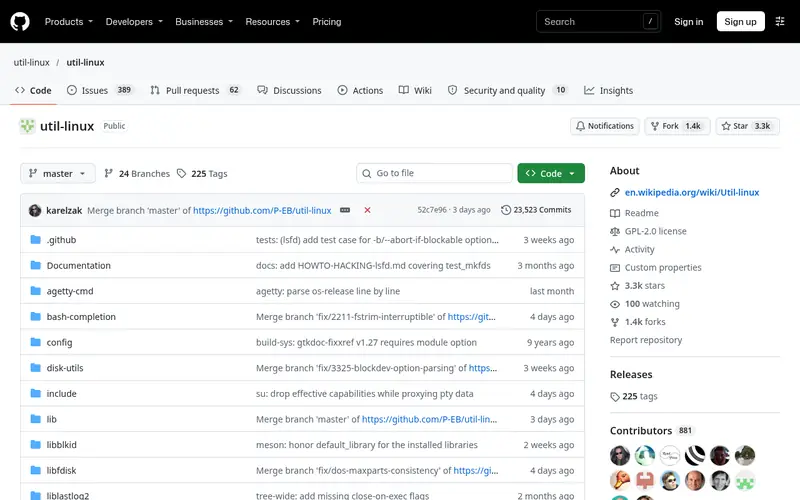
uuidgen is a small command-line program from the util-linux project. Run it in a terminal and it prints a UUID, which you can pipe into scripts, config files, or database seeds. It is commonly available on Linux and macOS without extra installation.
The tool generates values locally, so nothing is sent over the network. Output format and supported UUID versions depend on the build and platform, so check `uuidgen --help` on your system. It is a good fit for shell automation and quick terminal use. Developers who need UUIDs inside application code should use a language library instead.
Standout: Usually preinstalled on Linux and macOS
Free (open source), as listed by the vendor (uuidgen (util-linux) website). Confirm the current plan price before you buy.
Free plan. Plans change, so confirm on the vendor's pricing page before you buy.
Benefits
- Usually preinstalled on Linux and macOS
- works in shell scripts
Drawbacks
- Limited to the versions the local build supports
- no GUI
Skip it if this limit matters to you: limited to the versions the local build supports.
Verdict. A sensible pick for shell users who need a UUID from the terminal.
Alternatives in this guide: uuid (npm package), Python uuid module, Online UUID Generator (uuidtools.com)
Online UUID Generator (uuidtools.com)
Best for quick one-off UUIDs without installing anything
What it is and where it fits
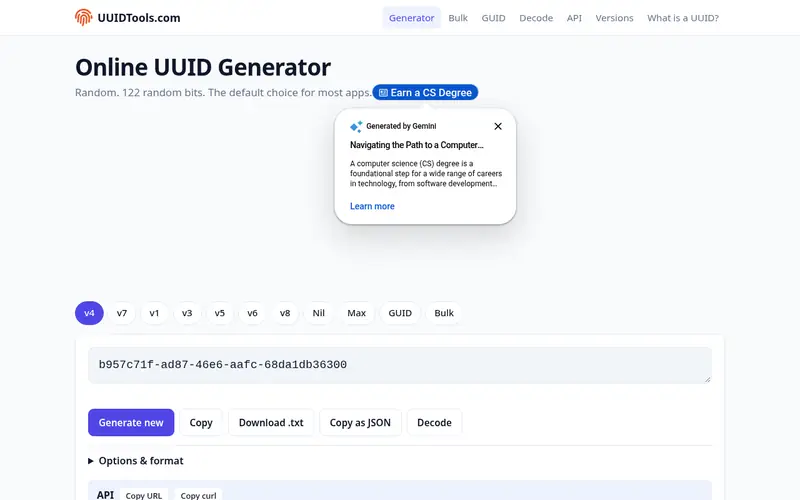
uuidtools.com offers a browser page that generates UUIDs on demand. It covers v1 and v4 and lets you copy values with one click. It is useful when you need a single identifier and do not want to open a terminal or install a package.
The page is a third-party website. Do not paste secrets, tokens, or production data into it, and do not treat it as a system of record for identifiers. For repeatable or automated work, prefer a local library or CLI. The site also documents UUID formats, which helps when you need to confirm version behavior.
Standout: No install or account
Free, as listed by the vendor (Online UUID Generator (uuidtools.com) website). Confirm the current plan price before you buy.
Free plan. Plans change, so confirm on the vendor's pricing page before you buy.
Benefits
- No install or account
- generates v1 and v4 values in the browser
Drawbacks
- Third-party web page
- not for secrets or production data
Skip it if this limit matters to you: third-party web page.
Verdict. A sensible pick for quick one-off UUIDs without installing anything.
Alternatives in this guide: uuid (npm package), Python uuid module, uuidgen (util-linux)
Rust uuid crate
Best for rust developers generating UUIDs in applications

What it is and where it fits
The uuid crate is the common choice for Rust projects. It generates v1, v3, v4, v5, and other versions depending on enabled features, and it integrates with serialization crates such as serde. Add it to Cargo.toml and call the generator functions in your code.
Generation happens locally, and the crate is open source. Feature flags let you trim the build to the versions you need. It suits backend services, command-line tools written in Rust, and data models that need stable identifiers. Developers outside the Rust ecosystem should pick a library for their own language.
Standout: Supports multiple UUID versions
Free (open source), as listed by the vendor (Rust uuid crate website). Confirm the current plan price before you buy.
Free plan. Plans change, so confirm on the vendor's pricing page before you buy.
Benefits
- Supports multiple UUID versions
- integrates with serde and other crates
Drawbacks
- Requires a Rust toolchain
- no standalone CLI
Skip it if this limit matters to you: requires a Rust toolchain.
Verdict. A sensible pick for rust developers generating UUIDs in applications.
Alternatives in this guide: uuid (npm package), Python uuid module, uuidgen (util-linux)
Go google/uuid
Best for go developers who need UUIDs in services and tools
What it is and where it fits
google/uuid is a Go package for generating and parsing UUIDs. It covers v1, v3, v4, and v5 and provides helpers for parsing strings and working with byte slices. Add it with `go get` and call the generator functions in your service or tool.
The package runs locally and is open source. It is a common dependency in Go web services, CLIs, and data pipelines. Check the repository for the current API and supported versions before you commit to a design. Developers who need UUID v7 should confirm support or use a different package.
Standout: Widely used Go library
Free (open source), as listed by the vendor (Go google/uuid website). Confirm the current plan price before you buy.
Free plan. Plans change, so confirm on the vendor's pricing page before you buy.
Benefits
- Widely used Go library
- supports v1, v3, v4, and v5
Drawbacks
- No v7 support in the core API
- no graphical interface
Skip it if this limit matters to you: no v7 support in the core API.
Verdict. A sensible pick for go developers who need UUIDs in services and tools.
Alternatives in this guide: uuid (npm package), Python uuid module, uuidgen (util-linux)
Who should use what
JavaScript and Node.js developers should start with the uuid npm package, which covers code and CLI use. Python developers can use the built-in uuid module with no install. Shell users who need a value in a script should reach for uuidgen. For a one-off identifier in a browser, a page like uuidtools.com works, but keep secrets and production data out of it. Rust and Go teams should use the uuid crate and google/uuid respectively.
Questions to settle before you buy
What to check before you buy
- Confirm the UUID versions you need, such as v4 for random or v7 for sortable values.
- Check whether generation runs locally or on a third-party web page.
- Verify the licence and whether the project is actively maintained.
- For online utilities, never paste secrets, tokens, or production data.
- Test output format and parsing behavior against your database and APIs.
FAQ
What is the difference between UUID v4 and v7?
UUID v4 is random and has no ordering. UUID v7 embeds a timestamp, so values sort roughly by creation time, which helps with database indexes. Check that your library supports v7 before you design around it.
Are online UUID generators safe to use?
They are fine for test values and mock data. Do not paste secrets, tokens, or production data into a third-party page. Prefer tools that run locally in the browser or offline when the values matter.
Do I need a library, or can I use a command-line tool?
Use a library when your application generates IDs at runtime. Use a CLI such as uuidgen or the uuid npm CLI for scripts, config files, and one-off values.
Is the uuid npm package free?
Yes. It is open source and free to use. Check the repository for the current licence and supported UUID versions.
Can I generate UUIDs without installing anything?
Yes. Python's uuid module is built in, and uuidgen is often preinstalled on Linux and macOS. Browser pages also work for one-off values.
Sources we checked
Method: how we score · editorial policy.
Change log. First published 22 Nov 2026.