Stage 01 · Write · Researched comparison
Best TypeScript Linters for Strict Codebases in 2026
typescript-eslint is the first pick for most teams. It is the maintained linting stack for TypeScript, built on ESLint, and it handles type-aware rules that plain ESLint cannot. Biome suits teams that want one fast tool for linting and formatting with little config. oxlint suits teams that want a very fast Rust-based linter as a first pass, often run alongside ESLint. All three are open source.

By Shihab Mia
Published 22 Nov 2026 · 6 tools compared
We run no ads and no affiliate links at launch. The order of a list follows our published method. See how we score.
Prices are the starting prices vendors list publicly. Plans change, so confirm the current price on the vendor page before you buy.
Key takeaways
- typescript-eslint is free and open source, and it is the standard path for type-aware lint rules in TypeScript projects.
- Biome and oxlint are free and open source, and both are written in Rust for speed.
- ESLint-based setups need Node.js and a config file; Biome and oxlint ship as single binaries you can run from the command line.
- None of these tools send your source code to a third party; linting runs locally on your machine or CI runner.
Who each pick is for
- Teams that need type-aware lint rules in TypeScripttypescript-eslint
- Projects that want one lint platform for JS and TSESLint
- Teams that want linting and formatting in one fast toolBiome
- Teams that want a very fast first-pass linteroxlint
- Teams that want a zero-config style standardStandardJS with TypeScript support
- Fast syntax and reference checks in editorsquick-lint-js
Comparison
| Tool | Best for | Standout feature | Listed starting price | Free plan or trial |
|---|---|---|---|---|
| 1typescript-eslint | Teams that need type-aware lint rules in TypeScript | Type-aware rules catch bugs that syntax-only linters miss | Free (open source) | Free plan |
| 2ESLint | Projects that want one lint platform for JS and TS | Huge plugin ecosystem | Free (open source) | Free plan |
| 3Biome | Teams that want linting and formatting in one fast tool | Single Rust binary for lint and format | Free (open source) | Free plan |
| 4oxlint | Teams that want a very fast first-pass linter | Very fast Rust-based linting | Free (open source) | Free plan |
| 5StandardJS with TypeScript support | Teams that want a zero-config style standard | No config decisions to make | Free (open source) | Free plan |
| 6quick-lint-js | Fast syntax and reference checks in editors | Very fast startup | Free (open source) | Free plan |
How we picked
We picked tools that actually lint TypeScript, not just JavaScript with TypeScript syntax bolted on. Criteria were fit for the job, supported platforms, licence and price, whether linting runs locally so source code stays on your machine, and the main limits of each tool. Sources are vendor pages, documentation and project repositories. Prices and plan details change, so confirm on the vendor site before you commit.
The tools, one by one
typescript-eslint
Best for teams that need type-aware lint rules in TypeScript
What it is and where it fits
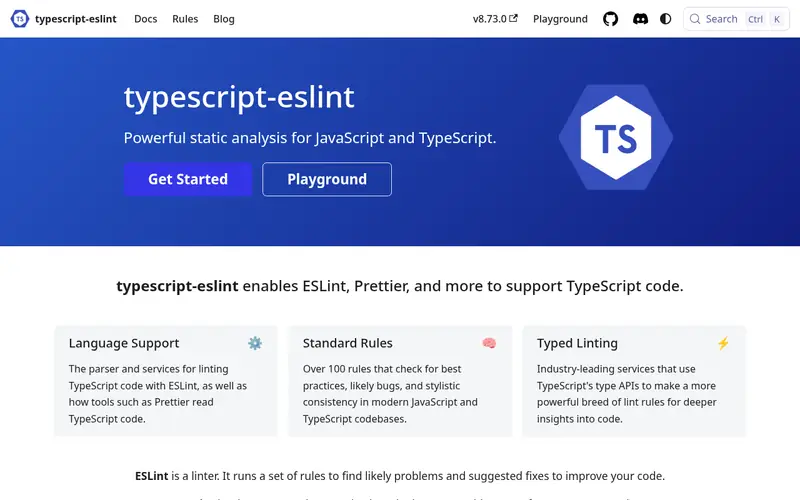
typescript-eslint is the linting stack most TypeScript projects use. It provides the parser that lets ESLint read TypeScript syntax and a set of rules that use type information, such as checks for floating promises and unsafe any usage. It runs anywhere Node.js runs, including editors through the ESLint extension and CI pipelines.
The project is open source under the MIT licence. Setup means installing ESLint plus the typescript-eslint packages and writing a flat config file. Type-aware rules need a tsconfig project reference, which adds startup cost on large codebases. Teams that only want formatting and simple syntax checks may find the config overhead high. Teams that want deep correctness checks usually accept it.
Standout: Type-aware rules catch bugs that syntax-only linters miss
Free (open source), as listed by the vendor (typescript-eslint website). Confirm the current plan price before you buy.
Free plan. Plans change, so confirm on the vendor's pricing page before you buy.
Benefits
- Type-aware rules catch bugs that syntax-only linters miss
- large rule set and active maintenance
Drawbacks
- Requires ESLint and a parser setup
- slower than Rust-based linters on big repos
Skip it if this limit matters to you: requires ESLint and a parser setup.
Verdict. A sensible pick for teams that need type-aware lint rules in TypeScript.
ESLint
Best for projects that want one lint platform for JS and TS
What it is and where it fits
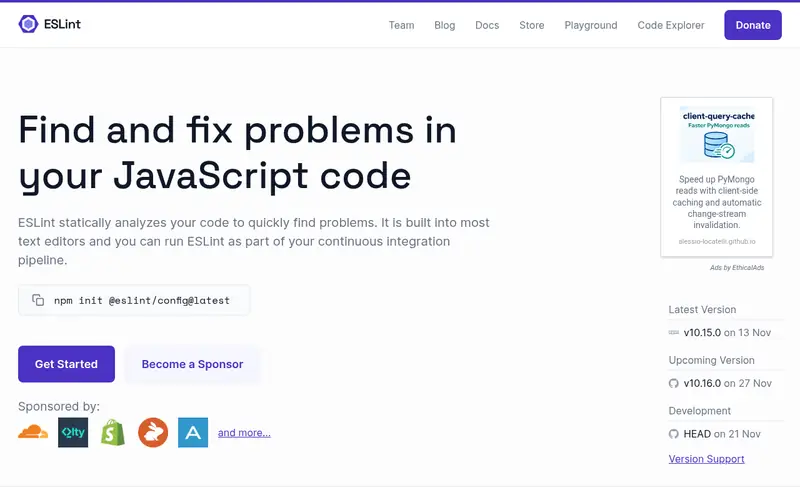
ESLint is the linter that most TypeScript linting is built on. On its own it parses JavaScript. To lint TypeScript you add the typescript-eslint parser and plugin, which is how most teams run it. It runs on Node.js and integrates with most editors and CI systems.
ESLint is open source under the MIT licence. Configuration moved to flat config, and older eslintrc files need migration. The main limit is that TypeScript-specific rule quality depends on the plugins you install. If you want type-aware rules, you still need the typescript-eslint packages. Teams that want a single tool for lint and format may prefer Biome.
Standout: Huge plugin ecosystem
Free (open source), as listed by the vendor (ESLint website). Confirm the current plan price before you buy.
Free plan. Plans change, so confirm on the vendor's pricing page before you buy.
Benefits
- Huge plugin ecosystem
- flat config works across JavaScript and TypeScript files
Drawbacks
- TypeScript support depends on the typescript-eslint parser
- plugin quality varies
Skip it if this limit matters to you: typeScript support depends on the typescript-eslint parser.
Verdict. A sensible pick for projects that want one lint platform for JS and TS.
Alternatives in this guide: typescript-eslint, Biome, oxlint
Biome
Best for teams that want linting and formatting in one fast tool

What it is and where it fits
Biome is a Rust-based toolchain that combines a linter and a formatter. It reads TypeScript and JavaScript, and it ships as a single binary you can install with npm or a package manager. It runs on macOS, Linux and Windows, and it works in editors through an official extension.
Biome is open source under the MIT licence. Its rule set covers common correctness and style checks, but it does not match the full ESLint plugin ecosystem, and its type-aware coverage is limited. Setup is a short config file, and migration from ESLint is supported for many rules. Teams that depend on specific ESLint plugins should check coverage before switching.
Standout: Single Rust binary for lint and format
Free (open source), as listed by the vendor (Biome website). Confirm the current plan price before you buy.
Free plan. Plans change, so confirm on the vendor's pricing page before you buy.
Benefits
- Single Rust binary for lint and format
- fast startup and low config overhead
Drawbacks
- Smaller rule set than ESLint plugins
- fewer TypeScript type-aware rules
Skip it if this limit matters to you: smaller rule set than ESLint plugins.
Verdict. A sensible pick for teams that want linting and formatting in one fast tool.
Alternatives in this guide: typescript-eslint, ESLint, oxlint
oxlint
Best for teams that want a very fast first-pass linter

What it is and where it fits
oxlint is the linter from the oxc project, written in Rust. It focuses on speed and runs as a standalone binary on macOS, Linux and Windows. It supports TypeScript syntax and a growing set of rules, and it can run before ESLint in CI to catch common issues quickly.
oxlint is open source under the MIT licence. It is not a drop-in replacement for type-aware ESLint rules, so most teams run it as a first pass and keep ESLint for deeper checks. Rule coverage is smaller than ESLint's, and some rules are still being added. Teams that need full type-aware linting should pair it with typescript-eslint.
Standout: Very fast Rust-based linting
Free (open source), as listed by the vendor (oxlint website). Confirm the current plan price before you buy.
Free plan. Plans change, so confirm on the vendor's pricing page before you buy.
Benefits
- Very fast Rust-based linting
- can run alongside ESLint in the same repo
Drawbacks
- Smaller rule set than ESLint
- not a full replacement for type-aware checks
Skip it if this limit matters to you: smaller rule set than ESLint.
Verdict. A sensible pick for teams that want a very fast first-pass linter.
Alternatives in this guide: typescript-eslint, ESLint, Biome
StandardJS with TypeScript support
Best for teams that want a zero-config style standard
What it is and where it fits
StandardJS is a linter and style guide with a fixed rule set and no configuration file. It runs on Node.js and works in editors through a plugin. For TypeScript, you add the typescript-standard packages, which wrap ESLint and the TypeScript parser.
The project is open source under the MIT licence. The fixed rules are the point: you accept the style and skip config debates. The tradeoff is less flexibility and limited type-aware coverage. Teams with strong opinions about rule sets, or that need type-aware checks, should use typescript-eslint directly instead.
Standout: No config decisions to make
Free (open source), as listed by the vendor (StandardJS with TypeScript support website). Confirm the current plan price before you buy.
Free plan. Plans change, so confirm on the vendor's pricing page before you buy.
Benefits
- No config decisions to make
- widely known style rules
Drawbacks
- TypeScript support needs extra packages
- limited type-aware rules
Skip it if this limit matters to you: typeScript support needs extra packages.
Verdict. A sensible pick for teams that want a zero-config style standard.
Alternatives in this guide: typescript-eslint, ESLint, Biome
quick-lint-js
Best for fast syntax and reference checks in editors
What it is and where it fits
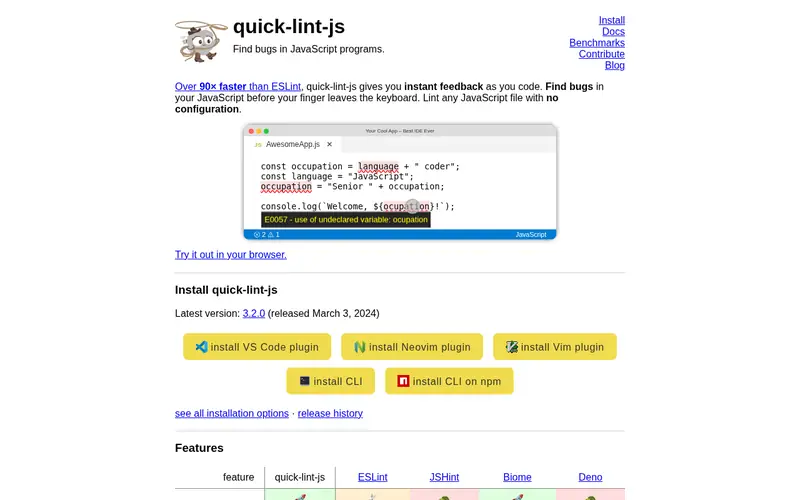
quick-lint-js is a fast linter for JavaScript and TypeScript focused on finding syntax errors and undefined variables. It runs as a standalone binary on macOS, Linux and Windows, and it integrates with editors including VS Code, Vim and Emacs.
The project is open source under the MIT licence. It is designed for quick feedback while typing, not for full project-wide policy enforcement. It does not replace type-aware ESLint rules. Teams often run it in the editor and keep ESLint or typescript-eslint for CI checks.
Standout: Very fast startup
Free (open source), as listed by the vendor (quick-lint-js website). Confirm the current plan price before you buy.
Free plan. Plans change, so confirm on the vendor's pricing page before you buy.
Benefits
- Very fast startup
- editor integrations for common editors
Drawbacks
- Not a full type-aware linter
- smaller rule set than ESLint
Skip it if this limit matters to you: not a full type-aware linter.
Verdict. A sensible pick for fast syntax and reference checks in editors.
Alternatives in this guide: typescript-eslint, ESLint, Biome
Who should use what
If your team needs type-aware rules that catch real bugs, start with typescript-eslint on top of ESLint. If you want one fast tool for lint and format with little config, pick Biome. If you want a very fast first pass in CI and editors, add oxlint alongside ESLint. If you only want quick syntax feedback while typing, quick-lint-js covers that.
Questions to settle before you buy
What to check before you buy
- Confirm the tool parses TypeScript, not just JavaScript, and check which rules are type-aware.
- Check editor support for your team's editors and whether diagnostics appear as you type.
- Review licence terms if you ship the tool inside a commercial product or CI image.
- Test startup time on your largest repo, since type-aware rules need a tsconfig project.
- Confirm linting runs locally and does not upload source code to a third party.
FAQ
Do I need ESLint to use typescript-eslint?
Yes. typescript-eslint is a parser and rule set for ESLint. You install ESLint plus the typescript-eslint packages and write a flat config. Biome and oxlint do not need ESLint.
Is TSLint still an option?
No. TSLint is deprecated and no longer maintained. The typescript-eslint project is the supported path for TypeScript linting on ESLint.
Can I run these linters in CI?
Yes. All the tools listed run from the command line on Node.js or as standalone binaries, so they work in CI pipelines. Type-aware checks need your tsconfig available in the CI job.
Are these linters free?
The tools listed are open source and free to use. Check each project's licence if you redistribute the tool or bundle it into a product.
Do these linters send my code anywhere?
No. Linting runs locally on your machine or CI runner. Source code is not uploaded to a third-party service by these tools.
Sources we checked
Method: how we score · editorial policy.
Change log. First published 22 Nov 2026.