Stage 01 · Write · Researched comparison
Best Swift Persistence Libraries in 2026
SwiftData is the first pick for new apps that target iOS 17 and later and want an Apple-maintained, model-driven store. GRDB.swift suits teams that want SQL control with Swift types and migrations. Core Data remains the choice for apps that need the widest OS coverage or existing model files. All three are free, and the right pick depends on your deployment target and how much SQL you want to see.

By Shihab Mia
Published 27 Nov 2026 · 7 tools compared
We run no ads and no affiliate links at launch. The order of a list follows our published method. See how we score.
Prices are the starting prices vendors list publicly. Plans change, so confirm the current price on the vendor page before you buy.
Key takeaways
- SwiftData and Core Data ship with Apple's SDKs, so they cost nothing but tie you to Apple platforms and OS versions.
- GRDB.swift and SQLite.swift are open source and give direct SQLite access with Swift wrappers.
- Realm Swift's local database is open source, but Atlas Device Sync was deprecated in 2024, so plan for local-only use.
- Boutique and Defaults are small, focused libraries; Defaults wraps UserDefaults and is not a database.
Who each pick is for
- New Apple-only apps on iOS 17 or laterSwiftData
- Apps needing broad OS support and mature toolingCore Data
- Teams that want SQL control with Swift typesGRDB.swift
- Lightweight typed SQLite access in SwiftSQLite.swift
- Local object storage with live queriesRealm Swift
- Apps needing a two-tier memory and disk cacheBoutique
- Typed access to UserDefaults keysDefaults
Comparison
| Tool | Best for | Standout feature | Listed starting price | Free plan or trial |
|---|---|---|---|---|
| 1SwiftData | New Apple-only apps on iOS 17 or later | Native to Apple SDKs with macro-based models | Free | Free plan |
| 2Core Data | Apps needing broad OS support and mature tooling | Long-supported with a visual model editor | Free | Free plan |
| 3GRDB.swift | Teams that want SQL control with Swift types | Full SQLite access with typed records and migrations | Free (open source) | Free plan |
| 4SQLite.swift | Lightweight typed SQLite access in Swift | Type-safe query builder over SQLite | Free (open source) | Free plan |
| 5Realm Swift | Local object storage with live queries | Object model with live-updating results | Free (open source) | Free plan |
| 6Boutique | Apps needing a two-tier memory and disk cache | Combines in-memory and disk caching behind one API | Free (open source) | Free plan |
| 7Defaults | Typed access to UserDefaults keys | Strongly typed keys with Swift property wrappers | Free (open source) | Free plan |
How we picked
We picked libraries that are maintained, documented and genuinely used for local persistence on Apple platforms. Criteria were fit for the job, supported platforms and OS versions, licence and price, and the main limits each one imposes. Sources are vendor documentation pages and project repositories. Prices and plan details change, so confirm current terms on the vendor site before you commit.
The tools, one by one
SwiftData
Best for new Apple-only apps on iOS 17 or later
What it is and where it fits
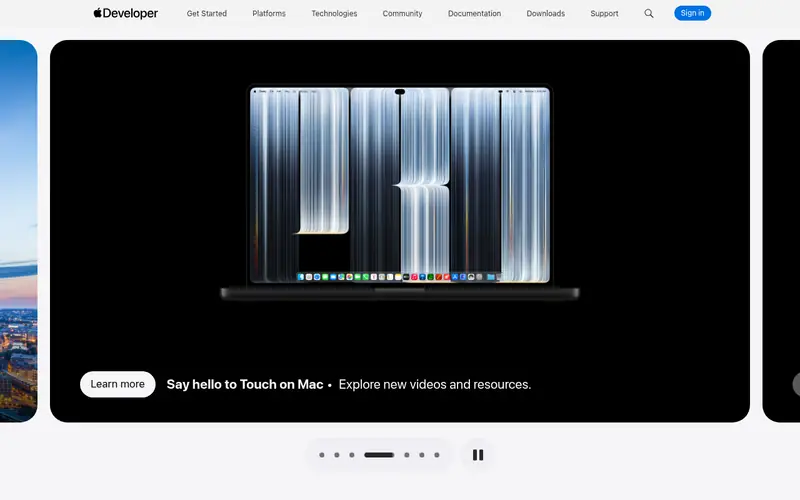
SwiftData is Apple's model layer for persistence, introduced with iOS 17, macOS 14 and related releases. You declare models with the @Model macro, and the framework handles the store, queries and change tracking. It works with SwiftUI through the modelContainer and @Query APIs.
It runs only on Apple platforms and only on OS versions that include the framework. There is no separate licence or price because it ships with the SDK. The main limits are its relative youth and fewer migration tools compared with Core Data. Teams that must support older iOS versions should skip it, and teams with large existing Core Data stacks may prefer to stay put.
Standout: Native to Apple SDKs with macro-based models
Free, as listed by the vendor (SwiftData website). Confirm the current plan price before you buy.
Free plan. Plans change, so confirm on the vendor's pricing page before you buy.
Benefits
- Native to Apple SDKs with macro-based models
- integrates with SwiftUI and Observation
Drawbacks
- Requires recent OS versions
- less mature tooling than Core Data
Skip it if this limit matters to you: requires recent OS versions.
Verdict. A sensible pick for new Apple-only apps on iOS 17 or later.
Alternatives in this guide: Core Data, GRDB.swift, SQLite.swift
Core Data
Best for apps needing broad OS support and mature tooling
What it is and where it fits
Core Data is Apple's older persistence framework. It uses an object graph and a model file, usually edited in Xcode, and stores data in SQLite by default. It supports fetched results controllers, batch operations, lightweight migrations and background contexts.
It ships with Apple's SDKs at no cost and runs on Apple platforms across a wide range of OS versions. The trade-off is boilerplate: you work with NSManagedObject subclasses and must follow its threading rules carefully. It is a reasonable pick for apps that need older OS support or already have model files, and a poor fit for teams that want minimal setup.
Standout: Long-supported with a visual model editor
Free, as listed by the vendor (Core Data website). Confirm the current plan price before you buy.
Free plan. Plans change, so confirm on the vendor's pricing page before you buy.
Benefits
- Long-supported with a visual model editor
- strong migration and fetching options
Drawbacks
- Verbose NSManagedObject APIs
- concurrency rules take time to learn
Skip it if this limit matters to you: verbose NSManagedObject APIs.
Verdict. A sensible pick for apps needing broad OS support and mature tooling.
Alternatives in this guide: SwiftData, GRDB.swift, SQLite.swift
GRDB.swift
Best for teams that want SQL control with Swift types
What it is and where it fits
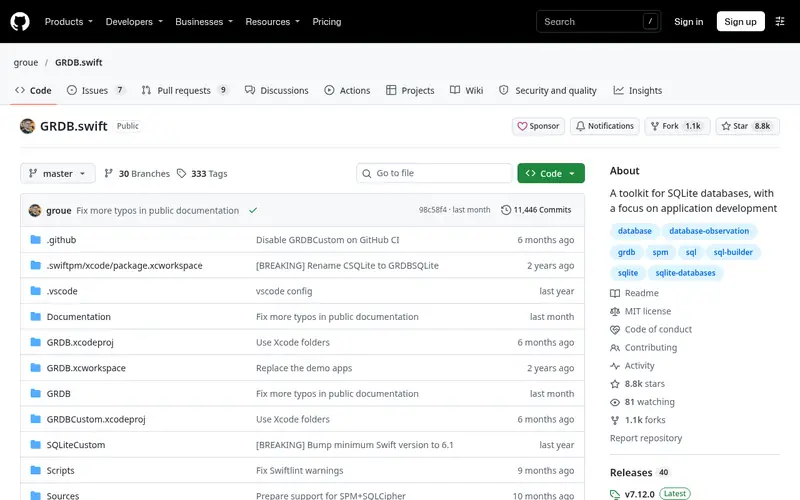
GRDB.swift is an open-source SQLite toolkit for Swift. It maps rows to Swift structs, supports migrations, observation of database changes and concurrency control, and works on Apple platforms plus Linux. It is distributed under the MIT licence.
Because it sits on SQLite, you keep full SQL and can inspect the database with standard tools. That control comes with responsibility: you write and version migrations and design the schema. It suits apps with complex queries, sync logic or a need to share a database format with other platforms. Apps that want a hands-off object store may find it heavier than needed.
Standout: Full SQLite access with typed records and migrations
Free (open source), as listed by the vendor (GRDB.swift website). Confirm the current plan price before you buy.
Free plan. Plans change, so confirm on the vendor's pricing page before you buy.
Benefits
- Full SQLite access with typed records and migrations
- strong documentation and test coverage
Drawbacks
- You manage schema and migrations yourself
- more setup than SwiftData
Skip it if this limit matters to you: you manage schema and migrations yourself.
Verdict. A sensible pick for teams that want SQL control with Swift types.
Alternatives in this guide: SwiftData, Core Data, SQLite.swift
SQLite.swift
Best for lightweight typed SQLite access in Swift
What it is and where it fits
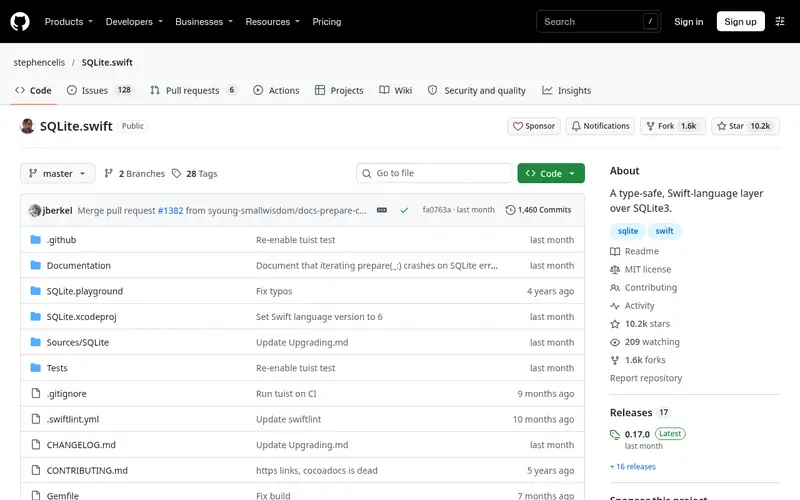
SQLite.swift is an open-source Swift wrapper around SQLite. It provides a type-safe expression and query builder, so you write queries in Swift rather than string SQL, and it supports Apple platforms and Linux. It is released under the MIT licence.
The library is smaller in scope than GRDB.swift. It covers tables, queries, expressions and basic migrations, but it does not aim to provide observation or a full record-mapping layer. It fits small to medium apps, scripts and tools that want typed SQLite without a large framework. Projects that need change observation or heavy migration tooling should compare it with GRDB.swift first.
Standout: Type-safe query builder over SQLite
Free (open source), as listed by the vendor (SQLite.swift website). Confirm the current plan price before you buy.
Free plan. Plans change, so confirm on the vendor's pricing page before you buy.
Benefits
- Type-safe query builder over SQLite
- small API surface
Drawbacks
- Fewer high-level features than GRDB
- slower release cadence
Skip it if this limit matters to you: fewer high-level features than GRDB.
Verdict. A sensible pick for lightweight typed SQLite access in Swift.
Alternatives in this guide: SwiftData, Core Data, GRDB.swift
Realm Swift
Best for local object storage with live queries
What it is and where it fits
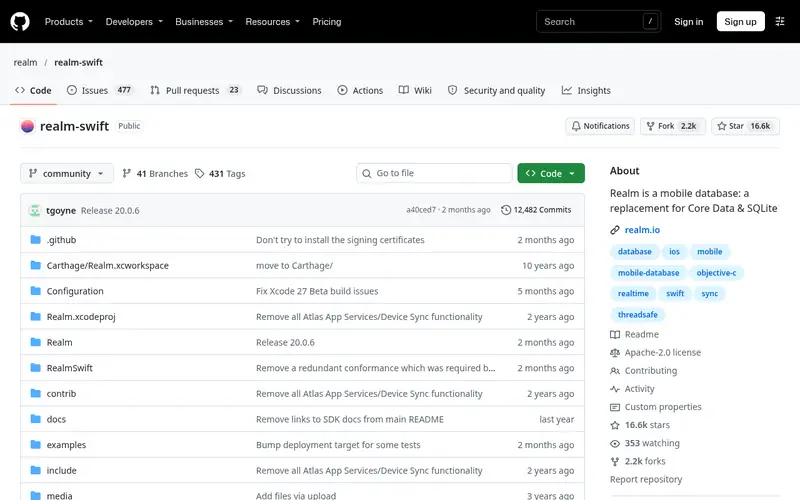
Realm Swift is an open-source object database for Swift. You define object classes, and queries return live results that update as data changes. It runs on Apple platforms and can share a data model with other Realm SDKs. The local database remains open source.
The important caveat is Atlas Device Sync, which MongoDB deprecated in 2024. Plan for local-only use and do not build new features around sync. Realm also uses its own storage engine rather than SQLite, so standard SQLite tools will not open the files. It suits apps that want live query results and a simple object model; teams that need SQL access should look at GRDB.swift or SQLite.swift.
Standout: Object model with live-updating results
Free (open source), as listed by the vendor (Realm Swift website). Confirm the current plan price before you buy.
Free plan. Plans change, so confirm on the vendor's pricing page before you buy.
Benefits
- Object model with live-updating results
- works across Apple platforms and Android
Drawbacks
- Atlas Device Sync deprecated in 2024
- not built on SQLite
Skip it if this limit matters to you: atlas Device Sync deprecated in 2024.
Verdict. A sensible pick for local object storage with live queries.
Alternatives in this guide: SwiftData, Core Data, GRDB.swift
Boutique
Best for apps needing a two-tier memory and disk cache
What it is and where it fits
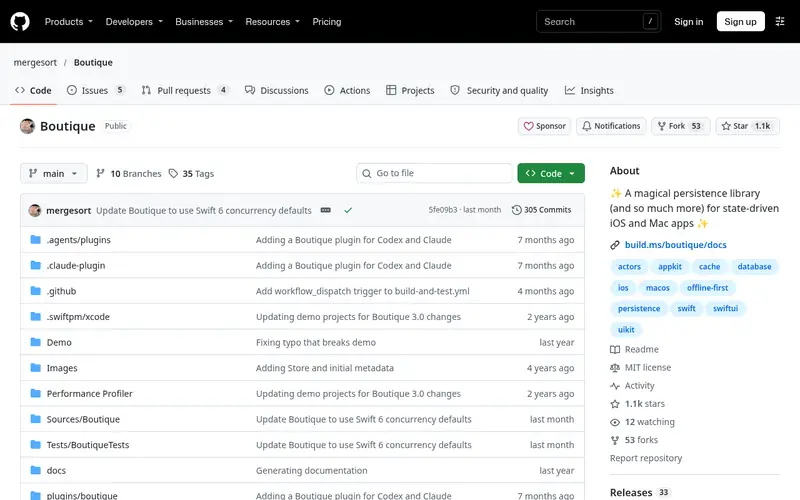
Boutique is an open-source Swift caching library. It pairs an in-memory cache with a disk store, so reads hit memory first and fall back to disk, and it works with plain Codable values. It targets Apple platforms and is released under the MIT licence.
It is not a general database. There are no queries, relationships or migrations in the database sense, so it fits caches, offline snapshots and small persisted state rather than complex models. If your data needs joins, indexes or schema evolution, use SwiftData, Core Data or GRDB.swift. Boutique is a good fit when you mainly want fast reads and simple persistence of Codable types.
Standout: Combines in-memory and disk caching behind one API
Free (open source), as listed by the vendor (Boutique website). Confirm the current plan price before you buy.
Free plan. Plans change, so confirm on the vendor's pricing page before you buy.
Benefits
- Combines in-memory and disk caching behind one API
- simple value-type interface
Drawbacks
- Narrow scope compared with a database
- smaller community
Skip it if this limit matters to you: narrow scope compared with a database.
Verdict. A sensible pick for apps needing a two-tier memory and disk cache.
Alternatives in this guide: SwiftData, Core Data, GRDB.swift
Defaults
Best for typed access to UserDefaults keys
What it is and where it fits
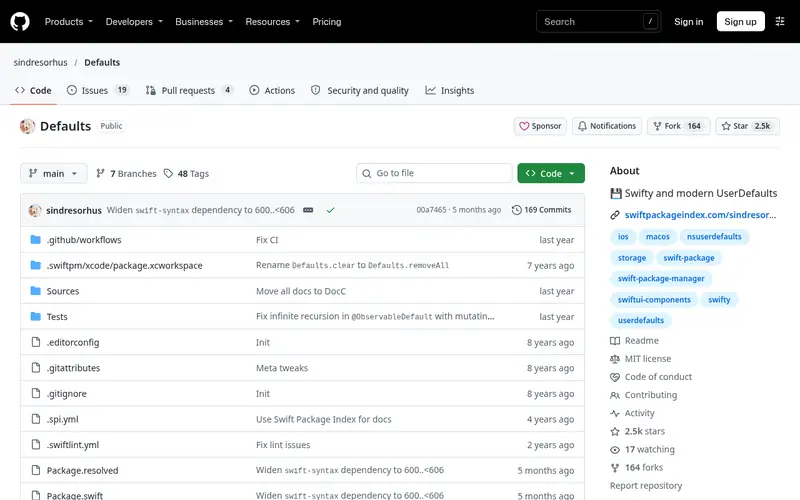
Defaults is an open-source Swift library that wraps UserDefaults with typed keys and property wrappers. You declare a key with a type and read or write it as a normal property, and the library adds observation support. It is released under the MIT licence and targets Apple platforms.
UserDefaults is for small settings and flags, not for records or large blobs. Defaults makes that storage safer to use but does not change its limits. Use it for preferences, feature flags and small state, and pair it with a real store for app data. It is a poor fit for anything that needs queries, relationships or large payloads.
Standout: Strongly typed keys with Swift property wrappers
Free (open source), as listed by the vendor (Defaults website). Confirm the current plan price before you buy.
Free plan. Plans change, so confirm on the vendor's pricing page before you buy.
Benefits
- Strongly typed keys with Swift property wrappers
- supports observation
Drawbacks
- Backed by UserDefaults, not suited to large data
- Apple platforms only
Skip it if this limit matters to you: backed by UserDefaults, not suited to large data.
Verdict. A sensible pick for typed access to UserDefaults keys.
Alternatives in this guide: SwiftData, Core Data, GRDB.swift
Who should use what
New apps that target iOS 17 and later should start with SwiftData for its low setup cost. Apps that must support older OS versions, or that already have model files, should stay with Core Data. Teams that want SQL control, complex queries or a database format shared with other platforms should use GRDB.swift, with SQLite.swift as a lighter option. Apps that mainly need a cache of Codable values should use Boutique, and any app can use Defaults for small settings alongside a real store.
Questions to settle before you buy
What to check before you buy
- Confirm your minimum deployment target supports the framework you pick.
- Check the licence and whether the project is actively maintained.
- Plan migrations before the first release, not after the schema changes.
- Decide whether you need SQL access and external database tools.
- Keep large data out of UserDefaults and use a real store instead.
FAQ
Is SwiftData ready for production?
SwiftData ships with Apple's SDKs and is used in shipping apps, but it requires recent OS versions and has fewer migration tools than Core Data. It is a reasonable choice for new Apple-only apps. Teams that need older OS support or complex migrations often stay with Core Data.
Can I still use Realm Swift?
Yes, for local storage. The local database remains open source. Atlas Device Sync was deprecated in 2024, so do not plan new sync features around it. If you need sync, evaluate other options and check current vendor documentation.
Do these libraries work outside Apple platforms?
GRDB.swift and SQLite.swift also support Linux. SwiftData, Core Data, Realm Swift, Boutique and Defaults target Apple platforms. If you need a shared database across server and app, a SQLite-based option is usually the practical choice.
Which option is best for complex queries?
GRDB.swift gives full SQL with typed records, migrations and observation. SQLite.swift offers a smaller typed query builder. Apple's frameworks hide SQL behind an object model, which is simpler but less flexible for complex reporting queries.
Are any of these paid?
No. All the options listed here are free or open source. Apple's frameworks ship with the SDK, and the community projects use open-source licences. Check each repository for the exact licence terms before you ship.
Sources we checked
Method: how we score · editorial policy.
Change log. First published 27 Nov 2026.