Stage 01 · Write · Researched comparison
Best PHP Image Processing Libraries in 2026
Intervention Image is the first pick for most PHP projects that need resizing, cropping, watermarking and format conversion behind one clean API. It suits Laravel and framework-agnostic codebases alike. Choose Imagine if you want a long-standing library with a driver abstraction and filters. Choose Glide if you need on-the-fly image URLs with HTTP caching rather than code-level manipulation. The Imagick and GD extensions remain the low-level engines most of these libraries call.

By Shihab Mia
Published 27 Nov 2026 · 7 tools compared
We run no ads and no affiliate links at launch. The order of a list follows our published method. See how we score.
Prices are the starting prices vendors list publicly. Plans change, so confirm the current price on the vendor page before you buy.
Key takeaways
- Intervention Image, Imagine, spatie/image and Glide are free open-source libraries; Imagick, GD and php-vips are free extensions.
- Intervention Image and Imagine support both the GD and Imagick drivers, so you can switch backends without rewriting calls.
- Glide serves resized images from URL parameters and caches output, which fits web delivery more than batch scripting.
- php-vips wraps libvips for low memory use on large images, but it needs the libvips system library installed.
Who each pick is for
- General-purpose resize, crop and filter work in PHP appsIntervention Image
- Driver-agnostic image manipulation with filters and metadataImagine
- On-the-fly image resizing served from URL parametersGlide
- Fluent image manipulation in Laravel and plain PHPspatie/image
- Native ImageMagick access for advanced processingImagick extension
- Simple image operations with minimal setupGD extension
- Low-memory processing of large images via libvipsphp-vips
Comparison
| Tool | Best for | Standout feature | Listed starting price | Free plan or trial |
|---|---|---|---|---|
| 1Intervention Image | General-purpose resize, crop and filter work in PHP apps | One API over GD and Imagick drivers | Free (open source) | Free plan |
| 2Imagine | Driver-agnostic image manipulation with filters and metadata | Abstracted Gd, Imagick and Gmagick drivers | Free (open source) | Free plan |
| 3Glide | On-the-fly image resizing served from URL parameters | URL-driven manipulation with signed URLs | Free (open source) | Free plan |
| 4spatie/image | Fluent image manipulation in Laravel and plain PHP | Readable chainable API | Free (open source) | Free plan |
| 5Imagick extension | Native ImageMagick access for advanced processing | Broad format support and many filters | Free | Free plan |
| 6GD extension | Simple image operations with minimal setup | Bundled with most PHP builds | Free | Free plan |
| 7php-vips | Low-memory processing of large images via libvips | Low memory use from libvips streaming | Free (open source) | Free plan |
How we picked
We compared these options on fit for common PHP image tasks, supported drivers and platforms, licence and price, installation requirements, and known limits such as memory use and format support. Sources are vendor documentation, the PHP manual and project repositories. All listed tools are free or open source, so cost is not a differentiator here; setup effort and feature depth are. Prices and licences can change, so confirm details on the official site before you commit.
The tools, one by one
Intervention Image
Best for general-purpose resize, crop and filter work in PHP apps
What it is and where it fits
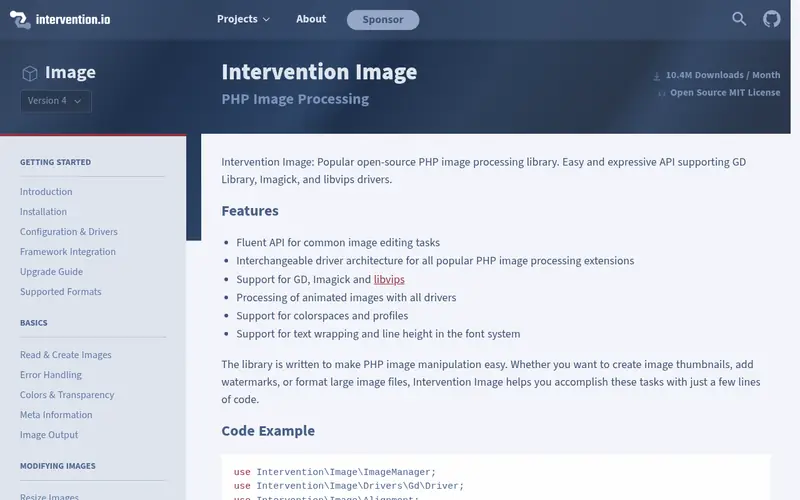
Intervention Image is a PHP library for creating, editing and composing images. It handles resize, crop, rotate, flip, watermark, text overlay and format conversion through a fluent interface. Version 3 targets modern PHP and supports both the GD and Imagick drivers, so the same code can run on either backend. It ships with framework integration for Laravel and works standalone elsewhere.
The library is free and open source under the MIT license. Its practical limits come from the driver: GD is simpler to install but has fewer features and weaker color handling, while Imagick adds more filters and better format support at the cost of a heavier extension. Very large images or long batch runs can hit PHP memory limits, so set memory and time limits deliberately. Skip it if you only need to stream resized images from URLs, where Glide fits better.
Standout: One API over GD and Imagick drivers
Free (open source), as listed by the vendor (Intervention Image website). Confirm the current plan price before you buy.
Free plan. Plans change, so confirm on the vendor's pricing page before you buy.
Benefits
- One API over GD and Imagick drivers
- strong Laravel integration
- active maintenance
Drawbacks
- Some advanced operations depend on the Imagick driver
- large batch jobs need memory tuning
Skip it if this limit matters to you: some advanced operations depend on the Imagick driver.
Verdict. A sensible pick for general-purpose resize, crop and filter work in PHP apps.
Alternatives in this guide: Imagine, Glide, spatie/image
Imagine
Best for driver-agnostic image manipulation with filters and metadata
What it is and where it fits
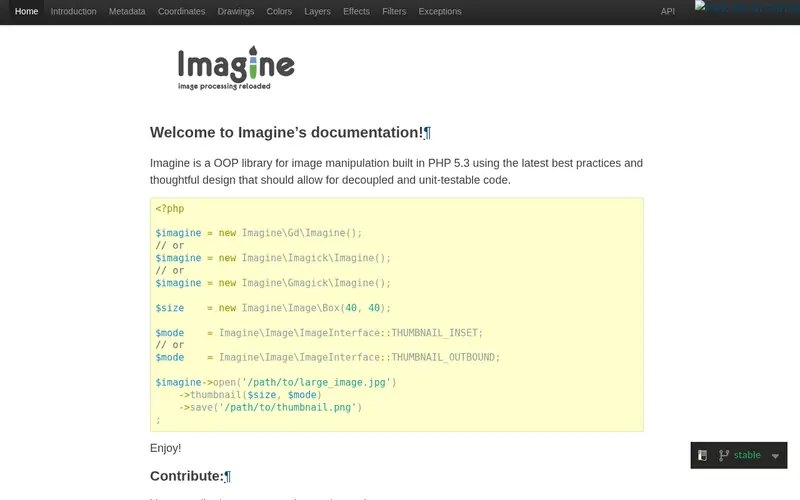
Imagine is a PHP 5.3+ image manipulation library built around a driver interface. You write code against an Imagine object and choose Gd, Imagick or Gmagick underneath. It covers resize, crop, thumbnail, rotate, paste, watermark and a set of filters such as blur, sharpen, grayscale and color fill. It also reads and writes image metadata like EXIF where the driver supports it.
The project is free and open source under the MIT license. Because it supports several drivers, it is a reasonable choice when you want to keep backend options open or already depend on Gmagick. The trade-off is a more verbose API and documentation that spans multiple major versions, so check which version you are reading. It suits teams that want explicit control over drawing and filters rather than the shortest possible call chain.
Standout: Abstracted Gd, Imagick and Gmagick drivers
Free (open source), as listed by the vendor (Imagine website). Confirm the current plan price before you buy.
Free plan. Plans change, so confirm on the vendor's pricing page before you buy.
Benefits
- Abstracted Gd, Imagick and Gmagick drivers
- rich filter set
- long project history
Drawbacks
- Documentation spread across versions
- API is more verbose than newer libraries
Skip it if this limit matters to you: documentation spread across versions.
Verdict. A sensible pick for driver-agnostic image manipulation with filters and metadata.
Alternatives in this guide: Intervention Image, Glide, spatie/image
Glide
Best for on-the-fly image resizing served from URL parameters

What it is and where it fits
Glide is an image manipulation library from The PHP League built for dynamic image delivery. You request an image with query parameters such as width, height, fit and filters, and Glide generates and caches the result. It uses either the GD or Imagick driver, supports signed URLs to prevent abuse, and integrates with PSR-7 HTTP messages and a PSR-11 container. Source and cache adapters cover local filesystems and several cloud storage services.
It is free and open source under the MIT license. Glide is not a general scripting library: it expects an HTTP request and a configured cache, so it fits websites and APIs that serve images rather than cron jobs that process folders. You are responsible for cache storage, invalidation and access control. Skip it if you need to manipulate images inside a CLI tool or queue worker without an HTTP layer.
Standout: URL-driven manipulation with signed URLs
Free (open source), as listed by the vendor (Glide website). Confirm the current plan price before you buy.
Free plan. Plans change, so confirm on the vendor's pricing page before you buy.
Benefits
- URL-driven manipulation with signed URLs
- PSR-7 and HTTP caching support
- works with local and cloud storage
Drawbacks
- Aimed at HTTP delivery, not batch scripts
- needs a cache layer configured
Skip it if this limit matters to you: aimed at HTTP delivery, not batch scripts.
Verdict. A sensible pick for on-the-fly image resizing served from URL parameters.
Alternatives in this guide: Intervention Image, Imagine, spatie/image
spatie/image
Best for fluent image manipulation in Laravel and plain PHP
What it is and where it fits
spatie/image is a PHP package that wraps the Imagick extension in a fluent API. You chain calls for resize, crop, fit, orientation from EXIF, background fill, borders, watermarks, blur, sharpen and format conversion. It is commonly used in Laravel applications but works in any PHP project that can load Imagick. The package is maintained by Spatie and documented on its GitHub repository.
It is free and open source under the MIT license. The main constraint is the hard dependency on Imagick, so hosting must provide that extension and its underlying ImageMagick libraries. If your environment only has GD, this package is not an option. It suits developers who want short, readable manipulation chains and are already committed to Imagick. For driver flexibility, Intervention Image or Imagine are better fits.
Standout: Readable chainable API
Free (open source), as listed by the vendor (spatie/image website). Confirm the current plan price before you buy.
Free plan. Plans change, so confirm on the vendor's pricing page before you buy.
Benefits
- Readable chainable API
- many built-in manipulations
- good fit for Laravel projects
Drawbacks
- Depends on the Imagick extension
- fewer driver choices than Intervention or Imagine
Skip it if this limit matters to you: depends on the Imagick extension.
Verdict. A sensible pick for fluent image manipulation in Laravel and plain PHP.
Alternatives in this guide: Intervention Image, Imagine, Glide
Imagick extension
Best for native ImageMagick access for advanced processing
What it is and where it fits
Imagick is the PHP extension that binds to the ImageMagick library. It exposes native methods for reading, writing and converting images, applying filters, compositing layers, handling color profiles and working with animated GIFs. Many higher-level libraries, including Intervention Image, Imagine and spatie/image, use it as a driver. You can also call it directly when you need an operation the wrappers do not expose.
The extension is free and open source. Installation is the main hurdle: you need the ImageMagick system library plus the PHP extension, and ImageMagick policy files can restrict formats such as PDF or SVG for security reasons. It uses more memory than GD for simple tasks. Use it directly when you need fine control over ImageMagick features, and prefer a wrapper library when you want shorter code and driver abstraction.
Standout: Broad format support and many filters
Free, as listed by the vendor (Imagick extension website). Confirm the current plan price before you buy.
Free plan. Plans change, so confirm on the vendor's pricing page before you buy.
Benefits
- Broad format support and many filters
- underlies several PHP libraries
- mature and widely deployed
Drawbacks
- Requires ImageMagick installed
- policy files can block formats
- heavier than GD
Skip it if this limit matters to you: requires ImageMagick installed.
Verdict. A sensible pick for native ImageMagick access for advanced processing.
Alternatives in this guide: Intervention Image, Imagine, Glide
GD extension
Best for simple image operations with minimal setup
What it is and where it fits
GD is the standard PHP image extension. It creates and edits images, draws text and shapes, resizes, crops, rotates and converts between common formats such as JPEG, PNG, GIF and WebP depending on the build. It is enabled by default in many PHP installations, which makes it the fastest path to working image code. Intervention Image and Imagine both support it as a driver.
The extension is free and open source. Its limits show up with advanced work: fewer filters, weaker color profile handling and weaker support for some formats compared with ImageMagick. Animated images and layered formats are not its strength. For basic thumbnails, watermarks and format conversion it is often enough. Reach for Imagick or php-vips when you need more formats, better color handling or lower memory use on large files.
Standout: Bundled with most PHP builds
Free, as listed by the vendor (GD extension website). Confirm the current plan price before you buy.
Free plan. Plans change, so confirm on the vendor's pricing page before you buy.
Benefits
- Bundled with most PHP builds
- low setup cost
- enough for resize, crop and basic drawing
Drawbacks
- Fewer formats and filters than Imagick
- weaker color and alpha handling in some cases
Skip it if this limit matters to you: fewer formats and filters than Imagick.
Verdict. A sensible pick for simple image operations with minimal setup.
Alternatives in this guide: Intervention Image, Imagine, Glide
php-vips
Best for low-memory processing of large images via libvips
What it is and where it fits
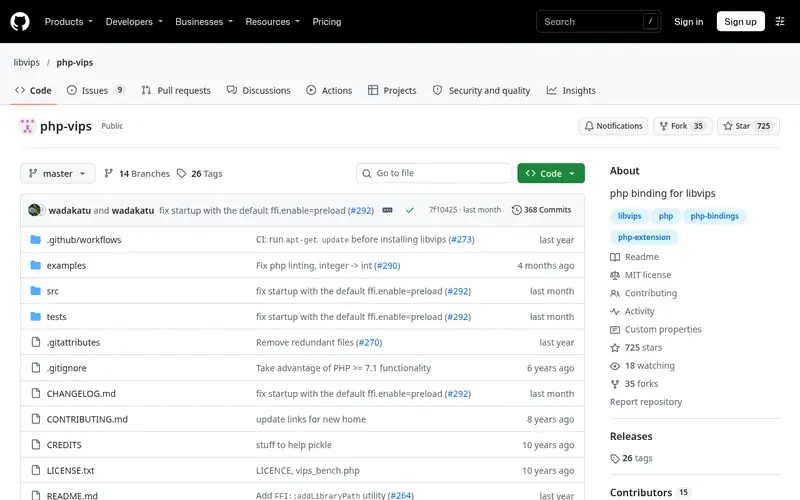
php-vips is the PHP binding for libvips, an image processing library known for low memory use. It processes images in a streaming fashion, so large files do not need to be fully decoded into memory at once. It supports resize, crop, rotate, color operations and format conversion, and it handles large images and many formats through libvips. The project is maintained on GitHub under the libvips organization.
It is free and open source under the MIT license. Setup is the main cost: you must install libvips on the host and then the PHP extension or binding, which is more involved than enabling GD. The API is less familiar to developers used to GD or Imagick, and the community is smaller. Choose it when memory use or throughput on large images is the bottleneck, not for small scripts where GD is already installed.
Standout: Low memory use from libvips streaming
Free (open source), as listed by the vendor (php-vips website). Confirm the current plan price before you buy.
Free plan. Plans change, so confirm on the vendor's pricing page before you buy.
Benefits
- Low memory use from libvips streaming
- fast on large images
- good format coverage
Drawbacks
- Requires the libvips system library
- smaller community than GD or Imagick
Skip it if this limit matters to you: requires the libvips system library.
Verdict. A sensible pick for low-memory processing of large images via libvips.
Alternatives in this guide: Intervention Image, Imagine, Glide
Who should use what
A Laravel developer adding thumbnails and watermarks should start with Intervention Image or spatie/image, depending on whether Imagick is available. A team serving resized images from URLs should use Glide with a configured cache. A developer who needs driver flexibility across GD and Imagick should pick Imagine. A team processing very large images where memory is tight should evaluate php-vips. If you only need basic resize and crop on a standard host, the GD extension alone may be enough.
Questions to settle before you buy
What to check before you buy
- Confirm which PHP extensions your host provides: GD, Imagick or neither.
- Check that the library version supports your PHP version and framework.
- Test your real formats, including WebP, AVIF or animated GIF if you use them.
- Measure memory and time on your largest images before shipping batch jobs.
- Review ImageMagick policy files if you process PDF or SVG input.
FAQ
Do I need Imagick to use these libraries?
No. Intervention Image and Imagine work with GD or Imagick. spatie/image requires Imagick. Glide supports GD or Imagick. GD is bundled with many PHP builds, while Imagick needs the ImageMagick library and the PHP extension installed separately.
Which library is best for Laravel?
Intervention Image has official Laravel integration, and spatie/image is widely used in Laravel projects. Both are free and open source. Intervention Image offers a choice of GD or Imagick drivers, while spatie/image requires Imagick. Pick based on which extension your hosting provides.
Can these libraries process images without a web server?
Yes. Intervention Image, Imagine, spatie/image and php-vips work in CLI scripts and queue workers. Glide is designed around HTTP requests and caching, so it fits web delivery rather than offline batch jobs. For cron jobs and workers, use one of the code-level libraries.
Is php-vips faster than GD or Imagick?
php-vips uses libvips, which is built for low memory use and streaming, so it often handles large images with less memory than GD or Imagick. Actual speed depends on the operation and image. Test with your own files rather than assuming a fixed result.
Are these libraries free to use?
Yes. All seven options listed here are free or open source. Intervention Image, Imagine, Glide, spatie/image and php-vips are open-source packages, and the Imagick and GD extensions ship with PHP. Check each project's licence and current documentation before relying on it in production.
Sources we checked
Method: how we score · editorial policy.
Change log. First published 27 Nov 2026.