Stage 01 · Write · Researched comparison
Best PDF Generation Libraries in 2026
Puppeteer is the first pick for teams that already build with HTML and CSS and want to render that markup to PDF using a headless browser. It suits Node.js projects and anyone who needs full CSS layout support. iText is a better fit for Java and .NET teams that need low-level control over document structure. ReportLab is the choice for Python developers who want to draw PDFs programmatically without a browser.

By Shihab Mia
Published 22 Nov 2026 · 8 tools compared
We run no ads and no affiliate links at launch. The order of a list follows our published method. See how we score.
Prices are the starting prices vendors list publicly. Plans change, so confirm the current price on the vendor page before you buy.
Key takeaways
- Puppeteer renders HTML and CSS to PDF through headless Chrome and is free and open source.
- iText offers fine-grained PDF construction for Java and .NET but has a commercial licence for most production use.
- ReportLab is a mature Python library for programmatic PDF drawing and is free and open source.
- Browser-based renderers need a running browser process, which raises memory use on servers.
Who each pick is for
- Node.js teams rendering HTML and CSS to PDFPuppeteer
- Java and .NET teams needing low-level PDF controliText
- Python developers drawing PDFs programmaticallyReportLab
- Node.js developers who want a drawing APIPDFKit (Node.js)
- PHP projects needing a self-contained PDF libraryTCPDF
- PHP teams converting HTML to PDFDompdf
- Teams needing high-fidelity HTML and CSS to PDFPrince
- JavaScript developers editing and creating PDFspdf-lib
Comparison
| Tool | Best for | Standout feature | Listed starting price | Free plan or trial |
|---|---|---|---|---|
| 1Puppeteer | Node.js teams rendering HTML and CSS to PDF | Full CSS support through headless Chrome | Free (open source) | Free plan |
| 2iText | Java and .NET teams needing low-level PDF control | Detailed control over document structure and PDF features | See vendor pricing page | Free trial |
| 3ReportLab | Python developers drawing PDFs programmatically | Mature Python API for precise layout | Free (open source) | Free plan |
| 4PDFKit (Node.js) | Node.js developers who want a drawing API | Pure JavaScript with no browser dependency | Free (open source) | Free plan |
| 5TCPDF | PHP projects needing a self-contained PDF library | No external extensions required | Free (open source) | Free plan |
| 6Dompdf | PHP teams converting HTML to PDF | Accepts HTML and CSS input | Free (open source) | Free plan |
| 7Prince | Teams needing high-fidelity HTML and CSS to PDF | Strong CSS paged-media support | See vendor pricing page | Free trial |
| 8pdf-lib | JavaScript developers editing and creating PDFs | Works in Node.js and the browser | Free (open source) | Free plan |
How we picked
We compared libraries on fit for common PDF jobs, supported languages and platforms, licence and price terms, and the main limits each one documents. We also considered whether a tool runs locally or needs a browser process, since that affects privacy and server load. Sources are vendor pages, official documentation and project repositories. Prices and licence terms change, so confirm current details on the vendor site before you commit.
The tools, one by one
Puppeteer
Best for node.js teams rendering HTML and CSS to PDF
What it is and where it fits
Puppeteer is a Node.js library that controls headless Chrome. You load an HTML page and call the PDF method to get a document. Because it uses a real browser engine, modern CSS layout, web fonts and flexbox render as they do on screen. That makes it a common pick for invoices, reports and any output already designed as a web page.
It runs wherever Node.js and Chromium run, including Linux servers and containers. The library is free and open source under the Apache 2.0 licence. The main cost is resource use: each render needs a browser process, so high-volume jobs need care with pooling and timeouts. Teams that want a pure drawing API with no browser should look elsewhere.
Standout: Full CSS support through headless Chrome
Free (open source), as listed by the vendor (Puppeteer website). Confirm the current plan price before you buy.
Free plan. Plans change, so confirm on the vendor's pricing page before you buy.
Benefits
- Full CSS support through headless Chrome
- large ecosystem and active maintenance
Drawbacks
- Requires a browser binary and more memory
- not a dedicated PDF drawing API
Skip it if this limit matters to you: requires a browser binary and more memory.
Verdict. A sensible pick for node.js teams rendering HTML and CSS to PDF.
Alternatives in this guide: iText, ReportLab, PDFKit (Node.js)
iText
Best for java and .NET teams needing low-level PDF control
What it is and where it fits
iText is a PDF library for Java and .NET. It can build documents from scratch, fill forms, add signatures and manipulate existing PDFs at the object level. It does not depend on a browser, so output is deterministic and resource use is lower than a headless renderer for simple documents.
The library is dual-licensed. The open source version is under the AGPL, which requires releasing your source under a compatible licence if you distribute the software. Most commercial products use a paid licence instead. Pricing is quoted by the vendor, so check the official page for current terms. It suits backend teams that need precise control and can accept the licence model.
Standout: Detailed control over document structure and PDF features
See vendor pricing page, as listed by the vendor (iText website). Confirm the current plan price before you buy.
Free trial. Plans change, so confirm on the vendor's pricing page before you buy.
Benefits
- Detailed control over document structure and PDF features
- strong Java and .NET support
Drawbacks
- Commercial licence required for most production use
- API has a learning curve
Skip it if this limit matters to you: commercial licence required for most production use.
Verdict. A sensible pick for java and .NET teams needing low-level PDF control.
Alternatives in this guide: Puppeteer, ReportLab, PDFKit (Node.js)
ReportLab
Best for python developers drawing PDFs programmatically
What it is and where it fits
ReportLab is a Python library for creating PDFs by drawing text, shapes and images onto a canvas. It also includes a higher-level flowable model for paragraphs, tables and page templates. It runs on any platform with Python and has no browser requirement, so it works well in batch jobs and serverless functions.
The core library is free and open source. The company also sells a commercial product with additional reporting features and support. Because you position elements yourself, complex layouts take more code than an HTML template. It is a good fit for Python teams that want full control and predictable output without a rendering engine.
Standout: Mature Python API for precise layout
Free (open source), as listed by the vendor (ReportLab website). Confirm the current plan price before you buy.
Free plan. Plans change, so confirm on the vendor's pricing page before you buy.
Benefits
- Mature Python API for precise layout
- no browser dependency
Drawbacks
- Layout code is manual and verbose
- advanced features sit in the paid product
Skip it if this limit matters to you: layout code is manual and verbose.
Verdict. A sensible pick for python developers drawing PDFs programmatically.
Alternatives in this guide: Puppeteer, iText, PDFKit (Node.js)
PDFKit (Node.js)
Best for node.js developers who want a drawing API
What it is and where it fits
PDFKit is a JavaScript library for generating PDFs in Node.js and the browser. It provides a canvas-style API for text, images, vector paths and fonts. Because it does not embed a browser, it starts fast and uses less memory than a headless renderer.
The library is free and open source under the MIT licence. It handles embedded fonts, including custom TrueType files, and supports standard PDF features such as links and metadata. The trade-off is layout: there is no CSS engine, so you position content yourself or use a layout helper. It suits developers who want a lightweight drawing API and are comfortable writing layout code.
Standout: Pure JavaScript with no browser dependency
Free (open source), as listed by the vendor (PDFKit (Node.js) website). Confirm the current plan price before you buy.
Free plan. Plans change, so confirm on the vendor's pricing page before you buy.
Benefits
- Pure JavaScript with no browser dependency
- simple API for text and vector graphics
Drawbacks
- No HTML or CSS rendering
- complex layouts require manual positioning
Skip it if this limit matters to you: no HTML or CSS rendering.
Verdict. A sensible pick for node.js developers who want a drawing API.
TCPDF
Best for pHP projects needing a self-contained PDF library
What it is and where it fits
TCPDF is a PHP library for generating PDFs without external dependencies. It supports page formats, headers and footers, images, barcodes, forms and encryption. It runs on standard PHP hosting, which makes it common in older and shared-hosting environments.
The library is free and open source under the LGPL. Its HTML support is partial and does not match a browser engine, so complex CSS will not render as expected. The API and documentation feel dated next to newer libraries. It remains a practical choice for PHP teams that cannot run a headless browser or install extensions.
Standout: No external extensions required
Free (open source), as listed by the vendor (TCPDF website). Confirm the current plan price before you buy.
Free plan. Plans change, so confirm on the vendor's pricing page before you buy.
Benefits
- No external extensions required
- broad feature set including barcodes and forms
Drawbacks
- Dated API and documentation
- HTML support is limited compared with a browser
Skip it if this limit matters to you: dated API and documentation.
Verdict. A sensible pick for PHP projects needing a self-contained PDF library.
Dompdf
Best for pHP teams converting HTML to PDF
What it is and where it fits
Dompdf is a PHP library that renders HTML and CSS to PDF. It parses the markup and styles itself rather than using a browser engine, so it runs in plain PHP environments. It is often used in Laravel and other PHP frameworks through wrapper packages.
The project is free and open source under the LGPL. It supports a useful subset of CSS, including floats, tables and basic positioning, but not every modern feature. Very large or complex documents can be slow and memory-heavy. It suits PHP teams that already have HTML templates and want a server-side conversion without a browser binary.
Standout: Accepts HTML and CSS input
Free (open source), as listed by the vendor (Dompdf website). Confirm the current plan price before you buy.
Free plan. Plans change, so confirm on the vendor's pricing page before you buy.
Benefits
- Accepts HTML and CSS input
- pure PHP with no browser needed
Drawbacks
- CSS support is partial
- large documents can be slow
Skip it if this limit matters to you: CSS support is partial.
Verdict. A sensible pick for PHP teams converting HTML to PDF.
Prince
Best for teams needing high-fidelity HTML and CSS to PDF
What it is and where it fits
Prince is a commercial HTML and CSS to PDF converter. It targets paged media, so it supports print-focused CSS such as page breaks, running headers and footnotes. Output is consistent because it uses its own layout engine rather than a browser.
It runs as a command-line binary on Windows, macOS and Linux, with language bindings for common stacks. A free version exists for non-commercial use, and commercial licences are quoted by the vendor. It suits publishing and reporting workflows where print layout quality matters and a paid licence is acceptable. Teams on a tight budget should compare it with open source renderers first.
Standout: Strong CSS paged-media support
See vendor pricing page, as listed by the vendor (Prince website). Confirm the current plan price before you buy.
Free trial. Plans change, so confirm on the vendor's pricing page before you buy.
Benefits
- Strong CSS paged-media support
- consistent output across platforms
Drawbacks
- Commercial licence
- separate binary to deploy and manage
Skip it if this limit matters to you: commercial licence.
Verdict. A sensible pick for teams needing high-fidelity HTML and CSS to PDF.
pdf-lib
Best for javaScript developers editing and creating PDFs
What it is and where it fits
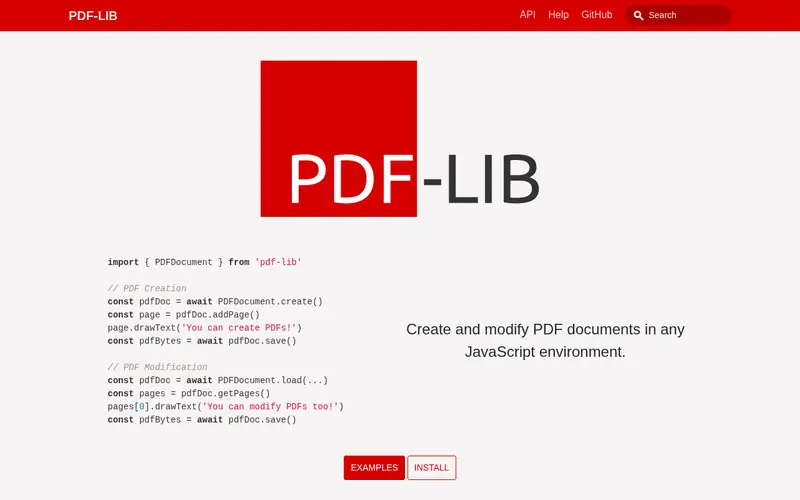
pdf-lib is a JavaScript library for creating and modifying PDFs. It can merge and split documents, fill forms, embed fonts and images, and set metadata. It runs in Node.js and in the browser, which makes it useful for client-side tools where files should not leave the device.
The library is free and open source under the MIT licence. It does not render HTML, so page layout is written in code. It is a good companion to a renderer: use a browser engine for the initial document and pdf-lib for post-processing such as merging or stamping. Teams that need HTML templates should pick a different primary tool.
Standout: Works in Node.js and the browser
Free (open source), as listed by the vendor (pdf-lib website). Confirm the current plan price before you buy.
Free plan. Plans change, so confirm on the vendor's pricing page before you buy.
Benefits
- Works in Node.js and the browser
- strong support for editing existing PDFs
Drawbacks
- No HTML rendering
- layout must be built in code
Skip it if this limit matters to you: no HTML rendering.
Verdict. A sensible pick for javaScript developers editing and creating PDFs.
Who should use what
A Node.js team with existing HTML templates should start with Puppeteer and add pdf-lib for post-processing. A Java or .NET backend that needs precise document control and can budget for a licence should evaluate iText. A Python data team generating reports in batch should use ReportLab. A PHP project on shared hosting without a browser binary should compare Dompdf and TCPDF. A publishing workflow where print layout quality is critical should test Prince against an open source renderer.
Questions to settle before you buy
What to check before you buy
- Confirm the library supports your language and runtime version.
- Check the licence: AGPL and LGPL terms affect how you distribute your product.
- Measure memory and startup cost if you plan to render at high volume.
- Test your real templates, since CSS support varies between engines.
- Decide whether PDFs are generated on the server or in the browser, and keep sensitive data local where possible.
FAQ
Do I need a headless browser to generate PDFs?
No. Browser-based renderers such as Puppeteer give the best HTML and CSS fidelity, but drawing libraries like ReportLab, PDFKit and pdf-lib build PDFs without a browser. Choose based on whether your source is HTML or code.
Which PDF library is free for commercial use?
Puppeteer, ReportLab, PDFKit, pdf-lib and Dompdf are open source and free to use, but check each licence. iText's open source version uses the AGPL, which has distribution requirements. Commercial use of iText usually needs a paid licence.
Can these libraries fill PDF forms?
iText and pdf-lib both support form filling. TCPDF also handles forms. Check the documentation for the specific field types you need, since support varies.
Is it safe to generate PDFs in the browser?
Client-side generation with pdf-lib keeps files on the user's device, which helps with sensitive data. Server-side rendering keeps templates and data on your infrastructure. Avoid sending confidential documents to third-party web converters.
What about HTML to PDF quality?
Browser engines and Prince give the closest match to on-screen CSS. Dompdf and TCPDF support only part of CSS, so complex layouts may break. Test your actual templates before choosing.
Sources we checked
Method: how we score · editorial policy.
Change log. First published 22 Nov 2026.