Stage 01 · Write · Researched comparison
Best Kotlin Linters and Static Analysis Tools in 2026
detekt is the first pick for most Kotlin teams that want configurable static analysis with custom rules and CI support. ktlint suits teams that mainly want formatting and style enforcement with minimal setup. Android Lint is the right choice for Android projects that need framework-aware checks, while Qodana fits teams that want JetBrains-hosted analysis with a dashboard.

By Shihab Mia
Published 22 Nov 2026 · 7 tools compared
We run no ads and no affiliate links at launch. The order of a list follows our published method. See how we score.
Prices are the starting prices vendors list publicly. Plans change, so confirm the current price on the vendor page before you buy.
Key takeaways
- detekt is free and open source, runs on the JVM, and covers code smells, complexity and style through configurable rule sets.
- ktlint is free and open source and focuses on formatting and style, with Gradle, Maven and CLI integration.
- Android Lint ships with the Android Gradle plugin and adds Android-specific correctness checks that general Kotlin linters miss.
- Qodana is a paid JetBrains product with a free trial; confirm current prices on the vendor pricing page.
Who each pick is for
- Teams wanting configurable Kotlin static analysis in CIdetekt
- Kotlin teams enforcing formatting and style rulesktlint
- Android projects needing framework-aware Kotlin checksAndroid Lint
- Developers who want in-editor Kotlin analysisIntelliJ IDEA inspections
- Teams wanting hosted JetBrains code analysis reportsQodana
- Organizations centralizing code quality across languagesSonarQube
- Teams standardizing formatting across JVM projectsSpotless
Comparison
| Tool | Best for | Standout feature | Listed starting price | Free plan or trial |
|---|---|---|---|---|
| 1detekt | Teams wanting configurable Kotlin static analysis in CI | Large configurable rule set | Free (open source) | Free plan |
| 2ktlint | Kotlin teams enforcing formatting and style rules | Low-configuration formatting enforcement | Free (open source) | Free plan |
| 3Android Lint | Android projects needing framework-aware Kotlin checks | Built into the Android Gradle plugin | Free | Free plan |
| 4IntelliJ IDEA inspections | Developers who want in-editor Kotlin analysis | Deep Kotlin-aware inspections in the editor | See vendor pricing page | Free trial (30 days) |
| 5Qodana | Teams wanting hosted JetBrains code analysis reports | Uses JetBrains inspections in CI | See vendor pricing page | Free trial (30 days) |
| 6SonarQube | Organizations centralizing code quality across languages | Multi-language analysis including Kotlin | See vendor pricing page | No free plan |
| 7Spotless | Teams standardizing formatting across JVM projects | Wraps ktlint and other formatters in one Gradle or Maven task | Free (open source) | Free plan |
How we picked
We selected tools that perform Kotlin linting or static analysis and are currently maintained, based on vendor documentation, project repositories and public pricing pages. Criteria included fit for Kotlin analysis, supported platforms and build integrations, licence and price structure, whether analysis runs locally or sends code to a hosted service, and known limits such as Android-only scope or formatting-only checks. We did not run benchmarks. Prices and plan terms change, so confirm them on the vendor site before you commit.
The tools, one by one
detekt
Best for teams wanting configurable Kotlin static analysis in CI
What it is and where it fits
detekt is a static analysis tool for Kotlin that reports code smells, complexity, potential bugs and style issues. It runs on the JVM and integrates through a Gradle plugin, a Maven plugin or a command-line interface, so it fits both local builds and CI pipelines. Rules are grouped into rule sets such as complexity, style, potential-bugs and naming, and each rule can be enabled, disabled or tuned through a YAML config file.
The project is open source and free to use. You can write custom rules and publish them as rule set artifacts, which helps teams enforce project-specific conventions. Baseline files let you suppress existing findings so you can adopt detekt on a legacy codebase without fixing everything at once. It does not provide a hosted dashboard, so reporting is up to your CI system. Skip it if you only need formatting checks, since ktlint is lighter for that job.
Standout: Large configurable rule set
Free (open source), as listed by the vendor (detekt website). Confirm the current plan price before you buy.
Free plan. Plans change, so confirm on the vendor's pricing page before you buy.
Benefits
- Large configurable rule set
- Gradle plugin and CLI for CI use
Drawbacks
- Rule configuration takes time to tune
- no hosted dashboard
Skip it if this limit matters to you: rule configuration takes time to tune.
Verdict. A sensible pick for teams wanting configurable Kotlin static analysis in CI.
Alternatives in this guide: ktlint, Android Lint, IntelliJ IDEA inspections
ktlint
Best for kotlin teams enforcing formatting and style rules
What it is and where it fits
ktlint is an open-source linter and formatter for Kotlin with a strong focus on coding style. It ships with a standard rule set based on the official Kotlin coding conventions and can also format code automatically, which makes it useful as a pre-commit or CI check. It runs through a command-line interface and has Gradle and Maven plugins, plus integrations for common editors.
Setup is minimal compared with general static analysis tools. You add the plugin, run the check task and fix or auto-format the reported issues. Because its scope is style, it does not catch deeper problems like complexity or likely bugs; pair it with detekt or Android Lint for that. Some rules reflect specific formatting opinions, so teams with different conventions may need to adjust the rule set or disable individual rules.
Standout: Low-configuration formatting enforcement
Free (open source), as listed by the vendor (ktlint website). Confirm the current plan price before you buy.
Free plan. Plans change, so confirm on the vendor's pricing page before you buy.
Benefits
- Low-configuration formatting enforcement
- Gradle, Maven and CLI support
Drawbacks
- Limited to style and formatting checks
- some rules are opinionated
Skip it if this limit matters to you: limited to style and formatting checks.
Verdict. A sensible pick for kotlin teams enforcing formatting and style rules.
Alternatives in this guide: detekt, Android Lint, IntelliJ IDEA inspections
Android Lint
Best for android projects needing framework-aware Kotlin checks
What it is and where it fits
Android Lint is the static analysis tool bundled with the Android Gradle plugin and Android Studio. It checks Kotlin and Java sources along with resources, manifest files and Gradle configuration, and it reports Android-specific problems such as incorrect API usage, missing permissions, unused resources and performance pitfalls. It runs as part of the Android build and can be configured through the lint block in Gradle.
It is free and included with the Android tooling, so there is no separate licence. You can raise or lower severity per issue, define a lint baseline to silence existing findings, and generate HTML or XML reports in CI. It is not a general-purpose Kotlin linter and does nothing for non-Android JVM or multiplatform projects. Most Android teams run it alongside detekt and ktlint rather than choosing one.
Standout: Built into the Android Gradle plugin
Free, as listed by the vendor (Android Lint website). Confirm the current plan price before you buy.
Free plan. Plans change, so confirm on the vendor's pricing page before you buy.
Benefits
- Built into the Android Gradle plugin
- catches Android-specific issues
Drawbacks
- Only useful for Android projects
- not a general Kotlin linter
Skip it if this limit matters to you: only useful for Android projects.
Verdict. A sensible pick for android projects needing framework-aware Kotlin checks.
Alternatives in this guide: detekt, ktlint, IntelliJ IDEA inspections
IntelliJ IDEA inspections
Best for developers who want in-editor Kotlin analysis

What it is and where it fits
IntelliJ IDEA includes Kotlin inspections that flag unused code, probable bugs, style problems and other issues as you edit. The Community edition is free and covers basic Kotlin analysis, while the Ultimate edition adds framework and database support. Many inspections offer quick fixes, which makes them useful during development rather than only at review time.
The inspections are editor-centric. They help individual developers but do not produce a shareable report or enforce a build failure on their own. For CI enforcement you still need a tool like detekt, ktlint or Qodana. The paid editions are licensed per user, and prices change, so check the vendor pricing page before buying. Skip this as your only linter if you need automated checks in a pipeline.
Standout: Deep Kotlin-aware inspections in the editor
See vendor pricing page, as listed by the vendor (IntelliJ IDEA inspections website). Confirm the current plan price before you buy.
Free trial (30 days). Plans change, so confirm on the vendor's pricing page before you buy.
Benefits
- Deep Kotlin-aware inspections in the editor
- quick fixes for many findings
Drawbacks
- Full inspection set requires a paid IDE licence
- not a CI gate by itself
Skip it if this limit matters to you: full inspection set requires a paid IDE licence.
Verdict. A sensible pick for developers who want in-editor Kotlin analysis.
Alternatives in this guide: detekt, ktlint, Android Lint
Qodana
Best for teams wanting hosted JetBrains code analysis reports
What it is and where it fits
Qodana is a code quality platform from JetBrains that runs IDE inspections, including Kotlin checks, in CI and reports results to a web dashboard. It can run locally, in Docker or through CI integrations, and it supports quality gates that fail a build when new problems appear. For Kotlin teams already using IntelliJ inspections, it brings similar analysis into automated review.
It is a commercial product with a free trial, and pricing depends on the plan and usage, so confirm details on the vendor pricing page. Setup involves a CI configuration and, for the hosted option, a project token. It overlaps with detekt and ktlint but adds centralized reporting and trend tracking. Small teams with simple needs may find a free Gradle-based linter enough.
Standout: Uses JetBrains inspections in CI
See vendor pricing page, as listed by the vendor (Qodana website). Confirm the current plan price before you buy.
Free trial (30 days). Plans change, so confirm on the vendor's pricing page before you buy.
Benefits
- Uses JetBrains inspections in CI
- web dashboard for findings
Drawbacks
- Paid product
- heavier setup than a Gradle plugin
Skip it if this limit matters to you: paid product.
Verdict. A sensible pick for teams wanting hosted JetBrains code analysis reports.
Alternatives in this guide: detekt, ktlint, Android Lint
SonarQube
Best for organizations centralizing code quality across languages
What it is and where it fits
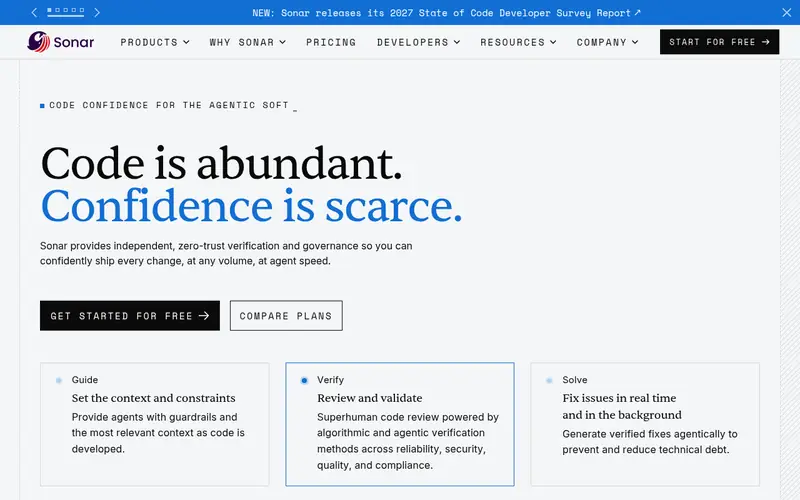
SonarQube is a code quality platform that analyzes many languages, including Kotlin, and reports bugs, code smells and security issues through a web interface. It enforces quality gates and tracks trends over time, which suits organizations that want one dashboard across repositories and languages. Analysis runs through a scanner in CI that sends results to a SonarQube server.
The product has community and commercial editions; the community edition is open source, while commercial editions are paid and priced by lines of code and plan. Check the vendor pricing page for current terms. Running a server adds operational work compared with a Gradle plugin. If you only need Kotlin-specific rules and no central dashboard, detekt is simpler.
Standout: Multi-language analysis including Kotlin
See vendor pricing page, as listed by the vendor (SonarQube website). Confirm the current plan price before you buy.
No free plan. Plans change, so confirm on the vendor's pricing page before you buy.
Benefits
- Multi-language analysis including Kotlin
- quality gates and dashboards
Drawbacks
- Server setup and maintenance
- Kotlin rules are part of a broader platform
Skip it if this limit matters to you: server setup and maintenance.
Verdict. A sensible pick for organizations centralizing code quality across languages.
Alternatives in this guide: detekt, ktlint, Android Lint
Spotless
Best for teams standardizing formatting across JVM projects
What it is and where it fits
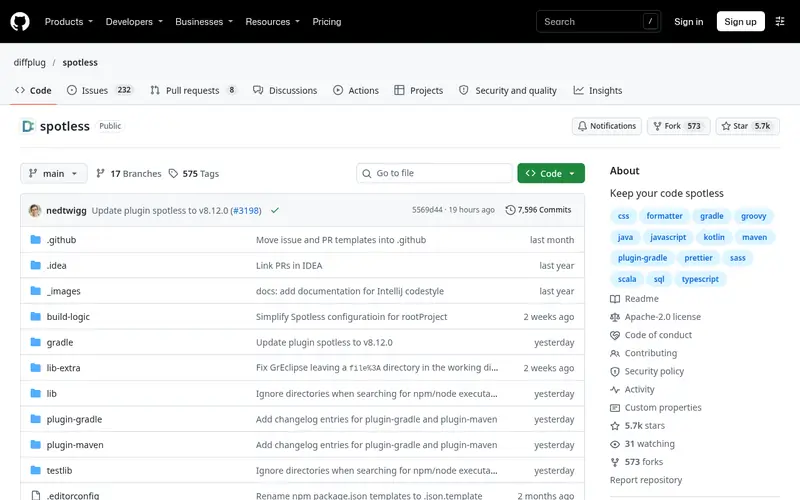
Spotless is an open-source Gradle and Maven plugin that applies consistent formatting across a project. For Kotlin it can run ktlint or ktfmt under the hood, and it also handles Java, Groovy, Kotlin Gradle scripts and other file types. A check task fails the build when formatting drifts, and an apply task fixes files automatically.
It is free and open source. Its value is orchestration: one configuration for formatting across a multi-language repository. It does not add its own deep static analysis, so it complements detekt rather than replacing it. Teams that already run ktlint directly may not need the extra layer, but mixed JVM projects often benefit from a single formatting entry point.
Standout: Wraps ktlint and other formatters in one Gradle or Maven task
Free (open source), as listed by the vendor (Spotless website). Confirm the current plan price before you buy.
Free plan. Plans change, so confirm on the vendor's pricing page before you buy.
Benefits
- Wraps ktlint and other formatters in one Gradle or Maven task
- supports many languages
Drawbacks
- Formatter rather than a full linter
- rule depth depends on the underlying tool
Skip it if this limit matters to you: formatter rather than a full linter.
Verdict. A sensible pick for teams standardizing formatting across JVM projects.
Alternatives in this guide: detekt, ktlint, Android Lint
Who should use what
A backend Kotlin team that wants configurable rules and CI enforcement should start with detekt and add ktlint for formatting. An Android team should keep Android Lint in the build and pair it with detekt for general Kotlin issues. A small team that mainly cares about consistent style can use ktlint alone, optionally through Spotless. An organization that wants one dashboard across languages should evaluate Qodana or SonarQube, accepting the extra setup and cost.
Questions to settle before you buy
What to check before you buy
- Confirm the tool analyzes the Kotlin targets you use, such as Android, JVM or multiplatform.
- Check that a Gradle, Maven or CLI integration exists for your build and CI system.
- Review the default rule set and decide which rules to enable, disable or baseline.
- Verify where analysis runs and whether any source code leaves your network.
- Check the licence and current price terms on the vendor page before adopting a paid plan.
FAQ
What is the best Kotlin linter overall?
detekt is the most common choice for general Kotlin static analysis because it is free, open source and configurable. ktlint is the usual pick for formatting. Many teams run both, since they cover different problems.
Do I need both detekt and ktlint?
Not always, but they complement each other. ktlint enforces formatting and style, while detekt catches code smells, complexity and potential bugs. Running both in CI gives broader coverage than either alone.
Are these Kotlin linters free?
detekt, ktlint, Android Lint and Spotless are free, and most are open source. IntelliJ IDEA, Qodana and SonarQube have paid editions; check their vendor pricing pages for current terms and free trial details.
Can I run Kotlin linters in CI?
Yes. detekt, ktlint and Spotless provide Gradle, Maven or CLI tasks that fail a build on findings. Android Lint runs as part of the Android build. Qodana and SonarQube add hosted reporting and quality gates.
Does linting replace code review?
No. Linters catch style issues and common patterns, but they do not judge design, requirements or context. Use them to free up review time for logic and architecture, not to replace review.
Sources we checked
Method: how we score · editorial policy.
Change log. First published 22 Nov 2026.