Stage 01 · Write · Researched comparison
Best JSON to TypeScript Converters in 2026
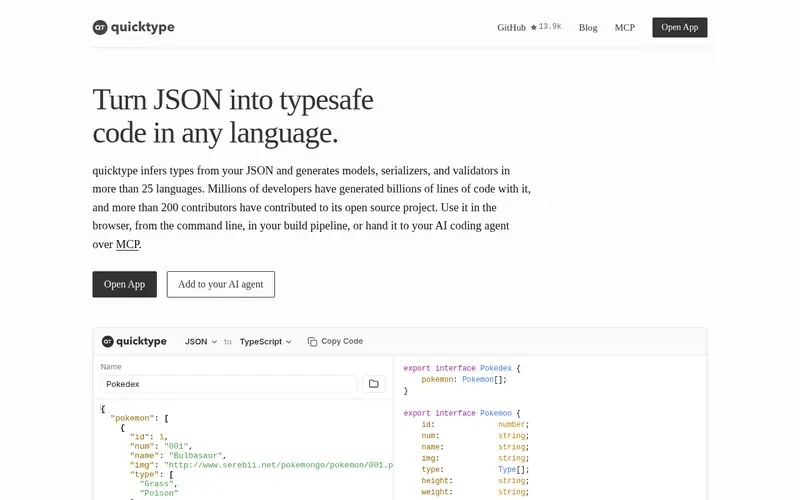
QuickType is the first pick for most developers. It converts JSON, JSON Schema and other inputs into TypeScript interfaces and runs as a web app, CLI or library. If you want a fast browser-only tool, use the JSON to TS converter on json2ts. If you need types generated inside your editor, the JSON to TS extension for VS Code fits that workflow. All three handle the same core job but differ in where they run.

By Shihab Mia
Published 22 Nov 2026 · 5 tools compared
We run no ads and no affiliate links at launch. The order of a list follows our published method. See how we score.
Prices are the starting prices vendors list publicly. Plans change, so confirm the current price on the vendor page before you buy.
Key takeaways
- QuickType covers the widest range of inputs and outputs, including TypeScript, and is free and open source.
- json2ts is a free browser tool that runs conversion locally, which suits one-off pastes of non-sensitive JSON.
- Editor extensions such as the JSON to TS extension generate types without leaving VS Code.
- For schema-first workflows, json-schema-to-typescript generates types from JSON Schema rather than raw JSON.
Who each pick is for
- Converting JSON and schema inputs into TypeScript across web, CLI and APIQuickType
- Quick browser conversion of a JSON snippet into TypeScript interfacesjson2ts
- Generating TypeScript types from JSON Schema in a build stepjson-schema-to-typescript
- Browser conversion with a clean copy-ready output panetransform.tools JSON to TypeScript
- Converting selected JSON into TypeScript interfaces inside VS CodeJSON to TS (VS Code extension by MariusAlchimavicius)
Comparison
| Tool | Best for | Standout feature | Listed starting price | Free plan or trial |
|---|---|---|---|---|
| 1QuickType | Converting JSON and schema inputs into TypeScript across web, CLI and API | Handles JSON, JSON Schema and other inputs | Free (open source) | Free plan |
| 2json2ts | Quick browser conversion of a JSON snippet into TypeScript interfaces | Simple single-page interface | Free | Free plan |
| 3json-schema-to-typescript | Generating TypeScript types from JSON Schema in a build step | Schema-first output is more predictable | Free (open source) | Free plan |
| 4transform.tools JSON to TypeScript | Browser conversion with a clean copy-ready output pane | Simple interface with side-by-side input and output | Free | Free plan |
| 5JSON to TS (VS Code extension by MariusAlchimavicius) | Converting selected JSON into TypeScript interfaces inside VS Code | Works on a selection in the editor | Free | Free plan |
How we picked
We selected tools that genuinely convert JSON or JSON Schema into TypeScript, or that support the same workflow in reverse. Criteria were fit for the job, available platforms (web, CLI, editor, library), price and licence, privacy of pasted data, and main limits. Sources are vendor pages, official documentation and project repositories. Prices and free plan limits can change, so confirm details on the vendor site before committing.
The tools, one by one
QuickType
Best for converting JSON and schema inputs into TypeScript across web, CLI and API
What it is and where it fits
QuickType generates typed models from JSON samples, JSON Schema and several other input formats. TypeScript is one of its main output languages, and you can also target other languages from the same input. It runs as a hosted web app, a command-line tool and a library you can call from code. The project is open source and free to use.
For this job, paste or upload a JSON sample and QuickType infers interfaces and type aliases. You can adjust options such as whether to use interfaces or type aliases and how to handle optional fields. The CLI is useful when you want repeatable generation in a build step.
The main limit is inference quality: a small or unrepresentative sample produces narrow types. Review the output against real data. Teams that need strict schema control may prefer a schema-first tool. The hosted app sends your JSON to a server, so avoid pasting secrets or production data there and use the CLI or library locally instead.
Standout: Handles JSON, JSON Schema and other inputs
Free (open source), as listed by the vendor (QuickType website). Confirm the current plan price before you buy.
Free plan. Plans change, so confirm on the vendor's pricing page before you buy.
Benefits
- Handles JSON, JSON Schema and other inputs
- available as web app, CLI and library
Drawbacks
- Output options can feel overwhelming at first
- large or deeply nested samples need review
Skip it if this limit matters to you: output options can feel overwhelming at first.
Verdict. A sensible pick for converting JSON and schema inputs into TypeScript across web, CLI and API.
Alternatives in this guide: json2ts, json-schema-to-typescript, transform.tools JSON to TypeScript
json2ts
Best for quick browser conversion of a JSON snippet into TypeScript interfaces
What it is and where it fits
json2ts is a focused web page that turns pasted JSON into TypeScript interfaces. You paste a sample, and it produces interface declarations you can copy into your project. The interface is minimal, which makes it fast for a one-off conversion.
The tool runs the conversion in the browser, so the JSON is not sent to a server for processing. That is a meaningful privacy advantage over hosted converters, but you should still avoid pasting secrets, tokens or production data into any third-party page. Treat it as a convenience for non-sensitive samples.
It does not offer a CLI, a library or editor integration, and its options are limited. If you need repeatable generation in a pipeline or fine control over optional fields and naming, use QuickType or a schema-based generator instead. For a single snippet during development, it is a reasonable choice.
Standout: Simple single-page interface
Free, as listed by the vendor (json2ts website). Confirm the current plan price before you buy.
Free plan. Plans change, so confirm on the vendor's pricing page before you buy.
Benefits
- Simple single-page interface
- conversion runs in the browser
Drawbacks
- No CLI or build integration
- output options are limited compared with larger tools
Skip it if this limit matters to you: no CLI or build integration.
Verdict. A sensible pick for quick browser conversion of a JSON snippet into TypeScript interfaces.
Alternatives in this guide: QuickType, json-schema-to-typescript, transform.tools JSON to TypeScript
json-schema-to-typescript
Best for generating TypeScript types from JSON Schema in a build step
What it is and where it fits
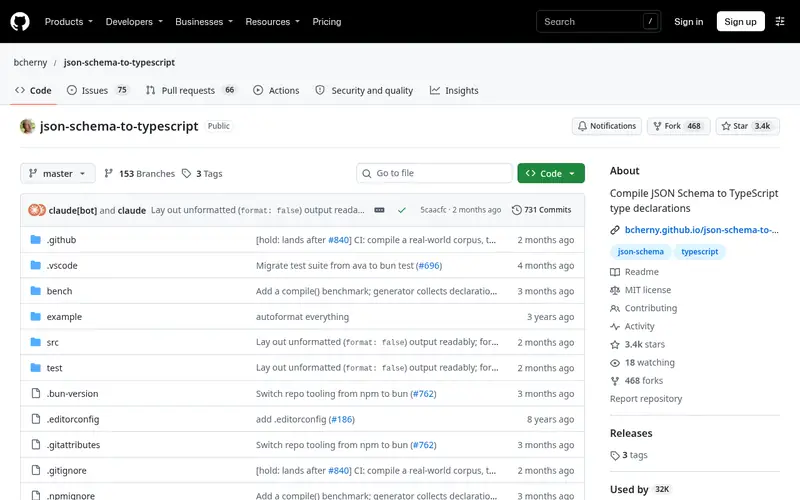
json-schema-to-typescript compiles JSON Schema documents into TypeScript types. It is a Node.js package with a CLI and a programmatic API, so you can run it in a build or CI step. Because the input is a schema rather than a sample, the output reflects declared constraints instead of inferred guesses.
This makes it a better fit for teams that already maintain JSON Schema for validation or API contracts. You get one source of truth and generated types that match it. The trade-off is that you need a schema first; if you only have a JSON sample, you must write or generate the schema before using this tool.
The project is open source and free. It is maintained on GitHub, and the README documents CLI flags and options. It does not provide a hosted web interface, so it suits developers comfortable with Node.js tooling. If you want a browser paste-and-copy workflow, look elsewhere.
Standout: Schema-first output is more predictable
Free (open source), as listed by the vendor (json-schema-to-typescript website). Confirm the current plan price before you buy.
Free plan. Plans change, so confirm on the vendor's pricing page before you buy.
Benefits
- Schema-first output is more predictable
- usable as a CLI and a library
Drawbacks
- Requires a JSON Schema, not a raw JSON sample
- schema authoring adds work
Skip it if this limit matters to you: requires a JSON Schema, not a raw JSON sample.
Verdict. A sensible pick for generating TypeScript types from JSON Schema in a build step.
Alternatives in this guide: QuickType, json2ts, transform.tools JSON to TypeScript
transform.tools JSON to TypeScript
Best for browser conversion with a clean copy-ready output pane
What it is and where it fits
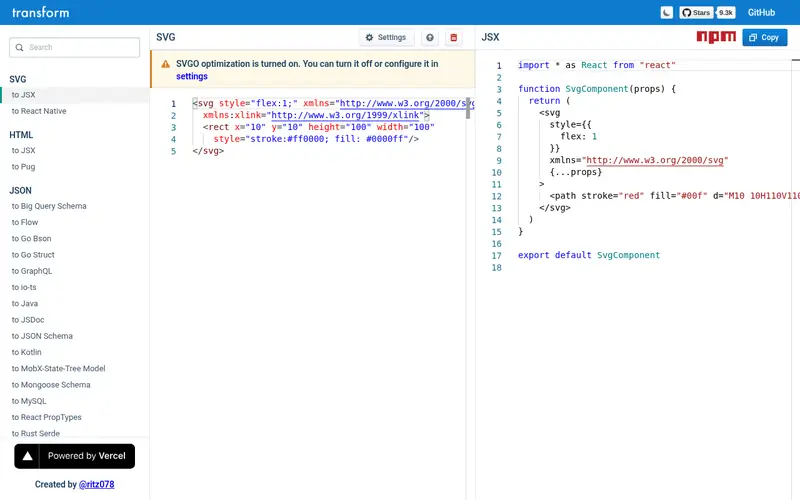
transform.tools hosts a collection of converters, including a JSON to TypeScript page. You paste JSON on one side and get TypeScript types on the other. The layout is clear and the output is easy to copy. No account is required.
The conversion runs in the browser, which reduces exposure compared with server-side tools, but the page is still a third-party website. Do not paste secrets, tokens or production data. Use it for sample payloads and public API responses.
It is a convenience tool, not a build tool. There is no CLI, no library and no configuration for naming or optional fields. For repeatable generation, use QuickType's CLI or json-schema-to-typescript. For a quick conversion during development, it works well.
Standout: Simple interface with side-by-side input and output
Free, as listed by the vendor (transform.tools JSON to TypeScript website). Confirm the current plan price before you buy.
Free plan. Plans change, so confirm on the vendor's pricing page before you buy.
Benefits
- Simple interface with side-by-side input and output
- no account needed
Drawbacks
- No CLI or build integration
- hosted page, so avoid sensitive data
Skip it if this limit matters to you: no CLI or build integration.
Verdict. A sensible pick for browser conversion with a clean copy-ready output pane.
Alternatives in this guide: QuickType, json2ts, json-schema-to-typescript
JSON to TS (VS Code extension by MariusAlchimavicius)
Best for converting selected JSON into TypeScript interfaces inside VS Code
What it is and where it fits
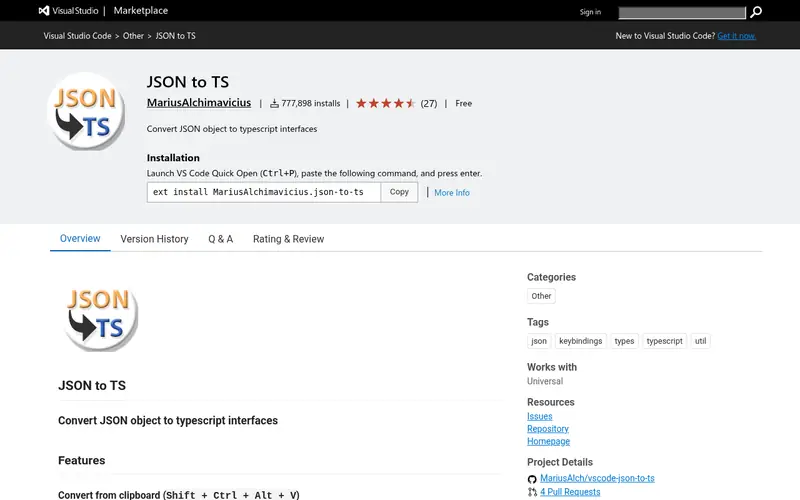
This VS Code extension converts selected JSON into TypeScript interfaces. You select a JSON object in the editor and run the command; the extension produces interface declarations. It is a small, focused tool for in-editor conversion.
It is free and open source. The main limitation is scope: it handles the common case of a JSON object to interfaces, and configuration is limited compared with QuickType. It is maintained by an individual developer, so check the repository for recent activity before depending on it.
For teams that want a minimal in-editor converter without the larger QuickType extension, it is an option. For broader language support or CLI use, QuickType is the stronger choice.
Standout: Works on a selection in the editor
Free, as listed by the vendor (JSON to TS (VS Code extension by MariusAlchimavicius) website). Confirm the current plan price before you buy.
Free plan. Plans change, so confirm on the vendor's pricing page before you buy.
Benefits
- Works on a selection in the editor
- lightweight
Drawbacks
- Limited configuration
- single-maintainer extension
Skip it if this limit matters to you: limited configuration.
Verdict. A sensible pick for converting selected JSON into TypeScript interfaces inside VS Code.
Alternatives in this guide: QuickType, json2ts, json-schema-to-typescript
Who should use what
If you need a one-off conversion of a sample payload, use json2ts or transform.tools in the browser and keep sensitive data out. If you want repeatable generation in a build, use QuickType's CLI or json-schema-to-typescript. If you work in VS Code and want types without leaving the editor, use the JSON to TS extension. If your team already maintains JSON Schema, use json-schema-to-typescript so types follow the schema rather than a sample.
Questions to settle before you buy
What to check before you buy
- Confirm the tool accepts your input: raw JSON, JSON Schema or both.
- Check whether conversion runs locally or on a server, and keep secrets out of hosted pages.
- Review generated types against real payloads; samples can produce narrow or wrong optional fields.
- Check the licence and whether the project is actively maintained.
- Verify CLI and build integration if you need repeatable generation in CI.
FAQ
Can I convert JSON to TypeScript without installing anything?
Yes. Browser tools such as json2ts and transform.tools convert pasted JSON into TypeScript interfaces with no install. They suit one-off conversions. Do not paste secrets, tokens or production data into third-party pages. For repeatable output, use a CLI or library.
Which tool handles large or nested JSON best?
QuickType and json-schema-to-typescript are better for complex inputs because they offer more options and can run locally. Browser tools work for small samples but give limited control. With any tool, test the generated types against real data, since inference from a sample can miss fields.
Do these tools generate runtime validation code?
Most generate TypeScript types only, which are erased at compile time. For runtime validation, pair the types with a schema validator or generate a schema from your types. Check each project's documentation for what it outputs.
Is JSON Schema better than a JSON sample for generating types?
A schema is more predictable because it states constraints explicitly. A sample is faster but inference can be wrong. If you already maintain JSON Schema, use json-schema-to-typescript. If you only have a payload, start with QuickType and review the output.
Are these tools free?
Most listed here are free or open source. QuickType, json-schema-to-typescript and the editor extensions are open source. Hosted pages are free to use. Confirm licence terms and any paid tiers on the vendor or repository page.
Sources we checked
Method: how we score · editorial policy.
Change log. First published 22 Nov 2026.