Stage 01 · Write · Researched comparison
Best JavaScript Gesture Libraries in 2026
@use-gesture is the first pick for React and framework apps that need drag, pinch, wheel and hover gestures with fine control over state. interact.js suits apps that need draggable, resizable and drop targets with pointer and touch support. Motion gestures fit teams already using Motion for animation who want simple tap, drag and hover handling. Native Pointer Events remain the baseline for small projects with no dependency.

By Shihab Mia
Published 28 Nov 2026 · 5 tools compared
We run no ads and no affiliate links at launch. The order of a list follows our published method. See how we score.
Prices are the starting prices vendors list publicly. Plans change, so confirm the current price on the vendor page before you buy.
Key takeaways
- @use-gesture is free and open source, works with React, Vue, Svelte and vanilla targets, and exposes gesture state through hooks and directives.
- interact.js is free and open source, focused on drag, resize, drop and multi-touch gestures, and does not handle animation.
- Motion is free and open source for its core library, with gesture support tied to its animation API; paid tiers exist for related tooling.
- Native Pointer Events are built into browsers, need no dependency, and cover most single-pointer and multi-pointer cases when written carefully.
Who each pick is for
- React, Vue and Svelte apps needing rich gesture state@use-gesture
- Draggable, resizable and drop-target interfacesinteract.js
- Teams already animating with MotionMotion gestures
- Small projects that want no gesture dependencyNative Pointer Events
- Simple touch gesture recognition without a frameworkZingTouch
Comparison
| Tool | Best for | Standout feature | Listed starting price | Free plan or trial |
|---|---|---|---|---|
| 1@use-gesture | React, Vue and Svelte apps needing rich gesture state | Broad gesture set including drag, pinch, wheel, move and hover | Free (open source) | Free plan |
| 2interact.js | Draggable, resizable and drop-target interfaces | Built-in drag, resize, drop and multi-touch gestures | Free (open source) | Free plan |
| 3Motion gestures | Teams already animating with Motion | Gestures integrate with the same animation API | Free (open source) | Free plan |
| 4Native Pointer Events | Small projects that want no gesture dependency | Built into modern browsers with no install | Free | Free plan |
| 5ZingTouch | Simple touch gesture recognition without a framework | Small API for tap, swipe, pinch, rotate and pan | Free (open source) | Free plan |
How we picked
We picked libraries that genuinely handle touch and pointer gestures and are currently maintained or built into browsers. Criteria were fit for common gesture jobs, platform and framework support, licence and price, and the main limits of each option. Sources are vendor pages, official documentation and project repositories. Prices and plan details change, so confirm them on the vendor site before you commit.
The tools, one by one
@use-gesture
Best for react, Vue and Svelte apps needing rich gesture state
What it is and where it fits
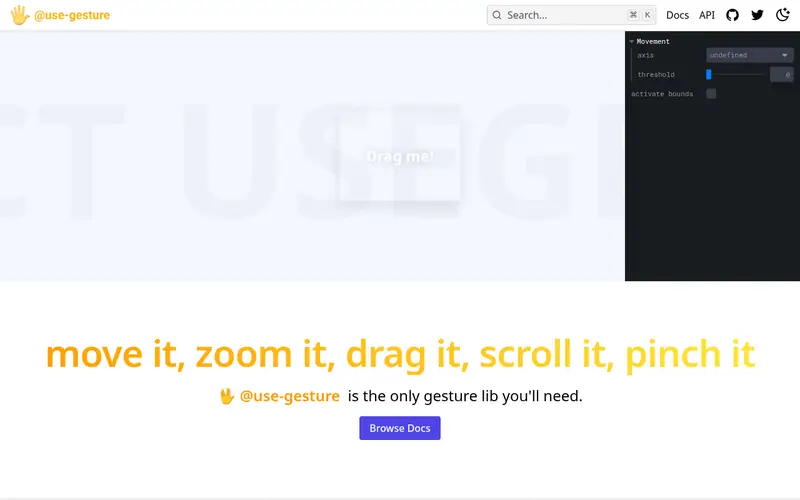
@use-gesture is a gesture library from the pmndrs project. It covers drag, pinch, scroll, wheel, move and hover gestures and reports values such as movement, offset, velocity and direction. Bindings exist for React, Vue and Svelte, and a vanilla API works with any DOM target.
The library does not render or animate anything itself. You read gesture state and apply it to transforms, styles or an animation library. That separation keeps it flexible but means you write the visual response. It runs in browsers that support Pointer Events, with touch and mouse handled through the same model.
It is free and open source under the MIT license. Skip it if you need built-in drag-and-drop with drop zones, or if you want a library that ships ready-made animations.
Standout: Broad gesture set including drag, pinch, wheel, move and hover
Free (open source), as listed by the vendor (@use-gesture website). Confirm the current plan price before you buy.
Free plan. Plans change, so confirm on the vendor's pricing page before you buy.
Benefits
- Broad gesture set including drag, pinch, wheel, move and hover
- framework bindings plus a vanilla API
Drawbacks
- Requires understanding of its state model
- not a drop-in drag-and-drop system
Skip it if this limit matters to you: requires understanding of its state model.
Verdict. A sensible pick for react, Vue and Svelte apps needing rich gesture state.
Alternatives in this guide: interact.js, Motion gestures, Native Pointer Events
interact.js
Best for draggable, resizable and drop-target interfaces
What it is and where it fits
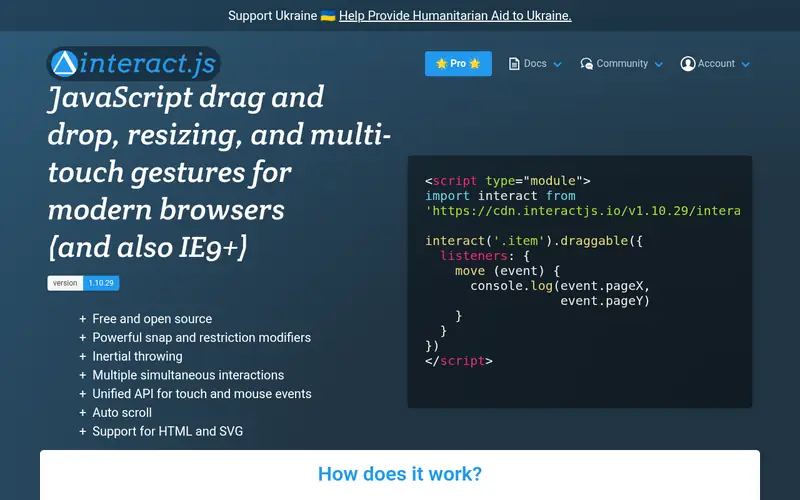
interact.js handles pointer-driven interactions: dragging, resizing, rotating, dropping and multi-touch gestures such as pinch. It works on plain DOM elements and has wrappers for popular frameworks. It normalizes mouse, touch and pen input through pointer events.
The library manages interaction state and emits events you hook into. It does not animate elements for you, so you apply transforms or hand values to an animation library. It includes features like snapping, restrict modifiers and drop zones, which makes it a better fit for editors and canvas-style tools than for simple swipe detection.
It is free and open source under the MIT license. Skip it if you only need to detect a swipe or tap, or if you want a small footprint with minimal configuration.
Standout: Built-in drag, resize, drop and multi-touch gestures
Free (open source), as listed by the vendor (interact.js website). Confirm the current plan price before you buy.
Free plan. Plans change, so confirm on the vendor's pricing page before you buy.
Benefits
- Built-in drag, resize, drop and multi-touch gestures
- works with plain DOM and framework wrappers
Drawbacks
- No animation layer
- configuration surface is large for simple cases
Skip it if this limit matters to you: no animation layer.
Verdict. A sensible pick for draggable, resizable and drop-target interfaces.
Alternatives in this guide: @use-gesture, Motion gestures, Native Pointer Events
Motion gestures
Best for teams already animating with Motion
What it is and where it fits
Motion, formerly Framer Motion, includes gesture support for hover, tap, pan and drag. Because gestures are part of the animation API, you can drive transitions and spring physics directly from gesture events without wiring a second library.
It runs in React and in vanilla JavaScript, and the core package is free and open source. The project also offers paid plans for related products and services, so check the vendor pricing page if you need those. The core gesture features do not require payment.
Gesture coverage is focused on common interactions rather than the full set found in @use-gesture or interact.js. Skip it if you need complex multi-touch handling or drop targets, or if you are not using Motion for animation.
Standout: Gestures integrate with the same animation API
Free (open source), as listed by the vendor (Motion gestures website). Confirm the current plan price before you buy.
Free plan. Plans change, so confirm on the vendor's pricing page before you buy.
Benefits
- Gestures integrate with the same animation API
- works in React and vanilla JavaScript
Drawbacks
- Gesture coverage is narrower than dedicated gesture libraries
- paid tiers exist for related tooling
Skip it if this limit matters to you: gesture coverage is narrower than dedicated gesture libraries.
Verdict. A sensible pick for teams already animating with Motion.
Alternatives in this guide: @use-gesture, interact.js, Native Pointer Events
Native Pointer Events
Best for small projects that want no gesture dependency
What it is and where it fits
Pointer Events are a browser API, not a library. They unify mouse, touch and pen input into a single event model with events such as pointerdown, pointermove and pointerup. Multi-pointer tracking lets you build pinch and rotate gestures by following pointer IDs.
Using them directly means no dependency, no bundle cost and full control. The trade-off is that you implement gesture recognition, thresholds and edge cases yourself. MDN documents the API and its browser support, and the feature is widely available in current browsers.
This is free because it ships with the browser. Skip it if you need many gesture types quickly, or if you want tested handling of complex multi-touch sequences.
Standout: Built into modern browsers with no install
Free, as listed by the vendor (Native Pointer Events website). Confirm the current plan price before you buy.
Free plan. Plans change, so confirm on the vendor's pricing page before you buy.
Benefits
- Built into modern browsers with no install
- one model for mouse, touch and pen
Drawbacks
- You write gesture recognition yourself
- browser quirks still need testing
Skip it if this limit matters to you: you write gesture recognition yourself.
Verdict. A sensible pick for small projects that want no gesture dependency.
Alternatives in this guide: @use-gesture, interact.js, Motion gestures
ZingTouch
Best for simple touch gesture recognition without a framework
What it is and where it fits
ZingTouch is a touch gesture library with built-in recognizers for tap, swipe, pinch, rotate, pan and distance. You bind a region to an element and register gesture handlers, which keeps setup short for common touch interactions.
It targets touch input primarily, so mouse and pen behavior may need extra handling depending on the browser. It works with plain JavaScript and does not depend on a framework. The API is small, which helps for prototypes and simple mobile interfaces.
It is free and open source. Check the repository for recent activity before adopting it in a long-lived project, since maintenance pace matters for any dependency. Skip it if you need a pointer-first model or advanced drag-and-drop features.
Standout: Small API for tap, swipe, pinch, rotate and pan
Free (open source), as listed by the vendor (ZingTouch website). Confirm the current plan price before you buy.
Free plan. Plans change, so confirm on the vendor's pricing page before you buy.
Benefits
- Small API for tap, swipe, pinch, rotate and pan
- no framework required
Drawbacks
- Touch-focused rather than pointer-first
- smaller community than the other options
Skip it if this limit matters to you: touch-focused rather than pointer-first.
Verdict. A sensible pick for simple touch gesture recognition without a framework.
Alternatives in this guide: @use-gesture, interact.js, Motion gestures
Who should use what
React or Vue teams building sliders, image viewers or canvas tools should start with @use-gesture. Apps that need draggable panels, resizable windows or drop zones fit interact.js. Teams already animating with Motion get the shortest path by using its gesture features. Small projects, or teams that want no dependency, can build on native Pointer Events. ZingTouch suits simple touch-only interfaces where a small API is enough.
Questions to settle before you buy
What to check before you buy
- Confirm the library supports the input types you need: mouse, touch, pen or multi-touch.
- Check that it works with your framework version and build setup.
- Review the licence and whether the core features you need are free.
- Test gesture thresholds and edge cases on real touch devices, not only emulators.
- Check repository activity and open issues for maintenance signals.
FAQ
Do I need a gesture library at all?
Not always. Native Pointer Events cover many single-pointer and multi-pointer cases. A library helps when you need many gesture types, tested multi-touch handling or framework bindings, and it saves time on thresholds and edge cases.
Which option works best with React?
@use-gesture has first-class React bindings and reports gesture state through hooks. Motion also works well in React if you already use it for animation. interact.js offers framework wrappers but is not React-specific.
Are these libraries free?
@use-gesture, interact.js, Motion's core package and ZingTouch are free and open source. Native Pointer Events are built into browsers. Motion offers paid plans for related products, so check its pricing page if you need those.
Can I use these for drag-and-drop?
interact.js is the strongest fit for drag-and-drop because it includes drop zones and modifiers. @use-gesture and Motion handle drag gestures but leave drop logic to you. Native Pointer Events require you to build the full interaction.
Do these libraries work on mobile?
Yes, all the listed options handle touch input. Test on real devices because touch thresholds, scrolling conflicts and multi-touch behavior vary. ZingTouch is touch-focused, while the others also handle mouse and pen.
Sources we checked
Method: how we score · editorial policy.
Change log. First published 28 Nov 2026.