Stage 01 · Write · Researched comparison
Best find Command Alternatives in 2026
fd is the first pick for most developers who want a faster, simpler replacement for find, because it has sensible defaults, colorized output and a small, readable syntax. fzf suits people who want to filter file lists interactively, and ripgrep --files is a good fit when you already use ripgrep for search and want one tool for both jobs. All three are free and open source.

By Shihab Mia
Published 28 Nov 2026 · 6 tools compared
We run no ads and no affiliate links at launch. The order of a list follows our published method. See how we score.
Prices are the starting prices vendors list publicly. Plans change, so confirm the current price on the vendor page before you buy.
Key takeaways
- fd, fzf, ripgrep and broot are free and open source; Everything for Windows is free; plocate is free and open source.
- fd and ripgrep skip hidden files and respect ignore files by default, which differs from find's behavior.
- fzf and broot are interactive tools, so they need a terminal session rather than working inside scripts.
- Everything for Windows is Windows only; the other five run on Linux and macOS, and most also run on Windows.
Who each pick is for
- Developers who want a simple, fast find replacementfd
- Interactive filtering of file lists in the terminalfzf
- Fast repeated searches using a prebuilt file indexplocate
- Listing files with the same ignore rules as content searchripgrep (--files)
- Interactive tree navigation and file discoverybroot
- Instant filename search on Windows desktopsEverything
Comparison
| Tool | Best for | Standout feature | Listed starting price | Free plan or trial |
|---|---|---|---|---|
| 1fd | Developers who want a simple, fast find replacement | Short syntax and sensible defaults | Free (open source) | Free plan |
| 2fzf | Interactive filtering of file lists in the terminal | Fast fuzzy matching over large lists | Free (open source) | Free plan |
| 3plocate | Fast repeated searches using a prebuilt file index | Very fast lookups on large filesystems | Free (open source) | Free plan |
| 4ripgrep (--files) | Listing files with the same ignore rules as content search | Fast directory traversal | Free (open source) | Free plan |
| 5broot | Interactive tree navigation and file discovery | Tree view with fuzzy search | Free (open source) | Free plan |
| 6Everything | Instant filename search on Windows desktops | Near-instant results from an NTFS index | Free | Free plan |
How we picked
We picked tools that solve the same problem as find: locating files by name or path. Criteria were fit for that job, supported platforms, licence and price, whether the tool works in scripts or only interactively, and the main limits users hit, such as ignore rules or index freshness. Sources are vendor pages, project documentation and public repositories. Prices and licences change, so confirm details on the vendor site before you commit.
The tools, one by one
fd
Best for developers who want a simple, fast find replacement
What it is and where it fits
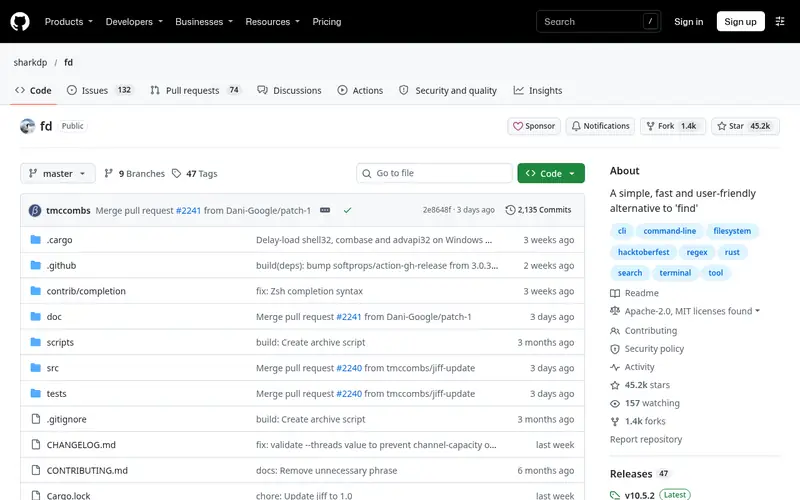
fd is a command-line program that searches for files and directories by name pattern. It uses regular expressions by default, so `fd report` matches any path containing "report". Output is colorized and grouped by directory. It respects .gitignore and skips hidden files unless you pass flags to change that, which is convenient in code repositories but differs from find. It runs on Linux, macOS and Windows. The project is open source under the MIT and Apache 2.0 licenses, and it is distributed through package managers and release binaries. It is not a drop-in replacement for complex find expressions, so scripts that rely on find's full expression language need rewriting.
Standout: Short syntax and sensible defaults
Free (open source), as listed by the vendor (fd website). Confirm the current plan price before you buy.
Free plan. Plans change, so confirm on the vendor's pricing page before you buy.
Benefits
- Short syntax and sensible defaults
- colorized output and parallel search
Drawbacks
- Skips hidden and ignored files by default
- fewer expression options than find
Skip it if this limit matters to you: skips hidden and ignored files by default.
Verdict. A sensible pick for developers who want a simple, fast find replacement.
Alternatives in this guide: fzf, plocate, ripgrep (--files)
fzf
Best for interactive filtering of file lists in the terminal
What it is and where it fits
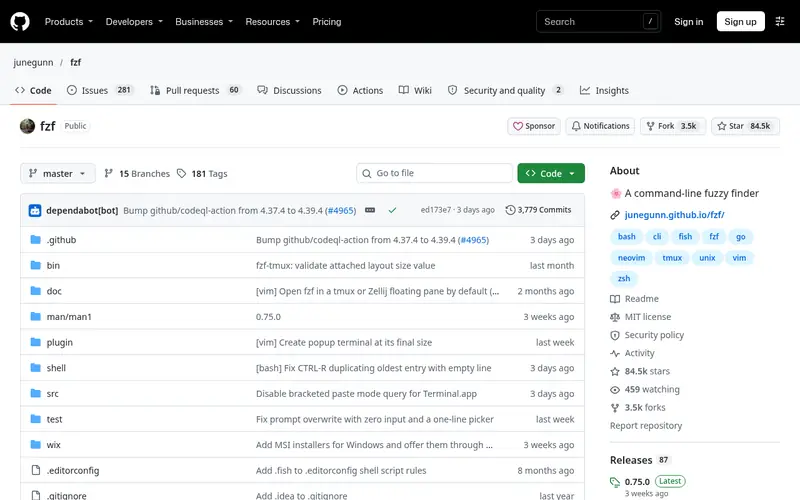
fzf is a general-purpose command-line fuzzy finder. You pipe a list into it, such as the output of find, fd or ripgrep --files, and filter that list interactively as you type. Shell integrations add key bindings for file and history selection, and it works with editors and other tools. It runs on Linux, macOS and Windows. The project is open source under the MIT license. Because fzf filters input rather than walking the filesystem itself, you pair it with a file lister. It is a poor fit for non-interactive scripts, where plain find or fd is simpler.
Standout: Fast fuzzy matching over large lists
Free (open source), as listed by the vendor (fzf website). Confirm the current plan price before you buy.
Free plan. Plans change, so confirm on the vendor's pricing page before you buy.
Benefits
- Fast fuzzy matching over large lists
- integrates with shells and editors
Drawbacks
- Not a file finder on its own
- needs a source list or key binding
Skip it if this limit matters to you: not a file finder on its own.
Verdict. A sensible pick for interactive filtering of file lists in the terminal.
Alternatives in this guide: fd, plocate, ripgrep (--files)
plocate
Best for fast repeated searches using a prebuilt file index
What it is and where it fits
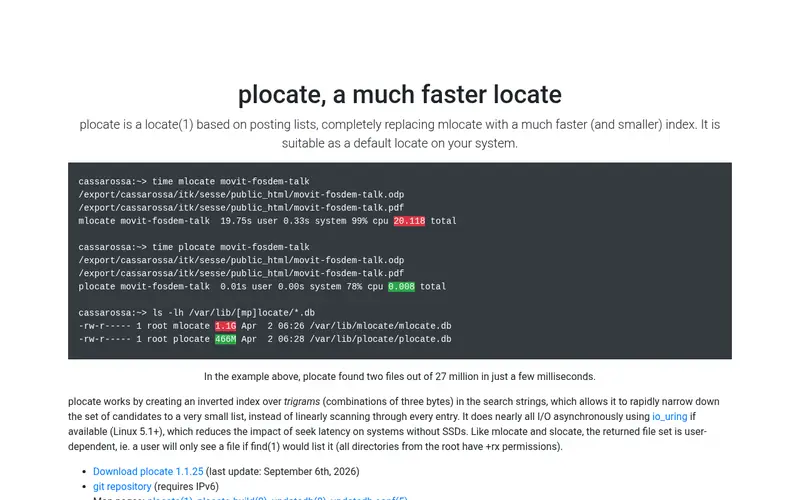
plocate is an implementation of locate. It searches a database of file paths instead of walking the filesystem, so lookups are fast even on large trees. The database is built by updatedb, usually from a cron job or systemd timer, so results reflect the last index run rather than the current state. It is a drop-in replacement for mlocate on many distributions and is packaged widely on Linux. It is open source under the GPL. It is Linux-focused; macOS and Windows users typically use other tools. If you need results for files created seconds ago, run updatedb first or use fd.
Standout: Very fast lookups on large filesystems
Free (open source), as listed by the vendor (plocate website). Confirm the current plan price before you buy.
Free plan. Plans change, so confirm on the vendor's pricing page before you buy.
Benefits
- Very fast lookups on large filesystems
- small index size
Drawbacks
- Results depend on index freshness
- needs a scheduled index update
Skip it if this limit matters to you: results depend on index freshness.
Verdict. A sensible pick for fast repeated searches using a prebuilt file index.
Alternatives in this guide: fd, fzf, ripgrep (--files)
ripgrep (--files)
Best for listing files with the same ignore rules as content search
What it is and where it fits
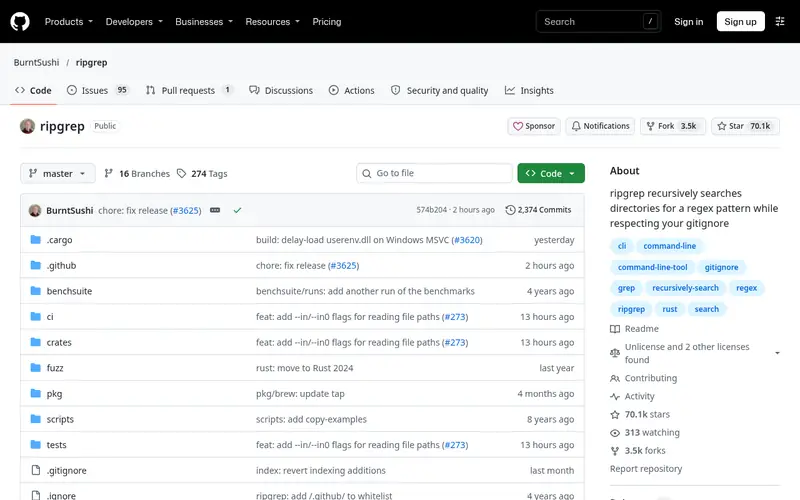
ripgrep is a line-oriented search tool, and its --files flag lists the files it would search instead of matching content. That makes it a practical file lister when you already use ripgrep, since both modes honor the same ignore files and hidden-file rules. It runs on Linux, macOS and Windows and is open source under the MIT and Unlicense terms. The --files mode does not filter by filename pattern the way fd does, so for name matching you combine it with other tools or use fd. It suits teams that standardize on ripgrep and want one traversal engine for search and listing.
Standout: Fast directory traversal
Free (open source), as listed by the vendor (ripgrep (--files) website). Confirm the current plan price before you buy.
Free plan. Plans change, so confirm on the vendor's pricing page before you buy.
Benefits
- Fast directory traversal
- consistent ignore handling with search
Drawbacks
- Listing is a secondary mode
- pattern matching is for content, not names
Skip it if this limit matters to you: listing is a secondary mode.
Verdict. A sensible pick for listing files with the same ignore rules as content search.
broot
Best for interactive tree navigation and file discovery
What it is and where it fits
broot shows a directory tree and lets you navigate it with fuzzy pattern matching, expanding folders as you go. It is aimed at exploring unfamiliar projects rather than scripting. It runs on Linux, macOS and Windows and is open source under the MIT license. It is not a replacement for find in shell scripts, and its key bindings take time to learn. Developers who mostly need a one-line lookup will find fd faster to adopt; broot fits people who want to browse and filter at the same time.
Standout: Tree view with fuzzy search
Free (open source), as listed by the vendor (broot website). Confirm the current plan price before you buy.
Free plan. Plans change, so confirm on the vendor's pricing page before you buy.
Benefits
- Tree view with fuzzy search
- stays fast on large directories
Drawbacks
- Interactive by design
- steeper learning curve than fd
Skip it if this limit matters to you: interactive by design.
Verdict. A sensible pick for interactive tree navigation and file discovery.
Everything
Best for instant filename search on Windows desktops
What it is and where it fits
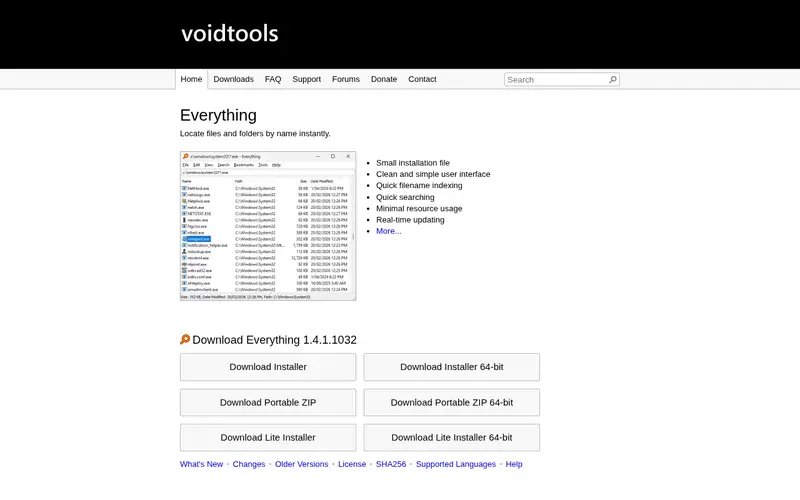
Everything is a Windows desktop search tool that indexes NTFS file names and returns results as you type. It is free, including for commercial use, and the vendor offers optional paid support. It is a GUI application, so it does not fit shell pipelines, and it does not index file contents by default. It is Windows only, which rules it out for Linux and macOS users. For developers on Windows who want a fast filename lookup without a terminal, it is the most direct alternative to find in this list.
Standout: Near-instant results from an NTFS index
Free, as listed by the vendor (Everything website). Confirm the current plan price before you buy.
Free plan. Plans change, so confirm on the vendor's pricing page before you buy.
Benefits
- Near-instant results from an NTFS index
- simple GUI
Drawbacks
- Windows only
- indexes local NTFS volumes
Skip it if this limit matters to you: windows only.
Verdict. A sensible pick for instant filename search on Windows desktops.
Who should use what
If you write shell scripts and want a shorter find, use fd. If you want to browse and filter results as you type, pair fzf with fd or ripgrep --files. If you search the same large filesystem many times a day, plocate with a scheduled updatedb is the fastest option. If you already use ripgrep for content search, its --files flag keeps ignore handling consistent. On Windows desktops, Everything gives instant filename results without a terminal.
Questions to settle before you buy
What to check before you buy
- Check whether the tool respects .gitignore and skips hidden files by default, and learn the flags that change it.
- Confirm the tool runs on your platforms, since Everything is Windows only and plocate is Linux-focused.
- Decide whether you need scriptable output or interactive filtering, because fzf and broot are interactive.
- For indexed tools like plocate and Everything, check how often the index updates and what it covers.
- Test your existing find expressions against the new tool before replacing them in scripts.
FAQ
Is fd a drop-in replacement for find?
No. fd covers common name and path searches with simpler syntax, but find's full expression language, including complex boolean combinations and actions, is not fully replicated. Scripts that depend on advanced find features need review before switching.
Does fzf search the filesystem by itself?
No. fzf filters a list you provide, such as output from fd, find or ripgrep --files. You combine it with a file lister and often a shell key binding. It is best for interactive selection, not for unattended scripts.
Why does plocate return files I just deleted?
plocate reads a database built by updatedb, so results reflect the last index run. Run updatedb to refresh it, or use fd for a live filesystem walk when you need current results.
Can I use these tools on Windows?
fd, fzf, ripgrep and broot run on Windows. Everything is Windows only. plocate is primarily used on Linux. Check each project's release page for current binaries.
Are these tools free?
fd, fzf, plocate, ripgrep and broot are free and open source. Everything is free, with optional paid support from the vendor. Confirm licence terms on each project page.
Sources we checked
Method: how we score · editorial policy.
Change log. First published 28 Nov 2026.