Stage 01 · Write · Researched comparison
Best Java Static Analysis Tools in 2026
SpotBugs is the first pick for most teams that want a free, open-source bug detector with a long track record. It suits projects that already use Maven, Gradle or an IDE plugin. SonarQube Server fits teams that want a central dashboard with quality gates and security rules. Checkstyle is the lighter choice for enforcing code style and formatting conventions early in the build.

By Shihab Mia
Published 22 Nov 2026 · 8 tools compared
We run no ads and no affiliate links at launch. The order of a list follows our published method. See how we score.
Prices are the starting prices vendors list publicly. Plans change, so confirm the current price on the vendor page before you buy.
Key takeaways
- SpotBugs, Checkstyle, PMD and Error Prone are free and open source, so cost is not the deciding factor for the core analyzers.
- SonarQube Server and SonarQube Cloud add dashboards, quality gates and history, and their paid tiers are priced per lines of code or per plan.
- Most tools run as build plugins or IDE plugins, so code stays on your machine or CI runner instead of a third-party web page.
- Rule sets differ: SpotBugs targets bytecode bugs, Checkstyle targets style, PMD covers broad source patterns, and Error Prone runs inside javac.
Who each pick is for
- Free bytecode bug detection for Java projectsSpotBugs
- Enforcing Java code style and formatting rulesCheckstyle
- Source-level rule checks across Java and other languagesPMD
- Compile-time bug checks inside the javac buildError Prone
- Central code quality and security dashboard for teamsSonarQube Server
- Hosted Sonar analysis without running a serverSonarQube Cloud
- In-editor Java analysis while you write codeIntelliJ IDEA inspections
- Custom security and bug rules written as patternsSemgrep
Comparison
| Tool | Best for | Standout feature | Listed starting price | Free plan or trial |
|---|---|---|---|---|
| 1SpotBugs | Free bytecode bug detection for Java projects | Mature bug pattern catalog | Free (open source) | Free plan |
| 2Checkstyle | Enforcing Java code style and formatting rules | Highly configurable rule set | Free (open source) | Free plan |
| 3PMD | Source-level rule checks across Java and other languages | Large rule set with copy-paste detector | Free (open source) | Free plan |
| 4Error Prone | Compile-time bug checks inside the javac build | Runs during compilation so failures are immediate | Free (open source) | Free plan |
| 5SonarQube Server | Central code quality and security dashboard for teams | Quality gates, history and multi-language analysis in one place | See vendor pricing page | No free plan |
| 6SonarQube Cloud | Hosted Sonar analysis without running a server | No server to maintain | See vendor pricing page | Free plan |
| 7IntelliJ IDEA inspections | In-editor Java analysis while you write code | Immediate feedback in the editor | See vendor pricing page | Free trial (30 days) |
| 8Semgrep | Custom security and bug rules written as patterns | Rules are readable patterns | See vendor pricing page | Free plan |
How we picked
We picked tools that genuinely perform Java static analysis and are currently maintained. Criteria were fit for the job (bug detection, style, security or reporting), supported platforms and build systems, licence and price model, where code is processed, and the main practical limits such as false positives or setup effort. Sources are vendor websites, official documentation and project repositories. Prices and free plan limits change, so confirm them on the vendor site before you buy.
The tools, one by one
SpotBugs
Best for free bytecode bug detection for Java projects
What it is and where it fits
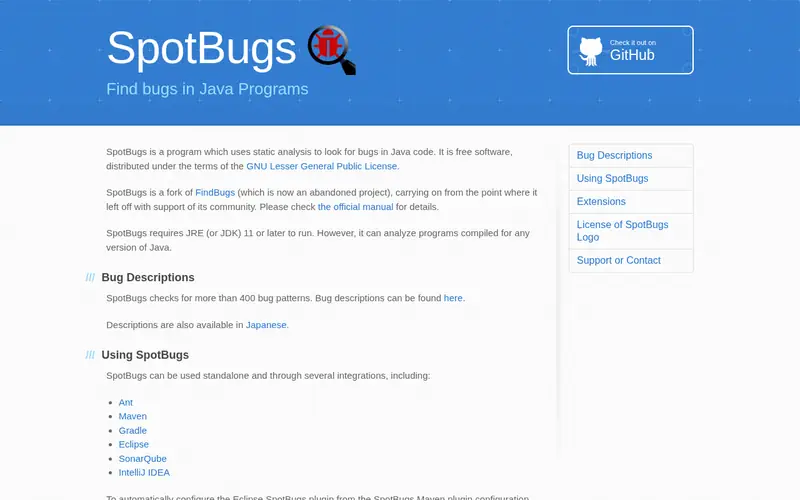
SpotBugs is the maintained successor to FindBugs. It analyzes compiled Java bytecode and looks for bug patterns such as null dereferences, bad equals methods, ignored return values and resource leaks. It runs as a standalone CLI, a Maven or Gradle plugin, and an IDE plugin for IntelliJ IDEA and Eclipse. Because it works on bytecode, it can analyze libraries you do not have source for.
The tool is free and open source under the LGPL. You can add filter files to suppress known false positives, and you can raise or lower detector thresholds. The main limit is noise: large codebases produce many low-priority findings, so plan time for triage and baseline setup. Teams that want a single dashboard across many languages should look at SonarQube instead.
Standout: Mature bug pattern catalog
Free (open source), as listed by the vendor (SpotBugs website). Confirm the current plan price before you buy.
Free plan. Plans change, so confirm on the vendor's pricing page before you buy.
Benefits
- Mature bug pattern catalog
- runs as Maven, Gradle, Ant and IDE plugin
Drawbacks
- Bytecode analysis can miss source-level intent
- reports need triage
Skip it if this limit matters to you: bytecode analysis can miss source-level intent.
Verdict. A sensible pick for free bytecode bug detection for Java projects.
Alternatives in this guide: Checkstyle, PMD, Error Prone
Checkstyle
Best for enforcing Java code style and formatting rules
What it is and where it fits
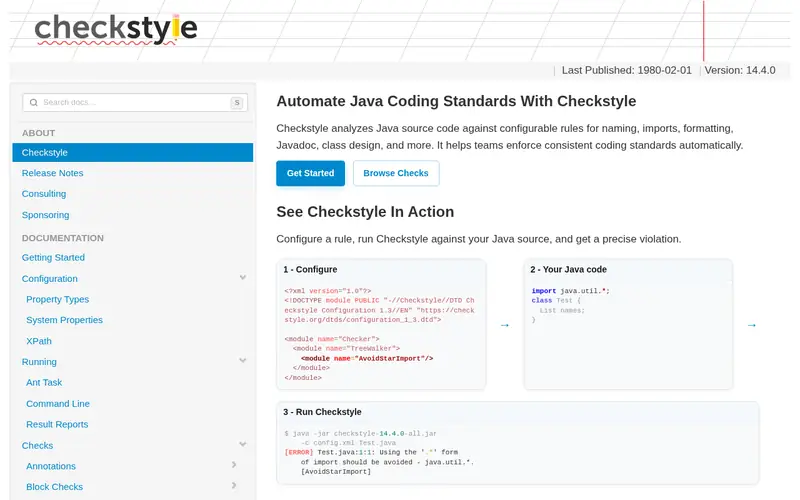
Checkstyle checks Java source against a configurable set of rules: naming conventions, import order, whitespace, Javadoc requirements, cyclomatic complexity and more. It is typically run as a Maven, Gradle or Ant task, or through IDE plugins, and it fails the build when a rule is broken. That makes it a practical gate for style in pull requests.
It is free and open source under the LGPL. The XML configuration is powerful but verbose, and teams often copy a shared config such as Google Checks or Sun Checks and then adjust it. Checkstyle does not replace a bug finder or a security scanner. Use it alongside SpotBugs or PMD rather than as the only analyzer.
Standout: Highly configurable rule set
Free (open source), as listed by the vendor (Checkstyle website). Confirm the current plan price before you buy.
Free plan. Plans change, so confirm on the vendor's pricing page before you buy.
Benefits
- Highly configurable rule set
- fast and easy to wire into builds
Drawbacks
- Focused on style, not deep bug or security analysis
- config needs upkeep
Skip it if this limit matters to you: focused on style, not deep bug or security analysis.
Verdict. A sensible pick for enforcing Java code style and formatting rules.
Alternatives in this guide: SpotBugs, PMD, Error Prone
PMD
Best for source-level rule checks across Java and other languages
What it is and where it fits
PMD analyzes Java source code and flags issues such as unused variables, empty catch blocks, overly complex methods and duplicate code through its CPD component. It also supports other languages, including Apex, JavaScript and XML, which helps teams with mixed stacks. It runs as a CLI, a Maven or Gradle plugin, and an IDE plugin.
PMD is free and open source under a BSD-style license. Rules are grouped into categories, and you can write custom rules in XPath or as Java classes. The default rule set is broad, so start with a smaller category set and expand as you clean up findings. It overlaps with Checkstyle on style rules, so decide which tool owns which rules to avoid duplicate reports.
Standout: Large rule set with copy-paste detector
Free (open source), as listed by the vendor (PMD website). Confirm the current plan price before you buy.
Free plan. Plans change, so confirm on the vendor's pricing page before you buy.
Benefits
- Large rule set with copy-paste detector
- supports custom XPath rules
Drawbacks
- Some rules overlap with Checkstyle
- default rules can be noisy
Skip it if this limit matters to you: some rules overlap with Checkstyle.
Verdict. A sensible pick for source-level rule checks across Java and other languages.
Alternatives in this guide: SpotBugs, Checkstyle, Error Prone
Error Prone
Best for compile-time bug checks inside the javac build
What it is and where it fits
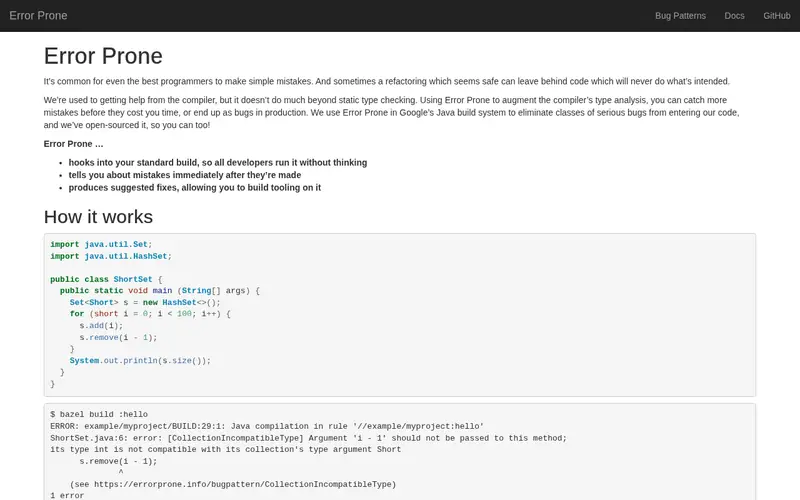
Error Prone plugs into javac and reports likely bugs as compiler errors or warnings. It catches problems such as wrong argument order, misuse of equals, ignored return values and unsafe varargs. Because it runs during compilation, developers see findings without a separate analysis step. It is widely used in large Java codebases and integrates with Maven, Gradle and Bazel through plugins.
The project is free and open source under Apache 2.0. Setup requires adding the plugin and, for some checks, the error-prone-core dependency to the annotation processor path. Some checks enforce style opinions, so review the enabled set and suppress rules you disagree with. It works best when the whole team compiles with the same JDK and plugin version.
Standout: Runs during compilation so failures are immediate
Free (open source), as listed by the vendor (Error Prone website). Confirm the current plan price before you buy.
Free plan. Plans change, so confirm on the vendor's pricing page before you buy.
Benefits
- Runs during compilation so failures are immediate
- strong checks for common Java mistakes
Drawbacks
- Requires build changes to hook into javac
- some checks are opinionated
Skip it if this limit matters to you: requires build changes to hook into javac.
Verdict. A sensible pick for compile-time bug checks inside the javac build.
Alternatives in this guide: SpotBugs, Checkstyle, PMD
SonarQube Server
Best for central code quality and security dashboard for teams
What it is and where it fits
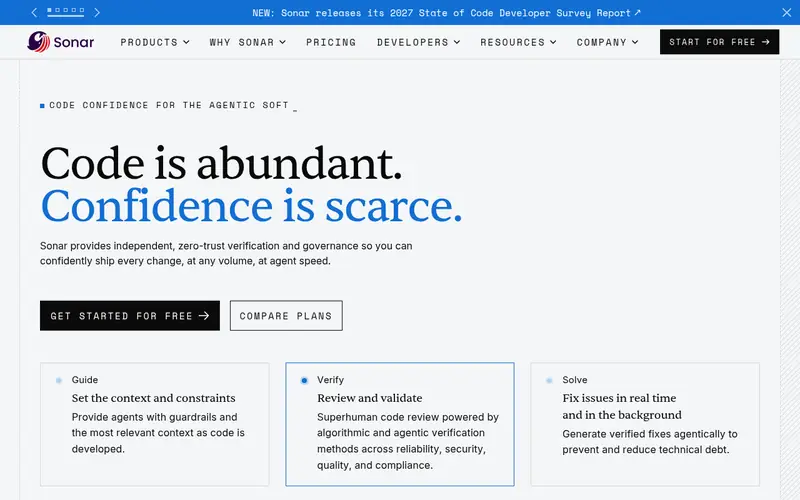
SonarQube Server is a self-hosted platform that analyzes Java and many other languages, stores results over time and enforces quality gates on branches and pull requests. It covers bugs, code smells, duplication and security hotspots, and it maps findings to standards such as OWASP Top 10 and CWE. The Community Build is free, while developer and enterprise editions add branch analysis, more languages and support.
The paid editions are priced by lines of code, so confirm current numbers on the vendor pricing page. Running the server means managing a database, upgrades and scanner configuration in CI. Teams that want the same analysis without hosting a server can use SonarQube Cloud, which is a separate product with its own plans.
Standout: Quality gates, history and multi-language analysis in one place
See vendor pricing page, as listed by the vendor (SonarQube Server website). Confirm the current plan price before you buy.
No free plan. Plans change, so confirm on the vendor's pricing page before you buy.
Benefits
- Quality gates, history and multi-language analysis in one place
- strong security rule set
Drawbacks
- Server setup and upgrades take effort
- paid tiers priced by lines of code
Skip it if this limit matters to you: server setup and upgrades take effort.
Verdict. A sensible pick for central code quality and security dashboard for teams.
Alternatives in this guide: SpotBugs, Checkstyle, PMD
SonarQube Cloud
Best for hosted Sonar analysis without running a server
What it is and where it fits
SonarQube Cloud is the hosted version of Sonar analysis. You connect a repository from GitHub, GitLab, Bitbucket or Azure DevOps, and the service scans branches and pull requests and reports issues in the pull request view. It supports Java along with many other languages and applies the same rule families as the server product.
A free plan exists for public projects, and paid plans add private project analysis and more lines of code. Because analysis runs on vendor infrastructure, check your organization's rules before sending private source code. The exact free limits and paid prices change, so read the vendor pricing page before you commit.
Standout: No server to maintain
See vendor pricing page, as listed by the vendor (SonarQube Cloud website). Confirm the current plan price before you buy.
Free plan. Plans change, so confirm on the vendor's pricing page before you buy.
Benefits
- No server to maintain
- pull request decoration and quality gates included
Drawbacks
- Code is analyzed on vendor infrastructure
- free plan has limits
Skip it if this limit matters to you: code is analyzed on vendor infrastructure.
Verdict. A sensible pick for hosted Sonar analysis without running a server.
Alternatives in this guide: SpotBugs, Checkstyle, PMD
IntelliJ IDEA inspections
Best for in-editor Java analysis while you write code

What it is and where it fits
IntelliJ IDEA ships with a large set of Java inspections that flag bugs, probable errors, style issues and dead code as you type. Many findings come with quick fixes, and you can run a full inspection pass over a module or the whole project. It also imports inspection profiles so a team can share the same rule set.
The Community Edition is free and includes core Java inspections. The Ultimate edition adds frameworks, database tools and more inspections, and it is sold as a subscription. Prices vary by region and plan, so check the vendor pricing page. This is an editor feature rather than a standalone CI gate, so pair it with a build-time analyzer for enforcement.
Standout: Immediate feedback in the editor
See vendor pricing page, as listed by the vendor (IntelliJ IDEA inspections website). Confirm the current plan price before you buy.
Free trial (30 days). Plans change, so confirm on the vendor's pricing page before you buy.
Benefits
- Immediate feedback in the editor
- quick fixes and refactorings built in
Drawbacks
- Tied to one IDE
- full inspection set needs a paid edition
Skip it if this limit matters to you: tied to one IDE.
Verdict. A sensible pick for in-editor Java analysis while you write code.
Alternatives in this guide: SpotBugs, Checkstyle, PMD
Semgrep
Best for custom security and bug rules written as patterns
What it is and where it fits
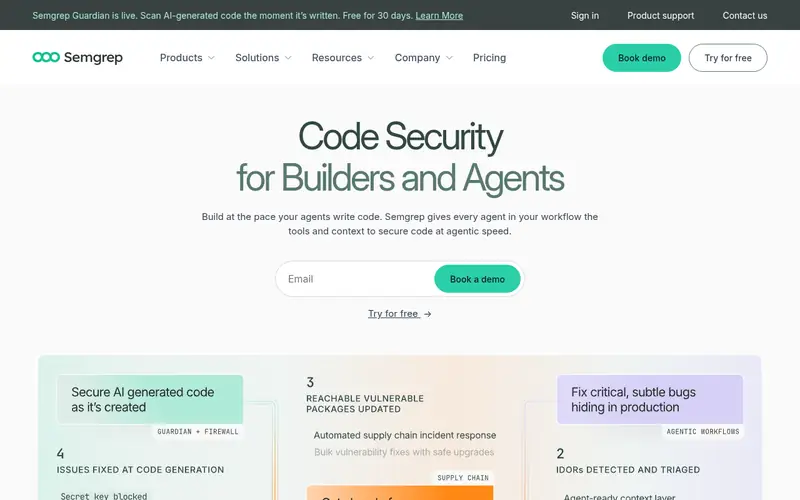
Semgrep is a pattern-based static analysis engine with a registry of rules, including Java security and correctness checks. Rules look like code with metavariables, which makes them easier to write and review than some DSL-based tools. It runs as a CLI, in CI, and through IDE integrations, and it supports many languages beyond Java.
The CLI and community rules are free and open source. The paid Semgrep AppSec Platform adds centralized policy, triage and reporting. Java coverage is solid for common security patterns but is not a full type-aware bug finder, so use it alongside SpotBugs or Error Prone. Confirm plan details on the vendor pricing page.
Standout: Rules are readable patterns
See vendor pricing page, as listed by the vendor (Semgrep website). Confirm the current plan price before you buy.
Free plan. Plans change, so confirm on the vendor's pricing page before you buy.
Benefits
- Rules are readable patterns
- fast scans and CI integration
Drawbacks
- Java rule depth depends on the registry
- advanced features need paid plans
Skip it if this limit matters to you: java rule depth depends on the registry.
Verdict. A sensible pick for custom security and bug rules written as patterns.
Alternatives in this guide: SpotBugs, Checkstyle, PMD
Who should use what
A solo developer on a small project should start with SpotBugs plus Checkstyle, both free, and run them from Gradle or Maven. A team that wants pull request gates and a shared dashboard should evaluate SonarQube Server or SonarQube Cloud. A codebase with many recurring bug patterns should add Error Prone so failures appear at compile time. A security-focused team that wants custom rules should try Semgrep alongside a bug finder, since pattern rules and bytecode analysis catch different problems.
Questions to settle before you buy
What to check before you buy
- Confirm the tool supports your JDK version and build system (Maven, Gradle, Bazel or Ant).
- Check whether analysis runs locally or in CI, and whether source code leaves your network.
- Review the default rule set for noise, and plan a baseline or suppression file.
- Verify the licence terms for commercial use, especially for paid editions.
- Check how findings surface in pull requests and whether they can fail the build.
FAQ
Are free Java static analysis tools good enough?
Yes, for many teams. SpotBugs, Checkstyle, PMD and Error Prone are free, open source and widely used. They cover bug detection, style and compile-time checks. Paid platforms add dashboards, history and policy management rather than replacing the core analysis.
Do these tools send my code to a third party?
It depends on the tool. SpotBugs, Checkstyle, PMD, Error Prone and IntelliJ inspections run locally or in your CI. SonarQube Server is self-hosted. SonarQube Cloud and the hosted Semgrep platform process code on vendor infrastructure, so review your policy first.
Can I run several analyzers together?
Yes, and many teams do. A common mix is Checkstyle for style, SpotBugs for bytecode bugs and Error Prone for compile-time checks. Overlapping rules create duplicate reports, so assign rule ownership per tool and suppress duplicates.
Does static analysis replace tests?
No. Static analysis finds patterns that often indicate bugs, but it cannot confirm runtime behavior. Keep unit and integration tests, and treat analyzer findings as an early filter that reduces the bugs that reach testing.
How long does setup take?
A single Maven or Gradle plugin can be added in minutes. Tuning rules, baselines and CI gates takes longer, often days for a large codebase. Plan for an initial noisy run, then suppress or fix findings until the build is stable.
Sources we checked
Method: how we score · editorial policy.
Change log. First published 22 Nov 2026.