Stage 01 · Write · Researched comparison
Best Java Logging Frameworks in 2026
SLF4J with Logback is the first pick for most teams, because SLF4J is a logging facade and Logback is its native backend, giving a clean API and a fast implementation. If you need async logging and a plugin architecture, Log4j 2 is a strong alternative. If you want zero dependencies and a small footprint, java.util.logging or tinylog fit better.

By Shihab Mia
Published 22 Nov 2026 · 6 tools compared
We run no ads and no affiliate links at launch. The order of a list follows our published method. See how we score.
Prices are the starting prices vendors list publicly. Plans change, so confirm the current price on the vendor page before you buy.
Key takeaways
- SLF4J is a facade, not a backend, so pair it with Logback, Log4j 2, or java.util.logging.
- Logback and Log4j 2 are both free and open source under the EPL 2.0 and Apache 2.0 licenses respectively.
- java.util.logging ships with the JDK, so it adds no dependency but has a smaller feature set.
- tinylog is a small open-source option with a static logger API and no required dependencies.
Who each pick is for
- Teams that want one logging API across backendsSLF4J
- Teams that want a fast native SLF4J backendLogback
- Teams that need async logging and pluginsApache Log4j 2
- Projects that want logging with no extra dependencyjava.util.logging (JUL)
- Small apps that want a lightweight loggertinylog
- Legacy projects that already depend on itApache Commons Logging
Comparison
| Tool | Best for | Standout feature | Listed starting price | Free plan or trial |
|---|---|---|---|---|
| 1SLF4J | Teams that want one logging API across backends | Single API for many backends | Free (open source) | Free plan |
| 2Logback | Teams that want a fast native SLF4J backend | Native SLF4J implementation | Free (open source) | Free plan |
| 3Apache Log4j 2 | Teams that need async logging and plugins | Async loggers with low latency | Free (open source) | Free plan |
| 4java.util.logging (JUL) | Projects that want logging with no extra dependency | Ships with the JDK | Free | Free plan |
| 5tinylog | Small apps that want a lightweight logger | Static logger API with no setup | Free (open source) | Free plan |
| 6Apache Commons Logging | Legacy projects that already depend on it | Simple API | Free (open source) | Free plan |
How we picked
We picked frameworks that are real, currently maintained, and genuinely used for Java application logging. Criteria were fit for the job, JVM platform support, license and price, configuration flexibility, and known limits. Sources are vendor pages, official documentation, and project repositories. Prices and licenses can change, so confirm details on the vendor site before you commit.
The tools, one by one
SLF4J
Best for teams that want one logging API across backends
What it is and where it fits
SLF4J (Simple Logging Facade for Java) is an abstraction layer. Your code calls the SLF4J API, and a binding routes calls to a backend such as Logback, Log4j 2, or java.util.logging. It runs on any JVM and is licensed under the MIT license. The main limit is that SLF4J does nothing on its own; you must add a backend and a matching binding. Version mismatches between the API and binding produce warnings at startup. Teams that already standardize on one backend may skip the facade and call that backend directly, but most multi-module projects benefit from the single API.
Standout: Single API for many backends
Free (open source), as listed by the vendor (SLF4J website). Confirm the current plan price before you buy.
Free plan. Plans change, so confirm on the vendor's pricing page before you buy.
Benefits
- Single API for many backends
- parameterized log messages avoid string concatenation
Drawbacks
- Facade only, so you still need a backend
- binding conflicts are a common setup issue
Skip it if this limit matters to you: facade only, so you still need a backend.
Verdict. A sensible pick for teams that want one logging API across backends.
Alternatives in this guide: Logback, Apache Log4j 2, java.util.logging (JUL)
Logback
Best for teams that want a fast native SLF4J backend
What it is and where it fits
Logback is a logging backend written by the same author as SLF4J. It implements the SLF4J API directly, so no adapter is needed. It runs on the JVM and is licensed under the EPL 2.0 and LGPL 2.1. Configuration lives in logback.xml or logback-spring.xml, and the framework can reload config without a restart. It supports rolling file appenders, filters, and MDC for request context. The main limit is that advanced async logging requires the separate logback-classic async appender, which has its own queue tuning. Teams that need a plugin ecosystem often choose Log4j 2 instead.
Standout: Native SLF4J implementation
Free (open source), as listed by the vendor (Logback website). Confirm the current plan price before you buy.
Free plan. Plans change, so confirm on the vendor's pricing page before you buy.
Benefits
- Native SLF4J implementation
- flexible XML configuration with automatic reload
Drawbacks
- Configuration errors can be hard to diagnose
- fewer built-in async options than Log4j 2
Skip it if this limit matters to you: configuration errors can be hard to diagnose.
Verdict. A sensible pick for teams that want a fast native SLF4J backend.
Alternatives in this guide: SLF4J, Apache Log4j 2, java.util.logging (JUL)
Apache Log4j 2
Best for teams that need async logging and plugins
What it is and where it fits
Apache Log4j 2 is a logging framework with an API and a core implementation. It runs on the JVM and is licensed under Apache 2.0. Its async loggers use the LMAX Disruptor to reduce logging latency, and its plugin system lets you add appenders, layouts, filters, and lookups. It also supports JSON layout and garbage-free logging in some modes. The main limits are configuration complexity and the need to track security advisories; the Log4Shell issue in 2021 showed why patching matters. Teams that want a minimal setup may prefer Logback.
Standout: Async loggers with low latency
Free (open source), as listed by the vendor (Apache Log4j 2 website). Confirm the current plan price before you buy.
Free plan. Plans change, so confirm on the vendor's pricing page before you buy.
Benefits
- Async loggers with low latency
- plugin architecture for custom appenders and layouts
Drawbacks
- More configuration surface to learn
- past security issues require staying current
Skip it if this limit matters to you: more configuration surface to learn.
Verdict. A sensible pick for teams that need async logging and plugins.
Alternatives in this guide: SLF4J, Logback, java.util.logging (JUL)
java.util.logging (JUL)
Best for projects that want logging with no extra dependency
What it is and where it fits
java.util.logging is the logging API built into the Java platform. It runs wherever the JDK runs and needs no additional dependency. Configuration uses logging.properties or programmatic setup, and handlers write to consoles, files, or sockets. It supports levels, filters, and formatters. The main limits are a smaller ecosystem of appenders and less flexible configuration than Logback or Log4j 2. Many libraries log through SLF4J, so projects often add the SLF4J JUL bridge to route JUL output into one backend. It suits small tools, libraries, and environments where adding dependencies is restricted.
Standout: Ships with the JDK
Free, as listed by the vendor (java.util.logging (JUL) website). Confirm the current plan price before you buy.
Free plan. Plans change, so confirm on the vendor's pricing page before you buy.
Benefits
- Ships with the JDK
- no third-party library to manage
Drawbacks
- Smaller feature set
- configuration is less flexible than Logback or Log4j 2
Skip it if this limit matters to you: smaller feature set.
Verdict. A sensible pick for projects that want logging with no extra dependency.
Alternatives in this guide: SLF4J, Logback, Apache Log4j 2
tinylog
Best for small apps that want a lightweight logger
What it is and where it fits
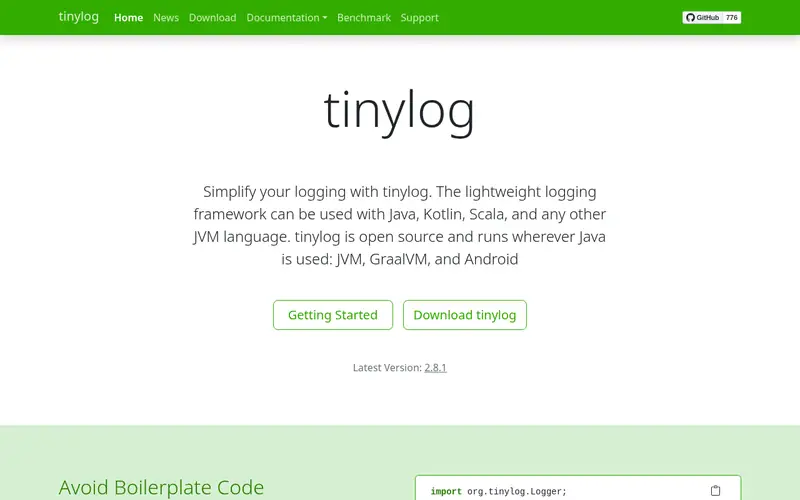
tinylog is a lightweight logging framework for Java. It runs on the JVM and is licensed under Apache 2.0. It offers a static Logger API so you can log without creating logger instances, and configuration can come from a properties file or code. It supports writers for console, file, and rolling files, plus JSON output. The main limits are a smaller community and fewer third-party integrations than the larger frameworks. It suits small applications, command-line tools, and Android projects where dependency size matters. Teams with complex routing needs should look at Logback or Log4j 2.
Standout: Static logger API with no setup
Free (open source), as listed by the vendor (tinylog website). Confirm the current plan price before you buy.
Free plan. Plans change, so confirm on the vendor's pricing page before you buy.
Benefits
- Static logger API with no setup
- small dependency footprint
Drawbacks
- Smaller community than Logback or Log4j 2
- fewer integrations
Skip it if this limit matters to you: smaller community than Logback or Log4j 2.
Verdict. A sensible pick for small apps that want a lightweight logger.
Alternatives in this guide: SLF4J, Logback, Apache Log4j 2
Apache Commons Logging
Best for legacy projects that already depend on it
What it is and where it fits
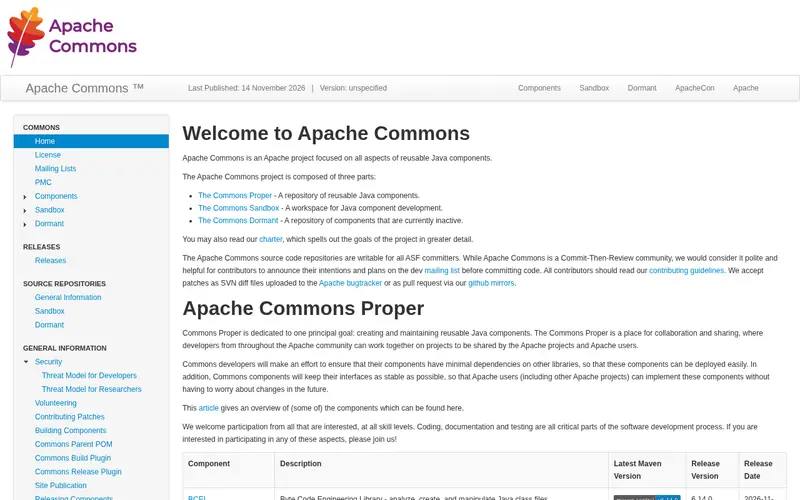
Apache Commons Logging is a thin logging bridge. It runs on the JVM and is licensed under Apache 2.0. It discovers a backend at runtime, such as Log4j 2 or java.util.logging, and routes calls through it. The main limits are well known: classloader and discovery problems can cause unexpected behavior in application servers and OSGi environments. Most new projects use SLF4J instead, and many libraries have migrated. It still appears in older dependency trees, so teams maintaining legacy code may keep it. New code should generally avoid adding it.
Standout: Simple API
Free (open source), as listed by the vendor (Apache Commons Logging website). Confirm the current plan price before you buy.
Free plan. Plans change, so confirm on the vendor's pricing page before you buy.
Benefits
- Simple API
- can bridge to several backends
Drawbacks
- Classloader issues are a known pain point
- largely superseded by SLF4J
Skip it if this limit matters to you: classloader issues are a known pain point.
Verdict. A sensible pick for legacy projects that already depend on it.
Alternatives in this guide: SLF4J, Logback, Apache Log4j 2
Who should use what
A new Spring Boot service should start with SLF4J plus Logback, since Spring Boot configures that pair by default. A high-throughput service that needs async logging and custom appenders should evaluate Log4j 2. A small command-line tool or library that cannot add dependencies should use java.util.logging or tinylog. A team maintaining an old codebase should check for Commons Logging in the dependency tree and plan a migration to a supported stack.
Questions to settle before you buy
What to check before you buy
- Confirm which logging API your libraries already use, and add bridges so output goes to one backend.
- Check the license (EPL, Apache 2.0, MIT) against your distribution requirements.
- Decide whether you need async logging, and size the queue and discard policy if so.
- Review the security advisory history and pin a current version.
- Test configuration reload and log rotation in a staging environment before production.
FAQ
Is SLF4J a logging framework?
SLF4J is a facade, not a full framework. It defines the logging API, and a backend such as Logback or Log4j 2 does the actual work. You need both the API and a binding.
Should I use Logback or Log4j 2?
Both are free and open source. Logback pairs natively with SLF4J and is simple to configure. Log4j 2 offers async loggers and a plugin system. Choose based on whether you need those features.
Is java.util.logging good enough?
For small tools and libraries, yes. It ships with the JDK and needs no dependency. For complex routing, async logging, or rich appenders, Logback or Log4j 2 are better fits.
Is Apache Commons Logging still worth using?
For legacy projects that already depend on it, it can bridge to several backends. For new code, SLF4J is the better choice because it avoids the classloader and discovery problems that Commons Logging is known for.
Do logging frameworks send my data anywhere?
No. These frameworks write to local consoles, files, or configured appenders. Data leaves your machine only if you configure a remote appender such as a socket or HTTP appender.
Sources we checked
Method: how we score · editorial policy.
Change log. First published 22 Nov 2026.