Stage 01 · Write · Researched comparison
Best Java HTML Parsers in 2026
jsoup is the first pick for most Java teams that need to parse, query and clean HTML with a small dependency and CSS-style selectors. HtmlUnit suits projects that need a headless browser to run JavaScript before parsing. The validator.nu htmlparser fits teams that want strict HTML5 conformance checking, and Selenium is the choice when only a real browser can produce the final DOM.

By Shihab Mia
Published 28 Nov 2026 · 5 tools compared
We run no ads and no affiliate links at launch. The order of a list follows our published method. See how we score.
Prices are the starting prices vendors list publicly. Plans change, so confirm the current price on the vendor page before you buy.
Key takeaways
- All five options are free or open source, so cost is rarely the deciding factor.
- jsoup and validator.nu htmlparser are plain libraries with no browser engine, which keeps startup and memory low.
- HtmlUnit and Selenium run a browser engine, so they handle JavaScript-built pages but use more CPU and memory.
- Jodd Lagarto is a small parser inside the wider Jodd toolkit and is best when you already use Jodd.
Who each pick is for
- General HTML parsing and scraping with CSS selectorsjsoup
- Parsing pages that need JavaScript executed firstHtmlUnit
- Strict HTML5 parsing and conformance checksvalidator.nu htmlparser
- Lightweight parsing inside the Jodd toolkitJodd Lagarto
- Parsing pages that need a real browserSelenium
Comparison
| Tool | Best for | Standout feature | Listed starting price | Free plan or trial |
|---|---|---|---|---|
| 1jsoup | General HTML parsing and scraping with CSS selectors | Simple API with CSS selectors | Free (open source) | Free plan |
| 2HtmlUnit | Parsing pages that need JavaScript executed first | Headless browser with JavaScript support | Free (open source) | Free plan |
| 3validator.nu htmlparser | Strict HTML5 parsing and conformance checks | Follows the HTML5 parsing algorithm closely | Free (open source) | Free plan |
| 4Jodd Lagarto | Lightweight parsing inside the Jodd toolkit | Small and fast parser | Free (open source) | Free plan |
| 5Selenium | Parsing pages that need a real browser | Runs real browsers | Free (open source) | Free plan |
How we picked
We picked libraries and tools that Java developers actually use to read HTML, then checked each against its official site, documentation and repository. Criteria were fit for parsing work, platform support, license and price, whether the tool runs JavaScript, and the main limits such as memory use or API complexity. We did not run benchmarks or collect user reviews. Prices and licenses can change, so confirm details on the vendor or project site before you commit.
The tools, one by one
jsoup
Best for general HTML parsing and scraping with CSS selectors
What it is and where it fits
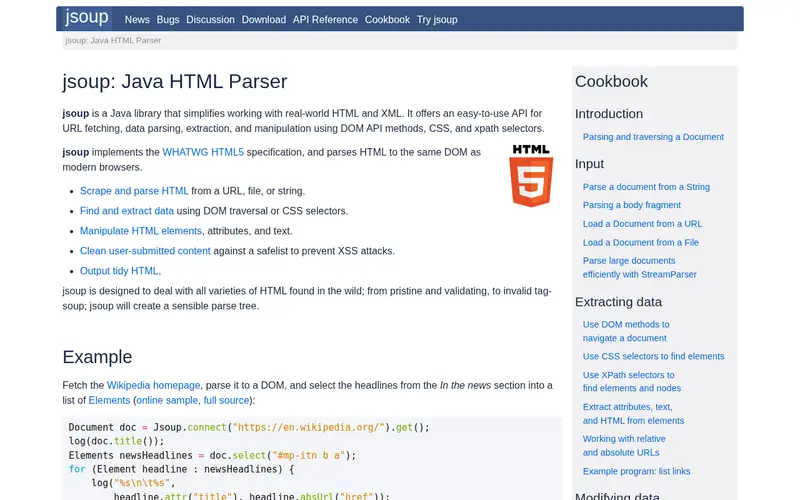
jsoup parses HTML from strings, files, URLs and streams into a DOM you can query with CSS selectors. It tolerates messy markup, which makes it a common choice for scraping and for extracting fields from pages you do not control. It also includes a cleaning mode that strips unsafe tags and attributes against a configurable safelist, useful when user-supplied HTML is displayed back to other users.
The library runs on the standard JVM and works on Android. It is released under the MIT license. It does not execute JavaScript, so pages that build their content on the client side will look empty unless you fetch the rendered HTML another way. It also does not aim to validate markup against the HTML5 spec. Teams that need strict conformance should pair it with a validator or use a spec-focused parser.
Standout: Simple API with CSS selectors
Free (open source), as listed by the vendor (jsoup website). Confirm the current plan price before you buy.
Free plan. Plans change, so confirm on the vendor's pricing page before you buy.
Benefits
- Simple API with CSS selectors
- cleans untrusted HTML with a safelist
Drawbacks
- Does not run JavaScript
- not a full HTML5 conformance checker
Skip it if this limit matters to you: does not run JavaScript.
Verdict. A sensible pick for general HTML parsing and scraping with CSS selectors.
Alternatives in this guide: HtmlUnit, validator.nu htmlparser, Jodd Lagarto
HtmlUnit
Best for parsing pages that need JavaScript executed first
What it is and where it fits
HtmlUnit is a headless browser written in Java. It loads a page, runs its JavaScript and exposes the resulting DOM, so you can parse content that only appears after scripts run. It supports forms, links, cookies and common browser behaviors, which helps with multi-step scraping and testing flows.
It runs on the JVM and is distributed under the Apache License 2.0. Because it includes a JavaScript engine and a browser model, it uses more memory and starts more slowly than jsoup. Its JavaScript support tracks the spec but does not match every behavior of Chrome or Firefox, so complex single-page apps may still fail. Teams that need pixel-accurate rendering or the latest browser features should use a real browser through Selenium instead.
Standout: Headless browser with JavaScript support
Free (open source), as listed by the vendor (HtmlUnit website). Confirm the current plan price before you buy.
Free plan. Plans change, so confirm on the vendor's pricing page before you buy.
Benefits
- Headless browser with JavaScript support
- can simulate forms and navigation
Drawbacks
- Heavier than a plain parser
- JavaScript coverage is not identical to a real browser
Skip it if this limit matters to you: heavier than a plain parser.
Verdict. A sensible pick for parsing pages that need JavaScript executed first.
Alternatives in this guide: jsoup, validator.nu htmlparser, Jodd Lagarto
validator.nu htmlparser
Best for strict HTML5 parsing and conformance checks
What it is and where it fits
The validator.nu htmlparser is the HTML5 parser behind the Nu HTML Checker. It implements the HTML5 parsing algorithm, so it handles the same edge cases a browser does when building a tree from markup. You can use it as a streaming parser that emits events, or build a tree and inspect it. It is a good fit when correctness against the spec matters more than convenience.
It is a Java library under an open-source license and runs on the JVM. The API is closer to the spec than jsoup's selector-based model, so simple extraction tasks take more code. Documentation is thinner and the community is smaller. It does not run JavaScript. Teams that want quick scraping with short code should pick jsoup; teams that need conformance or a spec-accurate tree should pick this.
Standout: Follows the HTML5 parsing algorithm closely
Free (open source), as listed by the vendor (validator.nu htmlparser website). Confirm the current plan price before you buy.
Free plan. Plans change, so confirm on the vendor's pricing page before you buy.
Benefits
- Follows the HTML5 parsing algorithm closely
- usable as a streaming parser
Drawbacks
- Lower-level API than jsoup
- smaller community
Skip it if this limit matters to you: lower-level API than jsoup.
Verdict. A sensible pick for strict HTML5 parsing and conformance checks.
Alternatives in this guide: jsoup, HtmlUnit, Jodd Lagarto
Jodd Lagarto
Best for lightweight parsing inside the Jodd toolkit
What it is and where it fits
Lagarto is the HTML parser in the Jodd toolkit. It parses HTML into a tree of tags and nodes and is designed to be small and quick. It fits projects that already use Jodd for other tasks, such as HTTP or mail, and want one dependency set rather than several.
Jodd is open source under a BSD-style license and runs on the JVM. Lagarto handles common and malformed markup, but its API and docs are aimed at Jodd users, so standalone use takes more reading. It does not run JavaScript and is not a conformance validator. Teams outside the Jodd ecosystem will usually find jsoup easier to start with.
Standout: Small and fast parser
Free (open source), as listed by the vendor (Jodd Lagarto website). Confirm the current plan price before you buy.
Free plan. Plans change, so confirm on the vendor's pricing page before you buy.
Benefits
- Small and fast parser
- integrates with other Jodd modules
Drawbacks
- Tied to the Jodd ecosystem
- less documentation than jsoup
Skip it if this limit matters to you: tied to the Jodd ecosystem.
Verdict. A sensible pick for lightweight parsing inside the Jodd toolkit.
Alternatives in this guide: jsoup, HtmlUnit, validator.nu htmlparser
Selenium
Best for parsing pages that need a real browser
What it is and where it fits
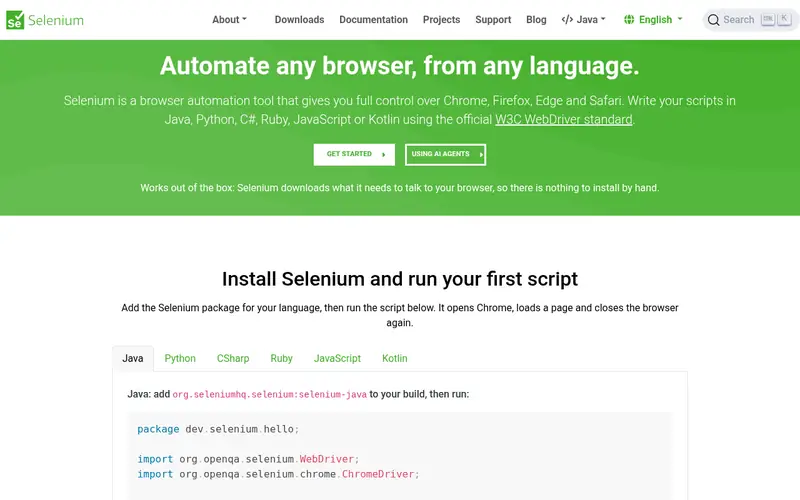
Selenium drives real browsers such as Chrome, Firefox and Edge through WebDriver. When a page depends on modern JavaScript, it returns the DOM the browser actually built, which you can then parse with jsoup or query through Selenium itself. It is the fallback when HtmlUnit cannot render a page correctly.
Selenium is open source under the Apache License 2.0. It needs a browser and a matching driver on each machine, plus more memory and CPU than a library. It is slow for high-volume parsing and awkward in CI without a headless setup. Use it for a small number of hard pages, not as a general-purpose HTML parser. For static HTML, jsoup is far cheaper.
Standout: Runs real browsers
Free (open source), as listed by the vendor (Selenium website). Confirm the current plan price before you buy.
Free plan. Plans change, so confirm on the vendor's pricing page before you buy.
Benefits
- Runs real browsers
- returns the final rendered DOM
Drawbacks
- Heavy setup with drivers and browsers
- slow for bulk parsing
Skip it if this limit matters to you: heavy setup with drivers and browsers.
Verdict. A sensible pick for parsing pages that need a real browser.
Alternatives in this guide: jsoup, HtmlUnit, validator.nu htmlparser
Who should use what
For scraping static pages and cleaning user HTML, use jsoup. For pages that need JavaScript but you want to stay in the JVM, use HtmlUnit. For spec-accurate parsing or conformance checks, use validator.nu htmlparser. If you already build on Jodd, Lagarto keeps your dependencies small. When only a real browser renders the page correctly, use Selenium for those specific pages and parse the result with jsoup.
Questions to settle before you buy
What to check before you buy
- Confirm whether the target pages need JavaScript before choosing a plain parser.
- Check the license fits your distribution, especially for closed-source products.
- Measure memory and startup cost if you parse many pages in one process.
- Test against real malformed markup from your sources, not only clean samples.
- Keep parser versions current, since HTML5 handling and security fixes change.
FAQ
Do I need a browser to parse HTML in Java?
No. jsoup, validator.nu htmlparser and Lagarto parse static HTML without a browser. You only need HtmlUnit or Selenium when the page builds its content with JavaScript after load.
Is jsoup an HTML5 parser?
jsoup parses HTML into a queryable tree and tolerates malformed markup, but it does not aim to be a strict HTML5 conformance checker. Use validator.nu htmlparser when spec-accurate parsing matters.
Can these tools run JavaScript?
HtmlUnit and Selenium run JavaScript. jsoup, validator.nu htmlparser and Lagarto do not, so they see only the HTML the server sends.
Are these Java HTML parsers free?
All five are free or open source. jsoup, HtmlUnit and Selenium use permissive licenses, and validator.nu htmlparser and Jodd are also open source. Check each project's license text before shipping.
Which parser is fastest for bulk scraping?
Plain libraries such as jsoup and Lagarto avoid a browser engine, so they use less memory and start faster than HtmlUnit or Selenium. Run your own test on your pages, since results depend on markup and workload.
Sources we checked
Method: how we score · editorial policy.
Change log. First published 28 Nov 2026.