Stage 01 · Write · Researched comparison
Best Git GUI Clients for Linux in 2026
GitKraken is the first pick for most Linux developers who want a full-featured graphical Git client with a visual commit graph and built-in hosting integrations. SmartGit suits teams that need strong support for large repositories and non-Git version control. Git Cola is a good choice for developers who want a free, open-source client that runs natively on Linux and stays lightweight.

By Shihab Mia
Published 22 Nov 2026 · 6 tools compared
We run no ads and no affiliate links at launch. The order of a list follows our published method. See how we score.
Prices are the starting prices vendors list publicly. Plans change, so confirm the current price on the vendor page before you buy.
Key takeaways
- GitKraken, SmartGit and Sublime Merge are commercial clients with paid licences; Git Cola, gitg and QGit are free and open source.
- All the clients listed here run natively on Linux, and several are also available on Windows and macOS.
- Git Cola, gitg and QGit are licensed under GPL and ship in most Linux distribution repositories.
- Prices and free-tier limits change, so confirm current terms on each vendor page before you buy.
Who each pick is for
- Developers who want a visual commit graph and hosting integrationsGitKraken
- Teams working with large repositories and mixed version controlSmartGit
- Developers who want a fast client from the Sublime Text teamSublime Merge
- Linux users who want a free, native, open-source clientGit Cola
- GNOME desktop users who want a simple history browsergitg
- Users who want a fast, lightweight Qt history viewerQGit
Comparison
| Tool | Best for | Standout feature | Listed starting price | Free plan or trial |
|---|---|---|---|---|
| 1GitKraken | Developers who want a visual commit graph and hosting integrations | Visual commit graph | See vendor pricing page | Free plan |
| 2SmartGit | Teams working with large repositories and mixed version control | Handles large repositories | See vendor pricing page | Free trial (30 days) |
| 3Sublime Merge | Developers who want a fast client from the Sublime Text team | Fast search across history | See vendor pricing page | Free trial (evaluation, no time limit stated) |
| 4Git Cola | Linux users who want a free, native, open-source client | Free and open source | Free (open source) | Free plan |
| 5gitg | GNOME desktop users who want a simple history browser | Fits the GNOME desktop | Free (open source) | Free plan |
| 6QGit | Users who want a fast, lightweight Qt history viewer | Lightweight and fast | Free (open source) | Free plan |
How we picked
We compared clients on fit for Linux desktop work, platform support, licence and price, and the main limits of each tool. Sources are vendor websites, official documentation and project repositories. We did not run benchmarks or collect user reviews. Prices and free-tier limits change, so confirm current terms on the vendor site before you commit.
The tools, one by one
GitKraken
Best for developers who want a visual commit graph and hosting integrations
What it is and where it fits
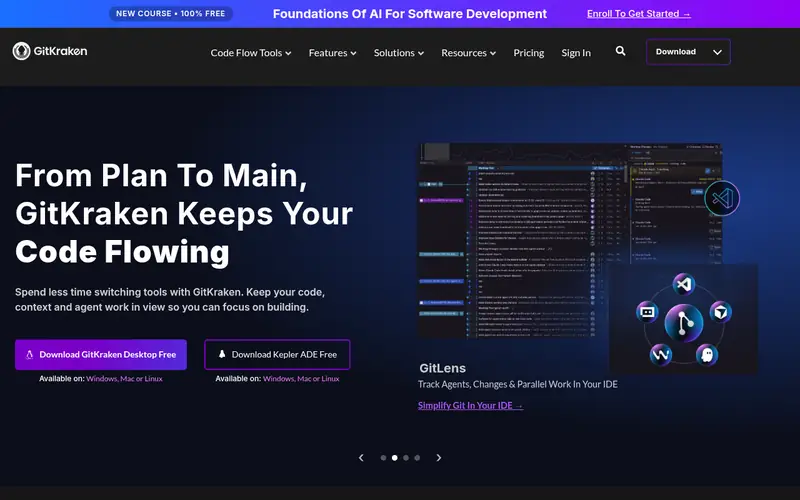
GitKraken is a cross-platform Git client with a graphical commit graph, drag-and-drop merge and rebase actions, and built-in pull request and issue views for hosted repositories. It runs on Linux as an AppImage or package, alongside Windows and macOS builds. The free tier covers basic use; paid plans add features aimed at teams. Confirm current limits on the vendor pricing page.
The client is a good fit if you want to see branch history and resolve conflicts visually. It is heavier than native GTK clients, so it may not suit very old hardware. Developers who prefer a minimal, keyboard-driven tool should look at Git Cola or Sublime Merge instead.
Standout: Visual commit graph
See vendor pricing page, as listed by the vendor (GitKraken website). Confirm the current plan price before you buy.
Free plan. Plans change, so confirm on the vendor's pricing page before you buy.
Benefits
- Visual commit graph
- integrations with GitHub, GitLab and Bitbucket
Drawbacks
- Commercial licence for most team use
- Electron-based app uses more memory
Skip it if this limit matters to you: commercial licence for most team use.
Verdict. A sensible pick for developers who want a visual commit graph and hosting integrations.
Alternatives in this guide: SmartGit, Sublime Merge, Git Cola
SmartGit
Best for teams working with large repositories and mixed version control
What it is and where it fits
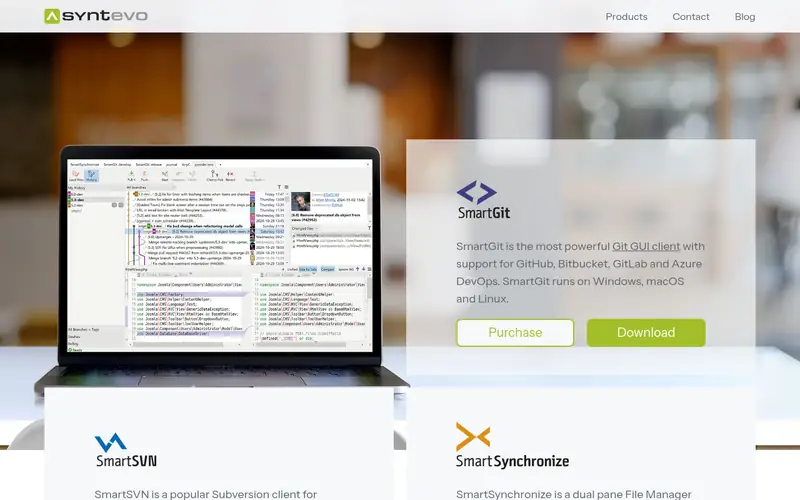
SmartGit is a graphical client from Syntevo that runs on Linux, Windows and macOS. It supports Git, Mercurial and Subversion, which helps teams that still maintain older repositories. The client offers a log graph, file compare, conflict resolution and integration with popular hosting services. A non-commercial licence is available under conditions set by the vendor.
The tool is aimed at developers who work with big histories and want detailed control over commits, rebases and submodules. The interface exposes many options, so new users may need time to learn it. Check the vendor page for the current trial length and licence terms.
Standout: Handles large repositories
See vendor pricing page, as listed by the vendor (SmartGit website). Confirm the current plan price before you buy.
Free trial (30 days). Plans change, so confirm on the vendor's pricing page before you buy.
Benefits
- Handles large repositories
- supports Git, Mercurial and Subversion
Drawbacks
- Paid licence after the trial
- interface can feel dense for beginners
Skip it if this limit matters to you: paid licence after the trial.
Verdict. A sensible pick for teams working with large repositories and mixed version control.
Alternatives in this guide: GitKraken, Sublime Merge, Git Cola
Sublime Merge
Best for developers who want a fast client from the Sublime Text team
What it is and where it fits
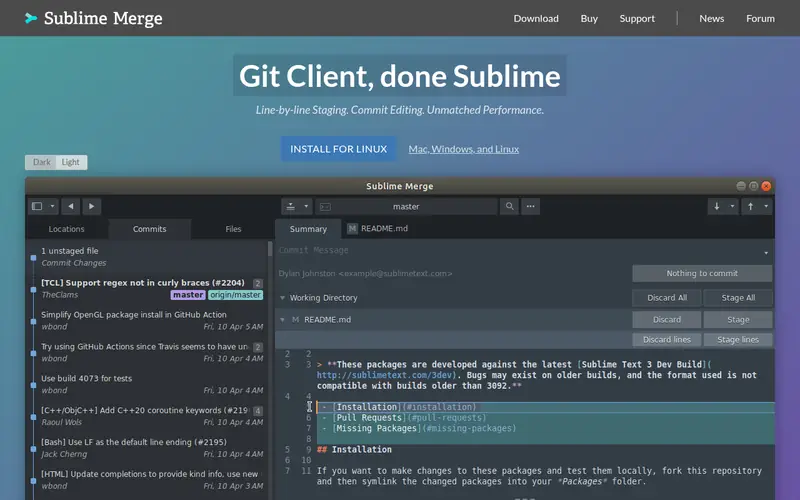
Sublime Merge is a Git client built by the team behind Sublime Text. It runs on Linux, Windows and macOS and focuses on speed, with fast search across commits and a three-way merge editor. The interface uses a command palette and keybindings that will feel familiar to Sublime Text users.
The app is available as an evaluation download, and a licence is required for continued use. It does not bundle as many forge integrations as some competitors, so teams that rely on in-app pull request review may prefer GitKraken. Developers who value a responsive, text-editor-like workflow often choose it.
Standout: Fast search across history
See vendor pricing page, as listed by the vendor (Sublime Merge website). Confirm the current plan price before you buy.
Free trial (evaluation, no time limit stated). Plans change, so confirm on the vendor's pricing page before you buy.
Benefits
- Fast search across history
- shares keybindings with Sublime Text
Drawbacks
- Paid licence for continued use
- fewer hosting integrations than GitKraken
Skip it if this limit matters to you: paid licence for continued use.
Verdict. A sensible pick for developers who want a fast client from the Sublime Text team.
Git Cola
Best for linux users who want a free, native, open-source client
What it is and where it fits
Git Cola is a graphical Git client written in Python with a Qt interface. It runs on Linux, Windows and macOS and is licensed under GPL. The client offers staging, committing, branching, diff viewing and a DAG view of history. It is packaged in many Linux distribution repositories, so installation is usually a single package command.
It suits developers who want a capable free client without an account or subscription. It does not offer the same depth of hosted-service integration as commercial tools, and its interface is more utilitarian. Users who need built-in code review or issue tracking should look elsewhere.
Standout: Free and open source
Free (open source), as listed by the vendor (Git Cola website). Confirm the current plan price before you buy.
Free plan. Plans change, so confirm on the vendor's pricing page before you buy.
Benefits
- Free and open source
- native Qt interface with staged and unstaged views
Drawbacks
- Fewer forge integrations
- smaller community than commercial clients
Skip it if this limit matters to you: fewer forge integrations.
Verdict. A sensible pick for linux users who want a free, native, open-source client.
Alternatives in this guide: GitKraken, SmartGit, Sublime Merge
gitg
Best for gNOME desktop users who want a simple history browser
What it is and where it fits
gitg is a GNOME Git client for browsing repositories and history. It shows commits, branches and diffs in a GTK interface that matches the GNOME desktop. It is free and open source and is available in distribution repositories. The tool is best for reviewing history and making simple commits rather than complex rebases.
Because it is a smaller project, it does not cover every Git operation and its release cadence is slower than commercial clients. Developers on GNOME who want a lightweight viewer will find it convenient. Those who need advanced merge tooling should pair it with the command line or choose a fuller client.
Standout: Fits the GNOME desktop
Free (open source), as listed by the vendor (gitg website). Confirm the current plan price before you buy.
Free plan. Plans change, so confirm on the vendor's pricing page before you buy.
Benefits
- Fits the GNOME desktop
- clear commit history view
Drawbacks
- Fewer advanced operations
- development activity is limited
Skip it if this limit matters to you: fewer advanced operations.
Verdict. A sensible pick for GNOME desktop users who want a simple history browser.
Alternatives in this guide: GitKraken, SmartGit, Sublime Merge
QGit
Best for users who want a fast, lightweight Qt history viewer
What it is and where it fits
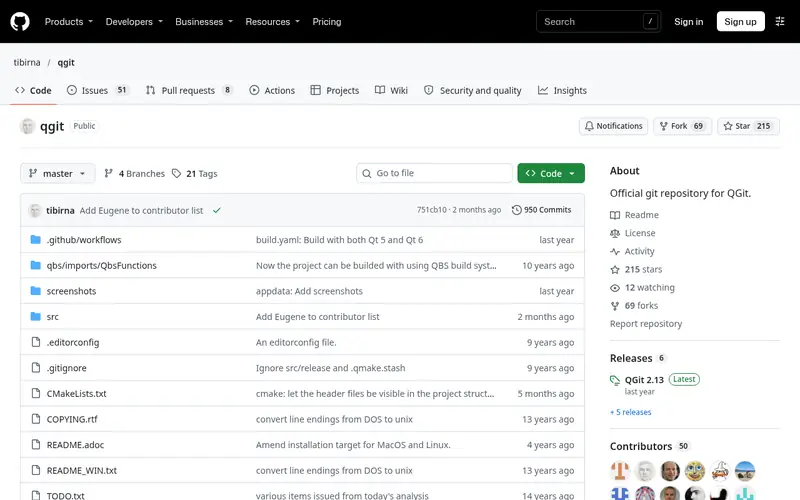
QGit is a free, open-source Git GUI built with Qt. It runs on Linux and focuses on browsing commit history, patches and file trees. It is small and fast, which makes it usable on older machines. The project is hosted on GitHub and is available in several distribution repositories.
QGit is a viewer first. It handles history and patch inspection well but offers less support for day-to-day staging and committing than Git Cola. Developers who mainly need to inspect history or bisect visually may find it useful. Those who want a full workflow should choose a more complete client.
Standout: Lightweight and fast
Free (open source), as listed by the vendor (QGit website). Confirm the current plan price before you buy.
Free plan. Plans change, so confirm on the vendor's pricing page before you buy.
Benefits
- Lightweight and fast
- good history and patch browsing
Drawbacks
- Limited staging workflow
- interface looks dated
Skip it if this limit matters to you: limited staging workflow.
Verdict. A sensible pick for users who want a fast, lightweight Qt history viewer.
Alternatives in this guide: GitKraken, SmartGit, Sublime Merge
Who should use what
If you want a visual commit graph with hosting integrations and do not mind a paid plan, start with GitKraken. If your team maintains large repositories or still uses Mercurial or Subversion, look at SmartGit. If you want a fast client that feels like a text editor, try Sublime Merge. If you prefer free and open-source software that installs from your distribution, choose Git Cola, with gitg or QGit for lighter history browsing.
Questions to settle before you buy
What to check before you buy
- Confirm the client runs on your Linux distribution and desktop environment, including Wayland support.
- Check the licence: GPL clients are free, while commercial clients need a paid key for continued use.
- Verify which Git hosting services the client integrates with if you rely on in-app pull requests.
- Test performance on a large repository if your project has a long history.
- Read the vendor's current pricing and free-tier limits, since these change between releases.
FAQ
Do I need a paid Git GUI client on Linux?
No. Git Cola, gitg and QGit are free and open source. Paid clients like GitKraken, SmartGit and Sublime Merge add integrations, support and advanced merge tools. Many developers use the command line alongside a free GUI.
Which Git GUI client works best on GNOME?
gitg is built for GNOME and matches its interface. Git Cola also works well on GNOME and offers more staging features. For a fuller workflow, GitKraken runs on GNOME desktops as an AppImage.
Can these clients handle merge conflicts?
Yes. GitKraken, SmartGit and Sublime Merge include visual merge and conflict resolution tools. Git Cola offers diff and merge support but is less polished. For complex conflicts, a dedicated merge tool may still help.
Are these clients available outside Linux?
Most are. GitKraken, SmartGit, Sublime Merge and Git Cola run on Windows and macOS as well. gitg and QGit are primarily Linux tools. Check each vendor page for current platform support.
Is my repository data sent to the vendor?
That depends on the client. Local clients like Git Cola and QGit work with your local repository. Clients with hosting integrations may contact those services when you use those features. Review the vendor privacy policy if this matters to you.
Sources we checked
Method: how we score · editorial policy.
Change log. First published 22 Nov 2026.