Stage 01 · Write · Researched comparison
Best .NET Decompilers in 2026
ILSpy is the first pick for most developers. It is free, open source, cross-platform and reads assemblies, ready-to-run images and IL. Choose dnSpyEx when you need a debugger alongside the decompiler. Choose JetBrains dotPeek if you already work in the JetBrains ecosystem and want a free standalone tool. Redgate .NET Reflector is the paid option for teams that want vendor support and Visual Studio integration.

By Shihab Mia
Published 22 Nov 2026 · 7 tools compared
We run no ads and no affiliate links at launch. The order of a list follows our published method. See how we score.
Prices are the starting prices vendors list publicly. Plans change, so confirm the current price on the vendor page before you buy.
Key takeaways
- ILSpy is free and open source, runs on Windows, macOS and Linux, and covers decompilation, IL viewing and assembly editing.
- dnSpyEx is a maintained fork of dnSpy that adds a debugger, assembly editor and hex editor to the decompiler.
- JetBrains dotPeek is free and standalone, while the decompiler inside Rider requires a paid Rider licence.
- Redgate .NET Reflector is commercial; confirm the current price on the vendor page before you budget for it.
Who each pick is for
- Free cross-platform decompilation and IL inspectionILSpy
- Decompiling and debugging .NET assemblies in one tooldnSpyEx
- Free standalone decompiler for JetBrains usersJetBrains dotPeek
- Commercial decompiler with vendor support and VS integrationRedgate .NET Reflector
- Decompiling inside a full .NET IDEJetBrains Rider (built-in decompiler)
- Online C# to IL and decompiled output viewSharpLab
- Decompiling .NET assemblies inside VS CodeILSpy extension for VS Code
Comparison
| Tool | Best for | Standout feature | Listed starting price | Free plan or trial |
|---|---|---|---|---|
| 1ILSpy | Free cross-platform decompilation and IL inspection | Open source and free for any use | Free (open source) | Free plan |
| 2dnSpyEx | Decompiling and debugging .NET assemblies in one tool | Combines decompiler, debugger, assembly editor and hex editor | Free (open source) | Free plan |
| 3JetBrains dotPeek | Free standalone decompiler for JetBrains users | Free standalone app with a familiar JetBrains UI | Free | Free plan |
| 4Redgate .NET Reflector | Commercial decompiler with vendor support and VS integration | Commercial support and Visual Studio integration | See vendor pricing page | Free trial (14 days) |
| 5JetBrains Rider (built-in decompiler) | Decompiling inside a full .NET IDE | Decompiler is built into the IDE | See vendor pricing page | Free trial (30 days) |
| 6SharpLab | Online C# to IL and decompiled output view | No install | Free | Free plan |
| 7ILSpy extension for VS Code | Decompiling .NET assemblies inside VS Code | Brings ILSpy decompilation into VS Code | Free (open source) | Free plan |
How we picked
We picked tools that actually decompile .NET assemblies and are currently maintained. Criteria were fit for the job, supported platforms, licence and price, whether the tool runs locally or sends code to a server, and the main functional limits. Sources are vendor pages, official documentation and project repositories. Prices and trial lengths change, so confirm them on the vendor site before you buy.
The tools, one by one
ILSpy
Best for free cross-platform decompilation and IL inspection
What it is and where it fits
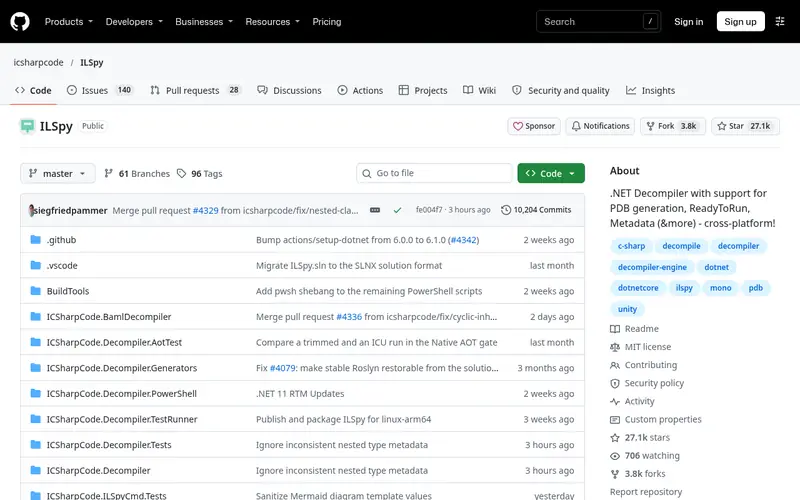
ILSpy is the reference open-source .NET decompiler. It opens assemblies, ready-to-run images and IL, and shows C#, IL and metadata side by side. You can search types and members, follow references, and export a project back to source files. It also includes an assembly editor for saving modified modules.
It runs on Windows, macOS and Linux, and ships as a standalone app plus a command-line tool. The licence is open source, so there is no seat count or paid tier. The main gap is debugging: ILSpy reads code but does not step through it. Developers who need breakpoints and live state should pair it with a debugger or use dnSpyEx.
Standout: Open source and free for any use
Free (open source), as listed by the vendor (ILSpy website). Confirm the current plan price before you buy.
Free plan. Plans change, so confirm on the vendor's pricing page before you buy.
Benefits
- Open source and free for any use
- runs on Windows, macOS and Linux
Drawbacks
- No integrated debugger
- UI is functional rather than polished
Skip it if this limit matters to you: no integrated debugger.
Verdict. A sensible pick for free cross-platform decompilation and IL inspection.
Alternatives in this guide: dnSpyEx, JetBrains dotPeek, Redgate .NET Reflector
dnSpyEx
Best for decompiling and debugging .NET assemblies in one tool
What it is and where it fits
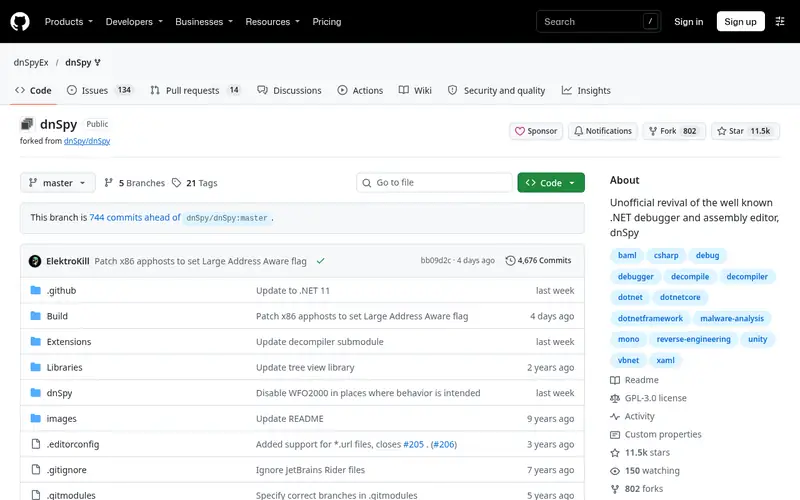
dnSpyEx is the maintained fork of the original dnSpy project. It combines a .NET decompiler with a debugger, an assembly editor and a hex editor, so you can open a binary, read the decompiled C#, set breakpoints and step through code in one window. That makes it useful for understanding third-party libraries and for inspecting code you cannot rebuild easily.
The project is open source and free. It is primarily a Windows desktop tool, so macOS and Linux users usually reach for ILSpy instead. Because it is a community fork, check the repository for the current release and known issues before relying on it in a work setting.
Standout: Combines decompiler, debugger, assembly editor and hex editor
Free (open source), as listed by the vendor (dnSpyEx website). Confirm the current plan price before you buy.
Free plan. Plans change, so confirm on the vendor's pricing page before you buy.
Benefits
- Combines decompiler, debugger, assembly editor and hex editor
- open source
Drawbacks
- Windows-focused
- the project is a community fork, not an official Microsoft tool
Skip it if this limit matters to you: windows-focused.
Verdict. A sensible pick for decompiling and debugging .NET assemblies in one tool.
Alternatives in this guide: ILSpy, JetBrains dotPeek, Redgate .NET Reflector
JetBrains dotPeek
Best for free standalone decompiler for JetBrains users
What it is and where it fits
dotPeek is JetBrains' free standalone .NET decompiler. It opens assemblies and shows decompiled C#, IL and metadata, with navigation and search that match the rest of the JetBrains tool family. It can export a decompiled assembly as a Visual Studio project, which helps when you need to read or rebuild a library.
It is free to download and use, with no paid tier for the standalone app. The main limits are platform and scope: it runs on Windows only, and it does not include a debugger. Developers already using ReSharper or Rider will find the shortcuts and layout familiar. Others may prefer ILSpy for cross-platform use.
Standout: Free standalone app with a familiar JetBrains UI
Free, as listed by the vendor (JetBrains dotPeek website). Confirm the current plan price before you buy.
Free plan. Plans change, so confirm on the vendor's pricing page before you buy.
Benefits
- Free standalone app with a familiar JetBrains UI
- can decompile to a Visual Studio project
Drawbacks
- Windows only
- not open source
Skip it if this limit matters to you: windows only.
Verdict. A sensible pick for free standalone decompiler for JetBrains users.
Alternatives in this guide: ILSpy, dnSpyEx, Redgate .NET Reflector
Redgate .NET Reflector
Best for commercial decompiler with vendor support and VS integration

What it is and where it fits
.NET Reflector is the long-running commercial .NET decompiler from Redgate. It decompiles assemblies to C#, browses IL and metadata, and integrates with Visual Studio so you can step into decompiled code while debugging. It also supports exporting decompiled code and searching across assemblies.
It is a paid product with a time-limited free trial; confirm the current price and licence terms on the vendor page. The main reasons to choose it over free tools are vendor support, a formal licence for commercial environments, and the Visual Studio workflow. Individual developers and open-source projects can usually meet the same needs with ILSpy or dotPeek at no cost.
Standout: Commercial support and Visual Studio integration
See vendor pricing page, as listed by the vendor (Redgate .NET Reflector website). Confirm the current plan price before you buy.
Free trial (14 days). Plans change, so confirm on the vendor's pricing page before you buy.
Benefits
- Commercial support and Visual Studio integration
- long-established tool
Drawbacks
- Paid licence
- trial is time-limited
Skip it if this limit matters to you: paid licence.
Verdict. A sensible pick for commercial decompiler with vendor support and VS integration.
Alternatives in this guide: ILSpy, dnSpyEx, JetBrains dotPeek
JetBrains Rider (built-in decompiler)
Best for decompiling inside a full .NET IDE
What it is and where it fits
Rider is JetBrains' cross-platform .NET IDE, and it includes a built-in decompiler. When you navigate to a type from a referenced assembly, Rider shows decompiled C# in the editor. You can set breakpoints in that decompiled view and debug through library code without leaving the IDE.
The decompiler is not sold separately; it comes with Rider, which is a paid product with a free trial. Confirm current pricing on the vendor page. This option suits developers who already use Rider as their main IDE and want decompilation in the same window as their own code. It is overkill if you only need to read an assembly occasionally.
Standout: Decompiler is built into the IDE
See vendor pricing page, as listed by the vendor (JetBrains Rider (built-in decompiler) website). Confirm the current plan price before you buy.
Free trial (30 days). Plans change, so confirm on the vendor's pricing page before you buy.
Benefits
- Decompiler is built into the IDE
- navigation and debugging work together
Drawbacks
- Requires a paid Rider licence
- heavier than a standalone viewer
Skip it if this limit matters to you: requires a paid Rider licence.
Verdict. A sensible pick for decompiling inside a full .NET IDE.
Alternatives in this guide: ILSpy, dnSpyEx, JetBrains dotPeek
SharpLab
Best for online C# to IL and decompiled output view
What it is and where it fits
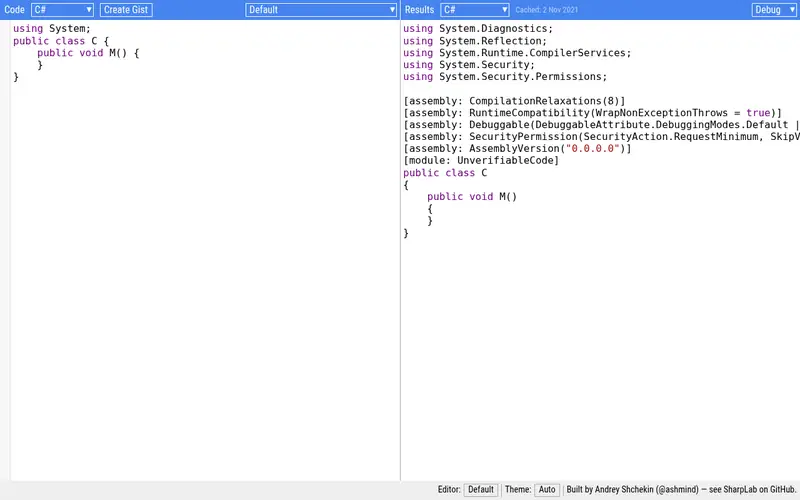
SharpLab is a free online tool that compiles C# and shows the results: lowered C#, IL, JIT assembly and decompiled output. It is useful for understanding what the compiler does with a language feature, or for comparing source with the IL it produces, without installing anything.
It runs in the browser and is free to use. The important limit is privacy: anything you paste is processed by a third-party web service. Do not paste proprietary source, secrets, tokens or production data. For real assemblies you need to inspect, use a local tool such as ILSpy, which runs on your machine.
Standout: No install
Free, as listed by the vendor (SharpLab website). Confirm the current plan price before you buy.
Free plan. Plans change, so confirm on the vendor's pricing page before you buy.
Benefits
- No install
- shows C#, IL, JIT output and decompilation side by side
Drawbacks
- Browser-based
- do not paste proprietary or secret code
Skip it if this limit matters to you: browser-based.
Verdict. A sensible pick for online C# to IL and decompiled output view.
Alternatives in this guide: ILSpy, dnSpyEx, JetBrains dotPeek
ILSpy extension for VS Code
Best for decompiling .NET assemblies inside VS Code
What it is and where it fits
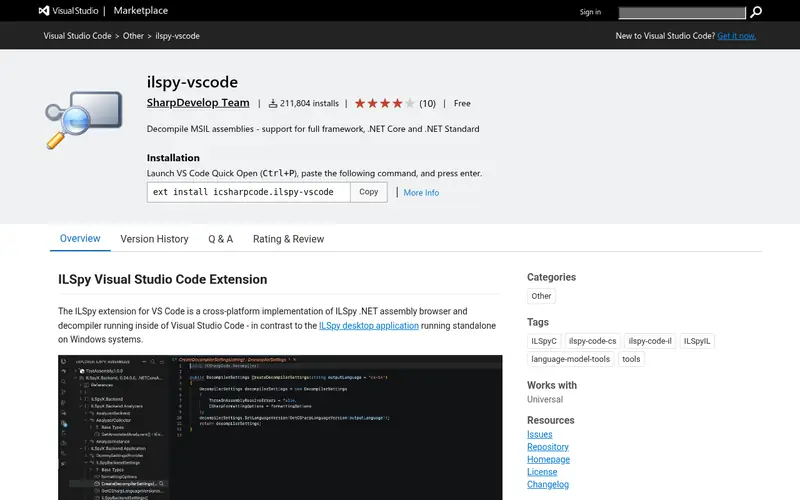
The ILSpy extension for VS Code brings the ILSpy decompiler engine into Visual Studio Code. You can open a .NET assembly or a NuGet package and browse decompiled C# and IL without switching to another app. It fits developers who already live in VS Code and want a quick look at a library.
The extension is free and open source, and it runs wherever VS Code runs. It does not match the standalone ILSpy app feature for feature, and it depends on VS Code being installed. For heavy decompilation work, the standalone app or dnSpyEx is usually the better fit.
Standout: Brings ILSpy decompilation into VS Code
Free (open source), as listed by the vendor (ILSpy extension for VS Code website). Confirm the current plan price before you buy.
Free plan. Plans change, so confirm on the vendor's pricing page before you buy.
Benefits
- Brings ILSpy decompilation into VS Code
- free and open source
Drawbacks
- Fewer features than the standalone ILSpy app
- needs VS Code
Skip it if this limit matters to you: fewer features than the standalone ILSpy app.
Verdict. A sensible pick for decompiling .NET assemblies inside VS Code.
Alternatives in this guide: ILSpy, dnSpyEx, JetBrains dotPeek
Who should use what
If you need a free, cross-platform decompiler for reading libraries, start with ILSpy. If you need to debug the code you are reading, use dnSpyEx on Windows. If you work in the JetBrains ecosystem, dotPeek gives you a free standalone app and Rider puts decompilation inside your IDE. If your team needs vendor support and a formal commercial licence, look at Redgate .NET Reflector. For quick language experiments, SharpLab is handy, but keep proprietary code off it.
Questions to settle before you buy
What to check before you buy
- Confirm the tool runs on your OS; several decompilers are Windows only.
- Check the licence allows commercial use if you decompile at work.
- Decide whether you need a debugger, not just a code viewer.
- For online tools, confirm what happens to the code you paste and avoid secrets.
- Check that the project or vendor is actively maintained and has current releases.
FAQ
Is ILSpy free for commercial use?
Yes. ILSpy is open source, and its licence permits commercial use. Check the repository licence file for the exact terms before you redistribute modified code.
Can I debug decompiled code?
Yes, with the right tool. dnSpyEx includes a debugger, and Rider and .NET Reflector let you step into decompiled code from their debugging workflows. ILSpy and dotPeek are viewers and do not include a debugger.
Is dnSpy still maintained?
The original dnSpy repository is archived. dnSpyEx is the maintained community fork, and it is the version to use. Check its repository for current releases and known issues.
Are online decompilers safe for proprietary code?
Treat them with caution. A browser-based tool processes your code on a third party's server. Do not paste secrets, tokens or production data. For proprietary assemblies, use a local tool such as ILSpy, dnSpyEx or dotPeek.
Do I need a paid tool to decompile .NET assemblies?
No. ILSpy, dnSpyEx and dotPeek are free and cover most reading and inspection tasks. Paid options such as .NET Reflector and Rider add vendor support, IDE integration or debugging rather than basic decompilation.
Sources we checked
Method: how we score · editorial policy.
Change log. First published 22 Nov 2026.