Stage 01 · Write · Researched comparison
Best Disassemblers for Developers in 2026
Ghidra is the first pick for most developers. It is free, open source, runs on Windows, macOS and Linux, and includes a decompiler. IDA Pro suits teams that need the widest processor and file-format coverage and can pay for it. Binary Ninja is a strong middle option with a friendlier API and lower entry cost. All three work offline, so binary data stays on your machine.

By Shihab Mia
Published 22 Nov 2026 · 8 tools compared
We run no ads and no affiliate links at launch. The order of a list follows our published method. See how we score.
Prices are the starting prices vendors list publicly. Plans change, so confirm the current price on the vendor page before you buy.
Key takeaways
- Ghidra is free and open source, and its decompiler covers many common architectures.
- IDA Pro is commercial and its entry price is best confirmed on the vendor pricing page.
- Binary Ninja offers a lower-cost commercial tier than IDA, with a documented API.
- Radare2 is free and open source and runs from a command line on several platforms.
Who each pick is for
- Developers who want a free, full-featured disassembler and decompilerGhidra
- Professional reverse engineers who need broad architecture and format supportIDA Pro
- Developers who want a modern commercial disassembler with a clean APIBinary Ninja
- Command-line users who want a free, scriptable reverse engineering frameworkRadare2
- Users who want a free graphical interface on top of Radare2Cutter
- macOS and Linux users who want a low-cost graphical disassemblerHopper
- Developers who need a quick, free command-line disassembly of ELF and PE filesobjdump (GNU Binutils)
- Developers working with LLVM toolchains who want a free disassemblerLLVM objdump (llvm-objdump)
Comparison
| Tool | Best for | Standout feature | Listed starting price | Free plan or trial |
|---|---|---|---|---|
| 1Ghidra | Developers who want a free, full-featured disassembler and decompiler | Free and open source | Free (open source) | Free plan |
| 2IDA Pro | Professional reverse engineers who need broad architecture and format support | Very wide processor and file-format coverage | See vendor pricing page | No free plan |
| 3Binary Ninja | Developers who want a modern commercial disassembler with a clean API | Well-documented Python API | See vendor pricing page | Free trial (N days) |
| 4Radare2 | Command-line users who want a free, scriptable reverse engineering framework | Free and open source | Free (open source) | Free plan |
| 5Cutter | Users who want a free graphical interface on top of Radare2 | Free and open source | Free (open source) | Free plan |
| 6Hopper | macOS and Linux users who want a low-cost graphical disassembler | Native macOS and Linux support | See vendor pricing page | Free trial (N days) |
| 7objdump (GNU Binutils) | Developers who need a quick, free command-line disassembly of ELF and PE files | Free and open source | Free (open source) | Free plan |
| 8LLVM objdump (llvm-objdump) | Developers working with LLVM toolchains who want a free disassembler | Free and open source | Free (open source) | Free plan |
How we picked
We picked tools that genuinely disassemble binaries and are currently maintained. Criteria were fit for the job, platform support, licence and price, whether the tool works offline so binary data stays local, and the main limits users hit in practice. Sources are vendor pages, official documentation and project repositories. Prices and free-plan limits change, so confirm current details on the vendor site before you commit.
The tools, one by one
Ghidra
Best for developers who want a free, full-featured disassembler and decompiler
What it is and where it fits
Ghidra is a software reverse engineering suite from the NSA, released as open source. It disassembles and decompiles binaries for many processor families and file formats. It runs on Windows, macOS and Linux and needs a Java runtime. The decompiler is built in, which matters when you want readable C-like output rather than raw assembly.
You can extend Ghidra with scripts in Java or Python and with plugins. Projects are saved locally, so analysis stays on your machine. The main limits are memory use on large binaries and an interface that takes time to learn. Developers who only need a quick look at a small function may find it heavy. Teams that need a free tool with a decompiler should start here.
Standout: Free and open source
Free (open source), as listed by the vendor (Ghidra website). Confirm the current plan price before you buy.
Free plan. Plans change, so confirm on the vendor's pricing page before you buy.
Benefits
- Free and open source
- includes a decompiler and scripting support
Drawbacks
- Java-based and memory-hungry on large binaries
- interface has a learning curve
Skip it if this limit matters to you: java-based and memory-hungry on large binaries.
Verdict. A sensible pick for developers who want a free, full-featured disassembler and decompiler.
Alternatives in this guide: IDA Pro, Binary Ninja, Radare2
IDA Pro
Best for professional reverse engineers who need broad architecture and format support
What it is and where it fits
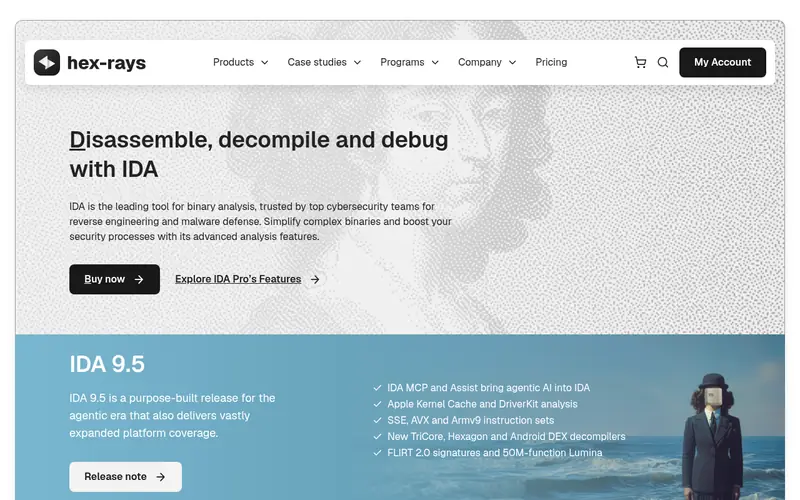
IDA Pro from Hex-Rays is a long-standing commercial disassembler and debugger. It supports a large set of processor architectures and executable formats, and it ships with a decompiler in the higher editions. It runs on Windows, macOS and Linux. The interface is dense but well documented, and many plugins and scripts target its API.
IDA is a paid product. Pricing depends on edition and whether you add the decompiler, so check the vendor page for current figures. Licence terms differ for commercial and non-commercial use. The free IDA Free edition exists but has narrower architecture and feature coverage than the paid product. Small teams on a budget often skip IDA and look at Binary Ninja or Ghidra instead.
Standout: Very wide processor and file-format coverage
See vendor pricing page, as listed by the vendor (IDA Pro website). Confirm the current plan price before you buy.
No free plan. Plans change, so confirm on the vendor's pricing page before you buy.
Benefits
- Very wide processor and file-format coverage
- mature debugger and plugin ecosystem
Drawbacks
- Commercial licence with a high entry cost
- paid upgrades between major versions
Skip it if this limit matters to you: commercial licence with a high entry cost.
Verdict. A sensible pick for professional reverse engineers who need broad architecture and format support.
Alternatives in this guide: Ghidra, Binary Ninja, Radare2
Binary Ninja
Best for developers who want a modern commercial disassembler with a clean API
What it is and where it fits
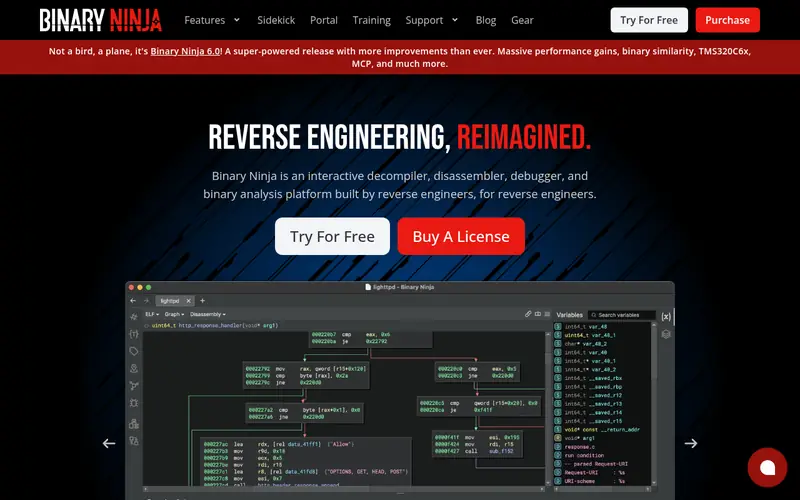
Binary Ninja is a commercial disassembler with a focus on automation and a readable intermediate language. It runs on Windows, macOS and Linux. The Python API is a strong point for developers who want to script analysis or build custom views. A decompiler is available, but which tiers include it depends on the edition, so confirm on the vendor page.
Pricing is tiered, with a personal or non-commercial option and higher commercial tiers. Exact prices change, so check the vendor site. A free trial is offered. The plugin ecosystem is smaller than IDA's, and some niche architectures are covered through add-ons. It suits developers who value scripting and a modern interface over the largest possible architecture list.
Standout: Well-documented Python API
See vendor pricing page, as listed by the vendor (Binary Ninja website). Confirm the current plan price before you buy.
Free trial (N days). Plans change, so confirm on the vendor's pricing page before you buy.
Benefits
- Well-documented Python API
- multiple commercial tiers including a lower-cost option
Drawbacks
- Decompiler is a paid add-on in some tiers
- smaller plugin ecosystem than IDA
Skip it if this limit matters to you: decompiler is a paid add-on in some tiers.
Verdict. A sensible pick for developers who want a modern commercial disassembler with a clean API.
Radare2
Best for command-line users who want a free, scriptable reverse engineering framework
What it is and where it fits
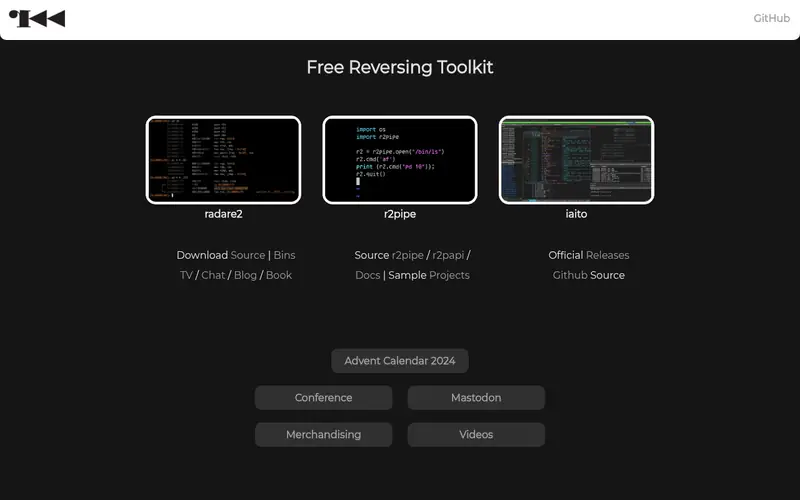
Radare2 is a free, open-source reverse engineering framework built around a command-line interface. It disassembles and analyzes binaries across many architectures and formats, and it runs on Windows, macOS, Linux and other systems. It includes a debugger and tools for patching and inspecting binaries. Scripting is supported through its own command language and bindings.
The tool is powerful but unfriendly to newcomers. Commands are terse and the documentation assumes familiarity. There is a separate graphical front end, Cutter, for users who want a GUI. Radare2 works offline and keeps analysis local. Developers comfortable in a terminal who want a free, scriptable disassembler should try it; those who need guided workflows may prefer Ghidra.
Standout: Free and open source
Free (open source), as listed by the vendor (Radare2 website). Confirm the current plan price before you buy.
Free plan. Plans change, so confirm on the vendor's pricing page before you buy.
Benefits
- Free and open source
- scriptable and works well in a terminal
Drawbacks
- Steep command-line learning curve
- fewer graphical comforts than GUI tools
Skip it if this limit matters to you: steep command-line learning curve.
Verdict. A sensible pick for command-line users who want a free, scriptable reverse engineering framework.
Alternatives in this guide: Ghidra, IDA Pro, Binary Ninja
Cutter
Best for users who want a free graphical interface on top of Radare2
What it is and where it fits
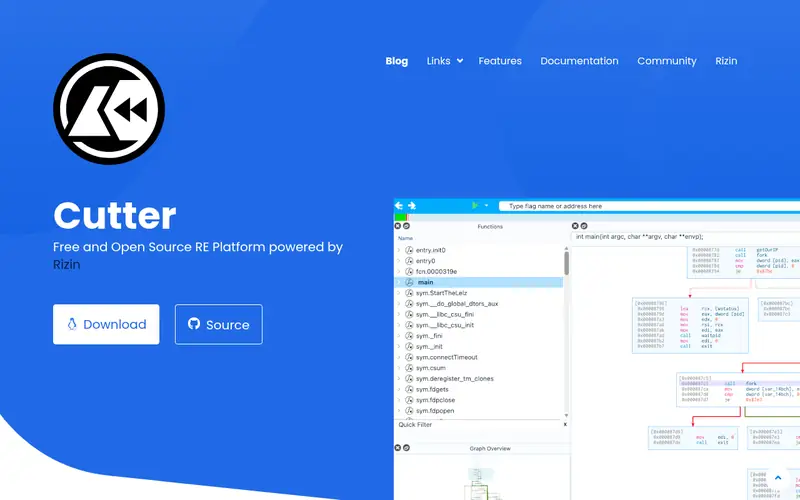
Cutter is a free, open-source graphical disassembler and reverse engineering platform built on the Radare2 engine. It runs on Windows, macOS and Linux. It provides a GUI for navigation, graph views and decompiler integration, which makes the underlying engine easier to approach for developers who prefer clicking over typing commands.
Because it wraps Radare2, Cutter inherits its architecture and format coverage. Advanced operations still rely on the Radare2 command line, so some tasks push you back to text commands. It works offline. Cutter is a good fit for developers who want a free GUI disassembler and do not need IDA-level polish. Users who need the newest engine features may run Radare2 directly.
Standout: Free and open source
Free (open source), as listed by the vendor (Cutter website). Confirm the current plan price before you buy.
Free plan. Plans change, so confirm on the vendor's pricing page before you buy.
Benefits
- Free and open source
- graphical interface lowers the Radare2 learning curve
Drawbacks
- Feature coverage trails the Radare2 command line
- release cadence can lag
Skip it if this limit matters to you: feature coverage trails the Radare2 command line.
Verdict. A sensible pick for users who want a free graphical interface on top of Radare2.
Alternatives in this guide: Ghidra, IDA Pro, Binary Ninja
Hopper
Best for macOS and Linux users who want a low-cost graphical disassembler
What it is and where it fits
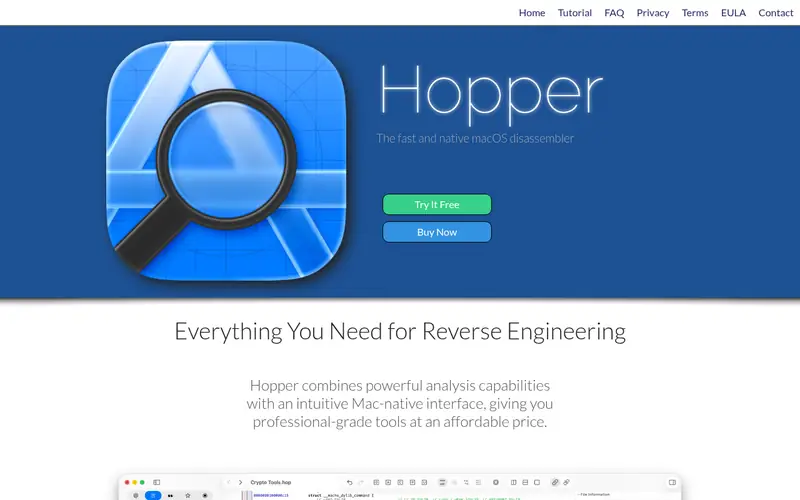
Hopper is a commercial disassembler and decompiler for macOS and Linux. It provides a graphical interface, a decompiler, and scripting support. It is often used for inspecting Mach-O and ELF binaries on Apple and Linux systems. A free trial is available, and the paid licence is sold per user.
Hopper does not run on Windows, which limits it for cross-platform teams. Its architecture and format coverage is smaller than IDA's, and some formats are handled through plugins. Pricing is listed on the vendor site and can change, so confirm before buying. It suits Mac-based developers who want a lighter, lower-cost alternative to IDA and do not need the widest possible coverage.
Standout: Native macOS and Linux support
See vendor pricing page, as listed by the vendor (Hopper website). Confirm the current plan price before you buy.
Free trial (N days). Plans change, so confirm on the vendor's pricing page before you buy.
Benefits
- Native macOS and Linux support
- includes a decompiler in the paid product
Drawbacks
- No Windows build
- narrower architecture coverage than IDA
Skip it if this limit matters to you: no Windows build.
Verdict. A sensible pick for macOS and Linux users who want a low-cost graphical disassembler.
Alternatives in this guide: Ghidra, IDA Pro, Binary Ninja
objdump (GNU Binutils)
Best for developers who need a quick, free command-line disassembly of ELF and PE files
What it is and where it fits
objdump is part of GNU Binutils, a free and open-source set of binary tools. Its disassembly mode prints assembly for object files and executables, and it supports many architectures and formats. It is commonly available on Linux systems and can be built for other platforms. Output is plain text, which makes it easy to pipe into scripts.
objdump does not decompile and offers little interactive analysis. It is best for quick checks, build debugging and scripted inspection rather than deep reverse engineering. It works offline. Developers who need control-flow graphs, a decompiler or cross-references should use Ghidra, IDA or Binary Ninja. For a fast look at a symbol or a section, objdump is often enough and costs nothing.
Standout: Free and open source
Free (open source), as listed by the vendor (objdump (GNU Binutils) website). Confirm the current plan price before you buy.
Free plan. Plans change, so confirm on the vendor's pricing page before you buy.
Benefits
- Free and open source
- usually already installed on Linux
- fast for simple tasks
Drawbacks
- No decompiler or GUI
- limited analysis features compared with full suites
Skip it if this limit matters to you: no decompiler or GUI.
Verdict. A sensible pick for developers who need a quick, free command-line disassembly of ELF and PE files.
Alternatives in this guide: Ghidra, IDA Pro, Binary Ninja
LLVM objdump (llvm-objdump)
Best for developers working with LLVM toolchains who want a free disassembler
What it is and where it fits
llvm-objdump is part of the LLVM project, which is free and open source. It disassembles object files and executables and supports many targets, including formats used on Apple platforms. It ships with LLVM releases and is often present wherever Clang is installed. It runs on Windows, macOS and Linux.
Like GNU objdump, it produces text output and does no decompilation. Command-line flags differ from the GNU tool, so scripts are not always interchangeable. It works offline. It suits developers already using LLVM or Clang who want a disassembler that matches their toolchain. For interactive analysis or readable decompiled code, pair it with Ghidra or a commercial suite.
Standout: Free and open source
Free (open source), as listed by the vendor (LLVM objdump (llvm-objdump) website). Confirm the current plan price before you buy.
Free plan. Plans change, so confirm on the vendor's pricing page before you buy.
Benefits
- Free and open source
- consistent with LLVM-based build toolchains
Drawbacks
- No decompiler or GUI
- output options differ from GNU objdump
Skip it if this limit matters to you: no decompiler or GUI.
Verdict. A sensible pick for developers working with LLVM toolchains who want a free disassembler.
Alternatives in this guide: Ghidra, IDA Pro, Binary Ninja
Who should use what
Developers who want a free tool with a decompiler should start with Ghidra. Teams that need the widest architecture coverage and can pay should look at IDA Pro. Developers who value scripting and a modern API should compare Binary Ninja. Command-line users who want free, scriptable analysis should try Radare2, or Cutter if they prefer a GUI. For a quick look at a single binary, objdump or llvm-objdump is often enough.
Questions to settle before you buy
What to check before you buy
- Confirm the tool supports the processor architecture and file format you are analyzing.
- Check whether a decompiler is included or sold separately, and at what tier.
- Verify the licence allows your use case, especially for commercial work.
- Confirm the tool runs offline on your operating system so binaries stay local.
- Check the scripting API and plugin ecosystem if you plan to automate analysis.
FAQ
Do I need a decompiler as well as a disassembler?
Not always. A disassembler shows assembly, which is enough for many debugging and inspection tasks. A decompiler produces C-like code that is faster to read for complex functions. Ghidra includes one, while IDA and Binary Ninja offer decompilers depending on edition. Check what your edition includes before buying.
Are these tools safe for confidential binaries?
Ghidra, Radare2, Cutter, objdump and llvm-objdump are free and open source and run locally, so binaries stay on your machine. IDA, Binary Ninja and Hopper are commercial desktop tools that also run locally. Avoid uploading proprietary binaries to unknown online disassembly services, since you cannot control how they store or reuse the file.
What is the difference between a disassembler and a debugger?
A disassembler translates machine code into assembly for reading. A debugger runs a program and lets you pause it, inspect registers and memory, and step through instructions. Many suites combine both. IDA and Radare2 include debuggers, and Ghidra has debugging support. Choose based on whether you need static reading or live execution.
Can I use these tools on Windows, macOS and Linux?
Ghidra, IDA, Binary Ninja, Radare2, Cutter, objdump and llvm-objdump run on Windows, macOS and Linux. Hopper runs on macOS and Linux only. If your team is mixed-platform, check the vendor page for the exact builds offered before standardizing on one tool.
Is a free disassembler enough for professional work?
Often yes. Ghidra is used for real reverse engineering work and includes a decompiler. Radare2 and objdump cover many inspection tasks. Paid tools like IDA and Binary Ninja add broader architecture coverage, polish and support. Start with a free tool and move to a paid one only when you hit a specific limit.
Sources we checked
Method: how we score · editorial policy.
Change log. First published 22 Nov 2026.