Stage 01 · Write · Researched comparison
Best Dead Code Detection Tools in 2026
PHPStan is the first pick for PHP teams that want unused code found during static analysis, and its dead code extension reports unused classes, methods and properties. For multi-language repositories, SonarQube covers unused code alongside broader quality rules. For JavaScript and TypeScript, Knip targets unused files, exports and dependencies. Each runs in CI, so findings appear on every pull request.

By Shihab Mia
Published 22 Nov 2026 · 7 tools compared
We run no ads and no affiliate links at launch. The order of a list follows our published method. See how we score.
Prices are the starting prices vendors list publicly. Plans change, so confirm the current price on the vendor page before you buy.
Key takeaways
- PHPStan, SonarQube and Knip each detect unused code, but they cover different languages and scopes.
- PHPStan and Knip are free and open source; SonarQube has a free Community Build plus paid editions.
- Most of these tools run locally or in your CI pipeline, so source code does not leave your infrastructure.
- Detection quality depends on configuration: unused-code rules often need explicit enabling and baseline files.
Who each pick is for
- PHP projects that want unused code checks in static analysisPHPStan
- Teams that want unused code checks across many languagesSonarQube
- JavaScript and TypeScript projects with unused files and exportsKnip
- Python projects that want a lightweight unused code finderVulture
- Go projects that want unused code checks in a linter suitestaticcheck
- .NET developers working in Visual StudioReSharper
- JavaScript and TypeScript teams that want lint-based unused code rulesESLint
Comparison
| Tool | Best for | Standout feature | Listed starting price | Free plan or trial |
|---|---|---|---|---|
| 1PHPStan | PHP projects that want unused code checks in static analysis | Dead code extension finds unused classes, methods and properties | Free (open source) | Free plan |
| 2SonarQube | Teams that want unused code checks across many languages | Covers unused code plus many other rules across dozens of languages | See vendor pricing page | Free plan |
| 3Knip | JavaScript and TypeScript projects with unused files and exports | Finds unused files, exports, dependencies and types | Free (open source) | Free plan |
| 4Vulture | Python projects that want a lightweight unused code finder | Small, fast command-line tool | Free (open source) | Free plan |
| 5staticcheck | Go projects that want unused code checks in a linter suite | Reports unused functions, fields and variables | Free (open source) | Free plan |
| 6ReSharper | .NET developers working in Visual Studio | In-editor unused code warnings | See vendor pricing page | Free trial (30 days) |
| 7ESLint | JavaScript and TypeScript teams that want lint-based unused code rules | Core no-unused-vars rule | Free (open source) | Free plan |
How we picked
We picked tools that genuinely report unused code for the languages they support, based on vendor documentation and project repositories. Criteria included language coverage, how the tool runs (local, CI, editor), licence and price, and whether analysis happens on your own infrastructure. We noted each tool's main limits, such as single-language scope or heuristic results. Prices and plan details change, so confirm current terms on the vendor site before you commit.
The tools, one by one
PHPStan
Best for pHP projects that want unused code checks in static analysis
What it is and where it fits
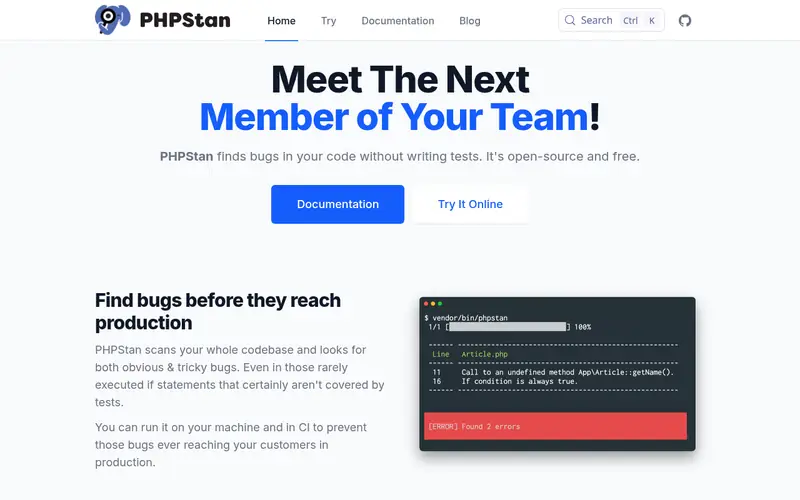
PHPStan is a static analysis tool for PHP. Its dead code detection ships as a separate extension that reports unused public and private methods, properties, constants and classes. You add the extension through Composer and enable rules in your configuration file. PHPStan runs from the command line, in CI, and through editor integrations. It is free and open source under the MIT licence. The main limit is language: it does nothing for non-PHP code. Teams with large legacy PHP codebases should expect to tune ignore rules and baselines before the reports are clean.
Standout: Dead code extension finds unused classes, methods and properties
Free (open source), as listed by the vendor (PHPStan website). Confirm the current plan price before you buy.
Free plan. Plans change, so confirm on the vendor's pricing page before you buy.
Benefits
- Dead code extension finds unused classes, methods and properties
- runs in CI and editors
Drawbacks
- PHP only
- unused-code rules need the extension installed and configured
Skip it if this limit matters to you: PHP only.
Verdict. A sensible pick for PHP projects that want unused code checks in static analysis.
SonarQube
Best for teams that want unused code checks across many languages
What it is and where it fits
SonarQube is a code quality platform that includes rules for unused code, such as unused local variables, private methods and imports. It analyzes many languages, so a polyglot repository gets one report. You can self-host the Community Build for free or use paid editions with more languages and rules. The platform runs as a server with scanners in CI. It is heavier than a single-purpose linter, and rule coverage for unused code varies by language. Small projects may find the setup cost hard to justify.
Standout: Covers unused code plus many other rules across dozens of languages
See vendor pricing page, as listed by the vendor (SonarQube website). Confirm the current plan price before you buy.
Free plan. Plans change, so confirm on the vendor's pricing page before you buy.
Benefits
- Covers unused code plus many other rules across dozens of languages
- self-hosted option
Drawbacks
- Server setup and maintenance
- some rules and languages are limited to paid editions
Skip it if this limit matters to you: server setup and maintenance.
Verdict. A sensible pick for teams that want unused code checks across many languages.
Knip
Best for javaScript and TypeScript projects with unused files and exports
What it is and where it fits
Knip analyzes JavaScript and TypeScript projects for unused files, exports, dependencies and enum members. It reads your project configuration to find entry points, so it understands frameworks and monorepo layouts. It runs from the command line and in CI, and it is free and open source. The main limit is scope: it does not analyze other languages. Projects with unusual build setups may need extra configuration for entry files, and false positives are possible when code is loaded dynamically.
Standout: Finds unused files, exports, dependencies and types
Free (open source), as listed by the vendor (Knip website). Confirm the current plan price before you buy.
Free plan. Plans change, so confirm on the vendor's pricing page before you buy.
Benefits
- Finds unused files, exports, dependencies and types
- works with monorepos
Drawbacks
- JavaScript and TypeScript only
- needs configuration for framework entry points
Skip it if this limit matters to you: javaScript and TypeScript only.
Verdict. A sensible pick for javaScript and TypeScript projects with unused files and exports.
Vulture
Best for python projects that want a lightweight unused code finder
What it is and where it fits
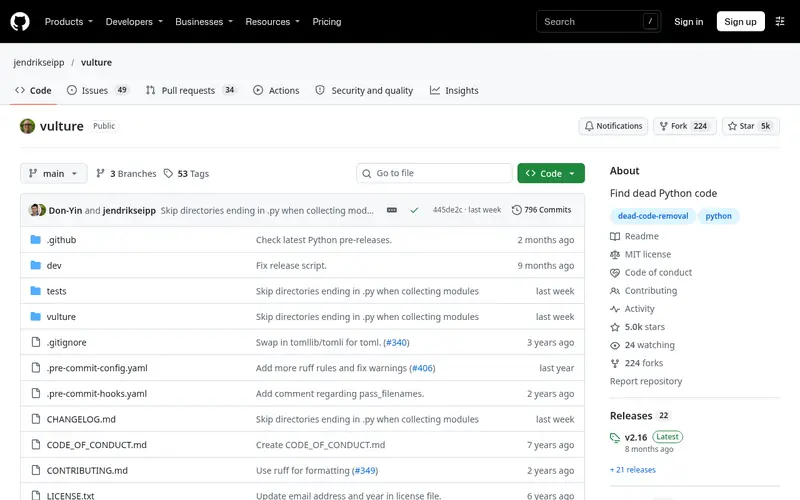
Vulture is a command-line tool that finds unused code in Python projects. It reports unused functions, variables, attributes, imports and unreachable code. You can set a minimum confidence level to filter weak findings, and you can add whitelists for code that is used dynamically. It is free and open source and runs locally, so code stays on your machine. The main limit is accuracy: results are heuristic, and frameworks that call code by name produce false positives that need review.
Standout: Small, fast command-line tool
Free (open source), as listed by the vendor (Vulture website). Confirm the current plan price before you buy.
Free plan. Plans change, so confirm on the vendor's pricing page before you buy.
Benefits
- Small, fast command-line tool
- reports unused functions, variables and imports
Drawbacks
- Python only
- heuristic results need manual review
Skip it if this limit matters to you: python only.
Verdict. A sensible pick for python projects that want a lightweight unused code finder.
staticcheck
Best for go projects that want unused code checks in a linter suite
What it is and where it fits
staticcheck is a static analysis tool for Go. Its checks include unused code, such as unused functions, fields, variables and imports. It runs from the command line and in CI and integrates with common editors. The tool is free and open source. It covers Go only, so it does not help in mixed-language repositories. Some checks reflect style opinions, and teams may need to suppress specific rules to keep reports focused.
Standout: Reports unused functions, fields and variables
Free (open source), as listed by the vendor (staticcheck website). Confirm the current plan price before you buy.
Free plan. Plans change, so confirm on the vendor's pricing page before you buy.
Benefits
- Reports unused functions, fields and variables
- fast and CI friendly
Drawbacks
- Go only
- some checks are opinionated and may need suppression
Skip it if this limit matters to you: go only.
Verdict. A sensible pick for go projects that want unused code checks in a linter suite.
ReSharper
Best for .NET developers working in Visual Studio

What it is and where it fits
ReSharper is a productivity and analysis extension for .NET development in Visual Studio. It flags unused code, including unused members, parameters and usings, directly in the editor. A separate command-line tool supports CI checks. ReSharper is commercial, with per-user subscription pricing listed on the vendor site. It suits teams already working in Visual Studio. Developers using other editors or non-.NET languages should look elsewhere. The in-editor focus means CI enforcement needs the additional command-line tooling.
Standout: In-editor unused code warnings
See vendor pricing page, as listed by the vendor (ReSharper website). Confirm the current plan price before you buy.
Free trial (30 days). Plans change, so confirm on the vendor's pricing page before you buy.
Benefits
- In-editor unused code warnings
- broad C# and .NET analysis
Drawbacks
- Paid subscription
- tied to Visual Studio and JetBrains IDEs
Skip it if this limit matters to you: paid subscription.
Verdict. A sensible pick for .NET developers working in Visual Studio.
ESLint
Best for javaScript and TypeScript teams that want lint-based unused code rules
What it is and where it fits
ESLint is a linter for JavaScript and TypeScript. Its core no-unused-vars rule reports declared variables that are never used, and plugins add related checks. It runs from the command line, in CI and in editors, and it is free and open source. The main limit is depth: ESLint works file by file, so it does not by itself find unused exports or files across a project. Teams that need whole-project analysis should pair it with a tool like Knip.
Standout: Core no-unused-vars rule
Free (open source), as listed by the vendor (ESLint website). Confirm the current plan price before you buy.
Free plan. Plans change, so confirm on the vendor's pricing page before you buy.
Benefits
- Core no-unused-vars rule
- large plugin ecosystem and editor support
Drawbacks
- Limited to lint-level checks
- does not map whole-project unused exports by default
Skip it if this limit matters to you: limited to lint-level checks.
Verdict. A sensible pick for javaScript and TypeScript teams that want lint-based unused code rules.
Who should use what
PHP teams should start with PHPStan and its dead code extension. JavaScript and TypeScript projects get the broadest unused-file and unused-export coverage from Knip, with ESLint covering per-file unused variables. Python developers can run Vulture locally for a quick report. Go teams should use staticcheck. Organizations with many languages and a budget for infrastructure should evaluate SonarQube, while .NET developers in Visual Studio may prefer ReSharper.
Questions to settle before you buy
What to check before you buy
- Confirm the tool supports every language in your repository, or plan to combine tools.
- Check whether unused-code rules are on by default or need explicit configuration.
- Verify the tool runs locally or in your CI so source code stays on your infrastructure.
- Plan for baselines or ignore files so existing findings do not block new work.
- Review licence terms and per-user pricing before rolling out to a large team.
FAQ
Do these tools send my source code to a third party?
PHPStan, Knip, Vulture, staticcheck and ESLint run locally or in your CI. SonarQube can be self-hosted. ReSharper runs in your IDE. Check each vendor's documentation for any optional cloud features before adopting.
Can one tool find dead code in every language?
No single tool covers all languages well. SonarQube spans many languages, but rule coverage for unused code varies. Most teams combine a language-specific tool per stack, such as PHPStan for PHP and Knip for TypeScript.
What is the difference between dead code detection and linting?
Linters like ESLint work file by file and catch unused variables. Dead code detection often works across a project to find unused exports, files and classes. Some tools, such as Knip, do both.
Are free tools good enough for production use?
PHPStan, Knip, Vulture, staticcheck and ESLint are open source and widely used. They are suitable for production CI when configured with baselines. Paid tools add broader language coverage or editor integration.
How do I avoid false positives?
Set confidence thresholds where the tool supports them, add whitelists for code called dynamically, and create a baseline for existing findings. Review reports before enforcing them as CI failures.
Sources we checked
Method: how we score · editorial policy.
Change log. First published 22 Nov 2026.