Stage 01 · Write · Researched comparison
Best C# Linters and Analyzers in 2026
Roslyn analyzers built into the .NET SDK are the first pick for most teams, because they run in the compiler and in CI with no extra licence. For stricter style rules, StyleCop.Analyzers adds naming and layout checks. For teams that want a full IDE with inspections and refactoring, JetBrains ReSharper is the paid option, and SonarQube covers server-side quality gates across many languages.

By Shihab Mia
Published 22 Nov 2026 · 5 tools compared
We run no ads and no affiliate links at launch. The order of a list follows our published method. See how we score.
Prices are the starting prices vendors list publicly. Plans change, so confirm the current price on the vendor page before you buy.
Key takeaways
- Roslyn analyzers ship with the .NET SDK and run during builds, so they cost nothing and need no separate tool.
- StyleCop.Analyzers is a free, open-source analyzer package that focuses on code style and documentation rules.
- ReSharper is a paid Visual Studio extension with its own inspection engine and quick fixes.
- SonarQube runs analysis on a server and applies quality gates, which suits teams that want centralized reporting.
Who each pick is for
- Teams that want built-in analysis with no extra toolingRoslyn Analyzers (.NET SDK)
- Teams that enforce naming, layout and documentation rulesStyleCop.Analyzers
- Visual Studio users who want inspections plus refactoringJetBrains ReSharper
- Teams that want centralized quality gates and reportingSonarQube
- Teams that want automatic style fixes in CI.NET Format
Comparison
| Tool | Best for | Standout feature | Listed starting price | Free plan or trial |
|---|---|---|---|---|
| 1Roslyn Analyzers (.NET SDK) | Teams that want built-in analysis with no extra tooling | Ships with the .NET SDK | Free | Free plan |
| 2StyleCop.Analyzers | Teams that enforce naming, layout and documentation rules | Large set of style and documentation rules | Free (open source) | Free plan |
| 3JetBrains ReSharper | Visual Studio users who want inspections plus refactoring | Deep inspection engine with quick fixes | See vendor pricing page | Free trial (30 days) |
| 4SonarQube | Teams that want centralized quality gates and reporting | Quality gates and dashboards | See vendor pricing page | Free plan |
| 5.NET Format | Teams that want automatic style fixes in CI | Applies style rules automatically | Free | Free plan |
How we picked
We picked tools that run C# analysis at the compiler, editor or server layer and that are currently maintained. Criteria were fit for linting and static analysis, supported platforms, licence and price model, and whether analysis runs locally or sends code to a server. Sources are vendor documentation, project repositories and public pricing pages. Prices and plan limits change, so confirm details on the vendor site before you commit.
The tools, one by one
Roslyn Analyzers (.NET SDK)
Best for teams that want built-in analysis with no extra tooling
What it is and where it fits
Roslyn analyzers are the code analysis feature built into the .NET SDK and the C# compiler. They run during build and in the IDE, and they cover correctness, performance, security and style rules. You configure severity with .editorconfig files or ruleset files, and you can fail a build when warnings appear.
Because the analyzers are part of the SDK, there is no separate install or licence. They run on Windows, macOS and Linux wherever the .NET SDK runs. The main limit is scope: the built-in rules do not cover every style preference, and there is no central dashboard for tracking trends across a team. Teams that want only vendor-supported rules and zero setup should start here.
Standout: Ships with the .NET SDK
Free, as listed by the vendor (Roslyn Analyzers (.NET SDK) website). Confirm the current plan price before you buy.
Free plan. Plans change, so confirm on the vendor's pricing page before you buy.
Benefits
- Ships with the .NET SDK
- runs in the compiler and in CI
- configurable with .editorconfig
Drawbacks
- Rule set is limited to what Microsoft ships
- no cross-language dashboard
Skip it if this limit matters to you: rule set is limited to what Microsoft ships.
Verdict. A sensible pick for teams that want built-in analysis with no extra tooling.
Alternatives in this guide: StyleCop.Analyzers, JetBrains ReSharper, SonarQube
StyleCop.Analyzers
Best for teams that enforce naming, layout and documentation rules
What it is and where it fits
StyleCop.Analyzers is an open-source analyzer package that ports the classic StyleCop rules to the Roslyn analyzer model. It checks ordering of members, spacing, naming, file headers and XML documentation. You add it as a NuGet package and configure rules through a stylecop.json file and .editorconfig.
It runs anywhere the .NET SDK runs and needs no separate process. The rules reflect a specific style, so most teams disable a subset at the start. It pairs well with the built-in analyzers because it fills gaps in style coverage. Skip it if your team already has a house style enforced by another analyzer set.
Standout: Large set of style and documentation rules
Free (open source), as listed by the vendor (StyleCop.Analyzers website). Confirm the current plan price before you buy.
Free plan. Plans change, so confirm on the vendor's pricing page before you buy.
Benefits
- Large set of style and documentation rules
- works as a NuGet analyzer package
Drawbacks
- Style rules are opinionated
- some rules need tuning to avoid noise
Skip it if this limit matters to you: style rules are opinionated.
Verdict. A sensible pick for teams that enforce naming, layout and documentation rules.
Alternatives in this guide: Roslyn Analyzers (.NET SDK), JetBrains ReSharper, SonarQube
JetBrains ReSharper
Best for visual Studio users who want inspections plus refactoring
What it is and where it fits
ReSharper is a paid extension for Visual Studio on Windows. It adds its own code inspection engine with hundreds of rules, inline quick fixes, and a cleanup profile that can apply fixes across a file or solution. It also brings refactorings, navigation and unit test running.
Licensing is per user by subscription, with discounts for teams and annual billing. Pricing changes, so check the vendor page. The tool is tied to Visual Studio on Windows, so it does not cover VS Code or command-line-only workflows. Teams that want inspections inside the IDE and are willing to pay should consider it; teams that build only on Linux CI will not get value from the extension itself.
Standout: Deep inspection engine with quick fixes
See vendor pricing page, as listed by the vendor (JetBrains ReSharper website). Confirm the current plan price before you buy.
Free trial (30 days). Plans change, so confirm on the vendor's pricing page before you buy.
Benefits
- Deep inspection engine with quick fixes
- large refactoring set
Drawbacks
- Paid subscription
- Windows-only Visual Studio extension
Skip it if this limit matters to you: paid subscription.
Verdict. A sensible pick for visual Studio users who want inspections plus refactoring.
Alternatives in this guide: Roslyn Analyzers (.NET SDK), StyleCop.Analyzers, SonarQube
SonarQube
Best for teams that want centralized quality gates and reporting
What it is and where it fits
SonarQube is a self-hosted code quality platform. It analyzes C# through the SonarScanner for .NET and applies rules for bugs, code smells and security. Results go to a server that shows issues, trends and quality gates that can block a merge.
The Community Build edition is free and open source. Commercial editions add branch analysis, more languages and security features, with pricing on the vendor page. Running it means hosting a server and database, so it suits teams with the infrastructure to support it. Small projects that only need compiler warnings should stay with Roslyn analyzers.
Standout: Quality gates and dashboards
See vendor pricing page, as listed by the vendor (SonarQube website). Confirm the current plan price before you buy.
Free plan. Plans change, so confirm on the vendor's pricing page before you buy.
Benefits
- Quality gates and dashboards
- analyzes many languages alongside C#
Drawbacks
- Server setup and maintenance
- advanced features are paid
Skip it if this limit matters to you: server setup and maintenance.
Verdict. A sensible pick for teams that want centralized quality gates and reporting.
Alternatives in this guide: Roslyn Analyzers (.NET SDK), StyleCop.Analyzers, JetBrains ReSharper
.NET Format
Best for teams that want automatic style fixes in CI
What it is and where it fits
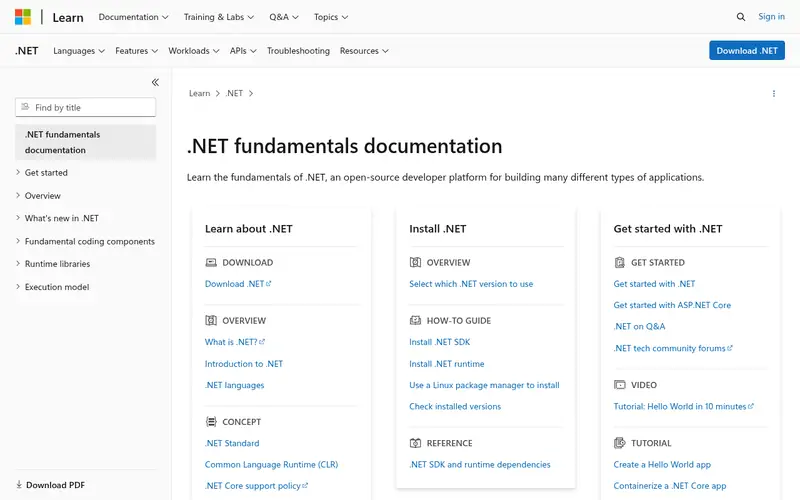
dotnet format is a command-line tool included with the .NET SDK. It applies the style rules defined in .editorconfig and can also run analyzers with the --verify-no-changes option to fail a build when code does not match. It works on Windows, macOS and Linux.
It is free and needs no account. The tool focuses on formatting and style fixes; it does not replace a broad bug and security analyzer. It pairs well with Roslyn analyzers and StyleCop.Analyzers by fixing what those rules report. Teams that want a single command in CI to enforce style should add it.
Standout: Applies style rules automatically
Free, as listed by the vendor (.NET Format website). Confirm the current plan price before you buy.
Free plan. Plans change, so confirm on the vendor's pricing page before you buy.
Benefits
- Applies style rules automatically
- runs in CI and locally
Drawbacks
- Fixes formatting and style only
- not a full bug analyzer
Skip it if this limit matters to you: fixes formatting and style only.
Verdict. A sensible pick for teams that want automatic style fixes in CI.
Alternatives in this guide: Roslyn Analyzers (.NET SDK), StyleCop.Analyzers, JetBrains ReSharper
Who should use what
A solo developer on a small .NET project should start with the built-in Roslyn analyzers and add dotnet format in CI. A team with strict style rules should add StyleCop.Analyzers and tune the rule set. A Windows shop that wants inspections and refactoring inside Visual Studio should evaluate ReSharper. A larger organization that needs dashboards and quality gates should evaluate self-hosted SonarQube, and check the data policy before sending code off-site.
Questions to settle before you buy
What to check before you buy
- Confirm the tool runs on your OS and editor, not just Visual Studio on Windows.
- Check whether rules are configured through .editorconfig, a ruleset file or a vendor-specific format.
- Decide whether analysis must run locally or may send code to a hosted service.
- Verify how the tool fails a build, such as warnings-as-errors or a verify-no-changes flag.
- Review the licence terms and per-user pricing before rolling out to a team.
FAQ
Do I need a paid tool to lint C#?
No. The .NET SDK includes Roslyn analyzers, and dotnet format is free. StyleCop.Analyzers is open source. Paid tools such as ReSharper and SonarQube add IDE inspections, dashboards or quality gates, which some teams find useful but are not required for basic linting.
Can I run C# linters in CI?
Yes. Roslyn analyzers run during dotnet build, and you can treat warnings as errors. dotnet format has a verify-no-changes option for style checks. SonarScanner for .NET sends results to SonarQube. Most CI systems on Windows, macOS or Linux can run these steps.
What is the difference between a linter and an analyzer in C#?
In C#, the terms overlap. Roslyn analyzers inspect code during compilation and report diagnostics. A linter usually means a tool that checks style and code quality. Many C# linters are implemented as Roslyn analyzers, so the same package can serve both roles.
Does StyleCop.Analyzers replace the built-in analyzers?
No. StyleCop.Analyzers adds style and documentation rules. The built-in analyzers cover correctness, performance and security. Most teams run both and tune severities in .editorconfig so the rule sets do not conflict.
Is it safe to use an online C# formatter or linter?
Be careful. Do not paste secrets, tokens or production code into third-party web pages. Prefer tools that run locally, such as the .NET SDK, dotnet format or an IDE extension, where code stays on your machine.
Sources we checked
Method: how we score · editorial policy.
Change log. First published 22 Nov 2026.