Stage 01 · Write · Researched comparison
Best ASCII Diagram Tools for Code and READMEs in 2026
ASCIIFlow is the first pick for most developers. It runs in the browser, needs no install, and exports plain text you can paste into a README or code comment. Monodraw suits macOS users who want a polished native editor and will pay for it. Textik is a lighter browser alternative, and svgbob is the choice when you need to turn existing ASCII art into clean SVG.

By Shihab Mia
Published 28 Nov 2026 · 6 tools compared
We run no ads and no affiliate links at launch. The order of a list follows our published method. See how we score.
Prices are the starting prices vendors list publicly. Plans change, so confirm the current price on the vendor page before you buy.
Key takeaways
- ASCIIFlow and Textik are free browser editors; neither requires an account to draw and export text.
- Monodraw is a paid macOS app with a free trial; confirm the current price on the vendor page.
- svgbob is free and open source and converts ASCII diagrams to SVG rather than drawing them.
- Browser editors run in a web page, so avoid pasting secrets, tokens or production data into them.
Who each pick is for
- Browser drawing with no installASCIIFlow
- macOS users who want a native editorMonodraw
- Quick browser sketches with keyboard controlTextik
- Converting existing ASCII art to SVGsvgbob
- Generating text diagrams from a markup languagePlantUML text output
- Drawing inside the editor you already useEmacs artist-mode and Vim DrawIt
Comparison
| Tool | Best for | Standout feature | Listed starting price | Free plan or trial |
|---|---|---|---|---|
| 1ASCIIFlow | Browser drawing with no install | No account needed to draw and export | Free | Free plan |
| 2Monodraw | macOS users who want a native editor | Native macOS app with a full drawing toolset | See vendor pricing page | Free trial |
| 3Textik | Quick browser sketches with keyboard control | Keyboard-driven drawing in the browser | Free | Free plan |
| 4svgbob | Converting existing ASCII art to SVG | Open source and runs locally | Free (open source) | Free plan |
| 5PlantUML text output | Generating text diagrams from a markup language | Diagrams defined as text and versioned with code | Free (open source) | Free plan |
| 6Emacs artist-mode and Vim DrawIt | Drawing inside the editor you already use | No context switch, you draw where you write code | Free (open source) | Free plan |
How we picked
We picked tools that genuinely produce plain-text or ASCII diagrams, or convert them, and that are currently maintained. We looked at fit for the job, platforms supported, price and licence, whether the tool runs locally or in a browser, and the main limits of each. Sources are vendor pages, documentation and project repositories. Prices and plans change, so confirm details on the vendor site before you buy.
The tools, one by one
ASCIIFlow
Best for browser drawing with no install

What it is and where it fits
ASCIIFlow is a browser-based editor for drawing boxes, lines, arrows and text on a character grid. You draw with the mouse or keyboard and the result is plain text you can paste into a code comment, README or commit message. It exports text and also offers other export formats from the same canvas.
Because it runs in the browser, there is nothing to install and it works across operating systems. The trade-off is that your diagram lives in a web page while you work. Do not paste secrets, tokens or production data into it. For small architecture sketches and flow diagrams in documentation, it is the quickest option for most people.
Standout: No account needed to draw and export
Free, as listed by the vendor (ASCIIFlow website). Confirm the current plan price before you buy.
Free plan. Plans change, so confirm on the vendor's pricing page before you buy.
Benefits
- No account needed to draw and export
- exports plain text and other formats
Drawbacks
- Runs in a web page, so not for sensitive content
- interface is basic
Skip it if this limit matters to you: runs in a web page, so not for sensitive content.
Verdict. A sensible pick for browser drawing with no install.
Monodraw
Best for macOS users who want a native editor
What it is and where it fits
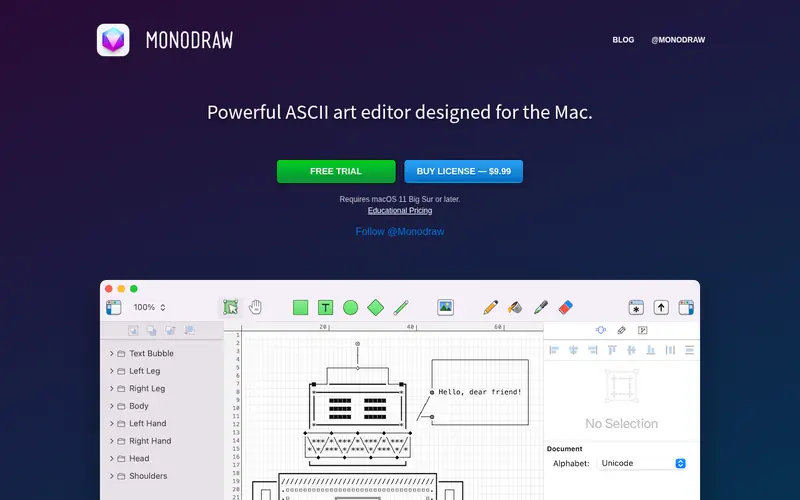
Monodraw is a native macOS application for building ASCII diagrams with shapes, connectors, text and annotations. It gives you a proper canvas with alignment and layout tools, then exports the result as plain text you can drop into source files or documentation.
It suits developers on macOS who draw diagrams often and want more control than a browser grid offers. The app is paid, with a trial before purchase. Check the vendor pricing page for the current price and licence terms. Developers on Windows or Linux should skip it and use a browser tool instead.
Standout: Native macOS app with a full drawing toolset
See vendor pricing page, as listed by the vendor (Monodraw website). Confirm the current plan price before you buy.
Free trial. Plans change, so confirm on the vendor's pricing page before you buy.
Benefits
- Native macOS app with a full drawing toolset
- exports to plain text and other formats
Drawbacks
- macOS only
- paid licence after the trial
Skip it if this limit matters to you: macOS only.
Verdict. A sensible pick for macOS users who want a native editor.
Textik
Best for quick browser sketches with keyboard control
What it is and where it fits
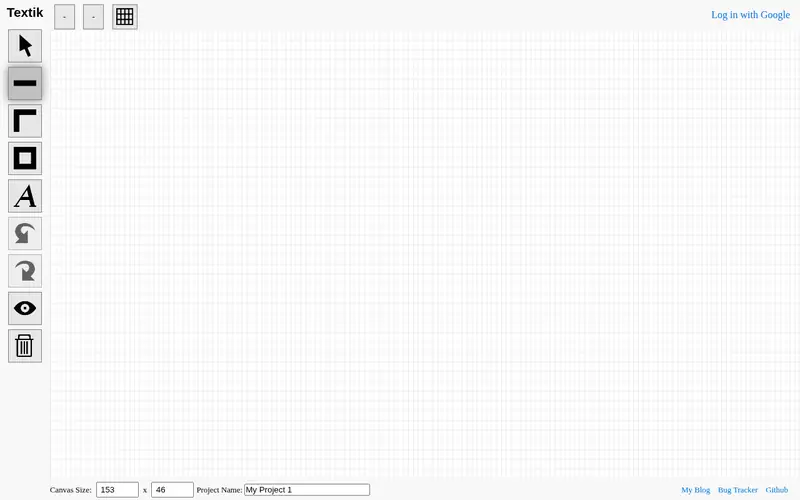
Textik is a browser editor for ASCII diagrams that leans on keyboard shortcuts. You move a cursor across a character grid and draw lines, boxes and text without reaching for the mouse. The output is plain text ready for a README or comment.
It is a good fit when you want a fast sketch and do not need a large toolset. Like any browser editor, it runs as a web page, so keep secrets, tokens and production data out of it. If you need richer layout tools or export options, ASCIIFlow or a desktop app covers more ground.
Standout: Keyboard-driven drawing in the browser
Free, as listed by the vendor (Textik website). Confirm the current plan price before you buy.
Free plan. Plans change, so confirm on the vendor's pricing page before you buy.
Benefits
- Keyboard-driven drawing in the browser
- no sign-up to start
Drawbacks
- Fewer features than larger editors
- web page, so avoid sensitive content
Skip it if this limit matters to you: fewer features than larger editors.
Verdict. A sensible pick for quick browser sketches with keyboard control.
svgbob
Best for converting existing ASCII art to SVG
What it is and where it fits
svgbob is an open-source project that reads ASCII diagrams and renders them as SVG. You write or keep the text diagram, then run it through svgbob to get a vector image for docs, slides or a website. Because it runs locally, your input stays on your machine.
It is the right pick when the diagram already exists as text and you want a cleaner rendering, or when you want to keep the text as the source of truth and generate images from it. It is not a drawing tool, so you still need an editor to create the diagram. Check the repository for build and usage instructions.
Standout: Open source and runs locally
Free (open source), as listed by the vendor (svgbob website). Confirm the current plan price before you buy.
Free plan. Plans change, so confirm on the vendor's pricing page before you buy.
Benefits
- Open source and runs locally
- turns rough ASCII sketches into clean vector output
Drawbacks
- It converts, it does not draw
- output depends on how tidy the source text is
Skip it if this limit matters to you: it converts, it does not draw.
Verdict. A sensible pick for converting existing ASCII art to SVG.
PlantUML text output
Best for generating text diagrams from a markup language
What it is and where it fits
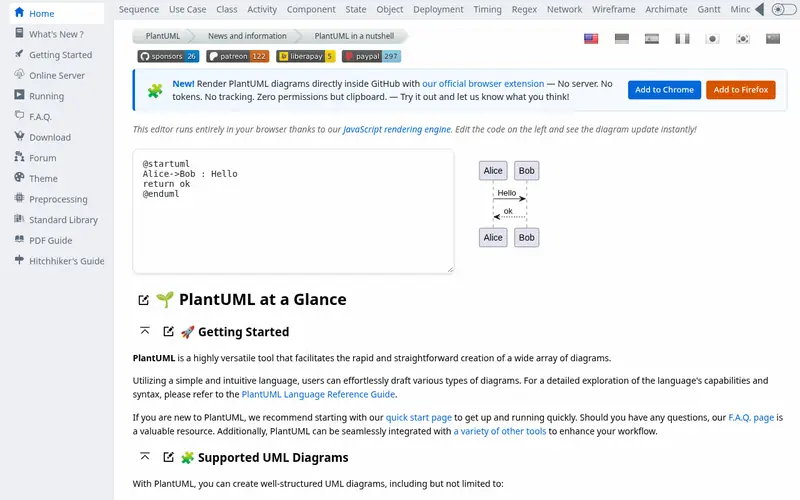
PlantUML generates diagrams from a plain-text markup language. You describe components and relationships, and it renders the result. It can output plain text diagrams, which makes it useful when you want ASCII-style output generated from a definition rather than drawn by hand.
This suits teams that already keep diagrams as text in a repository and want them regenerated on demand. The cost is learning the syntax, and the text output is less controllable than drawing on a grid. It is open source and can run locally. See the project site for setup options.
Standout: Diagrams defined as text and versioned with code
Free (open source), as listed by the vendor (PlantUML text output website). Confirm the current plan price before you buy.
Free plan. Plans change, so confirm on the vendor's pricing page before you buy.
Benefits
- Diagrams defined as text and versioned with code
- text output option for plain ASCII
Drawbacks
- Requires learning PlantUML syntax
- text output is less precise than drawn diagrams
Skip it if this limit matters to you: requires learning PlantUML syntax.
Verdict. A sensible pick for generating text diagrams from a markup language.
Emacs artist-mode and Vim DrawIt
Best for drawing inside the editor you already use
What it is and where it fits
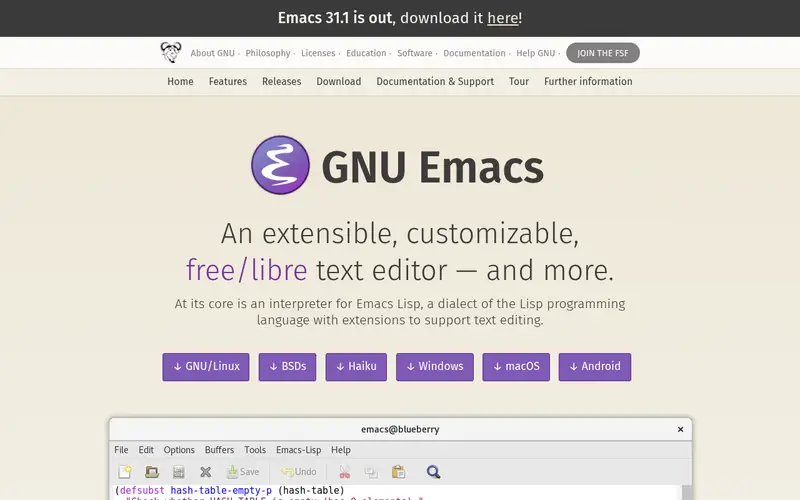
Emacs ships with artist-mode, and Vim users can add the DrawIt plugin. Both let you draw lines, boxes and shapes directly in a text buffer, so the diagram ends up in the file you are already editing. Nothing leaves your machine.
These modes suit developers who live in Emacs or Vim and want a diagram without opening another tool. The catch is that you need to know the editor, and the two modes use different commands. For occasional diagrams in code comments, they are hard to beat on convenience. For larger diagrams, a dedicated editor is easier to control.
Standout: No context switch, you draw where you write code
Free (open source), as listed by the vendor (Emacs artist-mode and Vim DrawIt website). Confirm the current plan price before you buy.
Free plan. Plans change, so confirm on the vendor's pricing page before you buy.
Benefits
- No context switch, you draw where you write code
- both are open source
Drawbacks
- Two separate editor modes with different keys
- limited to users of those editors
Skip it if this limit matters to you: two separate editor modes with different keys.
Verdict. A sensible pick for drawing inside the editor you already use.
Who should use what
If you need a diagram in a README today, open ASCIIFlow in the browser and export the text. If you work on macOS and draw often, Monodraw gives you a native canvas and better layout tools. If the diagram already exists as text and you want a clean image, run it through svgbob. If you want diagrams generated from a definition kept in the repo, PlantUML's text output fits. Developers who never leave Emacs or Vim should try artist-mode or DrawIt first.
Questions to settle before you buy
What to check before you buy
- Confirm the tool exports plain text you can paste without cleanup.
- Check it runs on your operating system, or works in a browser you already use.
- For browser tools, keep secrets, tokens and production data out of the page.
- Read the licence terms if you plan to use output in commercial work.
- Check the project is still maintained before you rely on it.
FAQ
Are these tools free?
ASCIIFlow, Textik, svgbob, PlantUML, Emacs artist-mode and Vim DrawIt are free, and most are open source. Monodraw is paid with a trial. Check the vendor page for the current price.
Can I use ASCII diagrams in code comments?
Yes. Plain-text diagrams fit inside comment blocks and stay readable in any editor or diff. Keep them small and align the characters so they survive line wrapping.
Is it safe to draw diagrams in a browser tool?
The page runs in your browser, but you should still avoid pasting secrets, tokens or production data. For sensitive content, use a local tool such as svgbob, PlantUML or an editor mode.
What is the difference between drawing and converting?
Drawing tools like ASCIIFlow and Monodraw let you create the diagram. Converters like svgbob take existing ASCII text and render it as SVG. Some workflows use both.
Do I need to install anything?
Not for the browser tools. Monodraw is a macOS app, svgbob and PlantUML run locally, and artist-mode and DrawIt come with or plug into your editor.
Sources we checked
Method: how we score · editorial policy.
Change log. First published 28 Nov 2026.