Stage 01 · Write · Researched comparison
Best APK Decompilers in 2026
JADX is the first pick for most developers who need to read Java source from an APK, because it decompiles DEX to readable Java and ships a GUI plus a command line. Apktool is the better choice when you need to decode and rebuild resources and the manifest. Ghidra suits native library analysis when you need to inspect .so files rather than Dalvik bytecode.

By Shihab Mia
Published 22 Nov 2026 · 7 tools compared
We run no ads and no affiliate links at launch. The order of a list follows our published method. See how we score.
Prices are the starting prices vendors list publicly. Plans change, so confirm the current price on the vendor page before you buy.
Key takeaways
- JADX handles DEX-to-Java decompilation with both a GUI and CLI, and it is free and open source.
- Apktool focuses on decoding resources, the manifest and smali, and can rebuild a modified APK.
- Ghidra and Radare2 target native .so libraries, not Dalvik bytecode, so pick them for C/C++ analysis.
- All tools listed here run locally on your machine, so APK contents are not uploaded to a third party.
Who each pick is for
- Reading Java source from DEX filesJADX
- Decoding and rebuilding APK resourcesApktool
- Multi-decompiler comparison in one GUIBytecode Viewer
- Converting DEX to JAR for Java toolsdex2jar
- Analyzing native .so libraries in APKsGhidra
- Command-line native binary analysisRadare2
- Java decompilation of converted DEX outputCFR
Comparison
| Tool | Best for | Standout feature | Listed starting price | Free plan or trial |
|---|---|---|---|---|
| 1JADX | Reading Java source from DEX files | GUI and command-line modes | Free (open source) | Free plan |
| 2Apktool | Decoding and rebuilding APK resources | Decodes resources and manifest to readable form | Free (open source) | Free plan |
| 3Bytecode Viewer | Multi-decompiler comparison in one GUI | Bundles several decompilers in one interface | Free (open source) | Free plan |
| 4dex2jar | Converting DEX to JAR for Java tools | Converts DEX to a JAR usable by Java decompilers | Free (open source) | Free plan |
| 5Ghidra | Analyzing native .so libraries in APKs | Strong disassembler and decompiler for native code | Free | Free plan |
| 6Radare2 | Command-line native binary analysis | Scriptable command-line workflow | Free (open source) | Free plan |
| 7CFR | Java decompilation of converted DEX output | Modern Java decompiler with good output | Free | Free plan |
How we picked
We picked tools that each handle a distinct layer of an APK: Dalvik bytecode, resources, or native libraries. Criteria were fit for the job, supported platforms, licence and price, whether processing stays local, and known limits such as obfuscation handling or rebuild failures. Sources are vendor pages, official documentation and project repositories. Prices and licences change, so confirm details on the vendor site before you rely on them.
The tools, one by one
JADX
Best for reading Java source from DEX files
What it is and where it fits
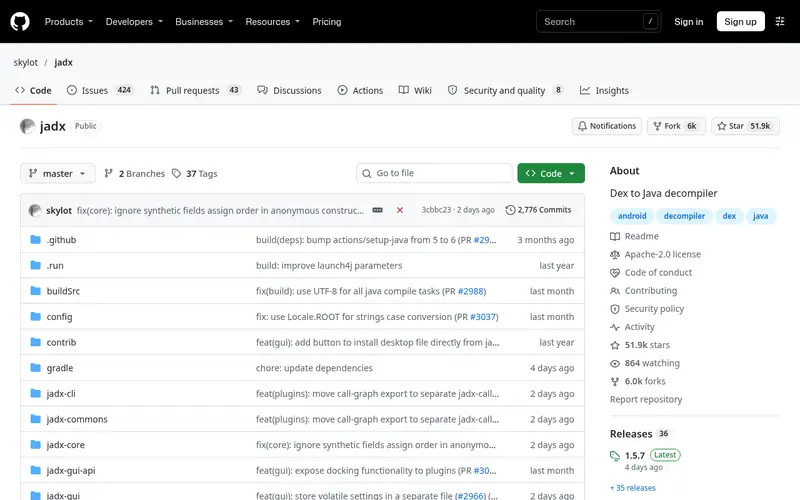
JADX decompiles DEX bytecode into Java source. It runs on Windows, macOS and Linux, and you can use the desktop GUI or the `jadx` command-line tool for scripted work. It also includes a smali disassembler and a resource viewer, so you can inspect strings, the manifest and assets in one place.
The project is open source under the Apache License 2.0. There is no paid tier and no account. Output quality drops on heavily obfuscated or optimized code, and some methods fall back to smali. JADX does not rebuild APKs; use apktool for that. Skip JADX if your target is a native .so library rather than Dalvik code.
Standout: GUI and command-line modes
Free (open source), as listed by the vendor (JADX website). Confirm the current plan price before you buy.
Free plan. Plans change, so confirm on the vendor's pricing page before you buy.
Benefits
- GUI and command-line modes
- produces readable Java from DEX
Drawbacks
- Obfuscated code can decompile poorly
- no APK rebuild workflow
Skip it if this limit matters to you: obfuscated code can decompile poorly.
Verdict. A sensible pick for reading Java source from DEX files.
Alternatives in this guide: Apktool, Bytecode Viewer, dex2jar
Apktool
Best for decoding and rebuilding APK resources
What it is and where it fits
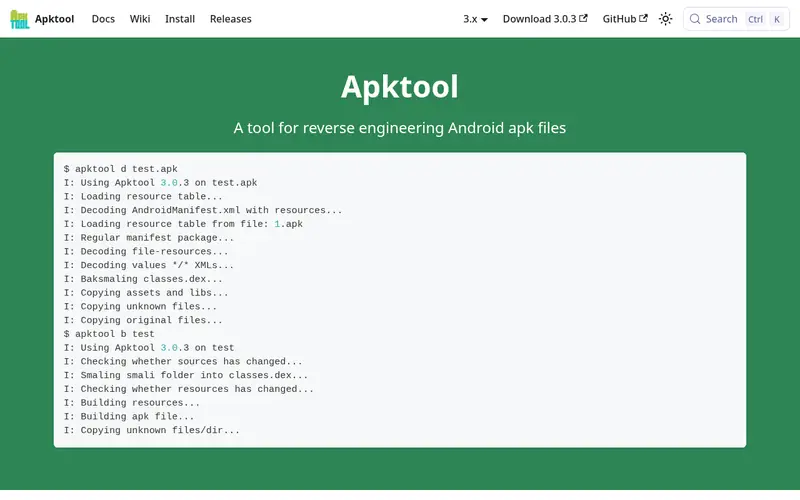
Apktool decodes an APK into smali code, resources and a readable AndroidManifest.xml, then rebuilds them into a working APK. It runs on Windows, macOS and Linux as a Java tool. It is the standard choice for resource editing, string changes and manifest inspection.
The project is open source and free. It does not decompile to Java; you get smali assembly, which is readable but low level. Pair it with JADX when you want Java for reading and apktool when you want to modify and repackage. Rebuilds can fail on apps with signature checks or split APKs, so expect some manual work.
Standout: Decodes resources and manifest to readable form
Free (open source), as listed by the vendor (Apktool website). Confirm the current plan price before you buy.
Free plan. Plans change, so confirm on the vendor's pricing page before you buy.
Benefits
- Decodes resources and manifest to readable form
- can rebuild a modified APK
Drawbacks
- Does not produce Java source
- smali editing is manual
Skip it if this limit matters to you: does not produce Java source.
Verdict. A sensible pick for decoding and rebuilding APK resources.
Alternatives in this guide: JADX, Bytecode Viewer, dex2jar
Bytecode Viewer
Best for multi-decompiler comparison in one GUI
What it is and where it fits
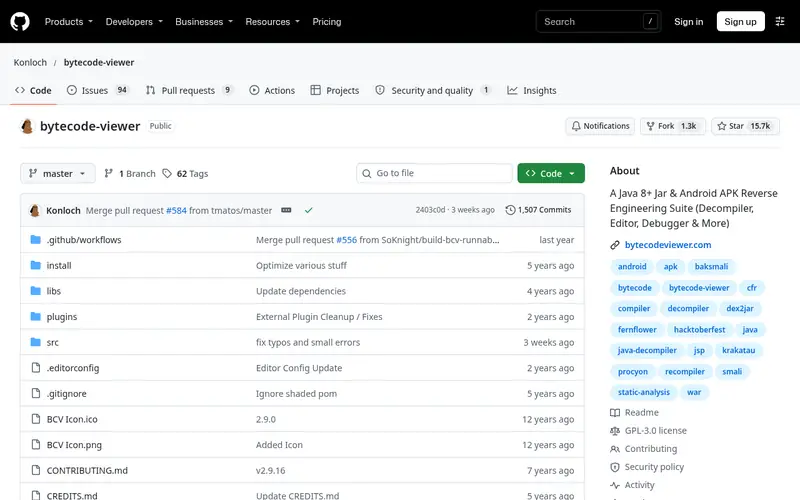
Bytecode Viewer is a Java-based GUI that wraps multiple decompilers, including several Java decompilers and a DEX path. It runs on Windows, macOS and Linux. You can open an APK, view bytecode and switch between decompiler backends to compare output.
It is open source and free. The main value is side-by-side comparison: when one decompiler produces broken output, another may succeed. It is less polished than JADX and can be slow on large APKs. Use it as a second opinion rather than a primary workflow, and prefer JADX for routine DEX-to-Java reading.
Standout: Bundles several decompilers in one interface
Free (open source), as listed by the vendor (Bytecode Viewer website). Confirm the current plan price before you buy.
Free plan. Plans change, so confirm on the vendor's pricing page before you buy.
Benefits
- Bundles several decompilers in one interface
- handles Java and Android bytecode
Drawbacks
- Interface feels dated
- occasional stability issues on large files
Skip it if this limit matters to you: interface feels dated.
Verdict. A sensible pick for multi-decompiler comparison in one GUI.
dex2jar
Best for converting DEX to JAR for Java tools
What it is and where it fits
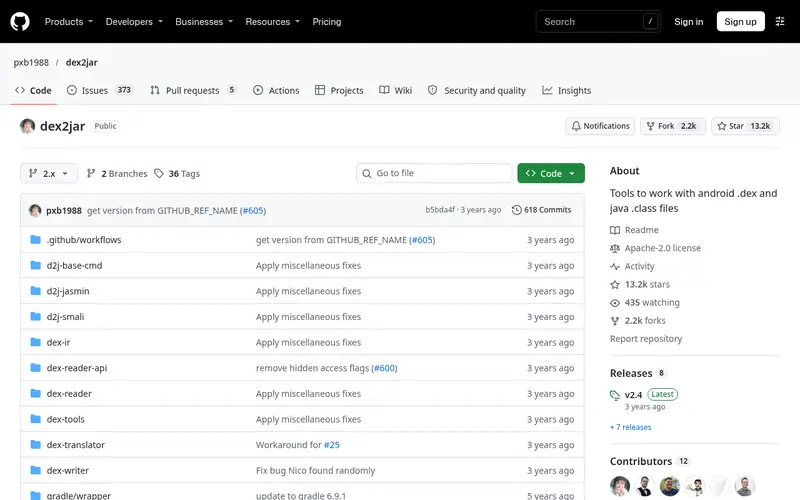
dex2jar converts DEX files into Java .class files packaged as a JAR. It does not decompile to source on its own; you then open the JAR in a Java decompiler such as JD-GUI or CFR. It runs on Windows, macOS and Linux as a command-line tool.
The project is open source and free. Use it when you already have a Java decompiler you trust and want a JAR to feed it, or when you need the smali assembler it bundles. Skip it if you want a single tool that shows Java source directly, since JADX covers that without the extra step.
Standout: Converts DEX to a JAR usable by Java decompilers
Free (open source), as listed by the vendor (dex2jar website). Confirm the current plan price before you buy.
Free plan. Plans change, so confirm on the vendor's pricing page before you buy.
Benefits
- Converts DEX to a JAR usable by Java decompilers
- includes a smali assembler
Drawbacks
- Only converts, does not decompile to source
- needs a separate decompiler
Skip it if this limit matters to you: only converts, does not decompile to source.
Verdict. A sensible pick for converting DEX to JAR for Java tools.
Alternatives in this guide: JADX, Apktool, Bytecode Viewer
Ghidra
Best for analyzing native .so libraries in APKs
What it is and where it fits
Ghidra is a software reverse engineering suite from the NSA, released as free software. It runs on Windows, macOS and Linux and requires Java. For APK work, you extract the .so libraries and load them into Ghidra to disassemble and decompile native ARM code.
It is free with no paid tier. It is not an APK decompiler for Dalvik; use JADX or apktool for that layer and Ghidra for native libraries. The interface and concepts take time to learn, and analysis of large binaries is slow. Choose it when the app's logic lives in native code, not in Java.
Standout: Strong disassembler and decompiler for native code
Free, as listed by the vendor (Ghidra website). Confirm the current plan price before you buy.
Free plan. Plans change, so confirm on the vendor's pricing page before you buy.
Benefits
- Strong disassembler and decompiler for native code
- free and actively maintained
Drawbacks
- Steep learning curve
- not designed for Dalvik bytecode
Skip it if this limit matters to you: steep learning curve.
Verdict. A sensible pick for analyzing native .so libraries in APKs.
Alternatives in this guide: JADX, Apktool, Bytecode Viewer
Radare2
Best for command-line native binary analysis
What it is and where it fits
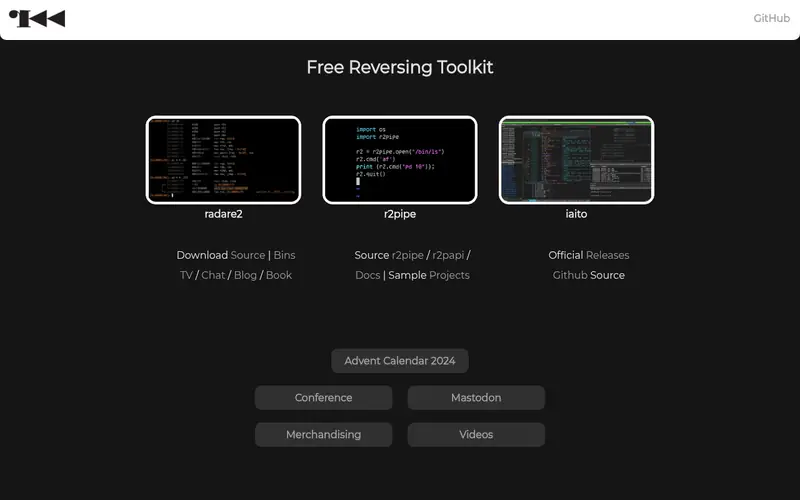
Radare2 is a free, open-source reverse engineering framework with a command-line interface. It runs on Windows, macOS and Linux. For APKs, you extract native libraries and analyze them with r2, using its disassembler and its decompiler plugins.
The core tool is free and open source. It is scriptable and fast for batch work, but the command syntax is dense and the learning curve is steep. It is not a DEX-to-Java tool. Pick it if you are comfortable on the command line and need to automate native analysis; otherwise Ghidra's GUI is easier to start with.
Standout: Scriptable command-line workflow
Free (open source), as listed by the vendor (Radare2 website). Confirm the current plan price before you buy.
Free plan. Plans change, so confirm on the vendor's pricing page before you buy.
Benefits
- Scriptable command-line workflow
- supports many architectures
Drawbacks
- Command syntax is hard to learn
- limited GUI by default
Skip it if this limit matters to you: command syntax is hard to learn.
Verdict. A sensible pick for command-line native binary analysis.
Alternatives in this guide: JADX, Apktool, Bytecode Viewer
CFR
Best for java decompilation of converted DEX output
What it is and where it fits
CFR is a Java decompiler distributed as a single JAR. It runs anywhere Java runs. It does not read APKs directly; convert the DEX to a JAR with dex2jar, then run CFR on the JAR to get Java source.
It is free. Output quality on modern Java bytecode is good, which makes it a useful companion to dex2jar when JADX struggles with a class. It has no GUI and no APK support, so it is a specialist step in a pipeline rather than a standalone APK tool. Use it when you want a second decompiler for converted classes.
Standout: Modern Java decompiler with good output
Free, as listed by the vendor (CFR website). Confirm the current plan price before you buy.
Free plan. Plans change, so confirm on the vendor's pricing page before you buy.
Benefits
- Modern Java decompiler with good output
- single JAR, easy to run
Drawbacks
- Needs a JAR from dex2jar first
- no APK handling built in
Skip it if this limit matters to you: needs a JAR from dex2jar first.
Verdict. A sensible pick for java decompilation of converted DEX output.
Alternatives in this guide: JADX, Apktool, Bytecode Viewer
Who should use what
If you want to read app logic in Java, start with JADX. If you need to change resources, strings or the manifest and rebuild the APK, use apktool. If you want to compare decompiler output on a tricky class, convert with dex2jar and try CFR or Bytecode Viewer. If the app's logic sits in native .so libraries, use Ghidra for a guided GUI or Radare2 for scripted command-line work.
Questions to settle before you buy
What to check before you buy
- Confirm the tool handles the layer you need: DEX, resources, or native .so files.
- Check that it runs on your OS and that any Java or runtime dependency is installed.
- Verify the licence allows your use, especially for commercial reverse engineering.
- Test on a small sample APK first to see how it handles obfuscation.
- Keep APKs and extracted code local; avoid uploading proprietary apps to web services.
FAQ
What is the best APK decompiler for reading Java source?
JADX is the usual pick. It decompiles DEX to Java and offers both a GUI and a command line. Output degrades on obfuscated code, where some methods fall back to smali.
Can apktool decompile an APK to Java?
No. Apktool decodes resources, the manifest and smali, and can rebuild a modified APK. For Java source, use JADX or convert with dex2jar and open the result in a Java decompiler.
Do I need Ghidra to decompile an APK?
Only if the app's logic is in native .so libraries. Ghidra analyzes native code, not Dalvik bytecode. For Java-level logic, JADX or apktool is the right tool.
Is dex2jar a decompiler on its own?
No. dex2jar converts DEX to a JAR of .class files. You still need a Java decompiler such as CFR or JD-GUI to see source. It is a conversion step, not a full decompiler.
Are these APK decompilers free?
JADX, apktool, Bytecode Viewer, dex2jar, Radare2 and CFR are free and open source. Ghidra is free software with no paid tier. None of them require an account to download.
Sources we checked
Method: how we score · editorial policy.
Change log. First published 22 Nov 2026.