Stage 02 · Test · Researched comparison
Best Kotlin Testing Frameworks in 2026
JUnit 5 is the first pick for most Kotlin teams. It runs on the JVM, has broad IDE and build tool support, and works with Kotlin-specific helpers. For expressive assertions and data-driven tests, Kotest is the strongest alternative. For Android UI tests, Espresso and Compose UI Test are the standard choices. Kotlin test code should run locally or in CI, so keep secrets out of test fixtures and config files.

By Shihab Mia
Published 22 Nov 2026 · 8 tools compared
We run no ads and no affiliate links at launch. The order of a list follows our published method. See how we score.
Prices are the starting prices vendors list publicly. Plans change, so confirm the current price on the vendor page before you buy.
Key takeaways
- JUnit 5 is free and open source, and remains the default test runner for JVM and Android Kotlin projects.
- Kotest is free and open source, and adds matchers, property testing and data-driven test styles.
- MockK is free and open source, and handles Kotlin features such as final classes, objects and coroutines.
- Android UI testing needs Espresso or Compose UI Test; both are free and ship with AndroidX.
Who each pick is for
- Teams that want a standard JVM test runnerJUnit 5
- Kotlin teams that want expressive assertions and test stylesKotest
- Kotlin projects that need mocks for final classes and coroutinesMockK
- Android UI tests on device or emulatorEspresso
- Android teams testing Jetpack Compose screensCompose UI Test
- Running Android unit tests on the JVMRobolectric
- Testing Ktor server routes without a networkKtor Test Host
- Teams that want plain-language acceptance testsCucumber-JVM
Comparison
| Tool | Best for | Standout feature | Listed starting price | Free plan or trial |
|---|---|---|---|---|
| 1JUnit 5 | Teams that want a standard JVM test runner | Wide IDE and build tool support | Free (open source) | Free plan |
| 2Kotest | Kotlin teams that want expressive assertions and test styles | Many assertion matchers built for Kotlin | Free (open source) | Free plan |
| 3MockK | Kotlin projects that need mocks for final classes and coroutines | Handles final classes, objects and coroutines | Free (open source) | Free plan |
| 4Espresso | Android UI tests on device or emulator | Ships with AndroidX and Android Studio | Free | Free plan |
| 5Compose UI Test | Android teams testing Jetpack Compose screens | Semantics-based finders for Compose nodes | Free | Free plan |
| 6Robolectric | Running Android unit tests on the JVM | Runs Android tests without a device | Free (open source) | Free plan |
| 7Ktor Test Host | Testing Ktor server routes without a network | Exercises real routing and plugins in process | Free (open source) | Free plan |
| 8Cucumber-JVM | Teams that want plain-language acceptance tests | Business-readable feature files | Free (open source) | Free plan |
How we picked
We picked frameworks that genuinely run or support Kotlin tests, are currently maintained, and have a clear official site or repository. Criteria were fit for the job, supported platforms, licence and price, and main limits. Sources are vendor documentation, project repositories and public pricing pages. All listed tools are free or open source. Prices and features change, so confirm details on the vendor site before you commit.
The tools, one by one
JUnit 5
Best for teams that want a standard JVM test runner
What it is and where it fits
JUnit 5 is the default test framework for JVM projects and the base layer under most Kotlin test setups. It runs on Gradle, Maven and most IDEs. The Jupiter engine handles test discovery and lifecycle, and the extension model covers setup, parameter resolution and reporting. Kotlin code works directly, and helper libraries can make assertions read more naturally.
The project is open source under the Eclipse Public License. There is no paid tier. Its main limit is scope: it does not mock dependencies, run property tests or drive Android UI. Teams add MockK, Kotest or AndroidX test libraries for those jobs.
Standout: Wide IDE and build tool support
Free (open source), as listed by the vendor (JUnit 5 website). Confirm the current plan price before you buy.
Free plan. Plans change, so confirm on the vendor's pricing page before you buy.
Benefits
- Wide IDE and build tool support
- Extension model for custom behavior
Drawbacks
- Verbose assertion messages without a Kotlin helper
- No built-in mocking
Skip it if this limit matters to you: verbose assertion messages without a Kotlin helper.
Verdict. A sensible pick for teams that want a standard JVM test runner.
Kotest
Best for kotlin teams that want expressive assertions and test styles
What it is and where it fits
Kotest is a Kotlin-native test framework with its own runners, assertion matchers, property testing and data-driven test styles. It supports several spec styles, from flat tests to behavior-driven layouts, so teams can pick a structure that fits. It runs on the JVM, JavaScript and native targets, and integrates with Gradle and Maven.
The core project is open source under the Apache 2.0 licence. Extensions for Spring, Ktor and databases are separate modules. The main cost is learning a second DSL if a team already uses JUnit 5. Kotest can run alongside JUnit 5, which makes partial adoption possible.
Standout: Many assertion matchers built for Kotlin
Free (open source), as listed by the vendor (Kotest website). Confirm the current plan price before you buy.
Free plan. Plans change, so confirm on the vendor's pricing page before you buy.
Benefits
- Many assertion matchers built for Kotlin
- Property testing and data-driven tests included
Drawbacks
- Separate DSL to learn
- Some features need extra modules
Skip it if this limit matters to you: separate DSL to learn.
Verdict. A sensible pick for kotlin teams that want expressive assertions and test styles.
MockK
Best for kotlin projects that need mocks for final classes and coroutines
What it is and where it fits
MockK is a mocking library written for Kotlin. It can mock final classes, objects, static members and coroutines, which many Java mocking libraries cannot do without extra setup. The DSL covers relaxed mocks, verification, argument capture and answers, and it works with JUnit 5 and Kotest.
The library is open source under the Apache 2.0 licence and runs on the JVM. It is not a full test framework, so it pairs with a runner. Mocking adds runtime overhead, and heavy mocking can hide tight coupling. Prefer plain fakes where a dependency is simple.
Standout: Handles final classes, objects and coroutines
Free (open source), as listed by the vendor (MockK website). Confirm the current plan price before you buy.
Free plan. Plans change, so confirm on the vendor's pricing page before you buy.
Benefits
- Handles final classes, objects and coroutines
- Kotlin-friendly DSL
Drawbacks
- Mocking is slower than hand-written fakes
- Misuse can hide design problems
Skip it if this limit matters to you: mocking is slower than hand-written fakes.
Verdict. A sensible pick for kotlin projects that need mocks for final classes and coroutines.
Espresso
Best for android UI tests on device or emulator
What it is and where it fits
Espresso is the AndroidX library for UI tests on Android. It finds views, performs actions and checks results, and its synchronization handles the UI thread and background work so tests wait correctly. It runs on a device or emulator through the Android test runner.
Espresso is free and part of AndroidX. It does not run on the JVM, so it is slower than unit tests and needs a device farm or local emulator in CI. It targets View-based screens; Compose screens use Compose UI Test instead. Teams with mixed screens often use both.
Standout: Ships with AndroidX and Android Studio
Free, as listed by the vendor (Espresso website). Confirm the current plan price before you buy.
Free plan. Plans change, so confirm on the vendor's pricing page before you buy.
Benefits
- Ships with AndroidX and Android Studio
- Synchronization handles UI thread waits
Drawbacks
- Android only
- Flaky on slow or shared devices
Skip it if this limit matters to you: android only.
Verdict. A sensible pick for android UI tests on device or emulator.
Compose UI Test
Best for android teams testing Jetpack Compose screens
What it is and where it fits
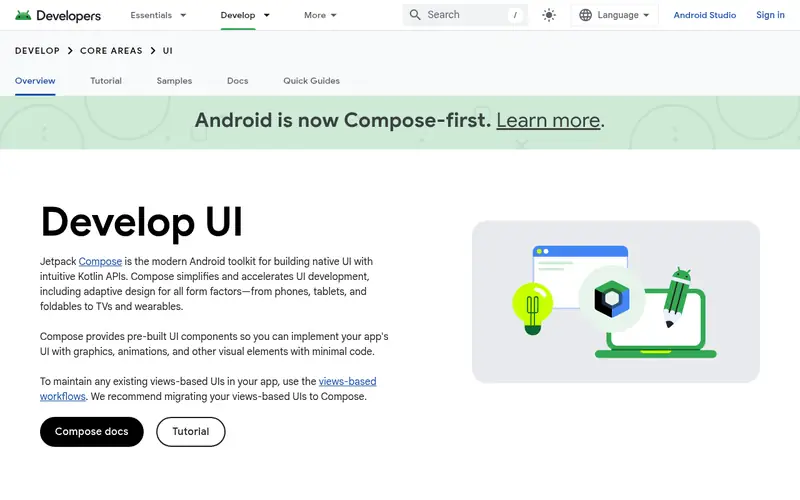
Compose UI Test is the AndroidX test library for Jetpack Compose interfaces. It finds nodes by text, test tag or semantics, performs gestures and checks state. Tests can run as instrumented tests on a device or emulator, and some checks run as JVM tests with Robolectric.
The library is free and part of AndroidX. It is tied to Compose, so View-based screens still need Espresso. Instrumented runs are slower and need device resources. Keep test tags stable and avoid asserting on layout details that change often.
Standout: Semantics-based finders for Compose nodes
Free, as listed by the vendor (Compose UI Test website). Confirm the current plan price before you buy.
Free plan. Plans change, so confirm on the vendor's pricing page before you buy.
Benefits
- Semantics-based finders for Compose nodes
- Works with Espresso for mixed screens
Drawbacks
- Android only
- Needs a device or emulator for full runs
Skip it if this limit matters to you: android only.
Verdict. A sensible pick for android teams testing Jetpack Compose screens.
Robolectric
Best for running Android unit tests on the JVM
What it is and where it fits
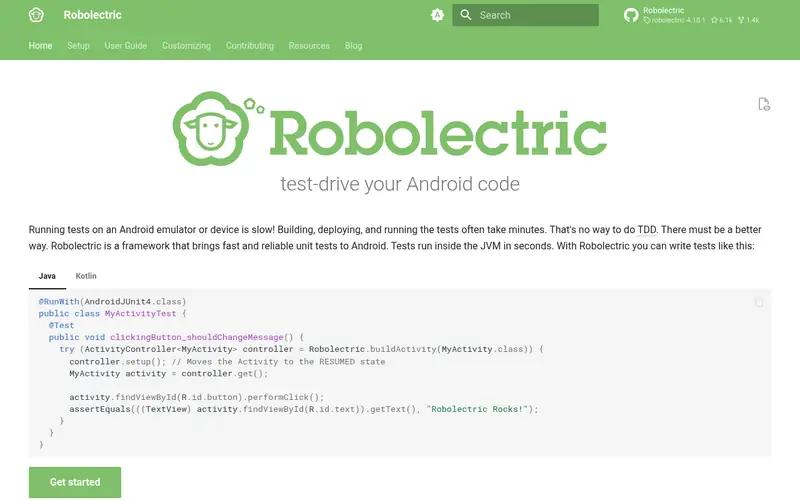
Robolectric runs Android framework code on the JVM, so unit tests can exercise activities, resources and some UI without an emulator. It works with JUnit and integrates with Gradle. Tests run in seconds, which makes it useful for fast local feedback and CI.
The project is open source. It simulates the Android runtime, so behavior can differ from a real device, and newer Android versions may lag. Use it for logic-heavy tests and keep a smaller set of instrumented tests for real device behavior.
Standout: Runs Android tests without a device
Free (open source), as listed by the vendor (Robolectric website). Confirm the current plan price before you buy.
Free plan. Plans change, so confirm on the vendor's pricing page before you buy.
Benefits
- Runs Android tests without a device
- Faster feedback than instrumented tests
Drawbacks
- Simulates Android rather than running it
- Some device behavior differs
Skip it if this limit matters to you: simulates Android rather than running it.
Verdict. A sensible pick for running Android unit tests on the JVM.
Ktor Test Host
Best for testing Ktor server routes without a network
What it is and where it fits
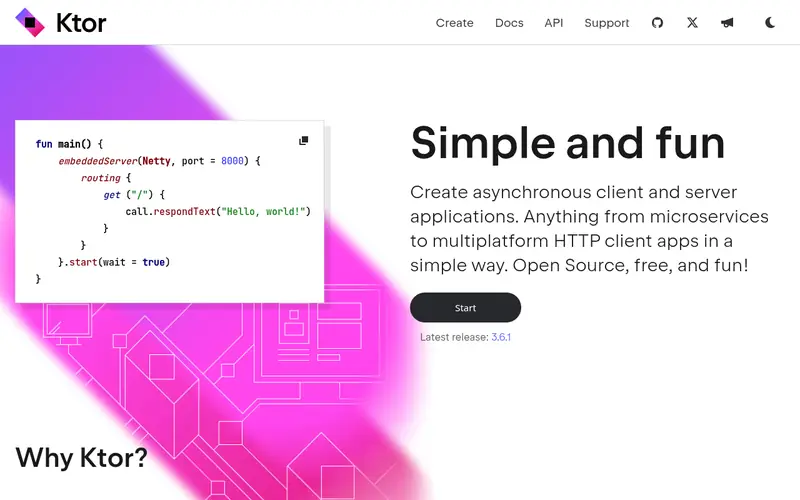
Ktor Test Host runs a Ktor server in process so tests can call routes without opening a network port. It exercises routing, plugins and serialization with the real application module. Tests are fast and work with JUnit 5 or Kotest.
The library is open source under the Apache 2.0 licence and ships with Ktor. It covers the Ktor layer, not external services or databases. Pair it with test containers or fakes for those. Teams not using Ktor should skip it.
Standout: Exercises real routing and plugins in process
Free (open source), as listed by the vendor (Ktor Test Host website). Confirm the current plan price before you buy.
Free plan. Plans change, so confirm on the vendor's pricing page before you buy.
Benefits
- Exercises real routing and plugins in process
- No open port needed
Drawbacks
- Ktor only
- Does not replace full integration tests
Skip it if this limit matters to you: ktor only.
Verdict. A sensible pick for testing Ktor server routes without a network.
Cucumber-JVM
Best for teams that want plain-language acceptance tests
What it is and where it fits
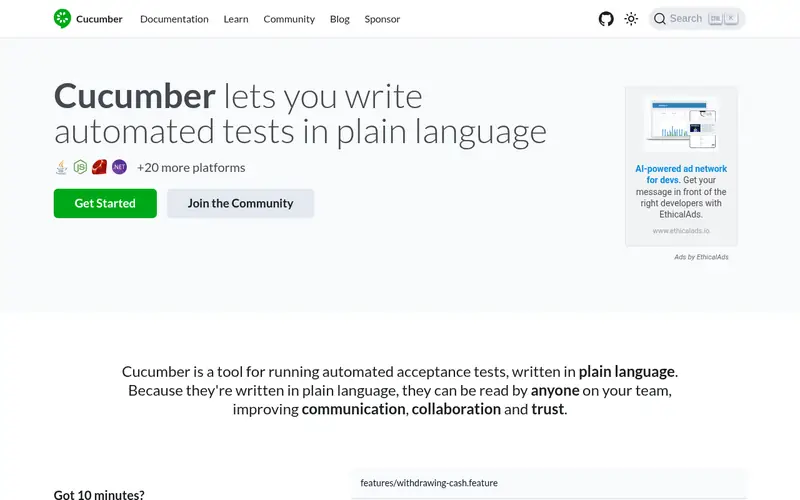
Cucumber-JVM runs acceptance tests written in Gherkin feature files. Step definitions can be written in Kotlin and wired to application code, which lets product and QA readers follow scenarios. It works with JUnit 5 and Gradle.
The project is open source. The main cost is maintaining feature files and step definitions alongside code. It suits teams with clear acceptance criteria and shared ownership of tests. Small teams may find plain unit tests faster to write and read.
Standout: Business-readable feature files
Free (open source), as listed by the vendor (Cucumber-JVM website). Confirm the current plan price before you buy.
Free plan. Plans change, so confirm on the vendor's pricing page before you buy.
Benefits
- Business-readable feature files
- Step definitions in Kotlin or Java
Drawbacks
- Extra layer to maintain
- Slower than plain unit tests
Skip it if this limit matters to you: extra layer to maintain.
Verdict. A sensible pick for teams that want plain-language acceptance tests.
Who should use what
A JVM backend team should start with JUnit 5 and add MockK for dependencies. A Kotlin team that wants expressive assertions and property tests should look at Kotest, which can run next to JUnit 5. An Android team should use Espresso for View screens, Compose UI Test for Compose screens and Robolectric for fast JVM tests. A Ktor team should use Ktor Test Host for route tests, and a team with shared acceptance criteria should consider Cucumber-JVM.
Questions to settle before you buy
What to check before you buy
- Confirm the framework runs on your targets: JVM, Android, JavaScript or native.
- Check that it works with your build tool and CI setup.
- Verify Kotlin version support against your project.
- Check how mocks and fakes fit your design, and avoid over-mocking.
- Keep secrets and production data out of test fixtures and config files.
FAQ
Do I need more than one Kotlin testing framework?
Often yes. JUnit 5 or Kotest runs tests, MockK handles mocks, and Android UI tests need Espresso or Compose UI Test. Each tool covers a different layer, so most projects use two or three together.
Is Kotest a replacement for JUnit 5?
Kotest can run tests on its own, but many teams run it alongside JUnit 5. That lets them keep existing tests and adopt Kotest assertions or property testing gradually without a full migration.
Can I run Android tests without a device?
Robolectric runs Android framework code on the JVM, so many tests run without a device. Espresso and Compose UI Test still need a device or emulator for full instrumented runs.
Are these Kotlin testing frameworks free?
All tools listed here are free or open source. There is no paid tier for the core libraries. Some related services, such as device farms for Android tests, charge separately.
Should I paste production data into test tools?
No. Keep secrets, tokens and production data out of test fixtures and config files. Use fake data and local or offline test runs where possible.
Sources we checked
Method: how we score · editorial policy.
Change log. First published 22 Nov 2026.