Stage 02 · Test · Researched comparison
Best .NET Testing Frameworks in 2026
xUnit.net is the first pick for most teams writing new .NET tests. It has clean test isolation, parallel execution by default and wide adoption in .NET projects. NUnit suits teams that want a long-established framework with rich attributes and parameterized tests. MSTest fits organizations already standardized on Microsoft tooling. All three are free and open source, so the choice comes down to syntax and ecosystem fit.

By Shihab Mia
Published 22 Nov 2026 · 7 tools compared
We run no ads and no affiliate links at launch. The order of a list follows our published method. See how we score.
Prices are the starting prices vendors list publicly. Plans change, so confirm the current price on the vendor page before you buy.
Key takeaways
- xUnit.net, NUnit and MSTest are free, open-source test frameworks that run on modern .NET and integrate with Visual Studio, the .NET CLI and CI servers.
- FluentAssertions changed its licence in 2025; older versions remain under Apache 2.0, and current versions are free only for non-commercial use.
- Moq and NSubstitute are free mocking libraries that pair with any of the test frameworks listed here.
- Testcontainers for .NET is free and open source, and it runs integration dependencies in Docker containers rather than on shared servers.
Who each pick is for
- New .NET projects that want a modern, widely used test frameworkxUnit.net
- Teams that want a mature framework with rich attributes and parameterized testsNUnit
- Organizations standardized on Microsoft tooling and Visual StudioMSTest
- Readable assertion syntax in unit tests across frameworksFluentAssertions
- Creating mock objects for unit tests with a familiar APIMoq
- Teams that want a simple mocking syntax without a setup DSLNSubstitute
- Integration tests that need real databases and services in DockerTestcontainers for .NET
Comparison
| Tool | Best for | Standout feature | Listed starting price | Free plan or trial |
|---|---|---|---|---|
| 1xUnit.net | New .NET projects that want a modern, widely used test framework | Runs test classes in parallel by default | Free (open source) | Free plan |
| 2NUnit | Teams that want a mature framework with rich attributes and parameterized tests | Large attribute set including TestCase and Category | Free (open source) | Free plan |
| 3MSTest | Organizations standardized on Microsoft tooling and Visual Studio | First-party Microsoft support and tight Visual Studio integration | Free (open source) | Free plan |
| 4FluentAssertions | Readable assertion syntax in unit tests across frameworks | Expressive assertion chains with clear failure messages | See vendor pricing page | Free trial (30 days) |
| 5Moq | Creating mock objects for unit tests with a familiar API | Widely used with a large body of examples | Free (open source) | Free plan |
| 6NSubstitute | Teams that want a simple mocking syntax without a setup DSL | Readable arrange and assert syntax | Free (open source) | Free plan |
| 7Testcontainers for .NET | Integration tests that need real databases and services in Docker | Starts real dependencies such as databases in disposable containers | Free (open source) | Free plan |
How we picked
We picked projects that are actively maintained and genuinely used for .NET testing: test frameworks, assertion and mocking libraries, an integration testing library and a test runner. Criteria were fit for the job, supported platforms and .NET versions, licence and price, and known limits such as Docker requirements or licence changes. Sources are vendor websites, official documentation and project repositories. Prices and licence terms change, so confirm them on the vendor site before you commit.
The tools, one by one
xUnit.net
Best for new .NET projects that want a modern, widely used test framework
What it is and where it fits
xUnit.net is a free, open-source unit testing framework for .NET. It creates a new instance of the test class for each test method, which keeps tests isolated. Test collections run in parallel by default, which can shorten suite run time. It works with the .NET CLI, Visual Studio, JetBrains Rider and common CI systems through the `dotnet test` command.
The framework is maintained by the .NET Foundation community and targets modern .NET versions. It ships as NuGet packages, so setup is a package reference plus a test project template. There is no paid tier and no account. Teams that need extensive built-in attributes for parameterized or categorized tests often compare it with NUnit before deciding.
Standout: Runs test classes in parallel by default
Free (open source), as listed by the vendor (xUnit.net website). Confirm the current plan price before you buy.
Free plan. Plans change, so confirm on the vendor's pricing page before you buy.
Benefits
- Runs test classes in parallel by default
- clean constructor-based test setup
Drawbacks
- No built-in assertion message customization like some alternatives
- fewer built-in attributes than NUnit
Skip it if this limit matters to you: no built-in assertion message customization like some alternatives.
Verdict. A sensible pick for new .NET projects that want a modern, widely used test framework.
Alternatives in this guide: NUnit, MSTest, FluentAssertions
NUnit
Best for teams that want a mature framework with rich attributes and parameterized tests
What it is and where it fits
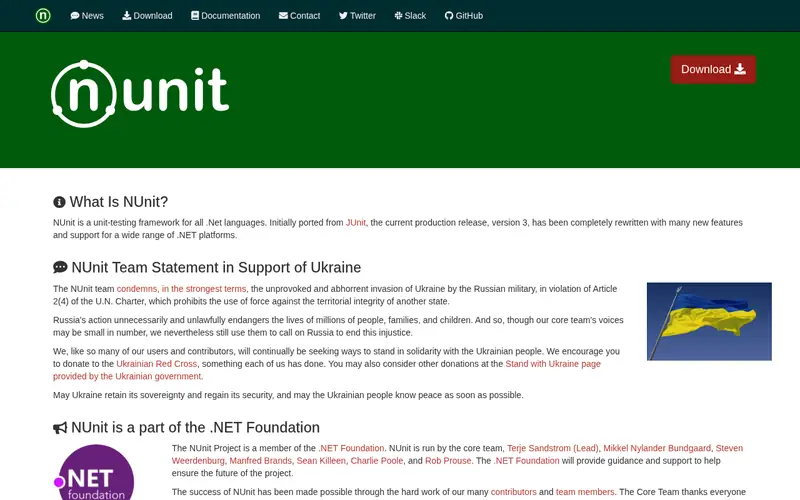
NUnit is a free, open-source unit testing framework for .NET. It offers attributes such as `[TestCase]`, `[Category]` and `[SetUp]`, which make parameterized and grouped tests straightforward. It runs through the .NET CLI, Visual Studio and CI servers, and it has adapters for common runners.
NUnit has been in use for many years and supports a broad range of .NET targets. It is distributed as NuGet packages under an open-source licence. Because test classes are reused across tests by default, shared state can leak between tests if you are not careful. Teams that prefer explicit setup and teardown methods often find it familiar.
Standout: Large attribute set including TestCase and Category
Free (open source), as listed by the vendor (NUnit website). Confirm the current plan price before you buy.
Free plan. Plans change, so confirm on the vendor's pricing page before you buy.
Benefits
- Large attribute set including TestCase and Category
- long track record across .NET versions
Drawbacks
- Test lifecycle is less isolated than xUnit.net by default
- some legacy APIs add complexity
Skip it if this limit matters to you: test lifecycle is less isolated than xUnit.net by default.
Verdict. A sensible pick for teams that want a mature framework with rich attributes and parameterized tests.
Alternatives in this guide: xUnit.net, MSTest, FluentAssertions
MSTest
Best for organizations standardized on Microsoft tooling and Visual Studio
What it is and where it fits
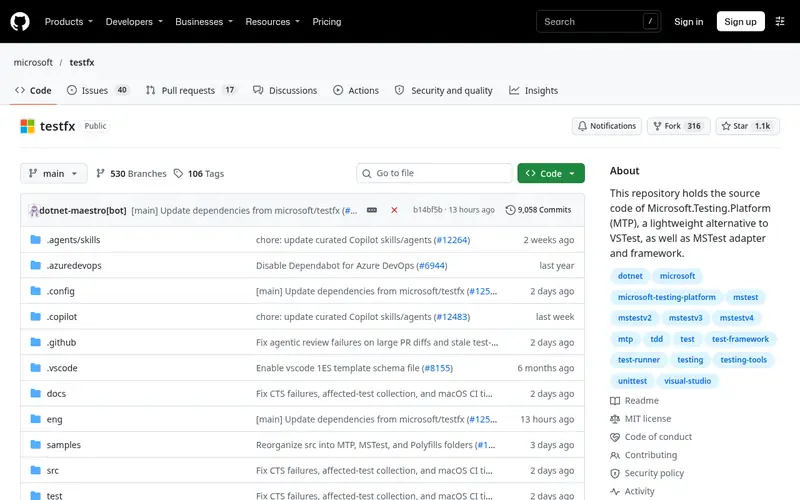
MSTest is Microsoft's free, open-source test framework, developed in the testfx repository. It integrates with Visual Studio, the .NET CLI and Azure Pipelines, and it supports data-driven tests through attributes such as `[DataRow]` and `[DynamicData]`. The framework is distributed as NuGet packages.
MSTest is a reasonable default when an organization already uses Microsoft test tooling and wants one vendor path for support and templates. Recent releases have added features that narrow the gap with other frameworks. It runs on modern .NET and on .NET Framework, which matters for older codebases. Teams without a Microsoft tooling preference usually compare it directly with xUnit.net.
Standout: First-party Microsoft support and tight Visual Studio integration
Free (open source), as listed by the vendor (MSTest website). Confirm the current plan price before you buy.
Free plan. Plans change, so confirm on the vendor's pricing page before you buy.
Benefits
- First-party Microsoft support and tight Visual Studio integration
- works with the .NET CLI
Drawbacks
- Historically slower to add features than xUnit.net and NUnit
- attribute style feels verbose to some teams
Skip it if this limit matters to you: historically slower to add features than xUnit.net and NUnit.
Verdict. A sensible pick for organizations standardized on Microsoft tooling and Visual Studio.
Alternatives in this guide: xUnit.net, NUnit, FluentAssertions
FluentAssertions
Best for readable assertion syntax in unit tests across frameworks

What it is and where it fits
FluentAssertions is an assertion library for .NET that lets tests read as fluent chains, such as `result.Should().Be(42)`. It works alongside xUnit.net, NUnit and MSTest rather than replacing them. Failure messages are detailed, which helps when a test breaks in CI.
The project changed its licence in 2025. Versions 8 and later require a paid commercial licence, with a free tier for non-commercial use and a 30-day trial. Version 7.x and earlier stay under Apache 2.0, so some teams pin the older version. Confirm current terms and prices on the vendor site before adopting it in a commercial codebase.
Standout: Expressive assertion chains with clear failure messages
See vendor pricing page, as listed by the vendor (FluentAssertions website). Confirm the current plan price before you buy.
Free trial (30 days). Plans change, so confirm on the vendor's pricing page before you buy.
Benefits
- Expressive assertion chains with clear failure messages
- works with xUnit.net, NUnit and MSTest
Drawbacks
- Licence changed in 2025 and commercial use now requires a paid licence
- version 7 and earlier remain Apache 2.0
Skip it if this limit matters to you: licence changed in 2025 and commercial use now requires a paid licence.
Verdict. A sensible pick for readable assertion syntax in unit tests across frameworks.
Moq
Best for creating mock objects for unit tests with a familiar API
What it is and where it fits
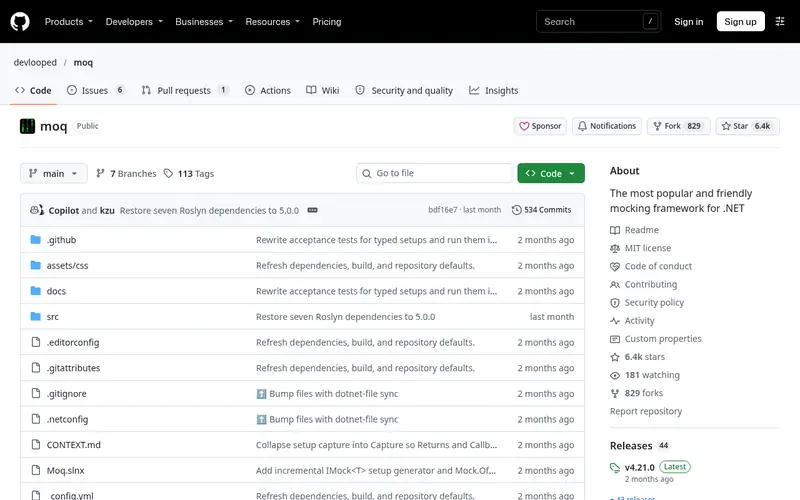
Moq is a free, open-source mocking library for .NET. It creates mock objects for interfaces and virtual members so unit tests can isolate a class from its dependencies. It works with xUnit.net, NUnit and MSTest, and it is distributed as a NuGet package.
In 2023 a version of Moq included code that read local Git configuration to collect developer email hashes, which prompted concern and a fork. Later releases removed that behavior, but some teams moved to alternatives. Moq remains maintained and widely used. Teams that want a mocking library with no such history often evaluate NSubstitute instead.
Standout: Widely used with a large body of examples
Free (open source), as listed by the vendor (Moq website). Confirm the current plan price before you buy.
Free plan. Plans change, so confirm on the vendor's pricing page before you buy.
Benefits
- Widely used with a large body of examples
- LINQ to Mocks support for concise setup
Drawbacks
- A 2023 telemetry incident damaged trust for some teams
- API can encourage over-mocking
Skip it if this limit matters to you: A 2023 telemetry incident damaged trust for some teams.
Verdict. A sensible pick for creating mock objects for unit tests with a familiar API.
NSubstitute
Best for teams that want a simple mocking syntax without a setup DSL
What it is and where it fits
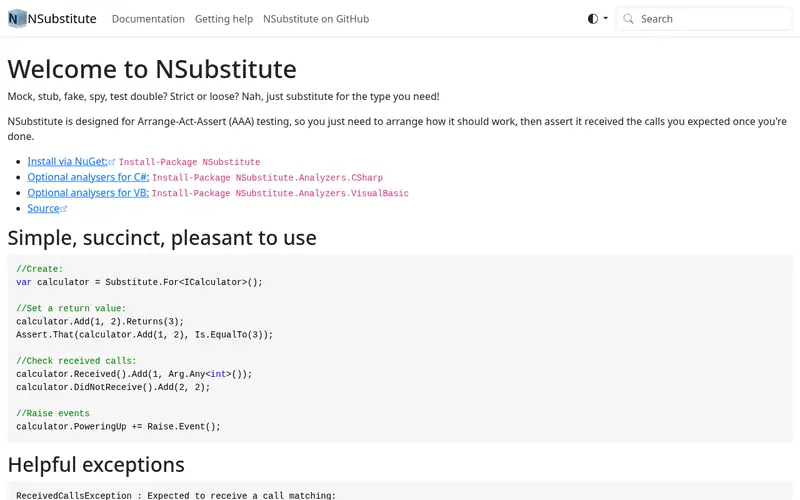
NSubstitute is a free, open-source mocking library for .NET. It uses a substitute object with a straightforward syntax for setting return values and checking calls, without a separate record and replay phase. It works with xUnit.net, NUnit and MSTest and is distributed as a NuGet package.
The library is maintained on GitHub under an open-source licence. It covers the common mocking needs of unit tests: returning values, throwing exceptions, matching arguments and verifying calls. Teams with very complex mocking needs sometimes find the configuration options thinner than in other libraries, but for typical service and interface mocking it is enough.
Standout: Readable arrange and assert syntax
Free (open source), as listed by the vendor (NSubstitute website). Confirm the current plan price before you buy.
Free plan. Plans change, so confirm on the vendor's pricing page before you buy.
Benefits
- Readable arrange and assert syntax
- no record and replay step
Drawbacks
- Fewer advanced configuration options than some mocking libraries
- smaller ecosystem of examples than Moq
Skip it if this limit matters to you: fewer advanced configuration options than some mocking libraries.
Verdict. A sensible pick for teams that want a simple mocking syntax without a setup DSL.
Testcontainers for .NET
Best for integration tests that need real databases and services in Docker
What it is and where it fits
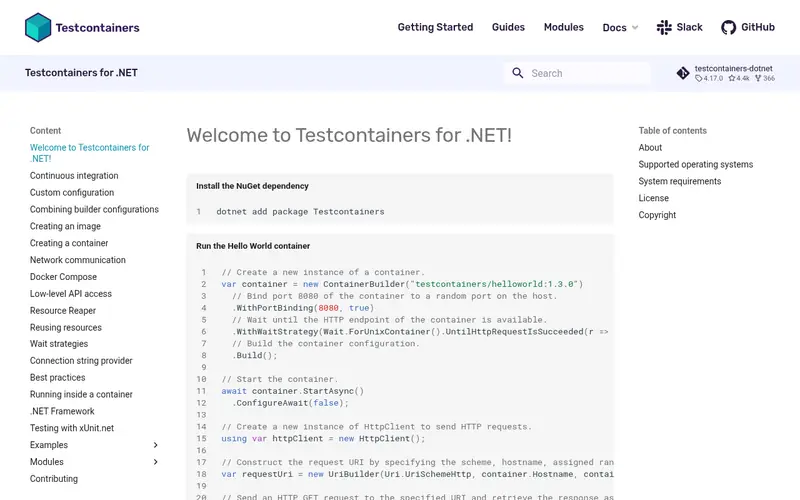
Testcontainers for .NET is a free, open-source library for running integration tests against real dependencies in Docker containers. A test can start a database or message broker, run against it and dispose of it afterward, which avoids shared test servers and stale data.
It works with xUnit.net, NUnit and MSTest, and it runs wherever Docker is available, including common CI agents. The library is part of the Testcontainers project and is distributed as NuGet packages. The main requirement is a working Docker environment; tests fail or skip without one. Container startup also adds time, so teams usually keep these tests in a separate integration suite.
Standout: Starts real dependencies such as databases in disposable containers
Free (open source), as listed by the vendor (Testcontainers for .NET website). Confirm the current plan price before you buy.
Free plan. Plans change, so confirm on the vendor's pricing page before you buy.
Benefits
- Starts real dependencies such as databases in disposable containers
- same approach across local machines and CI
Drawbacks
- Requires Docker on the test machine or CI agent
- container startup adds time to test runs
Skip it if this limit matters to you: requires Docker on the test machine or CI agent.
Verdict. A sensible pick for integration tests that need real databases and services in Docker.
Who should use what
Teams starting a new .NET project should begin with xUnit.net and add NSubstitute for mocks and FluentAssertions if the licence terms fit. Teams with existing NUnit suites should stay on NUnit unless they have a reason to migrate. Organizations standardized on Microsoft tooling can use MSTest and keep support within one vendor path. Teams that need integration tests against real databases should add Testcontainers for .NET and keep those tests in a separate suite.
Questions to settle before you buy
What to check before you buy
- Confirm the framework supports your target .NET versions and your CI system.
- Check the licence of every assertion and mocking library, especially FluentAssertions after its 2025 change.
- Decide whether integration tests need Docker and whether your CI agents provide it.
- Verify that your IDE or editor has a runner for the framework, or plan to use `dotnet test`.
- Review migration cost if you are moving an existing suite between frameworks.
FAQ
Is xUnit.net better than NUnit?
Neither is strictly better. xUnit.net isolates each test with a new class instance and runs collections in parallel by default. NUnit offers a larger attribute set and a longer history. Many teams pick xUnit.net for new projects and keep NUnit where existing suites already use it.
Are .NET testing frameworks free?
xUnit.net, NUnit, MSTest, Moq, NSubstitute and Testcontainers for .NET are free and open source. FluentAssertions changed its licence in 2025, and current versions require a paid licence for commercial use.
Can I use these frameworks with the .NET CLI?
Yes. xUnit.net, NUnit and MSTest all run through `dotnet test`, which works on Windows, macOS and Linux. Assertion and mocking libraries work alongside them. Testcontainers for .NET needs Docker available on the machine or CI agent running the tests.
Do I need a mocking library?
Only if your unit tests have dependencies you want to isolate, such as services or repositories. Moq and NSubstitute are common choices. Some teams prefer hand-written fakes to avoid mocking complexity, which is also valid and needs no extra library.
Which framework should I use for integration tests?
Any of the three test frameworks can host integration tests. Pair them with Testcontainers for .NET when you need real databases or services. Keep integration tests in a separate project or suite so slow tests do not block fast unit test runs.
Sources we checked
Method: how we score · editorial policy.
Change log. First published 22 Nov 2026.