Stage 02 · Test · Researched comparison
Best Android Testing Libraries in 2026
JUnit 4 with AndroidX Test is the first pick for most teams because it is the base layer that Espresso, Compose UI Test and Robolectric all build on. Teams that need fast JVM-only unit tests should add Robolectric and MockK. Teams that test real devices and cross-app flows should add Espresso and UI Automator. All of these libraries are free and open source.

By Shihab Mia
Published 27 Nov 2026 · 8 tools compared
We run no ads and no affiliate links at launch. The order of a list follows our published method. See how we score.
Prices are the starting prices vendors list publicly. Plans change, so confirm the current price on the vendor page before you buy.
Key takeaways
- JUnit 4 with AndroidX Test is the foundation for most Android test suites; JUnit 5 support on Android is limited, so check compatibility before migrating.
- Espresso handles in-app UI tests, UI Automator handles cross-app and system UI, and Compose UI Test covers Jetpack Compose screens.
- Robolectric and MockK run on the JVM, which keeps unit tests fast and avoids a device or emulator.
- Every library here is free and open source; none of them sends your test data to a third-party web page.
Who each pick is for
- Teams that need the standard base for Android unit and instrumentation testsJUnit 4 with AndroidX Test
- Android developers testing in-app UI flows on devices and emulatorsEspresso
- Testers covering cross-app flows and system UI on Android devicesUI Automator
- Teams that want fast Android unit tests without a device or emulatorRobolectric
- Kotlin developers who need mocking for coroutines, objects and final classesMockK
- Teams building Jetpack Compose screens that need UI testsCompose UI Test
- Teams that want a higher-level wrapper over Espresso and UI AutomatorKaspresso
- Kotlin developers testing Kotlin Flow and coroutine streamsTurbine
Comparison
| Tool | Best for | Standout feature | Listed starting price | Free plan or trial |
|---|---|---|---|---|
| 1JUnit 4 with AndroidX Test | Teams that need the standard base for Android unit and instrumentation tests | Official Android testing stack | Free (open source) | Free plan |
| 2Espresso | Android developers testing in-app UI flows on devices and emulators | Automatic synchronization with the UI thread | Free (open source) | Free plan |
| 3UI Automator | Testers covering cross-app flows and system UI on Android devices | Works across apps and system UI | Free (open source) | Free plan |
| 4Robolectric | Teams that want fast Android unit tests without a device or emulator | Runs Android framework code on the JVM | Free (open source) | Free plan |
| 5MockK | Kotlin developers who need mocking for coroutines, objects and final classes | Kotlin-first API with coroutine and object mocking | Free (open source) | Free plan |
| 6Compose UI Test | Teams building Jetpack Compose screens that need UI tests | Compose-aware finders and assertions | Free (open source) | Free plan |
| 7Kaspresso | Teams that want a higher-level wrapper over Espresso and UI Automator | Adds flakiness handling and logging on top of Espresso | Free (open source) | Free plan |
| 8Turbine | Kotlin developers testing Kotlin Flow and coroutine streams | Small, focused API for Flow testing | Free (open source) | Free plan |
How we picked
We picked libraries that are officially maintained and genuinely used for Android testing. Criteria were fit for the job named in each entry, platform support (JVM, device, or both), licence and price, and the main limits that affect real projects. We left out cloud device farms and commercial test platforms because the scope is libraries. Sources are vendor documentation, project repositories and public pricing pages. Prices and versions change, so confirm details on the vendor site before you commit.
The tools, one by one
JUnit 4 with AndroidX Test
Best for teams that need the standard base for Android unit and instrumentation tests
What it is and where it fits
AndroidX Test is Google's testing library set. It provides runners, rules and the `ApplicationProvider` APIs that other Android test libraries depend on. You write tests with JUnit 4 and run them either on the JVM or on a device through the AndroidJUnitRunner. It ships as part of Android Jetpack and follows the same release cycle.
The main limit is version alignment. JUnit 5 works on Android only with extra setup, and many Android libraries still assume JUnit 4 annotations. If your project already depends on AndroidX Test, this is the natural starting point. Teams that only write pure Kotlin logic tests without Android APIs can skip it and use plain JUnit.
Standout: Official Android testing stack
Free (open source), as listed by the vendor (JUnit 4 with AndroidX Test website). Confirm the current plan price before you buy.
Free plan. Plans change, so confirm on the vendor's pricing page before you buy.
Benefits
- Official Android testing stack
- works with Espresso, Robolectric and Compose UI Test
Drawbacks
- JUnit 4 is the default, not JUnit 5
- instrumentation tests need a device or emulator
Skip it if this limit matters to you: JUnit 4 is the default, not JUnit 5.
Verdict. A sensible pick for teams that need the standard base for Android unit and instrumentation tests.
Alternatives in this guide: Espresso, UI Automator, Robolectric
Espresso
Best for android developers testing in-app UI flows on devices and emulators
What it is and where it fits
Espresso is Google's UI testing library for a single app. It waits for the UI thread and async tasks to go idle before running the next action, which removes most manual sleep calls. You match views with `onView`, perform actions, and check results with `check`. It runs as an instrumentation test on a device or emulator.
Espresso does not reach outside your app. System dialogs, notifications and other apps are out of scope, which is where UI Automator comes in. It also adds runtime cost because each test needs a connected device or emulator. Teams with heavy Compose code should pair it with Compose UI Test rather than relying on view matchers alone.
Standout: Automatic synchronization with the UI thread
Free (open source), as listed by the vendor (Espresso website). Confirm the current plan price before you buy.
Free plan. Plans change, so confirm on the vendor's pricing page before you buy.
Benefits
- Automatic synchronization with the UI thread
- concise view matchers and actions
Drawbacks
- Limited to a single app
- does not cover system UI or other apps
Skip it if this limit matters to you: limited to a single app.
Verdict. A sensible pick for android developers testing in-app UI flows on devices and emulators.
Alternatives in this guide: JUnit 4 with AndroidX Test, UI Automator, Robolectric
UI Automator
Best for testers covering cross-app flows and system UI on Android devices
What it is and where it fits
UI Automator is part of AndroidX Test and drives the device at a higher level than Espresso. It can interact with system dialogs, the notification shade, settings screens and other apps. You find elements with `UiSelector` or `By` matchers and run actions through a `UiDevice` instance.
Use it for flows that leave your app: permission prompts, share sheets, or setup steps in another app. It is slower and less stable than Espresso for in-app checks, so keep it for the cases Espresso cannot reach. It requires a connected device or emulator and does not run on the JVM.
Standout: Works across apps and system UI
Free (open source), as listed by the vendor (UI Automator website). Confirm the current plan price before you buy.
Free plan. Plans change, so confirm on the vendor's pricing page before you buy.
Benefits
- Works across apps and system UI
- supports device-level actions like pressing keys
Drawbacks
- Slower and less precise than Espresso
- needs a device or emulator
Skip it if this limit matters to you: slower and less precise than Espresso.
Verdict. A sensible pick for testers covering cross-app flows and system UI on Android devices.
Alternatives in this guide: JUnit 4 with AndroidX Test, Espresso, Robolectric
Robolectric
Best for teams that want fast Android unit tests without a device or emulator
What it is and where it fits
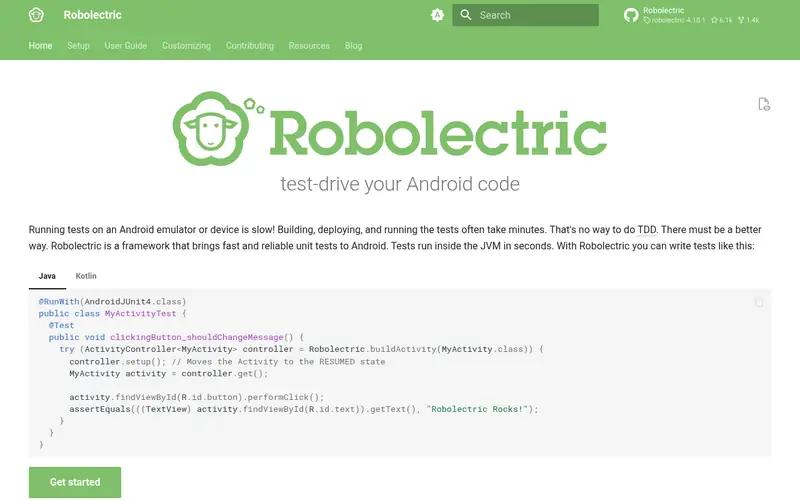
Robolectric runs Android framework code on the JVM inside your normal unit test task. It provides shadow implementations of Android classes, so tests that touch resources, `Context` or `Looper` run without an emulator. You annotate tests with `@RunWith(RobolectricTestRunner.class)` and configure the SDK level per test.
The tradeoff is fidelity. Robolectric simulates the framework, so behavior that depends on real hardware, native libraries or exact rendering can differ from a device. It is a strong fit for view logic, resource loading and lifecycle tests. Teams that need true end-to-end coverage still need instrumentation tests on a device or emulator.
Standout: Runs Android framework code on the JVM
Free (open source), as listed by the vendor (Robolectric website). Confirm the current plan price before you buy.
Free plan. Plans change, so confirm on the vendor's pricing page before you buy.
Benefits
- Runs Android framework code on the JVM
- fast feedback in local test runs
Drawbacks
- Simulates the framework rather than using a real device
- some native and hardware behavior differs
Skip it if this limit matters to you: simulates the framework rather than using a real device.
Verdict. A sensible pick for teams that want fast Android unit tests without a device or emulator.
Alternatives in this guide: JUnit 4 with AndroidX Test, Espresso, UI Automator
MockK
Best for kotlin developers who need mocking for coroutines, objects and final classes
What it is and where it fits
MockK is a mocking library built for Kotlin. It mocks final classes, objects, static methods and coroutines, which covers cases where Java-oriented mocking libraries need workarounds. The DSL uses `every`, `verify` and `coEvery` for suspend functions. It runs on the JVM and works inside Robolectric or plain unit tests.
MockK is not aimed at Java-first codebases, where Mockito is the more common choice. It also has a learning curve for teams used to annotation-based mocking. For Kotlin projects with coroutines and sealed classes, it removes a lot of boilerplate. Check the version against your Kotlin compiler version, since the two are tightly coupled.
Standout: Kotlin-first API with coroutine and object mocking
Free (open source), as listed by the vendor (MockK website). Confirm the current plan price before you buy.
Free plan. Plans change, so confirm on the vendor's pricing page before you buy.
Benefits
- Kotlin-first API with coroutine and object mocking
- handles final classes without extra setup
Drawbacks
- Kotlin-focused, so Java-only teams gain less
- some advanced features need extra configuration
Skip it if this limit matters to you: kotlin-focused, so Java-only teams gain less.
Verdict. A sensible pick for kotlin developers who need mocking for coroutines, objects and final classes.
Alternatives in this guide: JUnit 4 with AndroidX Test, Espresso, UI Automator
Compose UI Test
Best for teams building Jetpack Compose screens that need UI tests
What it is and where it fits
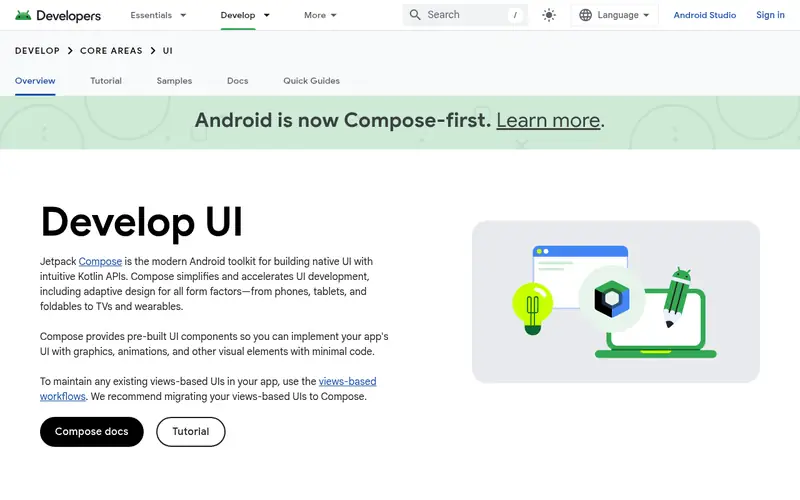
Compose UI Test is the official test library for Jetpack Compose. It finds nodes by text, test tag or semantics and runs assertions against the composition. The `createComposeRule` API lets you test a single composable without a full activity, and `createAndroidComposeRule` covers activity-level tests.
It does not test View-based screens, so mixed codebases still need Espresso. Some setups can run Compose tests under Robolectric, but most teams run them as instrumentation tests. Use test tags for stable selectors rather than matching on visible text, which changes with localization.
Standout: Compose-aware finders and assertions
Free (open source), as listed by the vendor (Compose UI Test website). Confirm the current plan price before you buy.
Free plan. Plans change, so confirm on the vendor's pricing page before you buy.
Benefits
- Compose-aware finders and assertions
- supports semantics-based matching
Drawbacks
- Only covers Compose UI
- needs a device, emulator or Robolectric for some setups
Skip it if this limit matters to you: only covers Compose UI.
Verdict. A sensible pick for teams building Jetpack Compose screens that need UI tests.
Alternatives in this guide: JUnit 4 with AndroidX Test, Espresso, UI Automator
Kaspresso
Best for teams that want a higher-level wrapper over Espresso and UI Automator
What it is and where it fits
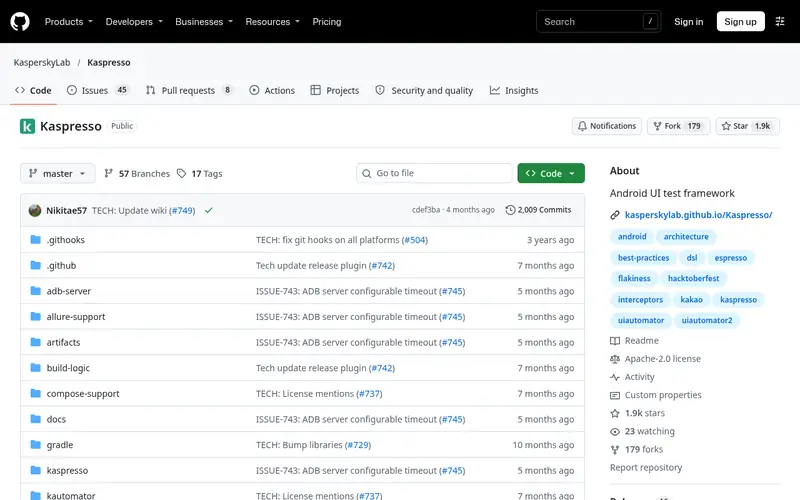
Kaspresso is an open-source framework from Kaspersky that wraps Espresso and UI Automator. It adds automatic flakiness protection, detailed logging, screenshots and a Kakao-based DSL for screen objects. It targets the common problems of UI tests: intermittent failures and hard-to-read logs.
Because it sits on top of the Google libraries, you still need to understand Espresso and UI Automator to debug failures. The abstraction adds a dependency and its own release cycle. Teams with small UI suites may find plain Espresso simpler. Teams with large, flaky suites often get value from the built-in retries and reporting.
Standout: Adds flakiness handling and logging on top of Espresso
Free (open source), as listed by the vendor (Kaspresso website). Confirm the current plan price before you buy.
Free plan. Plans change, so confirm on the vendor's pricing page before you buy.
Benefits
- Adds flakiness handling and logging on top of Espresso
- combines Espresso and UI Automator in one DSL
Drawbacks
- Extra abstraction to learn
- smaller community than the base Google libraries
Skip it if this limit matters to you: extra abstraction to learn.
Verdict. A sensible pick for teams that want a higher-level wrapper over Espresso and UI Automator.
Alternatives in this guide: JUnit 4 with AndroidX Test, Espresso, UI Automator
Turbine
Best for kotlin developers testing Kotlin Flow and coroutine streams
What it is and where it fits
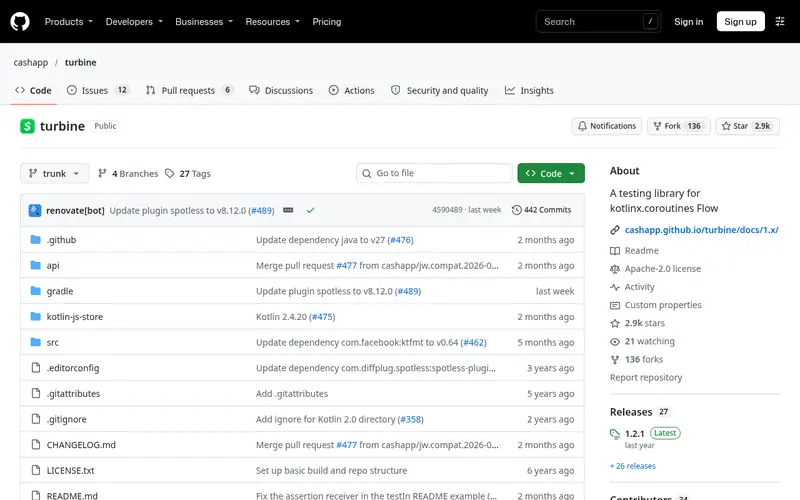
Turbine is a small library from Cash App for testing Kotlin `Flow`. It gives you a `test` extension that collects emissions one at a time, so you can assert on each value and on completion without race conditions. It works alongside `kotlinx-coroutines-test` and runs in plain JVM unit tests.
It does one job: Flow testing. It does not mock dependencies or drive UI, so it complements MockK and the UI libraries rather than replacing them. Projects that do not use Flow gain nothing from it. For codebases with ViewModels exposing Flow or StateFlow, it makes emission-order tests short and readable.
Standout: Small, focused API for Flow testing
Free (open source), as listed by the vendor (Turbine website). Confirm the current plan price before you buy.
Free plan. Plans change, so confirm on the vendor's pricing page before you buy.
Benefits
- Small, focused API for Flow testing
- works with coroutine test utilities
Drawbacks
- Only covers Flow, not general mocking or UI
- needs a coroutine test setup
Skip it if this limit matters to you: only covers Flow, not general mocking or UI.
Verdict. A sensible pick for kotlin developers testing Kotlin Flow and coroutine streams.
Alternatives in this guide: JUnit 4 with AndroidX Test, Espresso, UI Automator
Who should use what
A team starting a new Kotlin app should begin with JUnit 4 and AndroidX Test, add MockK for unit tests, and use Compose UI Test if the UI is Compose. A team with a large View-based app and flaky UI tests should pair Espresso with Kaspresso for retries and logging, and add UI Automator for cross-app flows. A team that wants fast local feedback without emulators should lean on Robolectric and Turbine. A Java-first team may prefer Mockito over MockK and keep the rest of the stack the same.
Questions to settle before you buy
What to check before you buy
- Confirm the library supports your Kotlin and Android Gradle Plugin versions.
- Check whether tests run on the JVM, a device, or both, and plan CI capacity.
- Read the licence and confirm it fits your distribution model.
- Verify the project has recent releases and an issue tracker that is active.
- Decide how you will select stable UI elements, such as test tags, before writing UI tests.
FAQ
Do I need a device or emulator for Android tests?
Not for all of them. Robolectric, MockK and Turbine run on the JVM. Espresso, UI Automator and most Compose UI Test setups need a connected device or emulator. Many teams run JVM tests on every commit and device tests on a schedule or before release.
Is JUnit 5 supported on Android?
Support is limited. JUnit 4 remains the default for Android instrumentation tests, and many Android libraries assume JUnit 4 annotations. JUnit 5 can work with extra configuration, but check each library in your stack before migrating.
Can I use Espresso and Compose UI Test together?
Yes. Compose UI Test handles Compose screens, and Espresso handles View-based screens. In a mixed app you can use both in the same test suite, choosing the right API for each screen.
Are these libraries free?
Yes. Every library in this guide is free and open source. Costs come from the devices, emulators and CI infrastructure you run tests on, not from the libraries themselves.
What is the difference between Espresso and UI Automator?
Espresso tests a single app and synchronizes with its UI thread. UI Automator drives the device across apps and system UI. Use Espresso for in-app flows and UI Automator for permission dialogs, notifications and other apps.
Sources we checked
Method: how we score · editorial policy.
Change log. First published 27 Nov 2026.