Stage 02 · Test · Researched comparison
Best Android Networking Libraries in 2026
Retrofit is the first pick for most Android apps that talk to a REST API. It turns an HTTP interface into typed Kotlin or Java calls and works well with OkHttp underneath. OkHttp suits teams that need direct control over connections, interceptors and caching. Ktor Client is a good fit for Kotlin Multiplatform projects that share networking code across Android and other targets.

By Shihab Mia
Published 27 Nov 2026 · 7 tools compared
We run no ads and no affiliate links at launch. The order of a list follows our published method. See how we score.
Prices are the starting prices vendors list publicly. Plans change, so confirm the current price on the vendor page before you buy.
Key takeaways
- Retrofit and OkHttp are open source under Apache 2.0 and are maintained by Square.
- Ktor Client is open source and targets Kotlin Multiplatform, including Android and JVM.
- Apollo Kotlin and gRPC Kotlin are open source and target GraphQL and RPC APIs rather than plain REST.
- Cronet ships as part of the Chromium project and is used through Google Play services or a bundled build.
Who each pick is for
- Typed REST clients for Android and JVM appsRetrofit
- Low-level HTTP control and shared client behaviorOkHttp
- Kotlin Multiplatform apps sharing network codeKtor Client
- Simple request queues in older or small Android appsVolley
- Apps needing Chromium's network stack on AndroidCronet
- Typed GraphQL clients on Android and KotlinApollo Kotlin
- RPC clients using Protocol BuffersgRPC Kotlin
Comparison
| Tool | Best for | Standout feature | Listed starting price | Free plan or trial |
|---|---|---|---|---|
| 1Retrofit | Typed REST clients for Android and JVM apps | Declarative interface-based API | Free (open source) | Free plan |
| 2OkHttp | Low-level HTTP control and shared client behavior | Interceptors for logging, auth and retries | Free (open source) | Free plan |
| 3Ktor Client | Kotlin Multiplatform apps sharing network code | Works across Android, JVM, iOS and other targets | Free (open source) | Free plan |
| 4Volley | Simple request queues in older or small Android apps | Built-in request queue and caching | Free (open source) | Free plan |
| 5Cronet | Apps needing Chromium's network stack on Android | Uses the Chromium network stack | Free (open source) | Free plan |
| 6Apollo Kotlin | Typed GraphQL clients on Android and Kotlin | Generates types from your GraphQL schema | Free (open source) | Free plan |
| 7gRPC Kotlin | RPC clients using Protocol Buffers | Typed RPC calls from proto files | Free (open source) | Free plan |
How we picked
We picked libraries that are real, currently maintained and used for Android networking. Criteria were fit for HTTP, GraphQL or RPC work, platform support, licence and pricing, and the main limits each one carries. Sources are vendor documentation, project repositories and public pricing pages. All listed projects are open source, so there is no paid entry price to confirm. Prices and licences can change, so check the vendor site before you commit.
The tools, one by one
Retrofit
Best for typed REST clients for Android and JVM apps
What it is and where it fits
Retrofit turns an annotated interface into HTTP calls. You declare methods with annotations such as GET and POST, and Retrofit builds the request and parses the response through a converter. It runs on Android and the JVM and is distributed under Apache 2.0. It depends on OkHttp for the actual network transport, so connection pooling and interceptors come from that layer.
Converters handle JSON, XML and other payloads. Common choices include Moshi and kotlinx.serialization, and you add the converter you need. Call adapters support coroutines and RxJava. The library is small in surface area but expects you to understand HTTP semantics and error handling.
Skip Retrofit if your API is GraphQL or gRPC, or if you need low-level control over sockets and connection behavior. In those cases use Apollo Kotlin, gRPC Kotlin or OkHttp directly.
Standout: Declarative interface-based API
Free (open source), as listed by the vendor (Retrofit website). Confirm the current plan price before you buy.
Free plan. Plans change, so confirm on the vendor's pricing page before you buy.
Benefits
- Declarative interface-based API
- Converter support for JSON and other formats
Drawbacks
- REST-focused, not built for GraphQL
- Adds a layer over OkHttp you must learn
Skip it if this limit matters to you: REST-focused, not built for GraphQL.
Verdict. A sensible pick for typed REST clients for Android and JVM apps.
Alternatives in this guide: OkHttp, Ktor Client, Volley
OkHttp
Best for low-level HTTP control and shared client behavior
What it is and where it fits
OkHttp is an HTTP client for Android and the JVM, released under Apache 2.0. It handles connection pooling, transparent gzip, response caching and HTTP/2. Interceptors let you add headers, log traffic, retry failed calls or refresh tokens in one place. Many Android libraries, including Retrofit, use it as the transport.
You build requests and read responses directly, so you own serialization and error mapping. That control helps when you need custom retry logic, certificate pinning or WebSocket support. The library also offers a mock web server for tests.
Skip OkHttp if you want a typed API layer with minimal code, since Retrofit covers that. Also check that your HTTP/2 and TLS needs match what the platform and library versions support.
Standout: Interceptors for logging, auth and retries
Free (open source), as listed by the vendor (OkHttp website). Confirm the current plan price before you buy.
Free plan. Plans change, so confirm on the vendor's pricing page before you buy.
Benefits
- Interceptors for logging, auth and retries
- Connection pooling and response caching
Drawbacks
- You write request and parsing code yourself
- More boilerplate than Retrofit
Skip it if this limit matters to you: you write request and parsing code yourself.
Verdict. A sensible pick for low-level HTTP control and shared client behavior.
Alternatives in this guide: Retrofit, Ktor Client, Volley
Ktor Client
Best for kotlin Multiplatform apps sharing network code
What it is and where it fits
Ktor Client is the client side of the Ktor framework, written in Kotlin and released under Apache 2.0. It runs on Android, JVM, iOS, JavaScript and native targets, which makes it useful when you share networking code in a Kotlin Multiplatform project. You pick an engine per platform, such as OkHttp or Android on Android.
The client supports content negotiation, serialization with kotlinx.serialization, auth plugins, logging and retries. Requests are built with a DSL or with typed calls. Because it is multiplatform, some Android-specific tuning lives in the engine you choose rather than in the core API.
Skip Ktor Client if your team is Android-only and already standardized on Retrofit, since mixing two client stacks adds maintenance. Check plugin maturity for the features you need before committing.
Standout: Works across Android, JVM, iOS and other targets
Free (open source), as listed by the vendor (Ktor Client website). Confirm the current plan price before you buy.
Free plan. Plans change, so confirm on the vendor's pricing page before you buy.
Benefits
- Works across Android, JVM, iOS and other targets
- Pluggable engines and serialization
Drawbacks
- Smaller Android-only community than Retrofit
- Configuration takes more setup
Skip it if this limit matters to you: smaller Android-only community than Retrofit.
Verdict. A sensible pick for kotlin Multiplatform apps sharing network code.
Volley
Best for simple request queues in older or small Android apps
What it is and where it fits
Volley is an HTTP library from Google, released under Apache 2.0. It manages a request queue, retries and a memory or disk cache, and it includes helpers for loading images. It runs on Android and was designed for small requests that fill a UI.
The API is callback-based. You can wrap it for coroutines, but the library does not provide first-class coroutine support. For new projects that use Kotlin coroutines and typed APIs, Retrofit or Ktor Client usually fit better.
Skip Volley for new greenfield apps unless you have an existing codebase that depends on it. Check the repository activity before adopting it, since maintenance pace matters for long-lived apps.
Standout: Built-in request queue and caching
Free (open source), as listed by the vendor (Volley website). Confirm the current plan price before you buy.
Free plan. Plans change, so confirm on the vendor's pricing page before you buy.
Benefits
- Built-in request queue and caching
- Handles image loading helpers
Drawbacks
- Less active development than newer clients
- API feels dated for coroutines
Skip it if this limit matters to you: less active development than newer clients.
Verdict. A sensible pick for simple request queues in older or small Android apps.
Alternatives in this guide: Retrofit, OkHttp, Ktor Client
Cronet
Best for apps needing Chromium's network stack on Android
What it is and where it fits
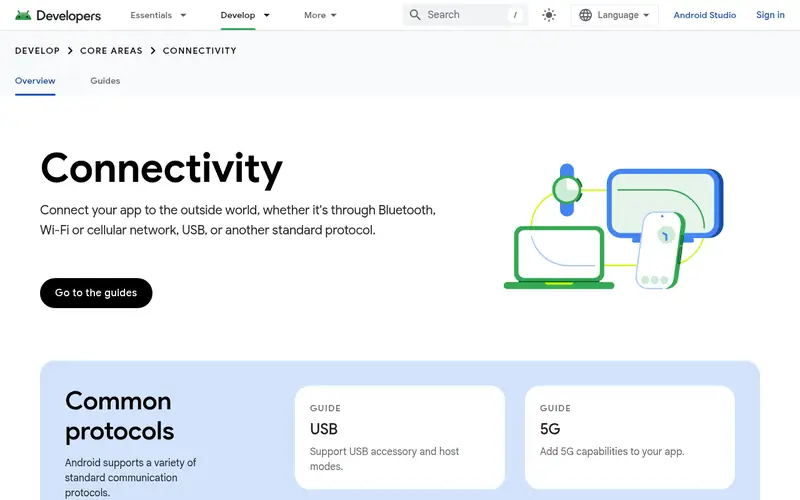
Cronet is the network stack from Chromium, available to Android apps. It supports HTTP/2, QUIC and Brotli, and it can share behavior with Chrome's networking. You use it through the Google Play services provider or by bundling a build, and the source is part of the Chromium project.
The API is lower level than Retrofit. You manage request callbacks and response handling yourself, and you decide how to serialize data. That makes it a fit for teams that need protocol features or consistent behavior with web clients, not for teams that want a small typed client.
Skip Cronet if your needs are plain REST calls and you want minimal setup. Also weigh the size and update path of the provider you choose against your app's distribution constraints.
Standout: Uses the Chromium network stack
Free (open source), as listed by the vendor (Cronet website). Confirm the current plan price before you buy.
Free plan. Plans change, so confirm on the vendor's pricing page before you buy.
Benefits
- Uses the Chromium network stack
- Supports HTTP/2, QUIC and Brotli
Drawbacks
- Larger integration effort than pure Kotlin clients
- API is lower level
Skip it if this limit matters to you: larger integration effort than pure Kotlin clients.
Verdict. A sensible pick for apps needing Chromium's network stack on Android.
Alternatives in this guide: Retrofit, OkHttp, Ktor Client
Apollo Kotlin
Best for typed GraphQL clients on Android and Kotlin
What it is and where it fits
Apollo Kotlin is a GraphQL client for Android and Kotlin, released under the MIT license. It generates Kotlin types from your schema and queries at build time, so responses are typed and checked. It supports coroutines and includes a normalized cache.
The library targets GraphQL, so it does not replace a REST client. You add a code generation step to your build, which adds configuration and build time. For teams with a GraphQL backend, the generated types reduce manual parsing and catch schema mismatches early.
Skip Apollo Kotlin if your backend is REST or gRPC. Also confirm that your build setup can handle the code generation step in CI before adopting it across modules.
Standout: Generates types from your GraphQL schema
Free (open source), as listed by the vendor (Apollo Kotlin website). Confirm the current plan price before you buy.
Free plan. Plans change, so confirm on the vendor's pricing page before you buy.
Benefits
- Generates types from your GraphQL schema
- Normalized cache support
Drawbacks
- Only useful for GraphQL APIs
- Build step adds code generation
Skip it if this limit matters to you: only useful for GraphQL APIs.
Verdict. A sensible pick for typed GraphQL clients on Android and Kotlin.
Alternatives in this guide: Retrofit, OkHttp, Ktor Client
gRPC Kotlin
Best for rPC clients using Protocol Buffers
What it is and where it fits
gRPC is an RPC framework that uses Protocol Buffers and HTTP/2, released under Apache 2.0. The Kotlin and Java support lets Android apps call gRPC services with generated stubs. It supports unary and streaming calls.
Setup involves proto files, code generation and a channel to the server. That is more work than a REST client, and it only pays off if your backend exposes gRPC. Streaming calls can fit real-time features, but they need careful handling on mobile networks.
Skip gRPC Kotlin if your backend is REST or GraphQL, or if your team does not control the server contract. Check the size impact of generated code and the transport library before adding it.
Standout: Typed RPC calls from proto files
Free (open source), as listed by the vendor (gRPC Kotlin website). Confirm the current plan price before you buy.
Free plan. Plans change, so confirm on the vendor's pricing page before you buy.
Benefits
- Typed RPC calls from proto files
- Streaming support
Drawbacks
- Requires a gRPC backend
- More setup than REST clients
Skip it if this limit matters to you: requires a gRPC backend.
Verdict. A sensible pick for RPC clients using Protocol Buffers.
Alternatives in this guide: Retrofit, OkHttp, Ktor Client
Who should use what
If you are building a new Android app against a REST API with Kotlin coroutines, start with Retrofit and let OkHttp handle transport. If you need interceptors, caching or protocol control, use OkHttp directly. If you share code across Android, iOS and other targets in Kotlin Multiplatform, use Ktor Client. If your backend is GraphQL, use Apollo Kotlin; if it is gRPC, use gRPC Kotlin. Keep Volley for existing codebases and Cronet for teams that need Chromium's stack.
Questions to settle before you buy
What to check before you buy
- Confirm the library supports your API style: REST, GraphQL or gRPC.
- Check the licence and whether the project is actively maintained.
- Verify coroutine support if your app uses Kotlin coroutines.
- Review the dependency size and its effect on your APK or app bundle.
- Test behavior on slow or unreliable networks, including retries and timeouts.
FAQ
Is Retrofit still the best choice for Android REST calls?
Retrofit remains a common choice for typed REST clients on Android. It is open source, maintained by Square and works with OkHttp for transport. It fits projects that want declarative interfaces and converter-based parsing. Teams needing multiplatform code may prefer Ktor Client instead.
Do I need OkHttp if I use Retrofit?
Retrofit uses OkHttp as its HTTP transport, so OkHttp is part of the stack. You can configure OkHttp interceptors and caching through Retrofit. Using OkHttp directly makes sense when you need low-level control or do not want a typed API layer.
Which library should I use for GraphQL on Android?
Apollo Kotlin is built for GraphQL on Android and Kotlin. It generates types from your schema and supports a normalized cache. It is open source under the MIT license. It does not replace a REST client, so use it only when your backend exposes GraphQL.
Can I use Ktor Client in an Android-only app?
Yes. Ktor Client runs on Android and the JVM, and you can choose an engine such as OkHttp or Android. It is open source under Apache 2.0. It is most valuable when you share code across platforms, so an Android-only team may find Retrofit simpler.
Is Cronet a replacement for Retrofit?
No. Cronet is a network stack, not a typed API client. It provides HTTP/2, QUIC and Brotli support through Chromium's networking code. You still write request and parsing logic. Retrofit and OkHttp operate at a different level and are usually easier for plain REST work.
Sources we checked
Method: how we score · editorial policy.
Change log. First published 27 Nov 2026.