Stage 02 · Test · Researched comparison
Best Android Emulators for Developers in 2026
The Android Emulator that ships with Android Studio is the first pick for most developers. It is free, official, and covers the widest range of API levels and device profiles. Genymotion suits teams that want a lighter desktop emulator with paid support, and Waydroid suits Linux developers who want a container-based Android environment. Cloud device farms are the better choice when you need real hardware.

By Shihab Mia
Published 22 Nov 2026 · 7 tools compared
We run no ads and no affiliate links at launch. The order of a list follows our published method. See how we score.
Prices are the starting prices vendors list publicly. Plans change, so confirm the current price on the vendor page before you buy.
Key takeaways
- The Android Emulator in Android Studio is free, official, and supports hardware acceleration and many device profiles.
- Genymotion offers a free personal edition and paid plans for teams; confirm current tiers on its pricing page.
- Waydroid is a free open-source project that runs Android in a container on Linux with low overhead.
- Cloud device farms such as Firebase Test Lab and BrowserStack App Live run tests on real devices, not emulators.
Who each pick is for
- Most developers who need an official, free emulatorAndroid Emulator (Android Studio)
- Teams that want a desktop emulator with paid supportGenymotion
- Linux users who want to run Android containersWaydroid
- Teams that need automated tests on real and virtual devicesFirebase Test Lab
- Manual testing on real Android devices in the browserBrowserStack App Live
- Teams already on AWS that need device testing at scaleAWS Device Farm
- Game developers testing Play Games on PC supportGoogle Play Games on PC (developer emulator)
Comparison
| Tool | Best for | Standout feature | Listed starting price | Free plan or trial |
|---|---|---|---|---|
| 1Android Emulator (Android Studio) | Most developers who need an official, free emulator | Official Google tool with broad API and device coverage | Free | Free plan |
| 2Genymotion | Teams that want a desktop emulator with paid support | Lightweight desktop emulator with cloud and SaaS options | See vendor pricing page | Free plan |
| 3Waydroid | Linux users who want to run Android containers | Runs Android in a container on Linux with low overhead | Free (open source) | Free plan |
| 4Firebase Test Lab | Teams that need automated tests on real and virtual devices | Runs tests on a range of real and virtual devices | See vendor pricing page | Free plan |
| 5BrowserStack App Live | Manual testing on real Android devices in the browser | Access to many real Android devices from a browser | See vendor pricing page | Free trial (see vendor for length) |
| 6AWS Device Farm | Teams already on AWS that need device testing at scale | Large device catalog with automated and remote access testing | See vendor pricing page | Free trial (see vendor for terms) |
| 7Google Play Games on PC (developer emulator) | Game developers testing Play Games on PC support | Official emulator for testing Android games on PC | Free | Free plan |
How we picked
We picked tools that genuinely run Android or Android apps for development and testing. Criteria were fit for the job, supported host platforms, price and licence, whether the tool runs locally or in the cloud, and the main limits developers hit. Sources are vendor pages, official documentation, and project repositories. Prices and free quotas change, so confirm current terms on the vendor site before you commit.
The tools, one by one
Android Emulator (Android Studio)
Best for most developers who need an official, free emulator
What it is and where it fits
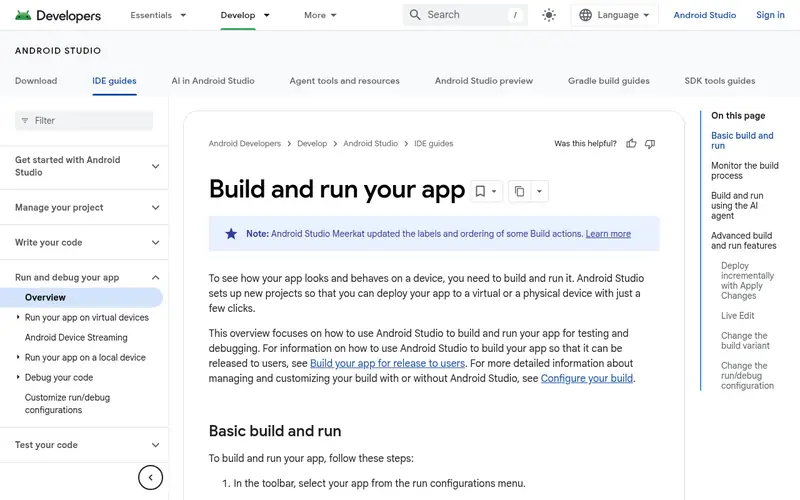
The Android Emulator is part of Android Studio and is the reference emulator for Android development. It runs on Windows, macOS, and Linux. You create virtual devices through the AVD Manager, choosing API level, screen size, and hardware profile. It supports hardware acceleration through Intel HAXM on older setups and the hypervisor framework on current systems.
It is free with no paid tier. The main limits are resource use and startup time on modest machines. It is the right default for app development, UI testing, and debugging. Developers who need real hardware sensors or carrier behavior should pair it with a cloud device farm.
Standout: Official Google tool with broad API and device coverage
Free, as listed by the vendor (Android Emulator (Android Studio) website). Confirm the current plan price before you buy.
Free plan. Plans change, so confirm on the vendor's pricing page before you buy.
Benefits
- Official Google tool with broad API and device coverage
- integrates with Android Studio and command-line tools
Drawbacks
- Can be heavy on memory and CPU
- needs hardware acceleration for good performance
Skip it if this limit matters to you: can be heavy on memory and CPU.
Verdict. A sensible pick for most developers who need an official, free emulator.
Alternatives in this guide: Genymotion, Waydroid, Firebase Test Lab
Genymotion
Best for teams that want a desktop emulator with paid support
What it is and where it fits
Genymotion is a commercial Android emulator built on VirtualBox and its own virtualization stack. It runs on Windows, macOS, and Linux. It offers a desktop version and a SaaS/cloud version, plus tools for automated testing in CI pipelines.
There is a free personal edition and paid plans for teams and enterprises. Feature limits and prices change, so check the vendor pricing page. It suits developers who want a faster-starting emulator than the stock AVD or who need managed cloud devices. Small solo projects may not need the paid tiers.
Standout: Lightweight desktop emulator with cloud and SaaS options
See vendor pricing page, as listed by the vendor (Genymotion website). Confirm the current plan price before you buy.
Free plan. Plans change, so confirm on the vendor's pricing page before you buy.
Benefits
- Lightweight desktop emulator with cloud and SaaS options
- supports CI and automation workflows
Drawbacks
- Some features sit behind paid plans
- free personal edition has limits
Skip it if this limit matters to you: some features sit behind paid plans.
Verdict. A sensible pick for teams that want a desktop emulator with paid support.
Alternatives in this guide: Android Emulator (Android Studio), Waydroid, Firebase Test Lab
Waydroid
Best for linux users who want to run Android containers
What it is and where it fits
Waydroid runs a full Android system in a container on Linux using the host kernel. It is aimed at Linux desktop users who want Android apps and a development environment without a full virtual machine. It supports ARM and x86 hosts and integrates Android windows with the host desktop.
It is free and open source. Setup requires a compatible kernel and some command-line work. It is a good fit for Linux developers who want a light Android environment, but it is not a substitute for testing on real devices or for Google-certified environments.
Standout: Runs Android in a container on Linux with low overhead
Free (open source), as listed by the vendor (Waydroid website). Confirm the current plan price before you buy.
Free plan. Plans change, so confirm on the vendor's pricing page before you buy.
Benefits
- Runs Android in a container on Linux with low overhead
- integrates with the host desktop
Drawbacks
- Linux-only
- requires a compatible kernel and setup steps
Skip it if this limit matters to you: linux-only.
Verdict. A sensible pick for linux users who want to run Android containers.
Alternatives in this guide: Android Emulator (Android Studio), Genymotion, Firebase Test Lab
Firebase Test Lab
Best for teams that need automated tests on real and virtual devices
What it is and where it fits
Firebase Test Lab runs automated and instrumentation tests on physical and virtual devices hosted by Google. You can run tests from the console, the gcloud CLI, or CI. It supports Robo tests, instrumentation tests, and game loop tests.
There is a free daily quota on the Spark plan, with usage-based pricing on Blaze. Prices and quotas change, so confirm on the vendor page. It is not a replacement for a local emulator during development; it is for validating builds across many devices before release.
Standout: Runs tests on a range of real and virtual devices
See vendor pricing page, as listed by the vendor (Firebase Test Lab website). Confirm the current plan price before you buy.
Free plan. Plans change, so confirm on the vendor's pricing page before you buy.
Benefits
- Runs tests on a range of real and virtual devices
- integrates with CI and Firebase projects
Drawbacks
- Usage-based pricing beyond free quota
- not an interactive emulator for daily coding
Skip it if this limit matters to you: usage-based pricing beyond free quota.
Verdict. A sensible pick for teams that need automated tests on real and virtual devices.
Alternatives in this guide: Android Emulator (Android Studio), Genymotion, Waydroid
BrowserStack App Live
Best for manual testing on real Android devices in the browser
What it is and where it fits
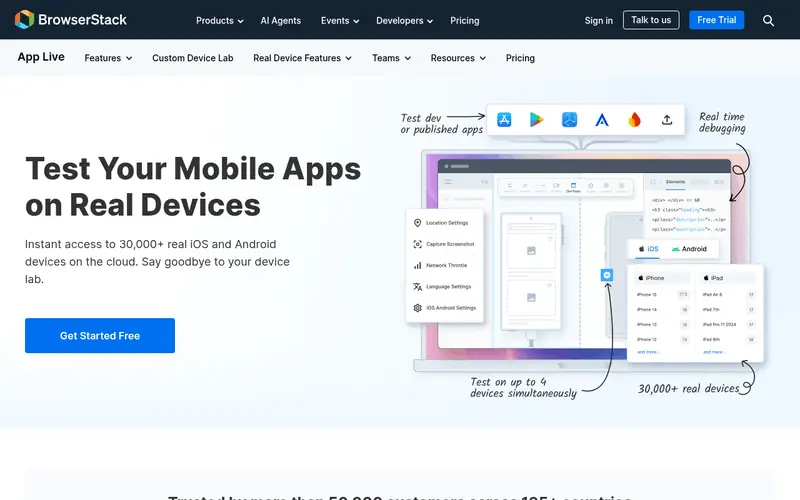
BrowserStack App Live lets you upload an APK and interact with it on real Android devices in a browser. It is useful for checking behavior on devices and OS versions you do not own. It supports manual testing and debugging with logs and network inspection.
It is a paid product with a trial; check the vendor page for current plans and trial length. It suits QA and developers who need real-device checks before release. It does not replace a local emulator for fast iteration, and automated testing is handled by a separate product.
Standout: Access to many real Android devices from a browser
See vendor pricing page, as listed by the vendor (BrowserStack App Live website). Confirm the current plan price before you buy.
Free trial (see vendor for length). Plans change, so confirm on the vendor's pricing page before you buy.
Benefits
- Access to many real Android devices from a browser
- no local device setup
Drawbacks
- Paid subscription required for ongoing use
- interactive sessions are not for automated CI runs
Skip it if this limit matters to you: paid subscription required for ongoing use.
Verdict. A sensible pick for manual testing on real Android devices in the browser.
Alternatives in this guide: Android Emulator (Android Studio), Genymotion, Waydroid
AWS Device Farm
Best for teams already on AWS that need device testing at scale
What it is and where it fits
AWS Device Farm is a cloud service for testing Android, iOS, and web apps on real devices. It supports automated test runs and remote interactive access. It integrates with AWS services and CI tools.
Pricing is usage-based, with a free trial subject to vendor terms. It fits teams already using AWS that want device testing in the same account. Small teams may find the setup overhead high compared with simpler device farms, and it is not a local emulator.
Standout: Large device catalog with automated and remote access testing
See vendor pricing page, as listed by the vendor (AWS Device Farm website). Confirm the current plan price before you buy.
Free trial (see vendor for terms). Plans change, so confirm on the vendor's pricing page before you buy.
Benefits
- Large device catalog with automated and remote access testing
- integrates with AWS tooling
Drawbacks
- Pricing is usage-based and can add up
- setup and IAM configuration take time
Skip it if this limit matters to you: pricing is usage-based and can add up.
Verdict. A sensible pick for teams already on AWS that need device testing at scale.
Alternatives in this guide: Android Emulator (Android Studio), Genymotion, Waydroid
Google Play Games on PC (developer emulator)
Best for game developers testing Play Games on PC support
What it is and where it fits
The Google Play Games on PC developer emulator is a free tool from Google for testing Android games that target the Play Games on PC program. It runs on Windows and provides a runtime close to what players use.
It is free but narrow in scope. It is not a general-purpose emulator for app development. Game developers preparing a PC build should use it alongside the standard Android Emulator; app developers can skip it.
Standout: Official emulator for testing Android games on PC
Free, as listed by the vendor (Google Play Games on PC (developer emulator) website). Confirm the current plan price before you buy.
Free plan. Plans change, so confirm on the vendor's pricing page before you buy.
Benefits
- Official emulator for testing Android games on PC
- matches the Play Games on PC runtime
Drawbacks
- Focused on games, not general app development
- limited device profiles
Skip it if this limit matters to you: focused on games, not general app development.
Verdict. A sensible pick for game developers testing Play Games on PC support.
Alternatives in this guide: Android Emulator (Android Studio), Genymotion, Waydroid
Who should use what
Most app developers should start with the Android Emulator in Android Studio because it is free and official. Teams that want a lighter desktop emulator with paid support should look at Genymotion. Linux users who want a container-based Android environment can try Waydroid. For real-device checks and automated testing before release, use Firebase Test Lab, BrowserStack App Live, or AWS Device Farm. Game developers targeting Play Games on PC should add the Google Play Games on PC developer emulator.
Questions to settle before you buy
What to check before you buy
- Confirm the emulator supports the API levels and device profiles your app targets.
- Check host OS support and whether hardware acceleration works on your machine.
- Review licence terms and any paid tiers, free quotas, or trial limits.
- Verify whether the tool runs locally or sends app data to a cloud service.
- Test CI integration if you plan to run automated tests in a pipeline.
FAQ
Do I need a paid emulator to develop Android apps?
No. The Android Emulator in Android Studio is free and covers most development and testing needs. Paid options add support, cloud devices, or team features.
Can I run Android emulators on Linux?
Yes. The Android Emulator runs on Linux, and Waydroid is a Linux-friendly alternative. Check kernel and hardware acceleration requirements first.
Are cloud device farms better than emulators?
They serve different needs. Emulators are faster for daily coding. Cloud farms give you real hardware and many OS versions for final testing before release.
Is it safe to test apps with accounts on cloud devices?
Treat cloud devices as shared infrastructure. Use test accounts and avoid production credentials. Review the vendor's data handling and session cleanup policies.
Which emulator is best for automated testing in CI?
Firebase Test Lab and AWS Device Farm are built for automated runs in CI. Genymotion also supports CI workflows. The stock Android Emulator can run headless in CI with setup.
Sources we checked
Method: how we score · editorial policy.
Change log. First published 22 Nov 2026.