Stage 01 · Write · Researched comparison
Best Python QR Code Libraries in 2026
Segno is the best default for most projects that need to generate QR codes in Python. It has no required dependencies, writes many output formats, and handles micro QR codes. qrcode is the common alternative when you want Pillow-based image output and a familiar API. For decoding, Pyzbar and OpenCV's QRCodeDetector cover most needs, and qreader adds a higher-level wrapper.

By Shihab Mia
Published 27 Nov 2026 · 5 tools compared
We run no ads and no affiliate links at launch. The order of a list follows our published method. See how we score.
Prices are the starting prices vendors list publicly. Plans change, so confirm the current price on the vendor page before you buy.
Key takeaways
- Segno and qrcode are both free and open source and cover most generation tasks; Segno has no mandatory dependencies.
- Pyzbar decodes codes but needs the system zbar library installed, which affects setup on some platforms.
- OpenCV's QRCodeDetector is part of OpenCV, so it is a good fit if you already use OpenCV for image work.
- For new code, prefer Segno or qrcode, which are better maintained and support more output formats.
Who each pick is for
- Dependency-free QR and micro QR generationSegno
- General QR generation with Pillow image outputqrcode
- Decoding QR codes and barcodes from imagesPyzbar
- Decoding QR codes inside an existing OpenCV pipelineOpenCV QRCodeDetector
- Higher-level decoding built on Pyzbar and OpenCVqreader
Comparison
| Tool | Best for | Standout feature | Listed starting price | Free plan or trial |
|---|---|---|---|---|
| 1Segno | Dependency-free QR and micro QR generation | No required dependencies | Free (open source) | Free plan |
| 2qrcode | General QR generation with Pillow image output | Widely used and documented | Free (open source) | Free plan |
| 3Pyzbar | Decoding QR codes and barcodes from images | Reads QR codes and many 1D barcodes | Free (open source) | Free plan |
| 4OpenCV QRCodeDetector | Decoding QR codes inside an existing OpenCV pipeline | No extra system library beyond OpenCV | Free (open source) | Free plan |
| 5qreader | Higher-level decoding built on Pyzbar and OpenCV | Wraps detection and decoding in a simple API | Free (open source) | Free plan |
How we picked
We picked libraries that actually generate or decode QR codes in Python and are currently maintained or widely used. We looked at fit for the job, supported platforms and output formats, license and price, dependency weight, and main limits. Sources are vendor pages, official documentation, and project repositories. Prices and maintenance status change, so confirm details on the project site before you commit.
The tools, one by one
Segno
Best for dependency-free QR and micro QR generation

What it is and where it fits
Segno is a pure-Python QR code generator. It writes QR codes to SVG, PNG, EPS, PDF, PBM, PPM, and terminal output. It supports micro QR codes and can produce codes as text or as a matrix for custom rendering. Because it has no required dependencies, it installs cleanly in minimal environments and containers.
The license is BSD. You can write codes without Pillow, which helps when you want to keep dependencies small. For PNG output you do need a writer library, but SVG and other vector formats work without it. It suits backend services, CLI tools, and scripts that generate codes in bulk. Skip it if you need a large set of image-editing helpers built in.
Standout: No required dependencies
Free (open source), as listed by the vendor (Segno website). Confirm the current plan price before you buy.
Free plan. Plans change, so confirm on the vendor's pricing page before you buy.
Benefits
- No required dependencies
- supports many output formats and micro QR codes
Drawbacks
- Smaller ecosystem than qrcode
- fewer third-party tutorials
Skip it if this limit matters to you: smaller ecosystem than qrcode.
Verdict. A sensible pick for dependency-free QR and micro QR generation.
Alternatives in this guide: qrcode, Pyzbar, OpenCV QRCodeDetector
qrcode
Best for general QR generation with Pillow image output

What it is and where it fits
qrcode is one of the most widely used Python QR code libraries. It builds a QR code object and renders it as an image through Pillow, as SVG through lxml, or as ASCII art in the terminal. The API is small, and most examples you find online use it.
It is free and open source under a permissive license. Image output depends on Pillow, and SVG output depends on lxml, so you add those packages as needed. It handles standard QR codes and lets you set error correction level, box size, and border. It does not generate micro QR codes. It is a solid choice for web apps and scripts that need PNG output. Choose Segno if you want fewer dependencies or micro QR support.
Standout: Widely used and documented
Free (open source), as listed by the vendor (qrcode website). Confirm the current plan price before you buy.
Free plan. Plans change, so confirm on the vendor's pricing page before you buy.
Benefits
- Widely used and documented
- simple API with Pillow integration
Drawbacks
- PNG output needs Pillow
- fewer output formats than Segno
Skip it if this limit matters to you: PNG output needs Pillow.
Verdict. A sensible pick for general QR generation with Pillow image output.
Alternatives in this guide: Segno, Pyzbar, OpenCV QRCodeDetector
Pyzbar
Best for decoding QR codes and barcodes from images

What it is and where it fits
Pyzbar is a Python wrapper around the zbar library. It decodes QR codes and many linear barcodes from image files or PIL images. The main function returns decoded data and the location of each symbol, which helps when an image holds several codes.
It is free and open source. The catch is the dependency: zbar must be installed on the system, and setup differs across Linux, macOS, and Windows. That can complicate deployment in containers and on CI. It only decodes; it does not generate codes. It suits scripts and services that read codes from uploaded images. If you cannot install system libraries, look at OpenCV instead.
Standout: Reads QR codes and many 1D barcodes
Free (open source), as listed by the vendor (Pyzbar website). Confirm the current plan price before you buy.
Free plan. Plans change, so confirm on the vendor's pricing page before you buy.
Benefits
- Reads QR codes and many 1D barcodes
- simple decode function
Drawbacks
- Requires the system zbar shared library
- limited to decoding
Skip it if this limit matters to you: requires the system zbar shared library.
Verdict. A sensible pick for decoding QR codes and barcodes from images.
Alternatives in this guide: Segno, qrcode, OpenCV QRCodeDetector
OpenCV QRCodeDetector
Best for decoding QR codes inside an existing OpenCV pipeline
What it is and where it fits
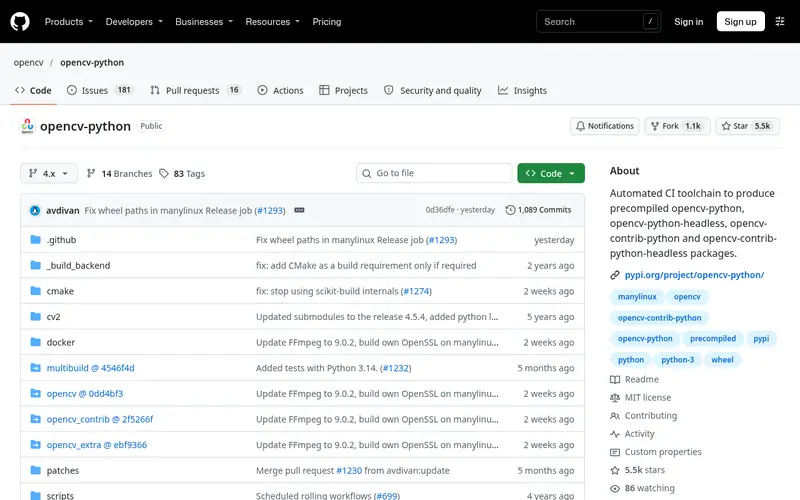
OpenCV includes a QRCodeDetector class that finds and decodes QR codes in images. If your project already uses OpenCV for image processing, this avoids adding another dependency. It returns the decoded text and the corner points of the code.
OpenCV is free and open source under the Apache 2.0 license. The trade-off is size: OpenCV is a large library, so pulling it in just for QR decoding is heavy. Detection quality depends on image conditions, and very small or skewed codes can fail. It suits computer vision pipelines, camera apps, and batch image jobs. For simple decoding with no other image work, Pyzbar or qreader may be lighter.
Standout: No extra system library beyond OpenCV
Free (open source), as listed by the vendor (OpenCV QRCodeDetector website). Confirm the current plan price before you buy.
Free plan. Plans change, so confirm on the vendor's pricing page before you buy.
Benefits
- No extra system library beyond OpenCV
- detects and decodes in one call
Drawbacks
- Large dependency
- detection can miss codes in poor images
Skip it if this limit matters to you: large dependency.
Verdict. A sensible pick for decoding QR codes inside an existing OpenCV pipeline.
qreader
Best for higher-level decoding built on Pyzbar and OpenCV

What it is and where it fits
qreader is a wrapper that combines detection and decoding. It uses OpenCV for detection and Pyzbar for decoding, and exposes a small interface for reading codes from image paths or arrays. It also offers a helper to draw detected codes on an image.
It is free and open source. Because it depends on both OpenCV and Pyzbar, it inherits the zbar system dependency and the size of OpenCV. That makes setup heavier than a single-library approach. It suits projects that want a quick decoding path without wiring detection and decoding together by hand. If you already have OpenCV or Pyzbar set up, you may not need the extra layer.
Standout: Wraps detection and decoding in a simple API
Free (open source), as listed by the vendor (qreader website). Confirm the current plan price before you buy.
Free plan. Plans change, so confirm on the vendor's pricing page before you buy.
Benefits
- Wraps detection and decoding in a simple API
- handles common image inputs
Drawbacks
- Pulls in Pyzbar and OpenCV
- depends on the zbar system library
Skip it if this limit matters to you: pulls in Pyzbar and OpenCV.
Verdict. A sensible pick for higher-level decoding built on Pyzbar and OpenCV.
Who should use what
If you need to generate codes with as few dependencies as possible, use Segno. If you want Pillow-based PNG output and a familiar API, use qrcode. If you need to read codes from images, use Pyzbar when you can install zbar, or OpenCV's QRCodeDetector when OpenCV is already in your stack. If you want a quick decoding wrapper, try qreader.
Questions to settle before you buy
What to check before you buy
- Confirm the library generates or decodes the code types you need, including micro QR if required.
- Check the dependency chain, especially system libraries like zbar for decoding.
- Verify the license fits your project and distribution model.
- Test output formats against your target: PNG, SVG, PDF, or terminal.
- Check recent commit activity to judge whether the project is maintained.
FAQ
Does Python have a built-in QR code library?
No. Python's standard library does not include QR code generation or decoding. You install a third-party package such as Segno, qrcode, Pyzbar, or OpenCV. Each is free and open source, but they differ in dependencies and output formats.
Can I generate QR codes without installing Pillow?
Yes. Segno can write SVG, EPS, PDF, and terminal output without Pillow. It only needs an image writer for raster formats like PNG. qrcode needs Pillow for image output, so Segno is the lighter choice when you want to avoid that dependency.
Which library should I use to decode QR codes from an image?
Pyzbar is a common choice and reads many barcode types. It requires the zbar system library. OpenCV's QRCodeDetector is an alternative if you already use OpenCV. qreader wraps both for a simpler API. Pick based on what is already installed in your environment.
Which generation library supports micro QR codes?
Segno supports micro QR codes, which suit very small labels and tight spaces. qrcode does not generate micro QR codes, so choose Segno when you need that format or want fewer dependencies overall.
Do these libraries send my data anywhere?
No. These are local Python libraries. They generate or decode codes on your machine and do not call external services. That makes them suitable for sensitive data, unlike third-party web QR tools where you should avoid pasting secrets or production data.
Sources we checked
Method: how we score · editorial policy.
Change log. First published 27 Nov 2026.