Stage 01 · Write · Researched comparison
Best Python CSV Libraries in 2026
The standard library `csv` module is the first pick for simple, dependency-free reading and writing, and it suits scripts that need full control over rows and quoting. For analysis work, pandas `read_csv` is the common alternative, and Polars is a strong choice when speed and low memory use matter. DuckDB `read_csv` fits teams that want to query CSV files with SQL directly, without loading everything into a DataFrame first.

By Shihab Mia
Published 27 Nov 2026 · 7 tools compared
We run no ads and no affiliate links at launch. The order of a list follows our published method. See how we score.
Prices are the starting prices vendors list publicly. Plans change, so confirm the current price on the vendor page before you buy.
Key takeaways
- The stdlib `csv` module is free, ships with Python and needs no install, but it does no type inference or columnar analysis.
- pandas, Polars, DuckDB and PyArrow are all open source and free to use, and each handles larger files with different tradeoffs.
- clevercsv adds automatic dialect detection, and csvkit provides command-line tools for inspecting and converting CSV files.
- None of these libraries send your data to a third party; they run locally, so secrets in CSV files stay on your machine.
Who each pick is for
- Simple row-by-row reading and writing with no dependenciescsv (Python standard library)
- Data analysis and cleaning in DataFramespandas read_csv
- Fast CSV processing with a columnar, multithreaded enginePolars
- Querying CSV files with SQL, including large filesDuckDB read_csv
- Converting CSV to Arrow tables for interchange and columnar processingPyArrow CSV
- Detecting CSV dialects in messy or unknown filesclevercsv
- Command-line inspection and conversion of CSV filescsvkit
Comparison
| Tool | Best for | Standout feature | Listed starting price | Free plan or trial |
|---|---|---|---|---|
| 1csv (Python standard library) | Simple row-by-row reading and writing with no dependencies | Ships with Python, so nothing to install | Free (open source) | Free plan |
| 2pandas read_csv | Data analysis and cleaning in DataFrames | Rich parsing options for delimiters, dtypes, dates and chunks | Free (open source) | Free plan |
| 3Polars | Fast CSV processing with a columnar, multithreaded engine | Multithreaded execution and a lazy API for larger-than-memory workflows | Free (open source) | Free plan |
| 4DuckDB read_csv | Querying CSV files with SQL, including large files | SQL over CSV files without a server | Free (open source) | Free plan |
| 5PyArrow CSV | Converting CSV to Arrow tables for interchange and columnar processing | Columnar Arrow output that other tools read efficiently | Free (open source) | Free plan |
| 6clevercsv | Detecting CSV dialects in messy or unknown files | Automatic dialect and delimiter detection | Free (open source) | Free plan |
| 7csvkit | Command-line inspection and conversion of CSV files | A set of CLI tools for viewing, filtering and converting CSV | Free (open source) | Free plan |
How we picked
We picked libraries that genuinely parse or process CSV files and are currently maintained. Criteria were fit for common CSV jobs, platform support, licence and price, whether processing happens locally, and known limits such as memory use or API scope. Sources are official documentation, project repositories and public licence pages. Prices and licences can change, so confirm on the vendor or project site before you commit.
The tools, one by one
csv (Python standard library)
Best for simple row-by-row reading and writing with no dependencies
What it is and where it fits
The `csv` module is part of the Python standard library. It reads and writes rows as lists or dictionaries, supports configurable delimiters and quoting rules, and works with any file-like object. It is the right tool when you need to stream rows, transform them one at a time, or avoid adding dependencies to a small script.
It runs anywhere Python runs. Because it is in the standard library, there is no version pinning or licence question. The limit is scope: it does not infer types, handle large-file performance tuning, or provide SQL or DataFrame operations. Teams doing analysis should pair it with a higher-level library. Skip it when you need columnar math or schema inference.
Standout: Ships with Python, so nothing to install
Free (open source), as listed by the vendor (csv (Python standard library) website). Confirm the current plan price before you buy.
Free plan. Plans change, so confirm on the vendor's pricing page before you buy.
Benefits
- Ships with Python, so nothing to install
- full control over delimiters, quoting and dialects
Drawbacks
- No type inference or columnar operations
- you write your own parsing logic for edge cases
Skip it if this limit matters to you: no type inference or columnar operations.
Verdict. A sensible pick for simple row-by-row reading and writing with no dependencies.
Alternatives in this guide: pandas read_csv, Polars, DuckDB read_csv
pandas read_csv
Best for data analysis and cleaning in DataFrames
What it is and where it fits
`pandas.read_csv` is the most widely used path from CSV files into DataFrames. It handles delimiter detection, header rows, column dtypes, date parsing, missing values and chunked reading. From there you get the full pandas toolkit for filtering, joining and aggregating.
pandas is open source under the BSD 3-Clause licence and runs on Windows, macOS and Linux. It works well up to the size of available memory; for larger files, chunked reads or other engines help. It is a large dependency, so small scripts that only need row parsing may be better served by the stdlib module. Skip it if you want SQL semantics or minimal install size.
Standout: Rich parsing options for delimiters, dtypes, dates and chunks
Free (open source), as listed by the vendor (pandas read_csv website). Confirm the current plan price before you buy.
Free plan. Plans change, so confirm on the vendor's pricing page before you buy.
Benefits
- Rich parsing options for delimiters, dtypes, dates and chunks
- large ecosystem and documentation
Drawbacks
- Loads data into memory by default
- heavy dependency for small scripts
Skip it if this limit matters to you: loads data into memory by default.
Verdict. A sensible pick for data analysis and cleaning in DataFrames.
Alternatives in this guide: csv (Python standard library), Polars, DuckDB read_csv
Polars
Best for fast CSV processing with a columnar, multithreaded engine
What it is and where it fits
Polars is a DataFrame library written in Rust with Python bindings. Its `read_csv` supports schema inference, lazy scanning and streaming execution, which helps with files that do not fit comfortably in memory. The lazy API lets you build a query plan and let the engine optimize it before running.
Polars is open source under the MIT licence and installs from PyPI on Windows, macOS and Linux. It is a good fit for new pipelines where throughput matters. The tradeoff is migration: pandas habits and third-party integrations do not all carry over. Skip it if your team is standardized on pandas and the data is small.
Standout: Multithreaded execution and a lazy API for larger-than-memory workflows
Free (open source), as listed by the vendor (Polars website). Confirm the current plan price before you buy.
Free plan. Plans change, so confirm on the vendor's pricing page before you buy.
Benefits
- Multithreaded execution and a lazy API for larger-than-memory workflows
- clear expression syntax
Drawbacks
- Different API from pandas, so existing code needs porting
- smaller ecosystem of third-party add-ons
Skip it if this limit matters to you: different API from pandas, so existing code needs porting.
Verdict. A sensible pick for fast CSV processing with a columnar, multithreaded engine.
Alternatives in this guide: csv (Python standard library), pandas read_csv, DuckDB read_csv
DuckDB read_csv
Best for querying CSV files with SQL, including large files
What it is and where it fits
DuckDB is an in-process analytical database. Its `read_csv` and `read_csv_auto` functions let you query CSV files directly with SQL, including joins, aggregates and filters, without importing data into a separate database. It can also scan files larger than memory.
DuckDB is open source under the MIT licence and runs as a Python package on Windows, macOS and Linux. It integrates with pandas and Arrow for moving results between tools. The main limit is mindset: you write SQL rather than DataFrame code. Skip it if your work is mostly row-level scripting rather than analytical queries.
Standout: SQL over CSV files without a server
Free (open source), as listed by the vendor (DuckDB read_csv website). Confirm the current plan price before you buy.
Free plan. Plans change, so confirm on the vendor's pricing page before you buy.
Benefits
- SQL over CSV files without a server
- handles files larger than memory with streaming
Drawbacks
- SQL-first workflow, not a general DataFrame replacement
- some pandas-style operations need SQL rewrites
Skip it if this limit matters to you: SQL-first workflow, not a general DataFrame replacement.
Verdict. A sensible pick for querying CSV files with SQL, including large files.
Alternatives in this guide: csv (Python standard library), pandas read_csv, Polars
PyArrow CSV
Best for converting CSV to Arrow tables for interchange and columnar processing
What it is and where it fits
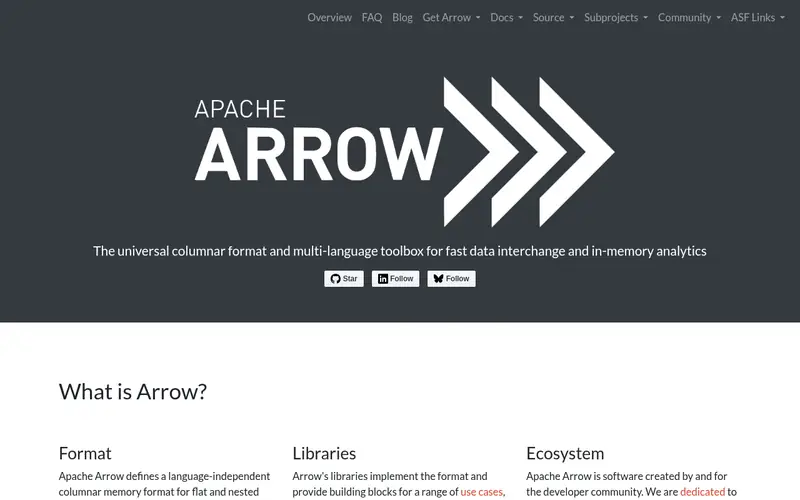
PyArrow provides `pyarrow.csv.read_csv`, which parses CSV into Arrow tables. Arrow is a columnar memory format used by many data tools, so this is useful when you need to hand data to another system without a pandas round trip. It supports column selection, type conversion and block-based reading.
PyArrow is open source under the Apache 2.0 licence and installs from PyPI on Windows, macOS and Linux. It is a building block rather than a full analysis toolkit; you still need something else for joins and aggregation, or you use Arrow compute functions. Skip it if you want a high-level DataFrame API.
Standout: Columnar Arrow output that other tools read efficiently
Free (open source), as listed by the vendor (PyArrow CSV website). Confirm the current plan price before you buy.
Free plan. Plans change, so confirm on the vendor's pricing page before you buy.
Benefits
- Columnar Arrow output that other tools read efficiently
- conversion options for types and schemas
Drawbacks
- Lower-level API than pandas or Polars
- fewer convenience features for messy files
Skip it if this limit matters to you: lower-level API than pandas or Polars.
Verdict. A sensible pick for converting CSV to Arrow tables for interchange and columnar processing.
Alternatives in this guide: csv (Python standard library), pandas read_csv, Polars
clevercsv
Best for detecting CSV dialects in messy or unknown files
What it is and where it fits
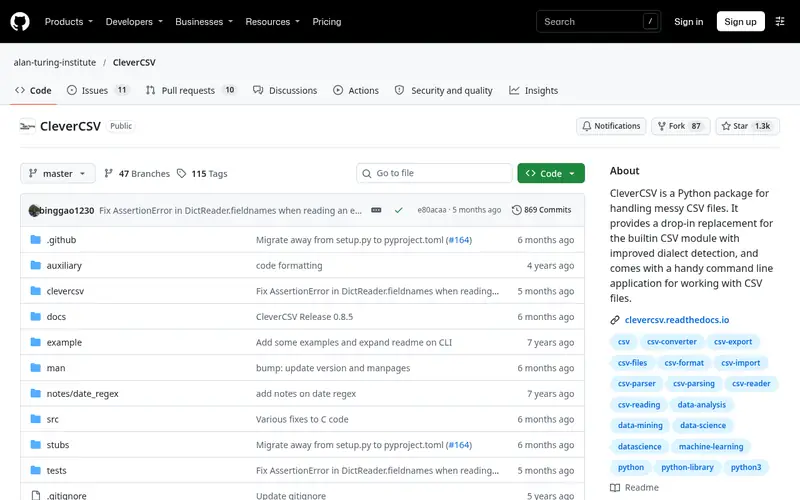
clevercsv focuses on a common problem: CSV files whose delimiter, quote character or escaping is unknown. It detects dialects automatically and can then hand off parsing to the standard library `csv` module. It also offers a command-line interface for quick inspection.
The project is open source under the MIT licence and installs from PyPI. It is maintained by the Alan Turing Institute. It is not a replacement for pandas or Polars; it solves the parsing-front-end problem. Skip it if your files are well-formed and you already know the dialect.
Standout: Automatic dialect and delimiter detection
Free (open source), as listed by the vendor (clevercsv website). Confirm the current plan price before you buy.
Free plan. Plans change, so confirm on the vendor's pricing page before you buy.
Benefits
- Automatic dialect and delimiter detection
- can wrap the stdlib csv module
Drawbacks
- Detection adds overhead
- smaller project with a narrower scope than pandas
Skip it if this limit matters to you: detection adds overhead.
Verdict. A sensible pick for detecting CSV dialects in messy or unknown files.
Alternatives in this guide: csv (Python standard library), pandas read_csv, Polars
csvkit
Best for command-line inspection and conversion of CSV files
What it is and where it fits
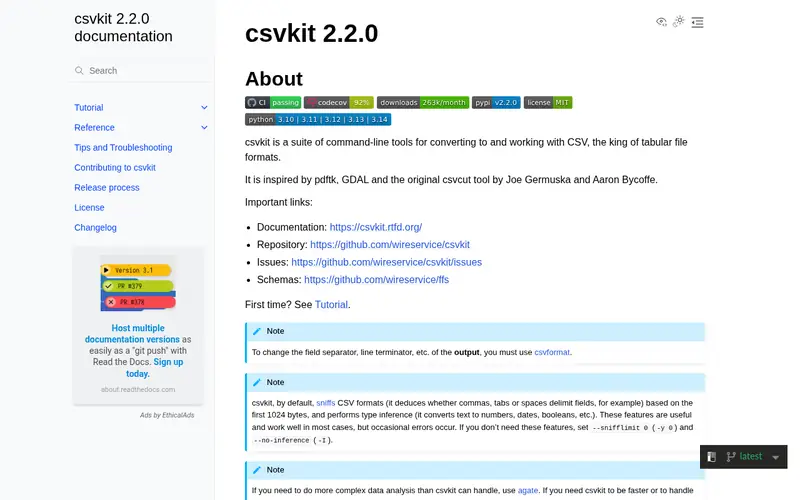
csvkit is a suite of command-line tools built on Python. `csvlook`, `csvcut`, `csvgrep` and `csvsql` cover viewing, column selection, filtering and SQL queries against CSV files. It is handy for quick checks and for shell scripts that process files.
csvkit is open source under the MIT licence and installs from PyPI. It runs wherever Python runs. It is not a library you import for DataFrame work; it is a CLI layer. Skip it if you need programmatic access inside a Python application rather than shell commands.
Standout: A set of CLI tools for viewing, filtering and converting CSV
Free (open source), as listed by the vendor (csvkit website). Confirm the current plan price before you buy.
Free plan. Plans change, so confirm on the vendor's pricing page before you buy.
Benefits
- A set of CLI tools for viewing, filtering and converting CSV
- useful in shell pipelines
Drawbacks
- Command-line only, not a Python API for in-process work
- output formats are limited to what the tools support
Skip it if this limit matters to you: command-line only, not a Python API for in-process work.
Verdict. A sensible pick for command-line inspection and conversion of CSV files.
Alternatives in this guide: csv (Python standard library), pandas read_csv, Polars
Who should use what
If you are writing a small script that reads a few rows and writes them back, use the stdlib `csv` module. If you are cleaning and analyzing tabular data interactively, pandas `read_csv` is the familiar choice. If throughput or memory is the constraint, try Polars. If you think in SQL and want to query files in place, use DuckDB. For unknown delimiters, add clevercsv; for shell-based inspection, use csvkit.
Questions to settle before you buy
What to check before you buy
- Check the licence and confirm it fits your project's distribution rules.
- Test parsing on a real sample, including quoted fields, embedded newlines and non-UTF-8 encodings.
- Measure memory use on your largest expected file before choosing an in-memory library.
- Confirm the library is actively maintained and supports your Python version.
- Verify that processing stays local if the CSV contains secrets or production data.
FAQ
Which Python CSV library is fastest?
Speed depends on file shape and hardware. Polars and DuckDB are built for multithreaded, columnar processing, while the stdlib `csv` module is single-threaded and row-based. Test with your own files rather than relying on general claims.
Can I read a CSV larger than memory?
Yes, with the right tool. Polars supports lazy scanning and streaming, DuckDB can query files larger than memory, and pandas offers chunked reading. The stdlib module can stream rows if you process them one at a time.
Do these libraries send my data anywhere?
No. All the libraries listed here run locally in your Python process or on your machine. That matters when CSV files contain tokens, personal data or production records.
What is the difference between csv and pandas read_csv?
The stdlib `csv` module returns rows as lists or dictionaries and does no type inference. pandas `read_csv` parses into a DataFrame with inferred dtypes and gives you analysis operations. Use `csv` for control and minimal dependencies, pandas for analysis.
Is csvkit a library or a command-line tool?
csvkit is a set of command-line tools, not an importable DataFrame library. Use it in shell scripts for viewing, filtering and converting CSV files. For in-process Python work, use one of the libraries above.
Sources we checked
Method: how we score · editorial policy.
Change log. First published 27 Nov 2026.