Stage 01 · Write · Researched comparison
Best JavaScript File Upload Libraries in 2026
Uppy is the first pick for most teams that want a full upload UI with resumable transfers and cloud source support, and it is free and open source. FilePond suits projects that need a polished, image-focused widget with a small footprint. Dropzone is a good fit for a simple drag-and-drop area with minimal setup. All three are free, so the choice comes down to features and framework fit.

By Shihab Mia
Published 27 Nov 2026 · 6 tools compared
We run no ads and no affiliate links at launch. The order of a list follows our published method. See how we score.
Prices are the starting prices vendors list publicly. Plans change, so confirm the current price on the vendor page before you buy.
Key takeaways
- Uppy, FilePond and Dropzone are free and open source, so you can evaluate them without a license cost.
- Uppy supports resumable uploads through its companion tus plugin, which matters for large files on unstable networks.
- FilePond focuses on image previews and client-side transforms, which helps photo-heavy forms.
- Uploadcare is the main commercial option here and bills by usage, so check its pricing page before committing.
Who each pick is for
- Teams needing a full upload UI with resumable transfersUppy
- Image-heavy forms that need previews and client-side transformsFilePond
- Simple drag-and-drop upload areas with minimal setupDropzone
- React apps that want a hook-based dropzone without UI opinionsreact-dropzone
- Resumable uploads of large files over unreliable networkstus-js-client
- Teams that want a hosted uploader with file processingUploadcare File Uploader
Comparison
| Tool | Best for | Standout feature | Listed starting price | Free plan or trial |
|---|---|---|---|---|
| 1Uppy | Teams needing a full upload UI with resumable transfers | Rich plugin ecosystem | Free (open source) | Free plan |
| 2FilePond | Image-heavy forms that need previews and client-side transforms | Polished image preview and editing | Free (open source) | Free plan |
| 3Dropzone | Simple drag-and-drop upload areas with minimal setup | Easy to drop into a page | Free (open source) | Free plan |
| 4react-dropzone | React apps that want a hook-based dropzone without UI opinions | Headless, so you control the markup | Free (open source) | Free plan |
| 5tus-js-client | Resumable uploads of large files over unreliable networks | Resumes interrupted uploads | Free (open source) | Free plan |
| 6Uploadcare File Uploader | Teams that want a hosted uploader with file processing | Hosted widget with CDN delivery and image transforms | See vendor pricing page | Free trial (30 days) |
How we picked
We picked libraries that directly handle file selection and transfer in the browser and that are currently maintained. Criteria were fit for common upload jobs, framework and platform support, license and price, and the main limits of each. Sources are vendor documentation, project repositories and public pricing pages. We did not run benchmarks or hands-on tests. Prices and plan limits change, so confirm details on the vendor site before you commit.
The tools, one by one
Uppy
Best for teams needing a full upload UI with resumable transfers
What it is and where it fits
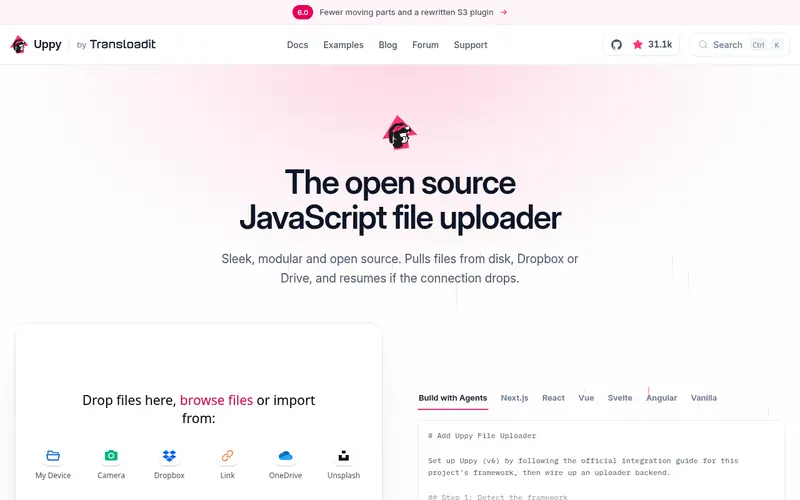
Uppy is an open-source file uploader maintained by Transloadit. It gives you a dashboard UI, a drag-and-drop area and progress handling out of the box. It runs in the browser with integrations for React, Vue, Svelte and Angular, and it can also run on the server through its companion packages.
The main draw is the plugin model. The tus plugin adds resumable uploads, and source plugins let users import from Google Drive, Dropbox and Instagram. It is released under the MIT license, so there is no cost for the library itself. Transloadit sells a hosted upload and encoding service, but Uppy works with your own endpoints.
Skip Uppy if you need the smallest possible bundle or a single simple input. Its feature set is large, and that size is the trade-off.
Standout: Rich plugin ecosystem
Free (open source), as listed by the vendor (Uppy website). Confirm the current plan price before you buy.
Free plan. Plans change, so confirm on the vendor's pricing page before you buy.
Benefits
- Rich plugin ecosystem
- resumable uploads via tus
- supports remote sources like Google Drive
Drawbacks
- Larger bundle than minimal widgets
- more configuration to learn
Skip it if this limit matters to you: larger bundle than minimal widgets.
Verdict. A sensible pick for teams needing a full upload UI with resumable transfers.
Alternatives in this guide: FilePond, Dropzone, react-dropzone
FilePond
Best for image-heavy forms that need previews and client-side transforms
What it is and where it fits
FilePond is an open-source JavaScript library for file uploads with a focus on images. It provides drag-and-drop, file validation, image previews and client-side resizing and cropping through plugins. It works with plain JavaScript and has adapters for React, Vue, Angular and Svelte.
The core library is MIT licensed and free. Some advanced plugins, such as the image editor and certain transforms, are commercial products sold by PQINA, the maintainer. Check the plugin pages for current terms before you depend on them.
FilePond is a good fit when the upload experience centers on photos and you want a clean widget. It is less suited to bulk document workflows or cloud imports, where Uppy covers more ground.
Standout: Polished image preview and editing
Free (open source), as listed by the vendor (FilePond website). Confirm the current plan price before you buy.
Free plan. Plans change, so confirm on the vendor's pricing page before you buy.
Benefits
- Polished image preview and editing
- small core with adapters for popular frameworks
Drawbacks
- Advanced image plugins are sold separately
- fewer cloud-source integrations than Uppy
Skip it if this limit matters to you: advanced image plugins are sold separately.
Verdict. A sensible pick for image-heavy forms that need previews and client-side transforms.
Alternatives in this guide: Uppy, Dropzone, react-dropzone
Dropzone
Best for simple drag-and-drop upload areas with minimal setup

What it is and where it fits
Dropzone is an open-source library that turns an element into a drag-and-drop upload area. It handles file selection, previews, progress bars and XHR uploads. Setup is a single script include or module import, and it works with any backend that accepts multipart form posts.
It is MIT licensed and free. The project has been around for years, so documentation and examples are easy to find. It does not ship resumable uploads or cloud-source imports by default, so you add those yourself if needed.
Choose Dropzone when you want a dependable drop area without a large dependency. Look elsewhere if you need chunked or resumable transfers as a first-class feature.
Standout: Easy to drop into a page
Free (open source), as listed by the vendor (Dropzone website). Confirm the current plan price before you buy.
Free plan. Plans change, so confirm on the vendor's pricing page before you buy.
Benefits
- Easy to drop into a page
- mature and widely used
Drawbacks
- Fewer built-in advanced features
- UI customization takes extra work
Skip it if this limit matters to you: fewer built-in advanced features.
Verdict. A sensible pick for simple drag-and-drop upload areas with minimal setup.
Alternatives in this guide: Uppy, FilePond, react-dropzone
react-dropzone
Best for react apps that want a hook-based dropzone without UI opinions
What it is and where it fits
react-dropzone is an open-source React library for building drag-and-drop file inputs. It is headless: it gives you props and state through a hook, and you render your own markup. That makes it easy to match an existing design system.
It is MIT licensed and free. Because it does not render a UI, you handle previews, progress and error states yourself, often with a separate upload client. It pairs well with a transport library such as tus-js-client for resumable transfers.
Use react-dropzone if you are in React and want full control over appearance. Skip it if you want a ready-made uploader UI or you are not using React.
Standout: Headless, so you control the markup
Free (open source), as listed by the vendor (react-dropzone website). Confirm the current plan price before you buy.
Free plan. Plans change, so confirm on the vendor's pricing page before you buy.
Benefits
- Headless, so you control the markup
- hooks API fits React patterns
Drawbacks
- React only
- you build the progress and preview UI yourself
Skip it if this limit matters to you: react only.
Verdict. A sensible pick for react apps that want a hook-based dropzone without UI opinions.
tus-js-client
Best for resumable uploads of large files over unreliable networks
What it is and where it fits
tus-js-client is the official JavaScript client for the tus resumable upload protocol. It splits files into chunks and resumes from where a transfer stopped after a network drop or page reload. It runs in browsers and in Node.js.
The client is MIT licensed and free. It has no UI: you wire it to your own buttons and progress display. It requires a server that speaks the tus protocol, and several open-source and hosted implementations exist. Check that your backend or host supports tus before you commit.
Pick tus-js-client when large uploads and flaky connections are the core problem. It is not a full upload widget, so pair it with a UI library if you need one.
Standout: Resumes interrupted uploads
Free (open source), as listed by the vendor (tus-js-client website). Confirm the current plan price before you buy.
Free plan. Plans change, so confirm on the vendor's pricing page before you buy.
Benefits
- Resumes interrupted uploads
- works with any tus-compatible server
Drawbacks
- No UI, so you build the interface
- needs a tus server endpoint
Skip it if this limit matters to you: no UI, so you build the interface.
Verdict. A sensible pick for resumable uploads of large files over unreliable networks.
Uploadcare File Uploader
Best for teams that want a hosted uploader with file processing
What it is and where it fits
Uploadcare provides a hosted file uploader widget plus file storage, CDN delivery and on-the-fly image processing. The JavaScript widget handles drag-and-drop, progress and validation, and it uploads to Uploadcare's infrastructure rather than your own server.
It is a commercial service. Pricing is usage-based and changes, so check the vendor pricing page for current tiers and limits. A free trial is available. Because files go to a third-party service, review your data handling requirements before using it with sensitive content.
Uploadcare suits teams that would rather not run upload and storage infrastructure. Skip it if you must keep files entirely on your own servers or need a fully open-source stack.
Standout: Hosted widget with CDN delivery and image transforms
See vendor pricing page, as listed by the vendor (Uploadcare File Uploader website). Confirm the current plan price before you buy.
Free trial (30 days). Plans change, so confirm on the vendor's pricing page before you buy.
Benefits
- Hosted widget with CDN delivery and image transforms
- reduces backend work
Drawbacks
- Paid service with usage-based billing
- files pass through a third party
Skip it if this limit matters to you: paid service with usage-based billing.
Verdict. A sensible pick for teams that want a hosted uploader with file processing.
Who should use what
If you need a complete uploader with resumable transfers and cloud imports, start with Uppy. If your forms are image-heavy and you want a polished widget, FilePond is the better fit. If you are building in React and want full control of the markup, use react-dropzone with a transport library. If large files on unstable networks are the main problem, add tus-js-client. Teams that prefer a hosted service over running their own storage should look at Uploadcare and check its pricing first.
Questions to settle before you buy
What to check before you buy
- Confirm the license and whether any plugins you need are sold separately.
- Check that the library supports your framework and target browsers.
- Decide whether you need resumable or chunked uploads, and confirm server support.
- Review where files are stored and whether any third party receives them.
- Check bundle size against your performance budget.
- Read the current pricing page for any commercial component.
FAQ
Are these upload libraries free?
Uppy, FilePond, Dropzone, react-dropzone and tus-js-client are free and open source. FilePond sells some advanced plugins separately. Uploadcare is a commercial hosted service with a free trial and usage-based pricing.
Which library supports resumable uploads?
Uppy supports resumable uploads through its tus plugin, and tus-js-client is the dedicated client for the tus protocol. Both need a server that speaks tus. Dropzone, FilePond and react-dropzone do not include resumable transfers by default.
Can I use these with React?
Yes. Uppy, FilePond and Dropzone have React integrations, and react-dropzone is built for React. tus-js-client works in any browser environment and can be called from React components.
Do I need a backend server?
Most of these libraries send files to an endpoint you control, so you need a server to receive them. Uploadcare is the exception: it stores files on its own infrastructure. tus-js-client needs a tus-compatible server.
Is it safe to upload sensitive files through these libraries?
The open-source libraries send files to your own server, so data handling depends on your setup. Uploadcare routes files through a third party. Review your requirements before sending sensitive content, and avoid pasting secrets or production data into third-party demo pages.
Sources we checked
Method: how we score · editorial policy.
Change log. First published 27 Nov 2026.