Stage 01 · Write · Researched comparison
Best JavaScript 3D Libraries in 2026
Three.js is the first pick for most teams. It has the widest adoption, a large add-on ecosystem and works with plain JavaScript or any framework. Babylon.js suits projects that need a full engine with built-in physics, GUI and debugging tools. React Three Fiber fits React apps where scene state should follow component state. All three are free and open source.

By Shihab Mia
Published 27 Nov 2026 · 8 tools compared
We run no ads and no affiliate links at launch. The order of a list follows our published method. See how we score.
Prices are the starting prices vendors list publicly. Plans change, so confirm the current price on the vendor page before you buy.
Key takeaways
- Three.js, Babylon.js, React Three Fiber, PlayCanvas engine, A-Frame, model-viewer, OGL and regl are all free to use, and most are open source.
- Three.js and Babylon.js are the two broadest engines; the others are narrower and target React, VR, model display or low-level rendering.
- WebGL is the common baseline, and Three.js and Babylon.js both ship WebGPU renderers that are still maturing.
- These libraries run in the browser, so scene data stays on the user's machine unless your app sends it to a server.
Who each pick is for
- General-purpose 3D scenes in any JavaScript stackThree.js
- Teams that want a full engine with built-in toolingBabylon.js
- React apps that need declarative 3D scenesReact Three Fiber
- Performance-focused WebGL and WebGPU appsPlayCanvas engine
- VR and 3D scenes built with HTML markupA-Frame
- Embedding interactive 3D models on web pagesmodel-viewer
- Minimal WebGL rendering with a small footprintOGL
- Functional-style WebGL with explicit command buffersregl
Comparison
| Tool | Best for | Standout feature | Listed starting price | Free plan or trial |
|---|---|---|---|---|
| 1Three.js | General-purpose 3D scenes in any JavaScript stack | Large ecosystem and examples | Free (open source) | Free plan |
| 2Babylon.js | Teams that want a full engine with built-in tooling | Built-in physics, GUI and inspector | Free (open source) | Free plan |
| 3React Three Fiber | React apps that need declarative 3D scenes | Scene graph maps to React components | Free (open source) | Free plan |
| 4PlayCanvas engine | Performance-focused WebGL and WebGPU apps | Strong runtime performance focus | Free (open source) | Free plan |
| 5A-Frame | VR and 3D scenes built with HTML markup | Declarative HTML syntax | Free (open source) | Free plan |
| 6model-viewer | Embedding interactive 3D models on web pages | Single HTML element for model display | Free (open source) | Free plan |
| 7OGL | Minimal WebGL rendering with a small footprint | Small core with no dependencies | Free (open source) | Free plan |
| 8regl | Functional-style WebGL with explicit command buffers | Declarative command definitions | Free (open source) | Free plan |
How we picked
We selected libraries that render 3D content in the browser and are actively maintained. Criteria were fit for common jobs (general scenes, React apps, VR, model display, low-level rendering), platform support including WebGL and WebGPU, licence and price, and the main limits of each. Sources are official project sites, documentation and public repositories. Prices and plan limits change, so confirm details on the vendor site before you commit.
The tools, one by one
Three.js
Best for general-purpose 3D scenes in any JavaScript stack
What it is and where it fits
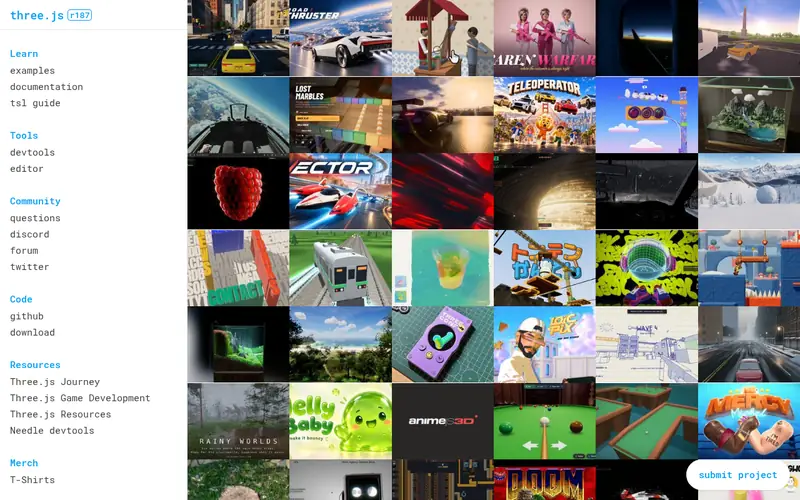
Three.js is the most widely used JavaScript 3D library. It provides a scene graph, cameras, materials, lights, loaders for common model formats and a post-processing pipeline. It renders through WebGL and has a WebGPU renderer that is still under active development.
It runs in any modern browser and has no build-tool requirement beyond a module bundler or import map. The core is small, and extra features such as controls, loaders and effects are imported from the examples and addons folders. That keeps the base lean but means you assemble more of the stack yourself.
The project is open source under the MIT license, with no paid tier. Documentation is thorough but spread across the manual, examples and API reference. Teams that want a full editor, built-in physics or a visual debugger should look at Babylon.js instead.
Standout: Large ecosystem and examples
Free (open source), as listed by the vendor (Three.js website). Confirm the current plan price before you buy.
Free plan. Plans change, so confirm on the vendor's pricing page before you buy.
Benefits
- Large ecosystem and examples
- works with plain JS and frameworks
Drawbacks
- Many features live in separate add-on modules
- no built-in editor
Skip it if this limit matters to you: many features live in separate add-on modules.
Verdict. A sensible pick for general-purpose 3D scenes in any JavaScript stack.
Alternatives in this guide: Babylon.js, React Three Fiber, PlayCanvas engine
Babylon.js
Best for teams that want a full engine with built-in tooling
What it is and where it fits
Babylon.js is a complete 3D engine for the browser. It includes a scene graph, physically based materials, animation, a GUI layer, physics integration and an inspector for debugging scenes at runtime. It supports WebGL and has a WebGPU engine.
It is written in TypeScript and ships typed APIs, which helps in larger codebases. The engine runs in browsers and can also target native platforms through its companion tooling. The project is open source under the Apache 2.0 license, and the editor and sandbox are free to use.
The trade-off is size and scope. Babylon.js covers more ground than most projects need, and the API is larger than Three.js. Teams that want a minimal renderer or a React-first workflow may prefer a lighter option.
Standout: Built-in physics, GUI and inspector
Free (open source), as listed by the vendor (Babylon.js website). Confirm the current plan price before you buy.
Free plan. Plans change, so confirm on the vendor's pricing page before you buy.
Benefits
- Built-in physics, GUI and inspector
- strong TypeScript support
Drawbacks
- Larger API surface to learn
- heavier bundle than a minimal setup
Skip it if this limit matters to you: larger API surface to learn.
Verdict. A sensible pick for teams that want a full engine with built-in tooling.
Alternatives in this guide: Three.js, React Three Fiber, PlayCanvas engine
React Three Fiber
Best for react apps that need declarative 3D scenes
What it is and where it fits
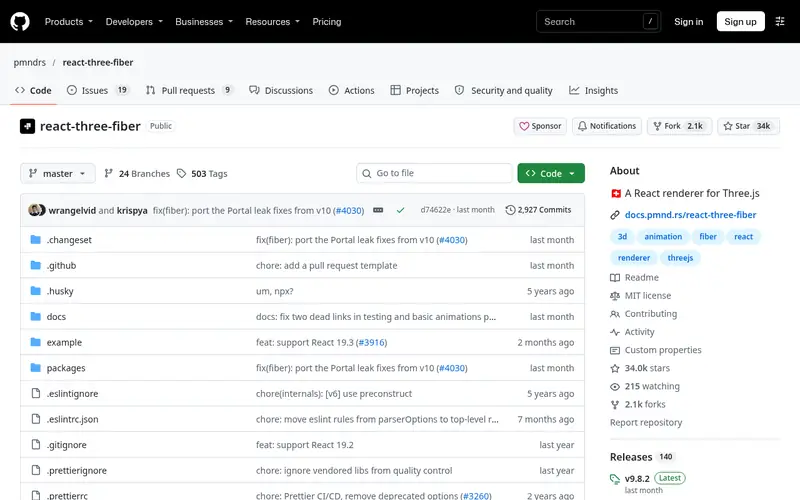
React Three Fiber is a React renderer for Three.js. You describe the scene as components, and props map to Three.js objects. State changes in React drive updates in the scene, which fits apps that already manage UI state in React.
It runs wherever React runs in the browser and depends on Three.js as a peer package. The surrounding pmndrs ecosystem adds helpers for controls, loaders, post-processing and physics. The library is open source under the MIT license with no paid tier.
It is not a standalone engine. You still need Three.js knowledge for materials, geometry and performance work. Projects that do not use React, or that need a full editor and physics out of the box, should choose a different option.
Standout: Scene graph maps to React components
Free (open source), as listed by the vendor (React Three Fiber website). Confirm the current plan price before you buy.
Free plan. Plans change, so confirm on the vendor's pricing page before you buy.
Benefits
- Scene graph maps to React components
- pairs with the pmndrs helper ecosystem
Drawbacks
- Requires React knowledge
- tied to the React renderer model
Skip it if this limit matters to you: requires React knowledge.
Verdict. A sensible pick for react apps that need declarative 3D scenes.
Alternatives in this guide: Three.js, Babylon.js, PlayCanvas engine
PlayCanvas engine
Best for performance-focused WebGL and WebGPU apps
What it is and where it fits
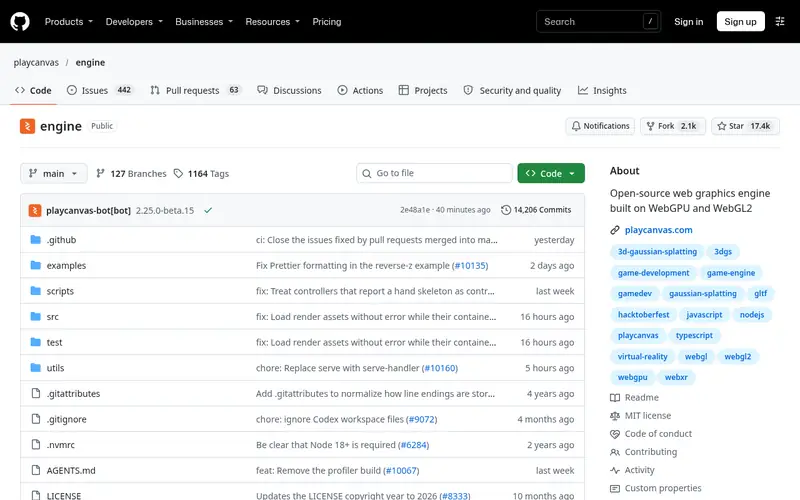
The PlayCanvas engine is an open-source JavaScript engine for WebGL and WebGPU. It focuses on runtime performance, with a component system, materials, animation and physics integration. The engine runs in modern browsers and can be used on its own or with the PlayCanvas editor.
The engine is free under the MIT license. The hosted editor is a separate product with its own plan structure, so check the vendor pricing page for current limits on private projects and collaboration. The runtime does not require the editor.
It suits teams building interactive 3D apps and games where frame rate matters. Developers who want a purely code-first workflow with the largest example base may find Three.js easier to start with.
Standout: Strong runtime performance focus
Free (open source), as listed by the vendor (PlayCanvas engine website). Confirm the current plan price before you buy.
Free plan. Plans change, so confirm on the vendor's pricing page before you buy.
Benefits
- Strong runtime performance focus
- open-source engine with a free editor tier
Drawbacks
- Editor is a separate hosted product
- smaller community than Three.js
Skip it if this limit matters to you: editor is a separate hosted product.
Verdict. A sensible pick for performance-focused WebGL and WebGPU apps.
Alternatives in this guide: Three.js, Babylon.js, React Three Fiber
A-Frame
Best for vR and 3D scenes built with HTML markup
What it is and where it fits
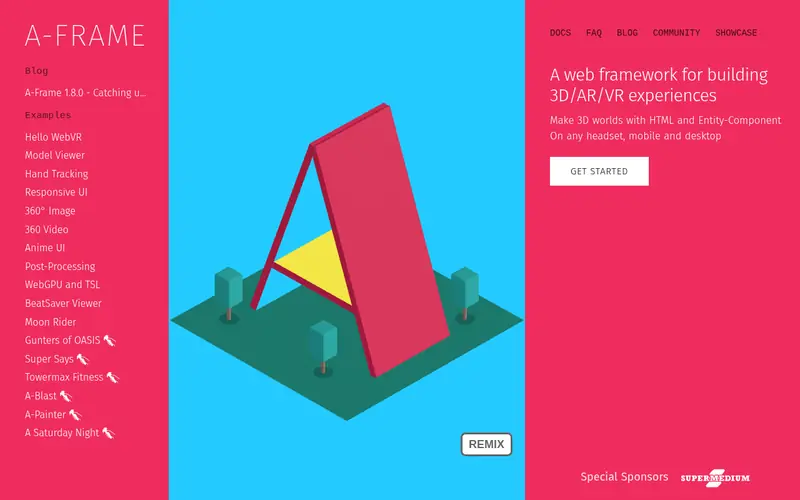
A-Frame is a web framework for building 3D and VR scenes with HTML. You write entities and components as tags, and the framework handles the scene setup on top of Three.js. It targets browsers and headsets that support WebXR.
It is open source under the MIT license and maintained by the same group behind Mozilla's original VR work. The entity-component pattern makes simple scenes quick to build and easy to read. Custom components let you extend behavior in JavaScript.
A-Frame is a good fit for prototypes, educational scenes and VR experiences. It offers less direct control over the render pipeline than raw Three.js or Babylon.js, so teams doing heavy custom shader work may outgrow it.
Standout: Declarative HTML syntax
Free (open source), as listed by the vendor (A-Frame website). Confirm the current plan price before you buy.
Free plan. Plans change, so confirm on the vendor's pricing page before you buy.
Benefits
- Declarative HTML syntax
- built on Three.js with a component system
Drawbacks
- Less control for complex custom rendering
- VR-first focus
Skip it if this limit matters to you: less control for complex custom rendering.
Verdict. A sensible pick for VR and 3D scenes built with HTML markup.
Alternatives in this guide: Three.js, Babylon.js, React Three Fiber
model-viewer
Best for embedding interactive 3D models on web pages
What it is and where it fits
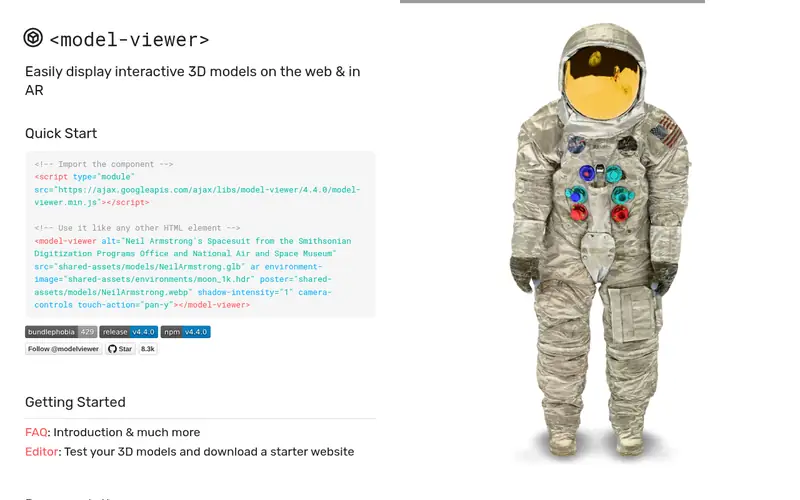
model-viewer is a web component for displaying 3D models. You add one tag, point it at a glTF or GLB file, and get orbit controls, lighting and optional augmented reality on supported devices. It handles loading and rendering without scene code.
It is open source under the Apache 2.0 license and maintained by Google. It runs in modern browsers and is designed for product pages, documentation and marketing sites where the goal is to show one model well.
It is not a general 3D engine. If you need multiple objects, custom shaders, animation logic or a game loop, use Three.js, Babylon.js or another engine. For a single model embed, it is the shortest path.
Standout: Single HTML element for model display
Free (open source), as listed by the vendor (model-viewer website). Confirm the current plan price before you buy.
Free plan. Plans change, so confirm on the vendor's pricing page before you buy.
Benefits
- Single HTML element for model display
- built-in AR and camera controls
Drawbacks
- Narrow scope
- not a general scene-building engine
Skip it if this limit matters to you: narrow scope.
Verdict. A sensible pick for embedding interactive 3D models on web pages.
Alternatives in this guide: Three.js, Babylon.js, React Three Fiber
OGL
Best for minimal WebGL rendering with a small footprint
What it is and where it fits
OGL is a minimal WebGL library. It provides the core pieces for rendering: geometry, materials, textures, a renderer and a camera, without the larger scene-management layer of a full engine. It has no dependencies and a small bundle.
It is open source under the MIT license and runs in any WebGL-capable browser. The API stays close to WebGL concepts, which helps when you want control over draw calls and shaders. It suits creative coding, visual demos and projects where bundle size matters.
OGL is not a full engine. You handle scene organization, loaders and animation yourself or add small helpers. Teams that want batteries-included tooling should pick Three.js or Babylon.js.
Standout: Small core with no dependencies
Free (open source), as listed by the vendor (OGL website). Confirm the current plan price before you buy.
Free plan. Plans change, so confirm on the vendor's pricing page before you buy.
Benefits
- Small core with no dependencies
- low-level control over WebGL
Drawbacks
- Fewer helpers than full engines
- smaller community
Skip it if this limit matters to you: fewer helpers than full engines.
Verdict. A sensible pick for minimal WebGL rendering with a small footprint.
Alternatives in this guide: Three.js, Babylon.js, React Three Fiber
regl
Best for functional-style WebGL with explicit command buffers
What it is and where it fits
regl is a functional WebGL library. You define draw commands as functions, and regl manages buffers, textures and program state. It aims to make raw WebGL more predictable without hiding the graphics pipeline.
It is open source under the MIT license and runs in WebGL-capable browsers. It is well suited to data visualization, generative graphics and custom shader work where you want tight control over each draw call.
regl is not a scene-graph engine. There are no built-in cameras, loaders or materials in the engine sense, so you write more code for typical 3D scenes. Developers new to graphics programming should start with Three.js or Babylon.js.
Standout: Declarative command definitions
Free (open source), as listed by the vendor (regl website). Confirm the current plan price before you buy.
Free plan. Plans change, so confirm on the vendor's pricing page before you buy.
Benefits
- Declarative command definitions
- efficient resource handling
Drawbacks
- Low-level and shader-centric
- steep learning curve for beginners
Skip it if this limit matters to you: low-level and shader-centric.
Verdict. A sensible pick for functional-style WebGL with explicit command buffers.
Alternatives in this guide: Three.js, Babylon.js, React Three Fiber
Who should use what
Teams building a general 3D scene in plain JavaScript should start with Three.js. React apps that want scene state to follow component state should use React Three Fiber. Projects that need a full engine with physics, GUI and a runtime inspector should choose Babylon.js. For VR scenes written as HTML, use A-Frame, and for a single product model on a page, use model-viewer. Creative coders who want tight control over draw calls should look at OGL or regl.
Questions to settle before you buy
What to check before you buy
- Confirm the library supports the browsers and devices your users have, including WebGL2 and any WebGPU fallback.
- Check the licence (MIT or Apache 2.0) against your distribution and attribution requirements.
- Test model loading with your actual glTF or GLB assets, including texture and animation handling.
- Measure bundle size and startup time on a mid-range phone, not just a desktop.
- Confirm the project is actively maintained by checking recent commits and releases.
FAQ
Do these libraries cost anything?
No. All eight are free and open source. PlayCanvas also offers a hosted editor as a separate product with its own plans, so check the vendor pricing page for editor limits.
Which library should a beginner start with?
Three.js is the usual starting point. It has the largest set of examples and tutorials, and its scene graph is easy to reason about. Babylon.js is a good second choice if you want built-in physics and a debugger from day one.
Do I need WebGPU to use these?
No. WebGL is the common baseline, and all the engines here work with it. Three.js and Babylon.js also provide WebGPU renderers, but you should treat WebGPU support as an enhancement and keep a WebGL path.
Can I use these with React or Vue?
Yes. React Three Fiber is built specifically for React. Three.js, Babylon.js and OGL can be wrapped in components for React or Vue, though you manage the lifecycle and cleanup yourself.
Is my 3D data sent anywhere when I use these libraries?
The libraries run in the browser, so rendering happens on the user's device. Data leaves the machine only if your app loads assets from a server or sends scene data to one. Check asset hosting and any analytics you add.
Sources we checked
Method: how we score · editorial policy.
Change log. First published 27 Nov 2026.