Stage 03 · Host · Researched comparison
Best SQL Query Plan Visualizers in 2026
pgAdmin is the first pick for most PostgreSQL developers because its graphical EXPLAIN viewer is built into a free, open-source client. DBeaver suits teams working across several databases with one tool. SQL Server users should look at SQL Server Management Studio, which renders graphical execution plans natively. All three are free, and none sends your query plans to a third-party web page.

By Shihab Mia
Published 22 Nov 2026 · 6 tools compared
We run no ads and no affiliate links at launch. The order of a list follows our published method. See how we score.
Prices are the starting prices vendors list publicly. Plans change, so confirm the current price on the vendor page before you buy.
Key takeaways
- pgAdmin, DBeaver and SQL Server Management Studio are free, and each renders query plans as diagrams rather than plain text.
- EXPLAIN ANALYZE actually runs the statement, so use it on test data or wrap it in a transaction you roll back.
- MySQL Workbench shows visual explain output for MySQL, and pgAdmin covers PostgreSQL; pick the client that matches your engine.
- Browser-based plan viewers exist, but avoid pasting plans that contain table names, filters or literals from production systems.
Who each pick is for
- PostgreSQL developers who want a built-in graphical EXPLAIN viewerpgAdmin
- Developers who query several database engines with one clientDBeaver
- SQL Server administrators who need full graphical plan and tuning toolsSQL Server Management Studio
- MySQL developers who want visual explain output in the official clientMySQL Workbench
- PostgreSQL teams that want plan advice alongside the visual treepgMustard
- PostgreSQL developers who want an open-source plan viewer they can self-hostpev2
Comparison
| Tool | Best for | Standout feature | Listed starting price | Free plan or trial |
|---|---|---|---|---|
| 1pgAdmin | PostgreSQL developers who want a built-in graphical EXPLAIN viewer | Graphical explain output built into the standard PostgreSQL client | Free (open source) | Free plan |
| 2DBeaver | Developers who query several database engines with one client | One client for PostgreSQL, MySQL, SQL Server, Oracle and more | Free (open source) | Free plan |
| 3SQL Server Management Studio | SQL Server administrators who need full graphical plan and tuning tools | Full graphical execution plans with operator detail | Free | Free plan |
| 4MySQL Workbench | MySQL developers who want visual explain output in the official client | Official MySQL client with Visual Explain | Free | Free plan |
| 5pgMustard | PostgreSQL teams that want plan advice alongside the visual tree | Reads EXPLAIN output and highlights likely problems | See vendor pricing page | Free trial (limited) |
| 6pev2 | PostgreSQL developers who want an open-source plan viewer they can self-host | Open-source PostgreSQL plan visualizer | Free (open source) | Free plan |
How we picked
We picked tools that render query plans as diagrams and are currently maintained, based on vendor documentation, project repositories and public pricing pages. Criteria were fit for the job, supported databases and platforms, price and licence, and how each tool handles plan data. For hosted viewers we noted the privacy risk of pasting plans. We did not run benchmarks or collect user reviews. Prices and plan limits change, so confirm details on the vendor site before you commit.
The tools, one by one
pgAdmin
Best for postgreSQL developers who want a built-in graphical EXPLAIN viewer
What it is and where it fits
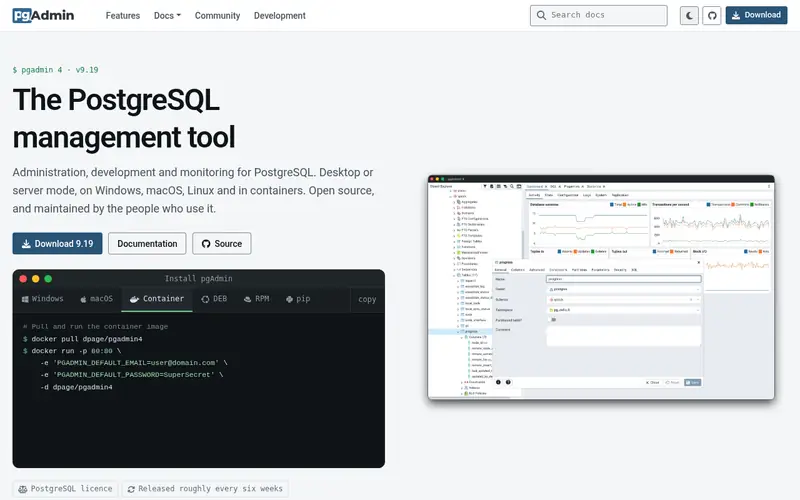
pgAdmin is the official open-source administration client for PostgreSQL. It includes a graphical EXPLAIN tool that draws the plan as a tree of nodes, with cost, row estimates and timing shown per node. You can run EXPLAIN without executing the statement, or EXPLAIN ANALYZE to get real timings. The visual output makes it easier to spot sequential scans and expensive joins than reading indented text.
It runs as a desktop app on Windows, macOS and Linux, and there is also a server mode for browser access. Because it is the reference client for PostgreSQL, the plan format matches what the server emits. The main limit is scope: it does nothing for MySQL, SQL Server or Oracle. Developers who only work in PostgreSQL get the most value from it.
Standout: Graphical explain output built into the standard PostgreSQL client
Free (open source), as listed by the vendor (pgAdmin website). Confirm the current plan price before you buy.
Free plan. Plans change, so confirm on the vendor's pricing page before you buy.
Benefits
- Graphical explain output built into the standard PostgreSQL client
- runs on Windows, macOS and Linux
Drawbacks
- PostgreSQL only
- the interface can feel heavy on large schemas
Skip it if this limit matters to you: postgreSQL only.
Verdict. A sensible pick for postgreSQL developers who want a built-in graphical EXPLAIN viewer.
Alternatives in this guide: DBeaver, SQL Server Management Studio, MySQL Workbench
DBeaver
Best for developers who query several database engines with one client
What it is and where it fits
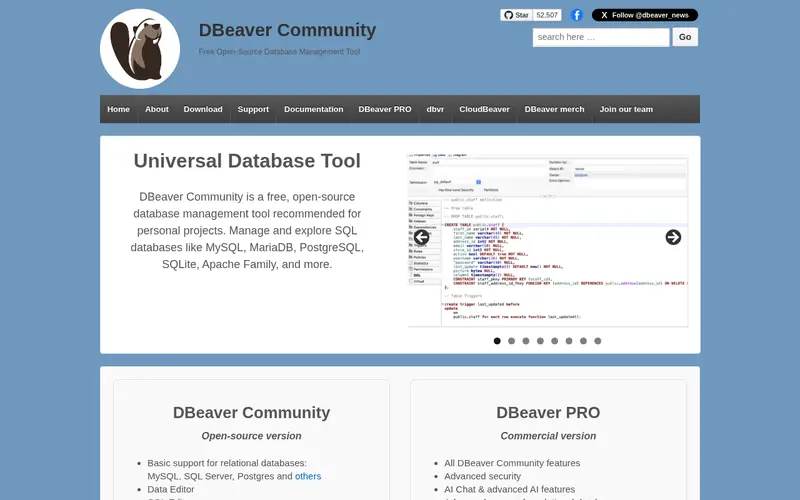
DBeaver is an open-source database client that connects to a wide range of engines through JDBC drivers. It offers an execution plan viewer that renders plans as a diagram where the driver supports it, and falls back to formatted text otherwise. That makes it a practical single tool for developers who move between PostgreSQL, MySQL and SQL Server in the same week.
The Community edition is free and open source. A separate commercial edition adds features aimed at larger teams; check the vendor pricing page for current terms. Plan rendering depends on what each driver exposes, so the visual output is strongest for PostgreSQL and weaker for some other engines. If you need one client for many databases, this is the usual choice.
Standout: One client for PostgreSQL, MySQL, SQL Server, Oracle and more
Free (open source), as listed by the vendor (DBeaver website). Confirm the current plan price before you buy.
Free plan. Plans change, so confirm on the vendor's pricing page before you buy.
Benefits
- One client for PostgreSQL, MySQL, SQL Server, Oracle and more
- visual explain support across many drivers
Drawbacks
- Visual plan quality varies by database driver
- the free Community edition lacks some team features
Skip it if this limit matters to you: visual plan quality varies by database driver.
Verdict. A sensible pick for developers who query several database engines with one client.
Alternatives in this guide: pgAdmin, SQL Server Management Studio, MySQL Workbench
SQL Server Management Studio
Best for sQL Server administrators who need full graphical plan and tuning tools

What it is and where it fits
SQL Server Management Studio (SSMS) is Microsoft's free management tool for SQL Server. It shows graphical execution plans with per-operator detail, including estimated and actual rows, warnings and costs. It also bundles the Database Engine Tuning Advisor, which suggests indexes based on a workload. For deep SQL Server plan analysis, this is the most complete free option.
SSMS runs on Windows only, which rules it out for macOS and Linux developers. The install is large, and startup is slower than lighter clients. Teams that only need to read a plan occasionally may prefer a lighter client, while administrators who manage servers, jobs and security will want SSMS. It is free from Microsoft.
Standout: Full graphical execution plans with operator detail
Free, as listed by the vendor (SQL Server Management Studio website). Confirm the current plan price before you buy.
Free plan. Plans change, so confirm on the vendor's pricing page before you buy.
Benefits
- Full graphical execution plans with operator detail
- includes Database Engine Tuning Advisor
Drawbacks
- Windows only
- a large install compared with lighter clients
Skip it if this limit matters to you: windows only.
Verdict. A sensible pick for SQL Server administrators who need full graphical plan and tuning tools.
Alternatives in this guide: pgAdmin, DBeaver, MySQL Workbench
MySQL Workbench
Best for mySQL developers who want visual explain output in the official client

What it is and where it fits
MySQL Workbench is Oracle's free client for MySQL. Its Visual Explain feature draws the plan as a diagram of nodes with cost and row estimates, and it can show the plan for a statement without running it. That covers the common case of checking whether a query uses an index before shipping it.
It runs on Windows, macOS and Linux and is free to download. The visual output is simpler than what pgAdmin or SSMS provide, and it is limited to MySQL and compatible servers. Developers on MariaDB should confirm feature support in current documentation. For MySQL-only teams it is the natural starting point and needs no extra install beyond the client itself.
Standout: Official MySQL client with Visual Explain
Free, as listed by the vendor (MySQL Workbench website). Confirm the current plan price before you buy.
Free plan. Plans change, so confirm on the vendor's pricing page before you buy.
Benefits
- Official MySQL client with Visual Explain
- runs on Windows, macOS and Linux
Drawbacks
- MySQL only
- the visual explain view is less detailed than PostgreSQL or SQL Server tools
Skip it if this limit matters to you: mySQL only.
Verdict. A sensible pick for mySQL developers who want visual explain output in the official client.
Alternatives in this guide: pgAdmin, DBeaver, SQL Server Management Studio
pgMustard
Best for postgreSQL teams that want plan advice alongside the visual tree
What it is and where it fits
pgMustard is a commercial tool that takes PostgreSQL EXPLAIN output, including JSON format, and returns a visual plan with hints about slow steps. It is aimed at developers who can read a plan but want a second opinion on where the time goes. You can paste a plan into the web interface or use it from supported clients.
Because it is a hosted service, treat plan contents as potentially sensitive: plans can include table names, filters and literal values. Strip or anonymize production plans before uploading, or check whether the vendor offers a local option. Pricing is tiered; confirm current terms on the vendor pricing page. It is PostgreSQL only, so skip it for other engines.
Standout: Reads EXPLAIN output and highlights likely problems
See vendor pricing page, as listed by the vendor (pgMustard website). Confirm the current plan price before you buy.
Free trial (limited). Plans change, so confirm on the vendor's pricing page before you buy.
Benefits
- Reads EXPLAIN output and highlights likely problems
- works with plans pasted from any PostgreSQL client
Drawbacks
- Commercial product with a paid tier
- PostgreSQL only
Skip it if this limit matters to you: commercial product with a paid tier.
Verdict. A sensible pick for postgreSQL teams that want plan advice alongside the visual tree.
Alternatives in this guide: pgAdmin, DBeaver, SQL Server Management Studio
pev2
Best for postgreSQL developers who want an open-source plan viewer they can self-host
What it is and where it fits
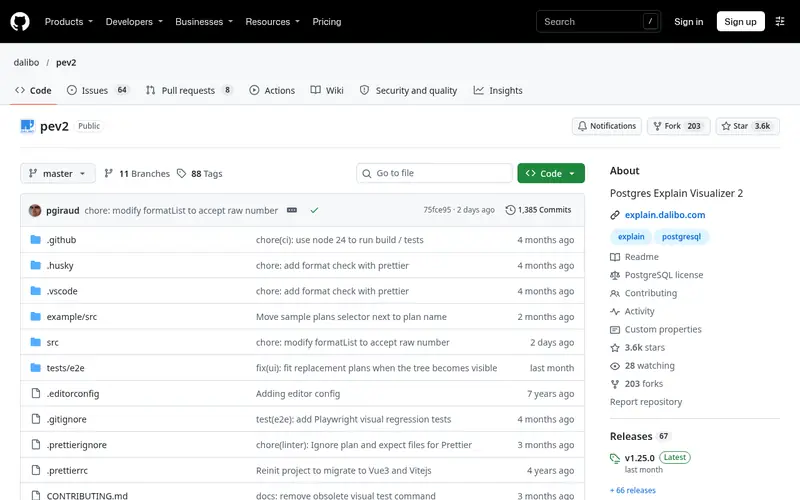
pev2 is an open-source PostgreSQL Explain Visualizer maintained by Dalibo. It takes EXPLAIN output in JSON format and renders it as an interactive tree with node costs, row estimates and timing. Because the source is public, you can run it locally or host it inside your own network instead of pasting plans into a third-party site.
That self-hosting option matters for privacy: query plans can reveal schema details and data values. The tool only handles PostgreSQL and expects JSON-format plans, so you generate them with EXPLAIN (FORMAT JSON). It is a focused viewer rather than a full client, so pair it with psql or pgAdmin for running queries.
Standout: Open-source PostgreSQL plan visualizer
Free (open source), as listed by the vendor (pev2 website). Confirm the current plan price before you buy.
Free plan. Plans change, so confirm on the vendor's pricing page before you buy.
Benefits
- Open-source PostgreSQL plan visualizer
- can run locally or be self-hosted
Drawbacks
- PostgreSQL only
- requires EXPLAIN JSON output as input
Skip it if this limit matters to you: postgreSQL only.
Verdict. A sensible pick for postgreSQL developers who want an open-source plan viewer they can self-host.
Alternatives in this guide: pgAdmin, DBeaver, SQL Server Management Studio
Who should use what
PostgreSQL-only developers should start with pgAdmin, which ships the graphical EXPLAIN viewer for free. Teams that query several engines should use DBeaver so one client covers PostgreSQL, MySQL and SQL Server. SQL Server and Azure SQL developers should use SSMS on Windows when they also manage servers. MySQL developers should use MySQL Workbench for Visual Explain. Anyone who wants to self-host a PostgreSQL plan viewer, or avoid pasting plans into a third-party site, should look at pev2.
Questions to settle before you buy
What to check before you buy
- Confirm the tool supports your database engine and version, since plan formats differ.
- Check whether EXPLAIN ANALYZE runs the statement, and test on non-production data or a rolled-back transaction.
- Decide whether plans may leave your network; prefer local or self-hosted viewers for sensitive schemas.
- Verify the licence and any paid tier on the vendor pricing page before standardizing a team.
- Check platform support, since some clients are Windows only.
FAQ
What is a SQL query plan visualizer?
It is a tool that takes the execution plan your database returns for a query and draws it as a tree or graph. Nodes show operations such as scans and joins, with cost, row estimates and sometimes real timings. This is easier to read than indented text output.
Does EXPLAIN ANALYZE change data?
EXPLAIN ANALYZE runs the statement to collect real timings, so INSERT, UPDATE and DELETE statements will change data. Run it inside a transaction you roll back, or on a copy of the data. Plain EXPLAIN only estimates and does not execute the query.
Are these tools free?
pgAdmin, DBeaver Community, SSMS, MySQL Workbench and pev2 are free, and most are open source. pgMustard is commercial with a paid tier; check its vendor pricing page. Free tools can still carry support and licensing terms worth reading.
Can I paste a production query plan into a web viewer?
Be careful. Plans can include table names, column names, filters and literal values. Prefer tools that run locally or that you can self-host, such as pgAdmin or pev2. If you must use a hosted viewer, strip sensitive details first.
Which tool works with more than one database?
DBeaver is the main cross-database option here, connecting to PostgreSQL, MySQL, SQL Server and others. Visual plan quality depends on the driver. The other tools on this list are tied to a single engine.
Sources we checked
Method: how we score · editorial policy.
Change log. First published 22 Nov 2026.