Stage 03 · Host · Researched comparison
Best S3 Browser Clients in 2026
Cyberduck is the first pick for most developers who want a free, cross-platform S3 browser with a familiar file manager interface. S3 Browser suits Windows users who need a dedicated S3 tool with ACL and policy controls. Commander One is a reasonable choice for macOS users who want S3 access built into a two-pane file manager. All three connect to S3 and S3-compatible storage.

By Shihab Mia
Published 22 Nov 2026 · 8 tools compared
We run no ads and no affiliate links at launch. The order of a list follows our published method. See how we score.
Prices are the starting prices vendors list publicly. Plans change, so confirm the current price on the vendor page before you buy.
Key takeaways
- Cyberduck is free and open source, runs on macOS and Windows, and supports S3 plus many other protocols.
- S3 Browser is Windows-only, free for personal use, and charges for commercial use.
- Commander One is a macOS file manager with S3 support; the S3 feature needs the paid Pro version.
- Browser-based S3 consoles can expose credentials to third-party pages, so prefer a local desktop client for sensitive buckets.
Who each pick is for
- Cross-platform users who want a free S3 browserCyberduck
- Windows users who need S3 ACL and policy controlsS3 Browser
- macOS users who want S3 inside a file managerCommander One
- macOS users who want a polished S3 transfer clientTransmit
- Windows users who want a free S3-capable transfer clientWinSCP
- Developers who prefer scripted S3 access over a GUIAWS CLI
- Developers working with S3-compatible storage and scriptingMinIO Client (mc)
- Cross-platform users who want S3 in a familiar FTP clientFileZilla Pro
Comparison
| Tool | Best for | Standout feature | Listed starting price | Free plan or trial |
|---|---|---|---|---|
| 1Cyberduck | Cross-platform users who want a free S3 browser | Free and open source | Free (open source) | Free plan |
| 2S3 Browser | Windows users who need S3 ACL and policy controls | S3-focused feature set including ACLs and bucket policies | See vendor pricing page | Free trial (30 days) |
| 3Commander One | macOS users who want S3 inside a file manager | Two-pane file manager with S3 and cloud mounts | See vendor pricing page | Free trial (15 days) |
| 4Transmit | macOS users who want a polished S3 transfer client | Fast, well-designed macOS interface | See vendor pricing page | Free trial (7 days) |
| 5WinSCP | Windows users who want a free S3-capable transfer client | Free and open source | Free (open source) | Free plan |
| 6AWS CLI | Developers who prefer scripted S3 access over a GUI | Free and scriptable | Free | Free plan |
| 7MinIO Client (mc) | Developers working with S3-compatible storage and scripting | Free and open source | Free (open source) | Free plan |
| 8FileZilla Pro | Cross-platform users who want S3 in a familiar FTP client | Cross-platform | See vendor pricing page | No free plan |
How we picked
We picked tools that browse Amazon S3 or S3-compatible storage and are currently maintained. Criteria were fit for the job (object browsing, uploads, downloads and basic management), platform coverage, price and licence model, and whether the tool runs locally rather than in a third-party web page. We did not test the tools ourselves. Details come from vendor pages, official documentation and project repositories. Prices change, so confirm current pricing on the vendor site before you buy.
The tools, one by one
Cyberduck
Best for cross-platform users who want a free S3 browser
What it is and where it fits
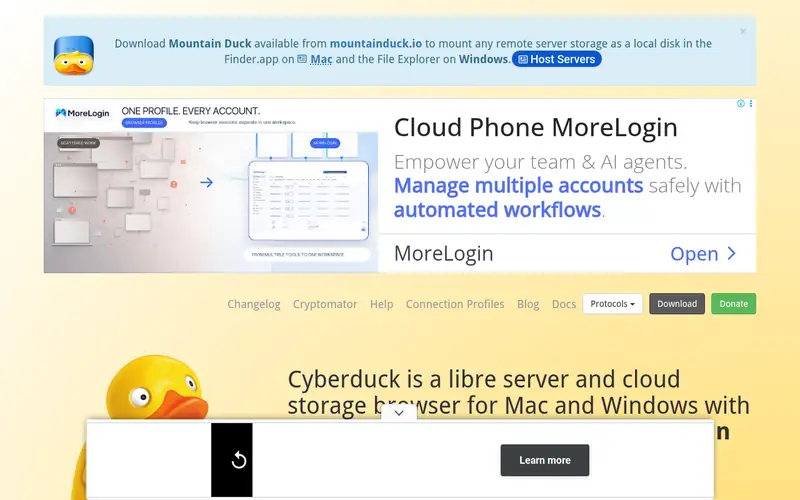
Cyberduck is a libre file transfer client for macOS and Windows. It connects to Amazon S3 and S3-compatible services such as MinIO and Backblaze B2, and it also handles FTP, SFTP, WebDAV and cloud storage. You browse buckets as folders, upload and download files, and edit object metadata.
The app is free and open source under the GPL. There is no paid tier for the core client, though the project accepts donations. It handles large transfers and supports multiple connections, but it is a general transfer tool rather than an S3 administration console, so bucket policy and ACL editing are limited. Skip it if you need deep S3 permission management.
Standout: Free and open source
Free (open source), as listed by the vendor (Cyberduck website). Confirm the current plan price before you buy.
Free plan. Plans change, so confirm on the vendor's pricing page before you buy.
Benefits
- Free and open source
- supports S3 and S3-compatible storage alongside many other protocols
Drawbacks
- Interface is generic across protocols
- advanced S3 policy features are limited
Skip it if this limit matters to you: interface is generic across protocols.
Verdict. A sensible pick for cross-platform users who want a free S3 browser.
Alternatives in this guide: S3 Browser, Commander One, Transmit
S3 Browser
Best for windows users who need S3 ACL and policy controls
What it is and where it fits
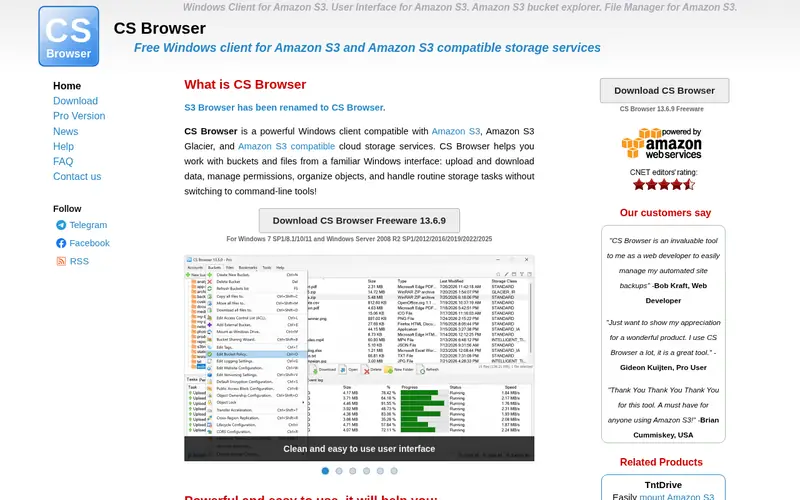
S3 Browser is a Windows client built specifically for Amazon S3 and S3-compatible storage. It shows buckets and objects in a two-pane layout and adds S3-specific tools: ACL editing, bucket policy editing, versioning, lifecycle rules and storage class changes. It also supports multipart uploads and transfer acceleration.
The client is free for personal use. Commercial use requires a licence, and the vendor lists Pro and Enterprise editions with different feature sets. The exact prices are on the vendor pricing page, so confirm there before you buy. It runs only on Windows, so macOS and Linux users need another tool. It is a good fit for Windows administrators who manage bucket permissions directly.
Standout: S3-focused feature set including ACLs and bucket policies
See vendor pricing page, as listed by the vendor (S3 Browser website). Confirm the current plan price before you buy.
Free trial (30 days). Plans change, so confirm on the vendor's pricing page before you buy.
Benefits
- S3-focused feature set including ACLs and bucket policies
- Windows integration
Drawbacks
- Windows only
- commercial use requires a paid licence
Skip it if this limit matters to you: windows only.
Verdict. A sensible pick for windows users who need S3 ACL and policy controls.
Alternatives in this guide: Cyberduck, Commander One, Transmit
Commander One
Best for macOS users who want S3 inside a file manager
What it is and where it fits
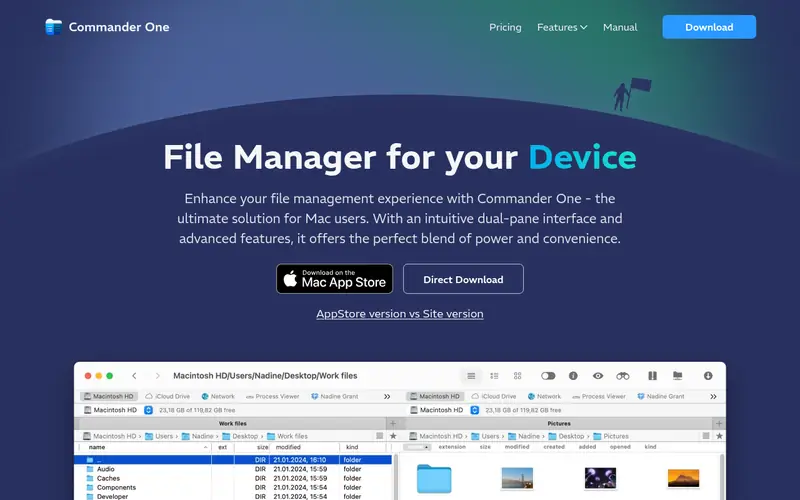
Commander One is a dual-pane file manager for macOS. The Pro version can mount S3 buckets and other cloud storage as drives, so you can move files between local folders and buckets with the same copy and move commands you use elsewhere. It also handles archives, FTP and SFTP.
The free version covers local file management. S3 mounting and most cloud features need Pro, and the vendor sells it as a one-time purchase or a subscription depending on the edition. Prices are on the vendor site. It is macOS-only. Choose it if you already want a Finder replacement and want S3 access in the same window, not as a separate app.
Standout: Two-pane file manager with S3 and cloud mounts
See vendor pricing page, as listed by the vendor (Commander One website). Confirm the current plan price before you buy.
Free trial (15 days). Plans change, so confirm on the vendor's pricing page before you buy.
Benefits
- Two-pane file manager with S3 and cloud mounts
- native macOS app
Drawbacks
- S3 support requires the paid Pro version
- macOS only
Skip it if this limit matters to you: S3 support requires the paid Pro version.
Verdict. A sensible pick for macOS users who want S3 inside a file manager.
Alternatives in this guide: Cyberduck, S3 Browser, Transmit
Transmit
Best for macOS users who want a polished S3 transfer client

What it is and where it fits
Transmit is a file transfer app for macOS from Panic. It connects to S3, S3-compatible storage, SFTP, WebDAV and other services. It supports sync, batch rename, and mounting remote volumes in Finder. The S3 support covers bucket browsing, uploads and downloads, and permission changes.
Transmit is commercial software sold as a one-time licence with paid upgrades. The vendor offers a trial. There is no free tier for continued use. It is a strong pick for Mac users who move files often and want a fast, native interface. It is not an S3 administration console, so skip it if you need policy or lifecycle editing.
Standout: Fast, well-designed macOS interface
See vendor pricing page, as listed by the vendor (Transmit website). Confirm the current plan price before you buy.
Free trial (7 days). Plans change, so confirm on the vendor's pricing page before you buy.
Benefits
- Fast, well-designed macOS interface
- supports S3 and S3-compatible storage
Drawbacks
- Paid only
- macOS only
Skip it if this limit matters to you: paid only.
Verdict. A sensible pick for macOS users who want a polished S3 transfer client.
Alternatives in this guide: Cyberduck, S3 Browser, Commander One
WinSCP
Best for windows users who want a free S3-capable transfer client
What it is and where it fits
WinSCP is a free, open-source file transfer client for Windows. It supports SFTP, FTP, WebDAV and S3. For S3 it lets you browse buckets, upload and download objects, and manage basic properties. It also includes a scripting interface and a .NET assembly for automation.
WinSCP is GPL-licensed and free for all use, including commercial. Its S3 support is functional but not as deep as S3 Browser: expect basic object operations rather than full ACL and policy editing. It runs only on Windows. It is a good choice if you already use WinSCP for SFTP and want one tool for S3 as well.
Standout: Free and open source
Free (open source), as listed by the vendor (WinSCP website). Confirm the current plan price before you buy.
Free plan. Plans change, so confirm on the vendor's pricing page before you buy.
Benefits
- Free and open source
- supports S3 alongside SFTP and FTP
Drawbacks
- Windows only
- S3 feature set is basic compared with dedicated tools
Skip it if this limit matters to you: windows only.
Verdict. A sensible pick for windows users who want a free S3-capable transfer client.
Alternatives in this guide: Cyberduck, S3 Browser, Commander One
AWS CLI
Best for developers who prefer scripted S3 access over a GUI
What it is and where it fits
The AWS CLI is the official command-line interface for AWS. Its `s3` and `s3api` commands list buckets, copy objects, sync folders and set bucket properties. It runs on macOS, Windows and Linux and is free to download and use; you pay only for the AWS resources you consume.
It is not a graphical browser, so it does not replace a file manager for visual browsing. But for repeatable tasks, scripting and automation it is often faster than clicking. It also works with S3-compatible endpoints through configuration. Choose it if you are comfortable on the command line and want to script bucket operations.
Standout: Free and scriptable
Free, as listed by the vendor (AWS CLI website). Confirm the current plan price before you buy.
Free plan. Plans change, so confirm on the vendor's pricing page before you buy.
Benefits
- Free and scriptable
- works on macOS, Windows and Linux
Drawbacks
- No graphical browser
- requires command-line familiarity
Skip it if this limit matters to you: no graphical browser.
Verdict. A sensible pick for developers who prefer scripted S3 access over a GUI.
Alternatives in this guide: Cyberduck, S3 Browser, Commander One
MinIO Client (mc)
Best for developers working with S3-compatible storage and scripting

What it is and where it fits
The MinIO Client, known as `mc`, is an open-source command-line tool for S3-compatible object storage. It lists buckets, copies and mirrors objects, sets policies and manages users on MinIO and other S3-compatible servers. It runs on macOS, Windows and Linux.
`mc` is free and open source under the AGPL. It is aimed at developers and operators who script storage tasks or manage self-hosted object storage. It is not a GUI, so it does not suit people who want to drag and drop files. It is a good companion to a desktop client when you need repeatable operations across many buckets.
Standout: Free and open source
Free (open source), as listed by the vendor (MinIO Client (mc) website). Confirm the current plan price before you buy.
Free plan. Plans change, so confirm on the vendor's pricing page before you buy.
Benefits
- Free and open source
- works with S3 and S3-compatible servers
Drawbacks
- Command-line only
- no graphical interface
Skip it if this limit matters to you: command-line only.
Verdict. A sensible pick for developers working with S3-compatible storage and scripting.
Alternatives in this guide: Cyberduck, S3 Browser, Commander One
FileZilla Pro
Best for cross-platform users who want S3 in a familiar FTP client
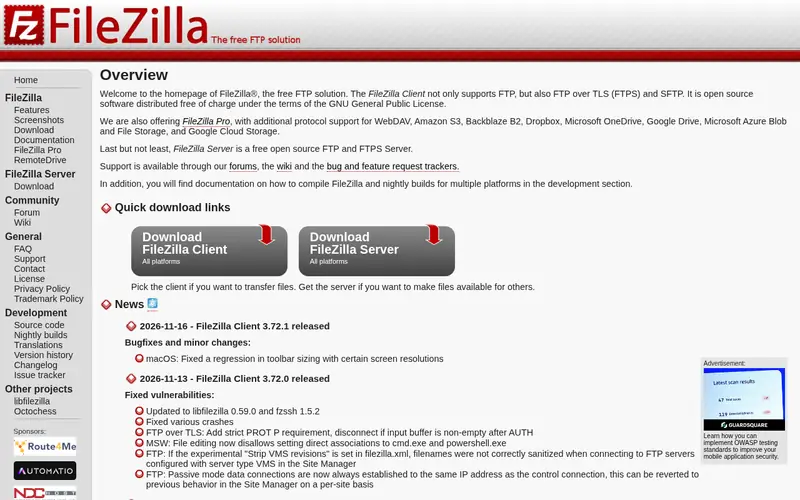
What it is and where it fits
FileZilla is a well-known file transfer client for Windows, macOS and Linux. The free version handles FTP and SFTP. S3 and other cloud storage support is part of FileZilla Pro, which is sold as a paid licence. Pro adds S3 browsing, uploads, downloads and basic object management in the same interface.
FileZilla Pro is commercial software; the vendor lists prices on its site. There is no free tier for S3. The interface will feel familiar to anyone who has used FileZilla for FTP. It is a reasonable choice for teams that already standardize on FileZilla and want S3 in the same tool, but it is not a deep S3 console.
Standout: Cross-platform
See vendor pricing page, as listed by the vendor (FileZilla Pro website). Confirm the current plan price before you buy.
No free plan. Plans change, so confirm on the vendor's pricing page before you buy.
Benefits
- Cross-platform
- S3 support inside a well-known transfer client
Drawbacks
- S3 support is in the paid Pro edition only
- the free edition has no S3
Skip it if this limit matters to you: S3 support is in the paid Pro edition only.
Verdict. A sensible pick for cross-platform users who want S3 in a familiar FTP client.
Alternatives in this guide: Cyberduck, S3 Browser, Commander One
Who should use what
If you want a free, cross-platform S3 browser, start with Cyberduck. If you are on Windows and need ACL and bucket policy editing, use S3 Browser and budget for a commercial licence. If you are on macOS and want S3 inside a two-pane file manager, Commander One Pro or Transmit fit that workflow. If you automate storage tasks, use the AWS CLI or MinIO Client and keep a GUI client for occasional visual browsing.
Questions to settle before you buy
What to check before you buy
- Confirm the client supports your storage: Amazon S3, MinIO, Backblaze B2 or another S3-compatible endpoint.
- Check the platform: several strong S3 clients are Windows-only or macOS-only.
- Read the licence terms: some tools are free for personal use but paid for commercial use.
- Test credential handling: prefer local apps that store keys in the OS keychain over web pages.
- Verify the S3 features you need, such as versioning, ACLs, lifecycle rules or multipart uploads.
FAQ
What is an S3 browser client?
An S3 browser client is a desktop app or command-line tool that connects to Amazon S3 or S3-compatible storage and lets you list buckets, upload and download objects, and manage object properties. It replaces or supplements the AWS web console for day-to-day file work.
Are S3 browser clients free?
Some are. Cyberduck, WinSCP and the MinIO Client are free and open source. S3 Browser is free for personal use but paid for commercial use. Transmit, Commander One Pro and FileZilla Pro are paid. Check each vendor's current terms.
Is it safe to paste S3 credentials into a web tool?
Be careful. Third-party web pages can log what you paste. Prefer desktop clients that store credentials in the OS keychain, and avoid pasting access keys, secret keys or production bucket data into pages you do not control.
Can these clients connect to S3-compatible storage?
Most can. Cyberduck, S3 Browser, WinSCP, the AWS CLI and the MinIO Client support custom endpoints for services such as MinIO and Backblaze B2. Check the client's documentation for the endpoint and region settings.
Do I still need the AWS CLI if I use a GUI client?
Not always, but many developers keep both. A GUI client is faster for browsing and one-off transfers. The AWS CLI and MinIO Client are better for scripting, syncing folders and repeatable operations across many buckets.
Sources we checked
Method: how we score · editorial policy.
Change log. First published 22 Nov 2026.