Stage 03 · Host · Researched comparison
Best MySQL CLI Clients in 2026
The official mysql client is the safe default for most developers because it ships with MySQL, supports every server version and needs no install beyond the server package. If you want scripting and JSON output, MySQL Shell is the better fit. If you want syntax highlighting and autocompletion in an interactive prompt, mycli is the usual pick. All three are free, and each works over a standard terminal connection.

By Shihab Mia
Published 22 Nov 2026 · 7 tools compared
We run no ads and no affiliate links at launch. The order of a list follows our published method. See how we score.
Prices are the starting prices vendors list publicly. Plans change, so confirm the current price on the vendor page before you buy.
Key takeaways
- The official mysql client is free, bundled with MySQL, and works with MySQL and MariaDB servers.
- MySQL Shell adds JavaScript and Python scripting plus JSON and table output modes, and is free from Oracle.
- mycli and Harlequin are open source and add highlighting, completion and a TUI, but they are separate projects with their own release cycles.
- Terminal clients send credentials and query text over the network, so avoid pasting production secrets into shared shells or logged sessions.
Who each pick is for
- Everyday queries with zero extra installmysql (official client)
- Scripting and JSON output from the terminalMySQL Shell (mysqlsh)
- MariaDB-first teams that want the reference clientMariaDB client (mariadb)
- Interactive queries with completion and highlightingmycli
- One shell for MySQL and other databasesusql
- Terminal SQL IDE with a MySQL adapterHarlequin
- Keyboard-driven TUI browsing of MySQL datalazysql
Comparison
| Tool | Best for | Standout feature | Listed starting price | Free plan or trial |
|---|---|---|---|---|
| 1mysql (official client) | Everyday queries with zero extra install | Ships with MySQL and needs no separate install | Free (open source) | Free plan |
| 2MySQL Shell (mysqlsh) | Scripting and JSON output from the terminal | JavaScript and Python modes for automation | Free | Free plan |
| 3MariaDB client (mariadb) | MariaDB-first teams that want the reference client | Matches MariaDB server features and defaults | Free (open source) | Free plan |
| 4mycli | Interactive queries with completion and highlighting | Syntax highlighting and smart autocompletion | Free (open source) | Free plan |
| 5usql | One shell for MySQL and other databases | Single binary with many database drivers | Free (open source) | Free plan |
| 6Harlequin | Terminal SQL IDE with a MySQL adapter | TUI with schema browser and result grid | Free (open source) | Free plan |
| 7lazysql | Keyboard-driven TUI browsing of MySQL data | Fast keyboard navigation of tables and rows | Free (open source) | Free plan |
How we picked
We picked terminal clients that connect to MySQL or MariaDB and are currently maintained. Criteria were fit for command-line work, platform coverage, licence and price, how credentials and query text are handled, and known limits such as adapter-based support or missing client flags. Sources are vendor documentation, project repositories and public pricing pages. Prices and free tiers change, so confirm details on the vendor site before you commit.
The tools, one by one
mysql (official client)
Best for everyday queries with zero extra install
What it is and where it fits
The mysql client is the command-line program included with MySQL Server and the MySQL client packages. It connects to MySQL and MariaDB servers, runs SQL from a file or an interactive prompt, and supports batch mode for scripts and cron jobs. Output formats are limited to tabular and tab-separated, and you can change the prompt and pager through options.
It runs on Linux, macOS and Windows wherever MySQL client packages are available. The licence follows MySQL, which is GPL for the community edition. Because it is the reference client, it is the one most documentation and tutorials assume. Skip it if you need completion, highlighting or structured output, since those require a different client.
Standout: Ships with MySQL and needs no separate install
Free (open source), as listed by the vendor (mysql (official client) website). Confirm the current plan price before you buy.
Free plan. Plans change, so confirm on the vendor's pricing page before you buy.
Benefits
- Ships with MySQL and needs no separate install
- works with MySQL and most MariaDB servers
Drawbacks
- Basic interactive editing
- no built-in syntax highlighting
Skip it if this limit matters to you: basic interactive editing.
Verdict. A sensible pick for everyday queries with zero extra install.
Alternatives in this guide: MySQL Shell (mysqlsh), MariaDB client (mariadb), mycli
MySQL Shell (mysqlsh)
Best for scripting and JSON output from the terminal
What it is and where it fits
MySQL Shell is Oracle's advanced client and scripting environment. It supports SQL, JavaScript and Python modes, so you can write loops and admin scripts that call the server API. Output can be switched between table, JSON and tab formats, which helps when piping results into other tools. It also includes utilities for dump and load, upgrade checks and cluster administration.
It runs on Linux, macOS and Windows and is free to download. The SQL mode works against MySQL and MariaDB, but some utilities and admin APIs assume MySQL Server. It is a good fit for developers who script routine tasks or want machine-readable output. If you only run ad hoc queries, the plain mysql client is lighter.
Standout: JavaScript and Python modes for automation
Free, as listed by the vendor (MySQL Shell (mysqlsh) website). Confirm the current plan price before you buy.
Free plan. Plans change, so confirm on the vendor's pricing page before you buy.
Benefits
- JavaScript and Python modes for automation
- table, JSON and tab output formats
Drawbacks
- Larger install than the basic client
- some admin features target MySQL only
Skip it if this limit matters to you: larger install than the basic client.
Verdict. A sensible pick for scripting and JSON output from the terminal.
Alternatives in this guide: mysql (official client), MariaDB client (mariadb), mycli
MariaDB client (mariadb)
Best for mariaDB-first teams that want the reference client
What it is and where it fits
The mariadb client is the command-line client shipped with MariaDB. It behaves much like the mysql client and accepts the same style of options, so existing scripts usually work with a change of binary name. It connects to MariaDB servers and to MySQL servers in most cases, and it tracks MariaDB-specific syntax and server features.
It runs on Linux, macOS and Windows through MariaDB packages and distributions. The licence is GPL. It is the natural choice if your servers are MariaDB, because it stays aligned with that server's releases. If your fleet is MySQL and you rely on MySQL-specific behaviour, use the official mysql client or MySQL Shell instead.
Standout: Matches MariaDB server features and defaults
Free (open source), as listed by the vendor (MariaDB client (mariadb) website). Confirm the current plan price before you buy.
Free plan. Plans change, so confirm on the vendor's pricing page before you buy.
Benefits
- Matches MariaDB server features and defaults
- familiar mysql-style commands
Drawbacks
- Some MySQL-only features are not covered
- separate install from MySQL packages
Skip it if this limit matters to you: some MySQL-only features are not covered.
Verdict. A sensible pick for mariaDB-first teams that want the reference client.
Alternatives in this guide: mysql (official client), MySQL Shell (mysqlsh), mycli
mycli
Best for interactive queries with completion and highlighting
What it is and where it fits
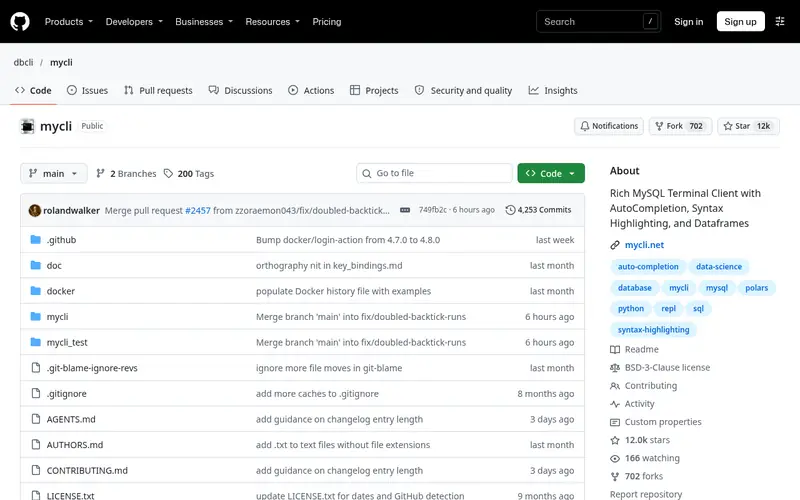
mycli is an open-source terminal client for MySQL and MariaDB built on Python. It adds syntax highlighting, autocompletion of table and column names, and multi-line editing. You can save favorite queries and recall them, and the prompt can show the current database and connection details.
It installs through pip or your package manager and runs on Linux, macOS and Windows. The licence is BSD. It is aimed at interactive use, so for large batch loads or strict script compatibility the official client is a safer choice. Check the project's release notes before relying on it in automation, since option coverage differs from the mysql client.
Standout: Syntax highlighting and smart autocompletion
Free (open source), as listed by the vendor (mycli website). Confirm the current plan price before you buy.
Free plan. Plans change, so confirm on the vendor's pricing page before you buy.
Benefits
- Syntax highlighting and smart autocompletion
- configurable prompt and favorites
Drawbacks
- Python install required
- not a drop-in for every mysql client flag
Skip it if this limit matters to you: python install required.
Verdict. A sensible pick for interactive queries with completion and highlighting.
Alternatives in this guide: mysql (official client), MySQL Shell (mysqlsh), MariaDB client (mariadb)
usql
Best for one shell for MySQL and other databases
What it is and where it fits
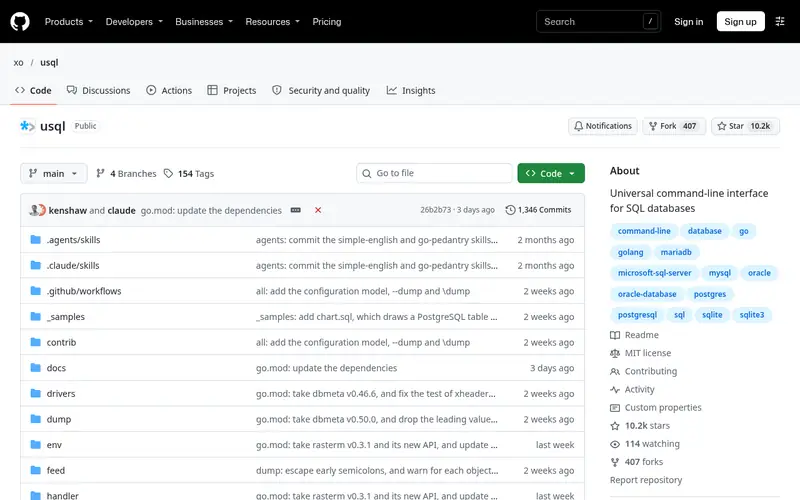
usql is an open-source universal command-line client that speaks to many databases, including MySQL and MariaDB, through one binary. It offers a psql-like interface with meta-commands, so developers who move between engines can keep one set of habits. Connection strings follow URL-style DSNs.
It runs on Linux, macOS and Windows and is distributed as a single binary. The licence is MIT. Because it targets many databases, MySQL-specific behaviour and newer server features may not be covered as quickly as in the official client. It suits polyglot teams that want one tool. If you need exact MySQL client parity, use the official client.
Standout: Single binary with many database drivers
Free (open source), as listed by the vendor (usql website). Confirm the current plan price before you buy.
Free plan. Plans change, so confirm on the vendor's pricing page before you buy.
Benefits
- Single binary with many database drivers
- consistent commands across engines
Drawbacks
- MySQL-specific features can lag
- fewer MySQL-only options than the official client
Skip it if this limit matters to you: mySQL-specific features can lag.
Verdict. A sensible pick for one shell for MySQL and other databases.
Alternatives in this guide: mysql (official client), MySQL Shell (mysqlsh), MariaDB client (mariadb)
Harlequin
Best for terminal SQL IDE with a MySQL adapter
What it is and where it fits
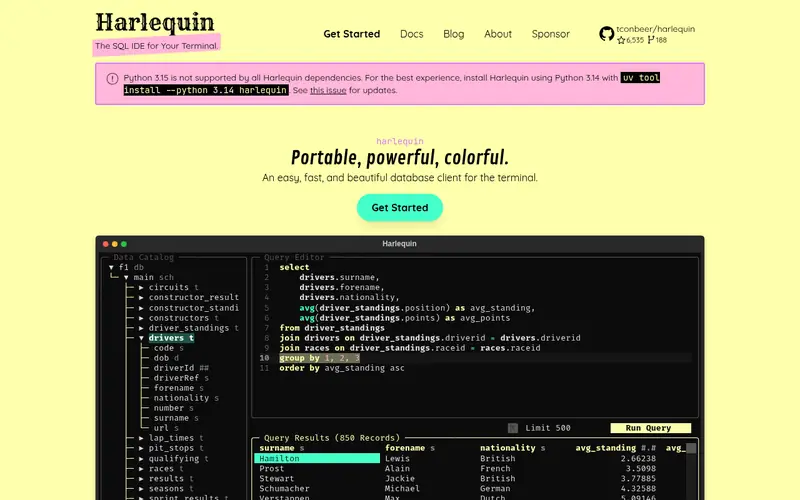
Harlequin is an open-source terminal SQL IDE that runs in the terminal and provides a schema browser, editor and results pane. MySQL and MariaDB connections are supported through an adapter, so you install the core tool plus the MySQL adapter. It is aimed at developers who want a visual layout without leaving the terminal.
It runs on Linux, macOS and Windows and installs through pip or pipx. The licence is MIT. Because MySQL support is adapter-based, feature coverage depends on the adapter's release. It suits people who want a TUI workspace. For scripted jobs or minimal environments, the official client is simpler.
Standout: TUI with schema browser and result grid
Free (open source), as listed by the vendor (Harlequin website). Confirm the current plan price before you buy.
Free plan. Plans change, so confirm on the vendor's pricing page before you buy.
Benefits
- TUI with schema browser and result grid
- multiple database adapters
Drawbacks
- MySQL support comes via an adapter
- not a plain mysql client replacement
Skip it if this limit matters to you: mySQL support comes via an adapter.
Verdict. A sensible pick for terminal SQL IDE with a MySQL adapter.
Alternatives in this guide: mysql (official client), MySQL Shell (mysqlsh), MariaDB client (mariadb)
lazysql
Best for keyboard-driven TUI browsing of MySQL data
What it is and where it fits
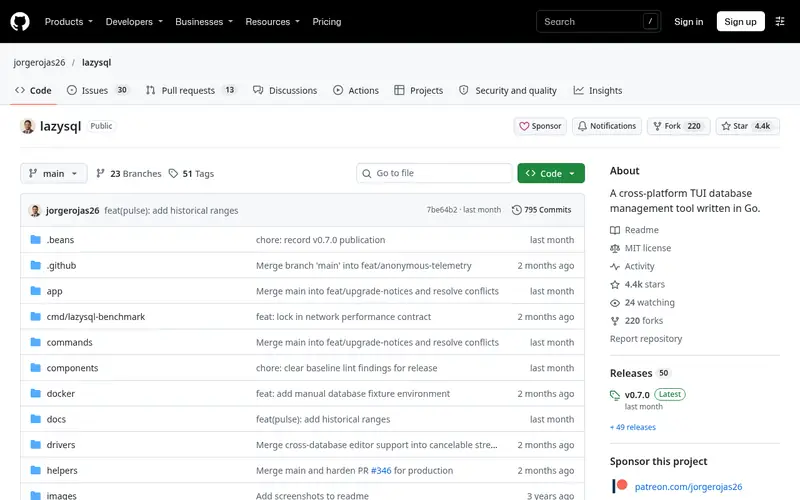
lazysql is an open-source terminal UI for MySQL and MariaDB. It lets you browse databases, tables and rows with keyboard shortcuts and edit data in place. It is built for quick inspection rather than long SQL sessions, so it complements a client rather than replacing one for scripting.
It runs on Linux, macOS and Windows as a single binary. The licence is MIT. The project is smaller than the official clients, so expect fewer features and slower coverage of new server options. It suits developers who want to poke around a schema quickly. For batch jobs, use the mysql client or MySQL Shell.
Standout: Fast keyboard navigation of tables and rows
Free (open source), as listed by the vendor (lazysql website). Confirm the current plan price before you buy.
Free plan. Plans change, so confirm on the vendor's pricing page before you buy.
Benefits
- Fast keyboard navigation of tables and rows
- single binary
Drawbacks
- Focused on browsing and editing, not scripting
- smaller project
Skip it if this limit matters to you: focused on browsing and editing, not scripting.
Verdict. A sensible pick for keyboard-driven TUI browsing of MySQL data.
Alternatives in this guide: mysql (official client), MySQL Shell (mysqlsh), MariaDB client (mariadb)
Who should use what
If you want the lowest-friction option, use the official mysql client that ships with your server packages. If you script admin tasks or need JSON output, use MySQL Shell. If your servers are MariaDB, use the mariadb client to stay aligned with that server. If you want highlighting and completion in an interactive prompt, use mycli, and if you prefer a terminal workspace with a schema browser, try Harlequin or lazysql. Polyglot teams that switch between engines can standardize on usql.
Questions to settle before you buy
What to check before you buy
- Confirm the client supports your server version and any MySQL- or MariaDB-specific syntax you rely on.
- Check that the binary is available for your OS and install method, including package manager or single binary.
- Review the licence if you redistribute the client or bundle it in images.
- Decide whether you need scripting, JSON output or only interactive queries.
- Keep credentials out of shell history and logs; prefer option files with restricted permissions over inline passwords.
FAQ
Is the mysql client free?
Yes. The official mysql client ships with MySQL client packages and the community edition is GPL. There is no separate licence fee to use it against your own servers.
Can mycli connect to MariaDB?
Yes. mycli targets MySQL and MariaDB servers. Some MySQL-only features may not be covered, so test against your server version before relying on it for admin work.
Does MySQL Shell work with MariaDB?
SQL mode generally works against MariaDB, but some utilities and admin APIs assume MySQL Server. Check the documentation for the specific feature you plan to use.
Which client is best for scripting?
MySQL Shell offers JavaScript and Python modes plus JSON output, which suits automation. The official mysql client is fine for plain SQL batch files run from cron or CI.
Are these clients safe for production credentials?
They send credentials over the connection, so use TLS and avoid inline passwords in shell history. Prefer option files with restricted permissions, and do not paste secrets into shared or logged sessions.
Sources we checked
Method: how we score · editorial policy.
Change log. First published 22 Nov 2026.