Stage 01 · Write · Researched comparison
Best JavaScript Code Editors for the Browser in 2026
Monaco Editor is the first pick for most teams that want a full IDE feel in the browser, since it is the editor behind VS Code and ships with rich language support. CodeMirror 6 suits projects that need a smaller, modular core with fine control over extensions. Ace is a good alternative for simple embeds and older browser targets. All three are open source.

By Shihab Mia
Published 27 Nov 2026 · 6 tools compared
We run no ads and no affiliate links at launch. The order of a list follows our published method. See how we score.
Prices are the starting prices vendors list publicly. Plans change, so confirm the current price on the vendor page before you buy.
Key takeaways
- Monaco Editor is free and open source, and offers the closest match to a desktop IDE experience in a web page.
- CodeMirror 6 is free and open source, and is built around a modular extension system rather than a single large bundle.
- Ace is free and open source, and works well for lightweight embeds, though its ecosystem is older.
- Sandpack is free and open source, and is aimed at running live React examples rather than general-purpose editing.
Who each pick is for
- Teams that want a VS Code-like editor in the browserMonaco Editor
- Apps that need a small, modular editor coreCodeMirror 6
- Simple embeds and legacy browser supportAce
- React apps that need a tiny editable code fieldreact-simple-code-editor
- Live, runnable code examples in docs and demosSandpack
- Minimal code input with no dependenciesCodeJar
Comparison
| Tool | Best for | Standout feature | Listed starting price | Free plan or trial |
|---|---|---|---|---|
| 1Monaco Editor | Teams that want a VS Code-like editor in the browser | Rich language features and IntelliSense | Free (open source) | Free plan |
| 2CodeMirror 6 | Apps that need a small, modular editor core | Modular extension system | Free (open source) | Free plan |
| 3Ace | Simple embeds and legacy browser support | Small API surface | Free (open source) | Free plan |
| 4react-simple-code-editor | React apps that need a tiny editable code field | Very small and easy to wire into React | Free (open source) | Free plan |
| 5Sandpack | Live, runnable code examples in docs and demos | Runs code in the browser with a bundler | Free (open source) | Free plan |
| 6CodeJar | Minimal code input with no dependencies | Tiny footprint | Free (open source) | Free plan |
How we picked
We picked embeddable browser editor components that are actively maintained and have a clear official site or repository. Criteria were fit for editing JavaScript in a web page, platform and framework support, licence and price, how much setup is required, and the main limits of each project. Sources are vendor pages, project documentation and public repositories. Prices and licences can change, so confirm details on the official site before you commit.
The tools, one by one
Monaco Editor
Best for teams that want a VS Code-like editor in the browser
What it is and where it fits
Monaco Editor is the browser editor component extracted from VS Code. It provides syntax highlighting, autocomplete, diagnostics and multi-cursor editing for JavaScript and many other languages. It runs in modern browsers and is distributed under the MIT license.
The main tradeoff is weight. Monaco ships a large bundle and relies on web workers for language services, so bundler and worker configuration takes some care. It works best in apps that already expect a heavy client, such as internal tools or cloud consoles. Teams that need a very small footprint should look at CodeMirror instead.
Standout: Rich language features and IntelliSense
Free (open source), as listed by the vendor (Monaco Editor website). Confirm the current plan price before you buy.
Free plan. Plans change, so confirm on the vendor's pricing page before you buy.
Benefits
- Rich language features and IntelliSense
- familiar to VS Code users
Drawbacks
- Large bundle size
- setup and worker configuration can be fiddly
Skip it if this limit matters to you: large bundle size.
Verdict. A sensible pick for teams that want a VS Code-like editor in the browser.
Alternatives in this guide: CodeMirror 6, Ace, react-simple-code-editor
CodeMirror 6
Best for apps that need a small, modular editor core
What it is and where it fits
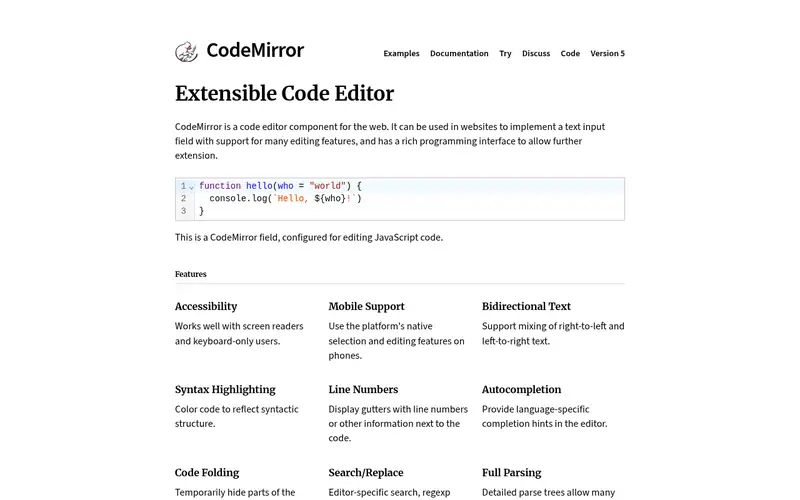
CodeMirror 6 is a code editor library for the browser, written as a set of npm packages. You compose the editor from a core package plus extensions for languages, themes and keymaps. It targets modern browsers and is released under the MIT license.
It is lighter and more modular than Monaco, which makes it a good fit for documentation sites, note apps and embedded playgrounds. The cost is that you build more yourself: language support and IDE-style features come from separate packages. Teams that want everything included out of the box may prefer Monaco.
Standout: Modular extension system
Free (open source), as listed by the vendor (CodeMirror 6 website). Confirm the current plan price before you buy.
Free plan. Plans change, so confirm on the vendor's pricing page before you buy.
Benefits
- Modular extension system
- good mobile and accessibility support
Drawbacks
- More assembly required
- smaller set of built-in IDE features
Skip it if this limit matters to you: more assembly required.
Verdict. A sensible pick for apps that need a small, modular editor core.
Alternatives in this guide: Monaco Editor, Ace, react-simple-code-editor
Ace
Best for simple embeds and legacy browser support
What it is and where it fits
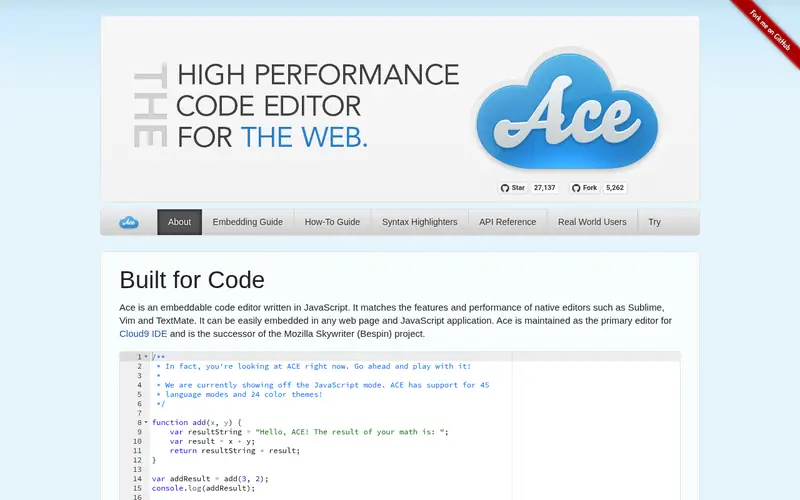
Ace is a standalone JavaScript code editor that you embed in a page with a script tag or a module import. It provides syntax highlighting, themes and basic editing for many languages, and it has been used in browser-based IDEs for years. It is distributed under the BSD license.
Ace is easy to drop in and works without a build step, which suits small tools and older codebases. It does not match Monaco or CodeMirror 6 for modern language services or extension design. Choose it when simplicity matters more than IDE-grade features.
Standout: Small API surface
Free (open source), as listed by the vendor (Ace website). Confirm the current plan price before you buy.
Free plan. Plans change, so confirm on the vendor's pricing page before you buy.
Benefits
- Small API surface
- long track record in embeddable editors
Drawbacks
- Older architecture
- fewer modern language features
Skip it if this limit matters to you: older architecture.
Verdict. A sensible pick for simple embeds and legacy browser support.
Alternatives in this guide: Monaco Editor, CodeMirror 6, react-simple-code-editor
react-simple-code-editor
Best for react apps that need a tiny editable code field
What it is and where it fits
react-simple-code-editor is a small React component that renders a textarea styled to look like a code editor. It relies on a separate highlighter such as Prism for syntax coloring. It is MIT licensed and published on npm.
It fits cases where you want a compact code input, such as a snippet field or a config box, and do not need IntelliSense or error checking. It is not a replacement for Monaco or CodeMirror when users expect real editing features. Keep it for small surfaces.
Standout: Very small and easy to wire into React
Free (open source), as listed by the vendor (react-simple-code-editor website). Confirm the current plan price before you buy.
Free plan. Plans change, so confirm on the vendor's pricing page before you buy.
Benefits
- Very small and easy to wire into React
- pairs with Prism for highlighting
Drawbacks
- No autocomplete or diagnostics
- not a full editor
Skip it if this limit matters to you: no autocomplete or diagnostics.
Verdict. A sensible pick for react apps that need a tiny editable code field.
Alternatives in this guide: Monaco Editor, CodeMirror 6, Ace
Sandpack
Best for live, runnable code examples in docs and demos
What it is and where it fits
Sandpack is a component toolkit from CodeSandbox for embedding live code examples. It bundles and runs the code in the browser, so readers can edit and see results. It is open source and works with React and other frameworks.
It is aimed at documentation and demo use rather than as a general-purpose editor. If you need a full editing surface, pair it with a component like CodeMirror. Check the licence and hosting model on the project site before relying on it in production.
Standout: Runs code in the browser with a bundler
Free (open source), as listed by the vendor (Sandpack website). Confirm the current plan price before you buy.
Free plan. Plans change, so confirm on the vendor's pricing page before you buy.
Benefits
- Runs code in the browser with a bundler
- good for interactive docs
Drawbacks
- Focused on running examples, not general editing
- React-oriented
Skip it if this limit matters to you: focused on running examples, not general editing.
Verdict. A sensible pick for live, runnable code examples in docs and demos.
Alternatives in this guide: Monaco Editor, CodeMirror 6, Ace
CodeJar
Best for minimal code input with no dependencies
What it is and where it fits
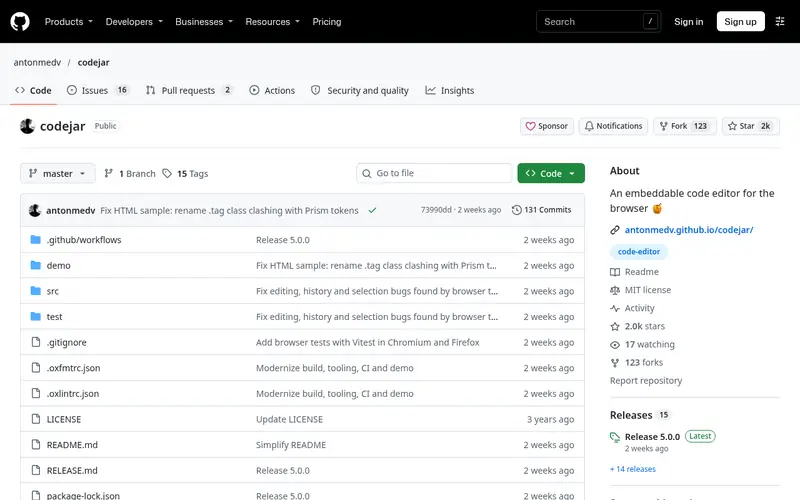
CodeJar is a small code editor built on contenteditable. It has no dependencies and works with any highlighter, such as Prism. It is MIT licensed.
It suits lightweight embeds where bundle size is the priority and users only need to type and see colored code. It does not provide autocomplete, linting or multi-file support. For richer needs, use CodeMirror 6 or Monaco.
Standout: Tiny footprint
Free (open source), as listed by the vendor (CodeJar website). Confirm the current plan price before you buy.
Free plan. Plans change, so confirm on the vendor's pricing page before you buy.
Benefits
- Tiny footprint
- no framework dependency
Drawbacks
- No language services
- highlighting comes from a separate library
Skip it if this limit matters to you: no language services.
Verdict. A sensible pick for minimal code input with no dependencies.
Alternatives in this guide: Monaco Editor, CodeMirror 6, Ace
Who should use what
If you are building an internal tool or cloud console and want a VS Code-like experience, start with Monaco Editor. If bundle size and modularity matter, such as in a docs site or note app, use CodeMirror 6. If you need a quick embed with no build step, Ace is the simplest route. For live, runnable examples in documentation, Sandpack fits. For tiny code fields in React, react-simple-code-editor or CodeJar keep things light.
Questions to settle before you buy
What to check before you buy
- Check the bundle size and whether the editor needs web workers or a build step.
- Confirm the licence (MIT or BSD for the projects listed) and how it fits your distribution.
- Test the editor on the browsers and mobile devices your users actually use.
- Decide whether you need language services such as autocomplete and diagnostics, or only highlighting.
- Review how the component handles large files and how you will load language modes.
FAQ
What is the best JavaScript code editor to embed in a web app?
Monaco Editor is the most complete option and suits apps that want IDE features. CodeMirror 6 is the better choice when you need a smaller, modular core. Both are free and open source.
Are these editors free to use?
Yes. Monaco, CodeMirror 6, Ace, react-simple-code-editor, Sandpack and CodeJar are all open source under permissive licences. Check each project's licence file for exact terms.
Can I use these editors offline?
Yes, if you bundle the editor and its language packages with your app rather than loading them from a CDN. That also avoids sending code to third-party servers.
Should I paste secrets into an online code playground?
No. Do not paste tokens, keys or production data into third-party web pages. Prefer editors that run locally in the browser or offline, and keep secrets out of shared demos.
Which editor is smallest?
CodeJar and react-simple-code-editor are the smallest options listed. Ace and CodeMirror 6 are mid-sized, and Monaco is the largest because it includes full language services.
Sources we checked
Method: how we score · editorial policy.
Change log. First published 27 Nov 2026.