Stage 04 · Run · Researched comparison
Best Git History Rewriting Tools in 2026
git filter-repo is the first pick for most teams. It is the tool the Git project recommends for rewriting history, and it handles large-file and secret removal in one pass. Choose BFG Repo-Cleaner if you want a simpler, faster path for deleting big blobs and files. Choose interactive rebase, git-absorb or git-revise when the job is cleaning up recent local commits rather than purging content from a whole repository.

By Shihab Mia
Published 28 Nov 2026 · 5 tools compared
We run no ads and no affiliate links at launch. The order of a list follows our published method. See how we score.
Prices are the starting prices vendors list publicly. Plans change, so confirm the current price on the vendor page before you buy.
Key takeaways
- git filter-repo and BFG Repo-Cleaner are the two main tools for removing files, large blobs and secrets from full history.
- Interactive rebase ships with Git itself, so it costs nothing and needs no install.
- git-absorb and git-revise target small, local fixups and commit edits, not repository-wide purges.
- All five options are free or open source, and every one rewrites commit hashes, so coordinate with your team before pushing.
Who each pick is for
- Repository-wide removal of files, large blobs and leaked secretsgit filter-repo
- Fast removal of large files and sensitive strings from historyBFG Repo-Cleaner
- Editing, squashing and reordering recent local commitsgit rebase -i
- Folding fixup commits into the right earlier commits automaticallygit-absorb
- Fast in-place edits to recent commits without a full interactive rebasegit-revise
Comparison
| Tool | Best for | Standout feature | Listed starting price | Free plan or trial |
|---|---|---|---|---|
| 1git filter-repo | Repository-wide removal of files, large blobs and leaked secrets | Recommended by the Git project | Free (open source) | Free plan |
| 2BFG Repo-Cleaner | Fast removal of large files and sensitive strings from history | Simple commands for deleting big blobs and replacing text | Free (open source) | Free plan |
| 3git rebase -i | Editing, squashing and reordering recent local commits | Built into Git, so nothing to install | Free (open source) | Free plan |
| 4git-absorb | Folding fixup commits into the right earlier commits automatically | Automates the fixup-and-rebase loop | Free (open source) | Free plan |
| 5git-revise | Fast in-place edits to recent commits without a full interactive rebase | Quicker than interactive rebase for small message and content edits | Free (open source) | Free plan |
How we picked
We picked tools that genuinely rewrite or clean Git history and are currently maintained. Criteria were fit for the job, supported platforms, price and licence, and the main limits users hit. We left out git filter-branch because the Git project marks it as legacy and recommends git filter-repo instead. Sources are vendor pages, official documentation and project repositories. Prices and features change, so confirm details on the vendor site before you commit.
The tools, one by one
git filter-repo
Best for repository-wide removal of files, large blobs and leaked secrets
What it is and where it fits
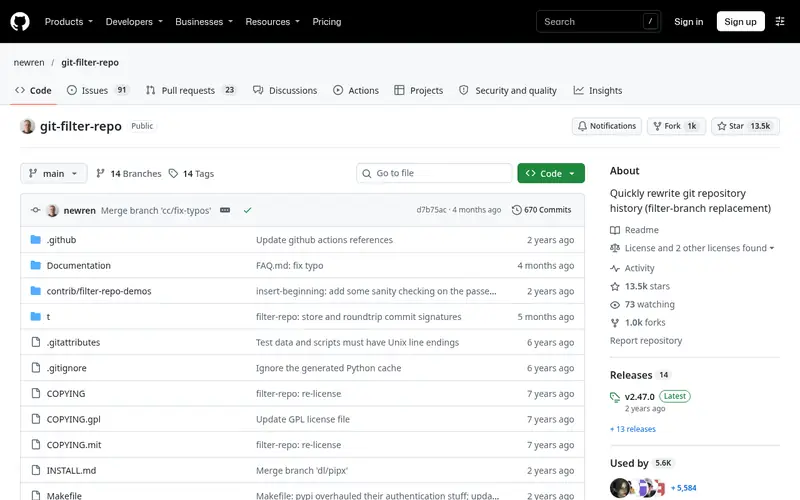
git filter-repo is a Python script that rewrites a repository's history. It replaces the deprecated git filter-branch command, which the Git project now advises against for most work. You can strip a path, remove blobs above a size threshold, rewrite author and email data, and rename branches or tags. It also produces a commit map so you can trace old hashes to new ones.
It runs anywhere Python and Git run: Linux, macOS and Windows. The licence is open source. Because it rewrites every affected commit, hashes change, so you should work on a fresh clone and coordinate a force-push with your team. Skip it if you only need to fix your last few local commits; interactive rebase is simpler for that.
Standout: Recommended by the Git project
Free (open source), as listed by the vendor (git filter-repo website). Confirm the current plan price before you buy.
Free plan. Plans change, so confirm on the vendor's pricing page before you buy.
Benefits
- Recommended by the Git project
- handles paths, blobs and metadata in one pass
Drawbacks
- Command-line only
- requires a fresh clone and a careful force-push
Skip it if this limit matters to you: command-line only.
Verdict. A sensible pick for repository-wide removal of files, large blobs and leaked secrets.
Alternatives in this guide: BFG Repo-Cleaner, git rebase -i, git-absorb
BFG Repo-Cleaner
Best for fast removal of large files and sensitive strings from history
What it is and where it fits
BFG Repo-Cleaner is a Java tool built for one job: cleaning bad data out of Git history. Its common uses are deleting files over a size limit, removing a specific file by name, and replacing sensitive strings such as passwords with a placeholder. It reads your repository and writes a cleaned copy, so the original stays intact until you push.
It needs a Java runtime and runs from the command line on Linux, macOS and Windows. The project is open source. BFG is narrower than git filter-repo: it does not cover every metadata rewrite, and its documentation points to filter-repo for more complex cases. Choose BFG when the task is a straightforward blob or string purge and you want short commands.
Standout: Simple commands for deleting big blobs and replacing text
Free (open source), as listed by the vendor (BFG Repo-Cleaner website). Confirm the current plan price before you buy.
Free plan. Plans change, so confirm on the vendor's pricing page before you buy.
Benefits
- Simple commands for deleting big blobs and replacing text
- faster than filter-branch on large repos
Drawbacks
- Java runtime required
- less flexible than git filter-repo for complex path and metadata rewrites
Skip it if this limit matters to you: java runtime required.
Verdict. A sensible pick for fast removal of large files and sensitive strings from history.
Alternatives in this guide: git filter-repo, git rebase -i, git-absorb
git rebase -i
Best for editing, squashing and reordering recent local commits
What it is and where it fits
Interactive rebase is part of Git itself. Running git rebase -i against a base commit opens an editor listing each commit, and you mark actions: pick, reword, edit, squash, fixup, drop. That covers most day-to-day history cleanup, including fixing a bad commit message, combining work-in-progress commits, and removing a commit that should not be there.
It is free and available wherever Git is installed. The main limit is scope. Rewriting hundreds of commits by hand is slow and conflict-prone, and rebasing shared branches forces everyone else to reset. Use it for local, recent work. For purging files or secrets across the whole repository, use git filter-repo or BFG instead.
Standout: Built into Git, so nothing to install
Free (open source), as listed by the vendor (git rebase -i website). Confirm the current plan price before you buy.
Free plan. Plans change, so confirm on the vendor's pricing page before you buy.
Benefits
- Built into Git, so nothing to install
- interactive todo list makes squashing and rewording clear
Drawbacks
- Only practical for recent commits
- conflicts during rebase can be tedious on long histories
Skip it if this limit matters to you: only practical for recent commits.
Verdict. A sensible pick for editing, squashing and reordering recent local commits.
Alternatives in this guide: git filter-repo, BFG Repo-Cleaner, git-absorb
git-absorb
Best for folding fixup commits into the right earlier commits automatically
What it is and where it fits
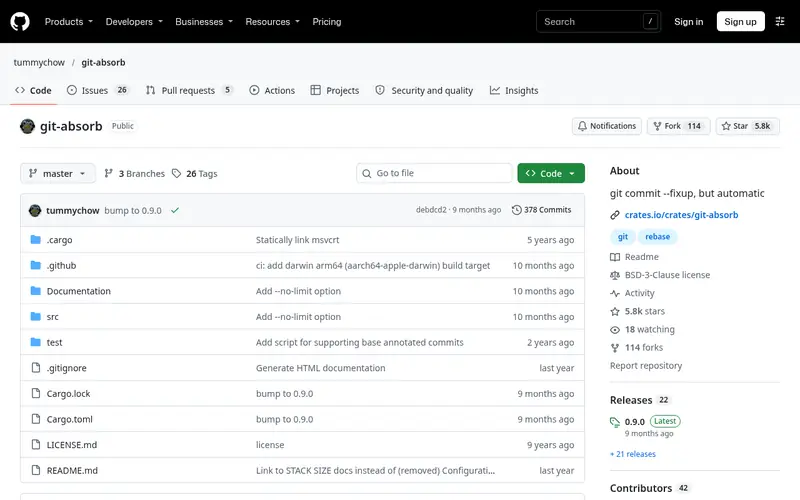
git-absorb is a small tool that takes your staged changes and creates fixup commits targeting the earlier commits they belong to. It then runs an autosquash rebase so those changes fold into place. The result is a tidy history without you hand-editing a rebase todo list for every small correction.
It is written in Rust and distributed through package managers and source builds. It runs on Linux, macOS and Windows. The licence is open source. It works best when each change clearly belongs to one prior commit; ambiguous changes may need manual rebasing. It does not remove files or secrets from history, so pair it with git filter-repo for that job.
Standout: Automates the fixup-and-rebase loop
Free (open source), as listed by the vendor (git-absorb website). Confirm the current plan price before you buy.
Free plan. Plans change, so confirm on the vendor's pricing page before you buy.
Benefits
- Automates the fixup-and-rebase loop
- keeps history clean without manual todo-list editing
Drawbacks
- Rust build or package install needed
- works best when changes map cleanly to single commits
Skip it if this limit matters to you: rust build or package install needed.
Verdict. A sensible pick for folding fixup commits into the right earlier commits automatically.
Alternatives in this guide: git filter-repo, BFG Repo-Cleaner, git rebase -i
git-revise
Best for fast in-place edits to recent commits without a full interactive rebase
What it is and where it fits
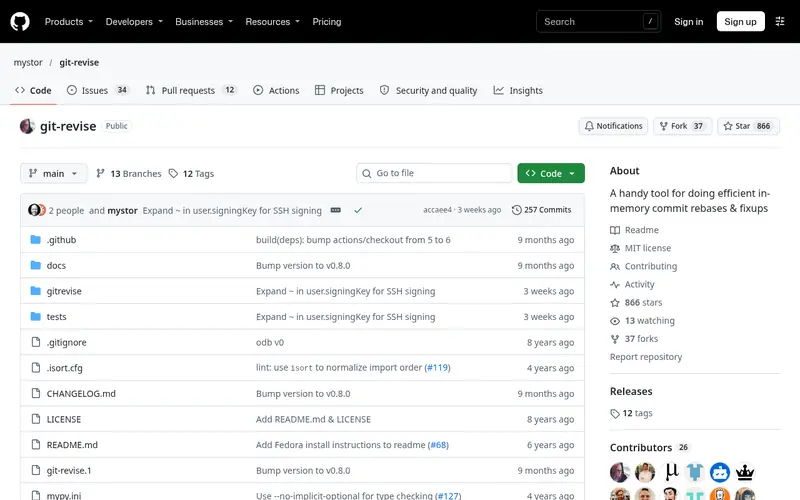
git-revise edits commits in place. You can change a commit message, amend content into an earlier commit, split a commit, or reorder recent commits. It is designed as a lighter alternative to interactive rebase for small corrections, and it stores the original commits so you can recover if something goes wrong.
It is a Python tool that runs on Linux, macOS and Windows and is open source. Like every history rewrite, it changes commit hashes, so avoid it on branches other people have already pulled. It does not handle repository-wide content removal; that is the territory of git filter-repo and BFG. Use git-revise when you want to fix the last few commits quickly.
Standout: Quicker than interactive rebase for small message and content edits
Free (open source), as listed by the vendor (git-revise website). Confirm the current plan price before you buy.
Free plan. Plans change, so confirm on the vendor's pricing page before you buy.
Benefits
- Quicker than interactive rebase for small message and content edits
- keeps a backup of original commits
Drawbacks
- Python install required
- still rewrites hashes, so shared branches need coordination
Skip it if this limit matters to you: python install required.
Verdict. A sensible pick for fast in-place edits to recent commits without a full interactive rebase.
Alternatives in this guide: git filter-repo, BFG Repo-Cleaner, git rebase -i
Who should use what
If a password or a large binary is buried deep in history, start with git filter-repo, or BFG Repo-Cleaner for a simpler purge. If you only need to squash your last few commits or fix a message before opening a pull request, use git rebase -i, git-revise or git-absorb. Teams that want a repeatable, scriptable cleanup should prefer git filter-repo because it covers paths, blobs and metadata in one run. Anyone working on a shared branch should plan the force-push and tell collaborators before rewriting.
Questions to settle before you buy
What to check before you buy
- Make a full backup or a fresh mirror clone before any rewrite.
- Confirm whether the problem is repository-wide (filter-repo, BFG) or local (rebase, revise, absorb).
- Check that no one else has based work on the commits you plan to change.
- Rotate any secret you find in history; removing it from Git does not make it safe.
- Agree on a force-push window and tell everyone who clones the repository.
FAQ
Does rewriting history break other people's clones?
Yes, if they have already pulled the rewritten commits. Their local history will diverge. They need to reset to the new branch or re-clone. Announce the rewrite and the force-push in advance.
Is git filter-branch still usable?
It still runs, but the Git project documents it as legacy and recommends git filter-repo instead. filter-branch is slow on large repositories and easier to misuse. Use it only for old scripts you have not migrated.
Can I remove a leaked secret from history?
You can remove the file or string with git filter-repo or BFG, but treat the secret as compromised. Rotate the credential and check logs for misuse. Rewriting history does not undo any access the secret already allowed.
Do these tools work on Windows?
Yes. git rebase ships with Git for Windows. git filter-repo and git-revise need Python. BFG needs Java. git-absorb is available through package managers and source builds. All run from the command line.
Which tool is best for removing a large file?
git filter-repo or BFG Repo-Cleaner. Both can strip a file or blobs above a size limit across all commits. BFG is simpler for a single file; filter-repo is more flexible for combined path and metadata changes.
Sources we checked
Method: how we score · editorial policy.
Change log. First published 28 Nov 2026.